
Level Up Your Business: Why the Goldman Sachs 10,000 Women Program is a Must for 2026

Level Up Your Business: Why the Goldman Sachs 10,000 Women Program is a Must for 2026

Last updated: April 4, 2026

The Goldman Sachs 10,000 Women program is a free, world class online business education initiative designed to provide female entrepreneurs with the practical skills and global network needed to scale their companies. This guide covers what the 2026 program includes, how it helps with financial management, and why it is a vital resource for small business owners in Los Angeles and beyond.

At Books LA, we often talk to women business owners who have incredible products or services but feel they lack the formal business training to reach the next level. Whether you are managing a growing boutique in Santa Monica or a tech startup in Silver Lake, finding high quality, no cost education is a rare win. The 10,000 Women program fills that gap by offering a curriculum that rivals top tier business schools.

What is the Goldman Sachs 10,000 Women program?

The Goldman Sachs 10,000 Women initiative is a global program that has already reached over 200,000 women across 150 countries. It is fully funded by the Goldman Sachs Foundation, meaning there is no tuition fee for participants. The program is designed to be flexible, offering an online 10 course series that you can complete at your own pace.

For 2026, the program continues to focus on practical, actionable education. It is not just about theory. Each module is designed to help you create a "Business Growth Plan" that you can implement the moment you finish the course. This makes it particularly valuable for owners who are currently working in their business and need to transition to working on their business.

What does the 10 course curriculum cover?

The curriculum is structured to address every major pillar of a successful enterprise. If you have ever felt like you are "winging it" in certain areas, these courses provide the structure you need.

  1. Developing a Business Growth Plan: Learning how to set a long term vision.
  2. Leadership and Management: Growing from a founder into a CEO.
  3. Marketing and Sales: Finding your target audience and closing deals.
  4. Financial Management: Understanding your numbers.
  5. Operations and Processes: Building the systems that allow for scale.
  6. Negotiation: Mastering the art of the deal with vendors and clients.
  7. Human Resources: How to hire and retain a winning team.
  8. Financing and Capital: Learning about the various ways to fund your growth.
  9. Pitching Your Business: Being able to tell your story to investors.
  10. Action Planning: Putting everything together into a final strategy.

A purple stack of ten modules representing the Goldman Sachs 10,000 Women business growth curriculum.

Why the financial management module is a priority

As a bookkeeping firm, we naturally emphasize the financial management module. Many business owners come to us because they are confused by their Profit and Loss statements or they are not sure how to forecast their cash flow.

The 10,000 Women program teaches you how to read your financial statements and use that data to make better decisions. It covers key metrics like gross margin and break even points. While we provide bookkeeping services to handle the heavy lifting, having an owner who understands these concepts makes the partnership much more effective. When you understand the "why" behind the numbers, you can spot opportunities for growth that others might miss.

Is the program really free?

Yes. The online version of the program is completely free and available to any woman who owns or manages a business. Goldman Sachs covers the cost of the educators and the platform. There are no hidden fees or "upsells" at the end of the modules.

The primary investment required from you is your time. Each course takes a few hours to complete, and the entire series can be finished over several weeks or months depending on your schedule. For an LA business owner, this is an incredible ROI: the cost is zero, but the potential increase in revenue and efficiency is significant.

How does this program help with scaling?

Scaling a business is different from just growing it. Growth means your revenue and your expenses are going up at the same rate. Scaling means your revenue is growing much faster than your costs.

The 10,000 Women program focuses on the "Business Growth Plan" which is a roadmap for scaling. By teaching you how to build better operations and how to negotiate better contracts, the program gives you the tools to increase your margins. For example, if you learn how to better manage your supply chain in the operations module, those savings drop directly to your bottom line.

Networking and mentorship opportunities

One of the biggest hurdles for women entrepreneurs is the "loneliness at the top." It can be hard to find a peer group that understands the specific challenges of running a business.

The 10,000 Women program connects you to a massive alumni network. Graduates often cite the community as the most valuable part of the experience. You gain access to:

  • Global networking events.
  • Mentorship from industry leaders.
  • A peer group of women who are at the same stage of business as you.

This network can be a source of new clients, potential partners, or simply a safe space to ask questions about leadership and management.

A purple network web symbolizing the global alumni community for the 10,000 Women online program.

Practical example: Applying the lessons to an LA business

Let's look at a hypothetical scenario. Imagine Sarah runs a boutique catering company in Los Angeles. She is busy every weekend, but she feels like she isn't taking home enough profit.

Through the 10,000 Women program, Sarah takes the Financial Management module. She realizes she hasn't been accounting for the "invisible" costs of her staff's travel time between venues. She then uses the Negotiation module to talk to her food suppliers and secures a 5% discount by committing to a larger volume of orders.

Finally, she uses the Leadership module to delegate the menu planning to a head chef, freeing up ten hours of her week to focus on high end corporate sales. By the end of the year, Sarah hasn't just worked harder; she has worked smarter, and her business is more profitable because of these specific, actionable changes.

How to apply for the 2026 cohort

The program is open for applications year round, but there are specific start dates for the facilitated versions of the course. For the May 2026 cohort, you should look into the application process now.

To be eligible, you generally need to be a woman who owns or manages a business that has been in operation for at least a year. While there are no strict revenue requirements for the online version, the content is most beneficial for those who already have a proof of concept and are ready to grow.

You can find more information on the official Goldman Sachs website or by looking through our about page for other resources we recommend to our clients.

Final thoughts on professional growth

Investing in your own education is one of the best moves you can make as a CEO. The Goldman Sachs 10,000 Women program provides a structured, high quality path to doing exactly that.

As you go through the program and begin to see your business numbers in a new light, you might find you need more robust support to keep your records clean. If you find yourself needing professional help with your monthly close services, we are here to help. Our goal at Books LA is to ensure your books are as professional and ready for growth as you are.


IRS/Tax Disclaimer: Books LA does not provide income tax advice. We focus on bookkeeping and internal financial management. For all income tax matters, we recommend working with a qualified CPA. We are happy to work alongside your CPA to provide them with the accurate financial records they need for your tax filings.


About the Author

Jelena Arkula is the owner of Books LA, a professional bookkeeping firm based in Los Angeles, California. With years of experience helping small businesses navigate their finances using tools like QuickBooks Online (QBO) and Xero, Jelena is passionate about empowering entrepreneurs through financial clarity. She believes that good bookkeeping is the foundation of every successful business scale-up strategy.

A purple calculator and rising chart symbolizing financial growth and bookkeeping for Los Angeles businesses.

FAQ: Goldman Sachs 10,000 Women Program

Does the program really cost nothing?
Yes, the program is fully funded by the Goldman Sachs Foundation. There are no tuition fees for the online 10 course series.

Do I need to live in a specific city to join?
No. While there are some in person cohorts in specific countries like India, the online program is available to women entrepreneurs globally, including those in Los Angeles.

How much time do I need to commit each week?
Most participants spend about 3 to 5 hours per week on the modules. Since the online version is self paced, you can adjust this to fit your business schedule.

Is there a revenue requirement to apply?
For the general online program, there is no strict minimum revenue. However, the material is designed for businesses that are already operational rather than those in the "idea phase."

Will Goldman Sachs give me a loan or a grant after the program?
The program does not provide direct grants. However, it does provide "pathways to capital" by teaching you how to prepare for financing and connecting you with potential lenders or investors.

Do I get a certificate when I finish?
Yes, graduates of the program receive a certificate of completion from Goldman Sachs 10,000 Women.

Can I participate if I am a solo entrepreneur?
Yes. Whether you have a team of twenty or you are currently a "solopreneur" looking to make your first hire, the leadership and operations modules are highly relevant.

What language is the program offered in?
The program is available in several languages including English, Spanish, French, and Hindi.

How do I know if my business is ready for this?
If you have been in business for at least a year and feel like you have hit a plateau or are unsure how to manage your growth, you are likely ready for this program.

Do I need an accounting background for the financial module?
Not at all. The module is designed for business owners, not accountants. It teaches you how to use financial data to lead, not how to do the data entry.

If you are looking for help getting your financials ready for a program like this, feel free to contact us for a bookkeeping review.
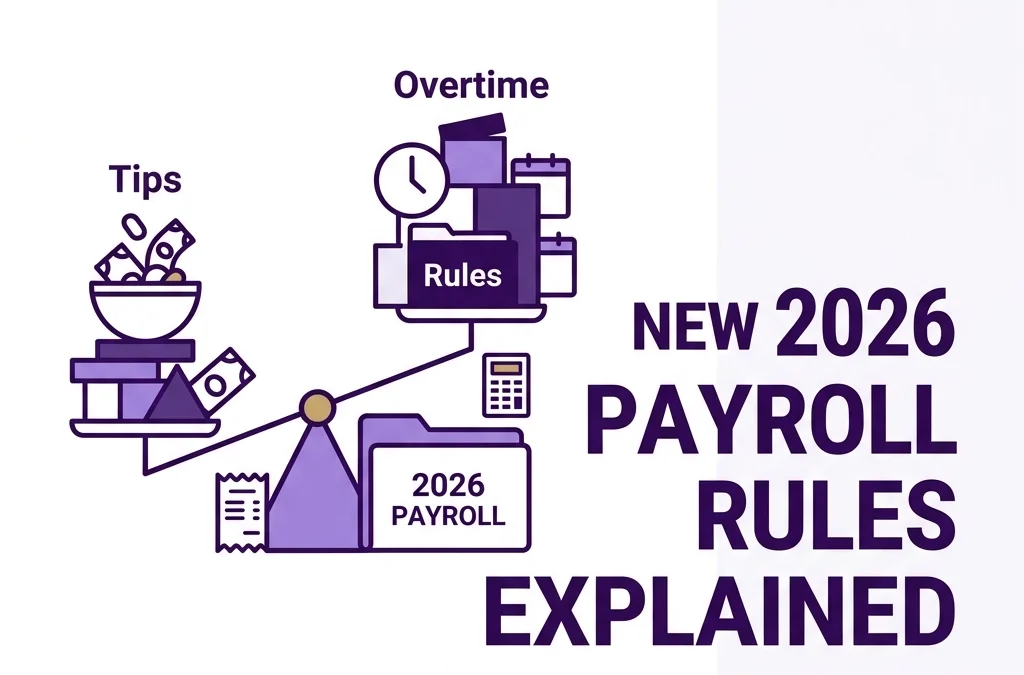

Tipped & Overworked? How to Handle the New 2026 Payroll Rules for Tips and Overtime

Tipped & Overworked? How to Handle the New 2026 Payroll Rules for Tips and Overtime

Last updated: April 4, 2026

As of 2026, the One Big Beautiful Bill (OBBB) Act allows employees to deduct up to $25,000 in tips and $12,500 in overtime premiums from their federal income tax. For business owners, this means you must use new W-2 codes (TP and TT) and track exact overtime premiums to ensure your team gets their tax breaks and you stay compliant.

This guide is for small business owners in the service, hospitality, and construction industries who are navigating the shift from the 2025 "grace year" to the now-mandatory 2026 reporting requirements. We will cover exactly how to categorize these payments, what software updates you need, and how to avoid the IRS penalties that kick in this year.

What are the new 2026 rules for tips under the OBBB Act?

If you run a restaurant, salon, or any business where tips are common, the "No Tax on Tips" headlines probably caught your eye. While the slogan sounds simple, the reality for your payroll is a bit more technical.

The OBBB Act doesn't make tips "invisible" to the IRS. Instead, it creates a federal income tax deduction for "qualified tips" up to $25,000 per year for your employees. To qualify, these tips must be 100% voluntary. If you have a mandatory 18% service charge on large parties, those funds do not count for this deduction. They are still treated as regular wages.

For 2026, you are required to report these qualified tips separately on the W-2. The IRS has introduced Code TP for Box 12. If you don't use this code, your employees won't be able to claim their deduction, and you might find yourself in hot water during a payroll audit.

Minimalist purple coin and glass tip jar representing 2026 qualified tip reporting and Code TP compliance.

How do I calculate the overtime premium for the new deduction?

Overtime is the second half of this new tax puzzle. The OBBB Act allows a deduction for qualified overtime compensation, but there is a catch: only the premium portion of the pay is deductible.

The premium is the "half" in "time and a half." For example, if your employee earns $30 per hour, their overtime rate is $45 per hour.

  • $30 is the regular rate (not deductible).
  • $15 is the overtime premium (deductible).

For 2026, you must track that $15 premium separately. The limit for this deduction is $12,500 for single filers and $25,000 for married couples. You will report this premium amount on the W-2 using Code TT in Box 12.

Getting this right is crucial for transforming payroll complexity into seamless simplicity. If your current system just lumps "Overtime Pay" into one total, you will need to adjust your tracking immediately to break out that 0.5x premium.

Why did the IRS end the transition relief for 2026?

In 2025, the IRS was relatively leanient. They knew business owners needed time to update their software and internal processes. That "grace period" is officially over.

Starting with the 2026 tax year, the IRS expects full compliance with the new W-2 codes and reporting standards. If you fail to separate tips and overtime premiums correctly, you face per-form penalties. For a small business with 20 employees, those "oops" moments can add up to thousands of dollars in fines very quickly.

This is a major reason why many owners are navigating financial clarity by avoiding common small business pitfalls through professional bookkeeping. You don't want to be the reason your hardworking staff misses out on a $25,000 deduction because your W-2s were coded incorrectly.

Which payroll system updates do I need to make now?

Whether you use QuickBooks Online (QBO), Xero, or a standalone payroll provider, you need to check your settings. Most major platforms have rolled out updates for the OBBB Act, but they aren't always automatic.

  1. Check your Pay Types: Ensure "Tips" and "Overtime" are mapped to the correct Box 12 codes (TP and TT).
  2. Review your Employee W-4s: Employees can now use a specific "Deductions Worksheet" to reduce their withholding based on their expected tips and overtime. If they haven't updated their W-4 since late 2024, they might be over-paying tax throughout the year.
  3. Verify Occupational Codes: For tips, the IRS now requires an "occupation code" in Box 14b of the W-2 to prove the worker is in a role where tips are customary.

If this feels overwhelming, you aren't alone. Many of our clients at Books LA found that unlocking efficiency through cloud accounting was the only way to keep up with these rapid changes.

A purple digital checklist showing completed payroll system updates for 2026 tax law compliance.

How do income limits affect my employees' deductions?

It is important to manage expectations for your high earners. These deductions phase out if an employee's Modified Adjusted Gross Income (MAGI) exceeds $150,000 (for single filers) or $300,000 (for joint filers).

The deduction reduces at a rate of 10% for every dollar over those limits. As a business owner, you don't necessarily need to calculate their personal tax return, but being aware of these limits helps when your top manager asks why their tax break looks different than the rest of the team's.

We always recommend that our clients encourage their staff to confirm these details with a CPA to ensure their personal tax strategy aligns with the new 2026 laws.

What records do I need to keep for an OBBB audit?

Documentation is your best friend when the IRS comes knocking. To support the "TP" and "TT" codes on your W-2s, you should maintain:

  • Tip Logs: Daily or weekly reports of tips received by employees, signed or digitally verified.
  • Time Sheets: Records that clearly show regular hours worked vs. overtime hours worked.
  • Policy Documents: A written policy stating that tips are voluntary, which helps prove they qualify for the deduction.

Keeping these records organized is part of top document and workflow management strategies. If you wait until an audit starts to find these papers, it's already too late.


About the Author: Jelena Arkula

Jelena is the founder of Books LA, a specialized bookkeeping firm based in Los Angeles. With years of experience helping local business owners master QuickBooks Online and Xero, she focuses on turning messy back-offices into streamlined machines. Jelena and her team are dedicated to ensuring LA's small businesses stay compliant with ever-changing California and federal payroll laws.

Disclaimer: Books LA provides bookkeeping and payroll support services. We are not CPAs or tax attorneys and do not provide income tax advice. Please consult with a qualified CPA regarding your specific tax filing and the impact of the OBBB Act on your personal or business tax returns.


FAQ: 2026 Tips and Overtime Rules

Do I have to stop withholding federal income tax on tips?
No. You still withhold as usual. The OBBB Act provides a deduction that the employee claims on their tax return to get that money back, or they can adjust their W-4 withholding to see the benefit in their paycheck.

What happens if I use the wrong W-2 code?
If you fail to use Code TP for tips or Code TT for overtime premiums in 2026, you may face IRS penalties for incorrect information returns. More importantly, your employees will likely be unable to claim their deductions.

Does this apply to 1099 contractors?
Yes. If you pay non-employees who receive qualified tips or overtime premiums, you must report these separately on Form 1099-NEC starting in 2026.

Are "Service Charges" deductible under this new law?
Generally, no. The IRS views mandatory service charges as regular wages. Only voluntary tips provided by the customer qualify for the "Code TP" deduction.

Is the entire overtime check deductible?
No. Only the "premium" portion (the extra 0.5x of the hourly rate) qualifies for the "Code TT" deduction, up to the annual limit.

Do these rules apply to state taxes?
Not necessarily. The OBBB Act is a federal law. California and other states may not "conform" to these rules, meaning the tips might still be fully taxable at the state level. Always check with your tax professional.

How much does it cost to have a bookkeeper fix my payroll codes?
Pricing varies based on the size of your team and the state of your current books. At Books LA, we offer payroll simplification services to help you get compliant. Book a call with us to get a custom quote.

When is the deadline to update my payroll system?
Technically, the rules are in effect now for the 2026 tax year. You should ensure your tracking is correct for every pay period in 2026 to ensure your year-end W-2s are accurate.

Can I handle this myself in QuickBooks?
You can, but it requires manual setup of new pay items and mapping them to the specific Box 12 codes. Many owners prefer to have a professional review the setup to avoid costly year-end errors.

What if my employee works two jobs?
The deduction limits ($25k for tips, $12.5k for OT) are per individual, not per employer. If they hit the limit between two jobs, that is handled on their personal tax return, but you are still responsible for reporting what you paid them correctly.


Want us to handle your 2026 payroll compliance?
Schedule a quick 15-minute consultation with Books LA today and let’s make sure your team gets the tax breaks they deserve without the stress!

What is OBBB? A Business Owner’s Guide to the One Big Beautiful Bill

What is OBBB? A Business Owner’s Guide to the One Big Beautiful Bill

Last updated: April 4, 2026

Ever feel like the tax code was written in a secret code specifically designed to keep you awake at 2 AM? You are not alone. The One Big Beautiful Bill (OBBB), signed into law in mid-2025, is a massive overhaul that actually brings some much-needed stability to your business finances.

Fast Answer: The One Big Beautiful Bill (OBBB) is a federal law that makes several small business tax breaks permanent, including 100% bonus depreciation and an increased $40,000 SALT deduction limit. This guide is for small business owners who want to understand how these 2026 changes impact their daily bookkeeping and year-end tax planning.

What is the One Big Beautiful Bill (OBBB)?

The One Big Beautiful Bill is essentially a "greatest hits" collection of business-friendly tax policies. Instead of these rules expiring every few years, the OBBB makes them a permanent part of the landscape. For you, this means more certainty when you decide to buy a new piece of equipment or hire your next employee.

Official OBBB tax legislation document with a rising bar chart representing small business growth.

Before this bill, many of the perks we loved from the 2017 tax reforms were scheduled to disappear. Now, we have a clear runway through 2026 and beyond. As a business owner, you can stop playing "tax chicken" with the government and actually plan your growth.

How does 100% bonus depreciation work in 2026?

One of the biggest wins in the OBBB is the permanent return of 100% bonus depreciation. If you buy a "big ticket" item for your business, like a delivery van, a heavy-duty printer, or specialized kitchen equipment, you don't have to wait years to write it off.

In the past, you might have had to spread that deduction over five or seven years. Under the new OBBB rules, you can deduct the full cost in the very first year you put it into service. This is a massive cash flow advantage. If you spend $50,000 on equipment today, you reduce your taxable income by $50,000 this year.

This makes the "buy vs. lease" decision much simpler. Many of our clients are choosing to buy outright to snag that immediate tax win.

What are the new SALT and QBI limits?

If you are running a business in a high-tax state like California, the SALT (State and Local Tax) deduction has probably been a sore spot. For years, it was capped at a measly $10,000.

The OBBB raised that cap to $40,000 through 2029. This is a huge relief for Los Angeles business owners who often hit that $10,000 limit just by paying their basic property and state income taxes.

Additionally, the Qualified Business Income (QBI) deduction has been boosted. If you operate as a pass-through entity (like an LLC or S-Corp), you might now be eligible for a 23% deduction on your business income, up from the previous 20%. It is essentially a "thank you" discount from the IRS for being a small business.

How do the new overtime and tip rules affect my payroll?

The OBBB introduced some very specific perks for your team that you need to track in your payroll system.

First, there is a new deduction for overtime pay. Individuals can exclude up to $12,500 of overtime income from their federal taxes. For you as the employer, this doesn't change what you pay them, but it makes the "extra hours" much more attractive to your staff.

Second, the "Tip Income Exclusion" is now in full swing. Service-oriented businesses like salons or cafes can see employees exclude up to $25,000 in tips from their taxable income.

Your job as the business owner is to ensure your bookkeeping reflects these categories accurately. If your payroll isn't set up to distinguish these specific types of pay, your team might miss out on these benefits.

Modern clock and icons representing payroll tracking for overtime and tip income benefits.

What are the new 1099 limits and penalties for 2026?

This is where the "boring" part of bookkeeping becomes very expensive if you ignore it. The OBBB and subsequent 2026 regulations have tightened the screws on 1099 reporting.

The threshold for reporting payments to contractors has shifted, and the IRS is now using automated matching systems to catch missing forms. If you fail to file a 1099-NEC for a contractor you paid over the limit, the penalties have nearly doubled.

We recommend starting your 1099 bookkeeping checklist early. Don't wait until January 2027 to ask your graphic designer for their W-9. Get it before you send the first payment.

What is the new mandatory crypto reporting?

If your business accepts Bitcoin, Ethereum, or any other digital asset as payment, the OBBB has brought you into the spotlight. Starting in 2026, there are new mandatory reporting requirements for business-to-business crypto transactions.

The IRS now views these much like cash transactions over $10,000. You will likely need to file specific forms detailing the sender’s information and the value of the crypto at the moment of receipt.

This adds a layer of complexity to your bank reconciliations. You can't just mark it as "Sales." You need a record of the exchange rate and the wallet addresses involved.

Smartphone showing blockchain icons and digital receipts for business crypto reporting compliance.

Why does my bookkeeper need to care about OBBB?

You might be thinking: "Isn't this my CPA's job?"

While your CPA handles the final tax return, your bookkeeper is the one in the trenches every day. If your bookkeeper doesn't understand OBBB, they won't know to flag that $20,000 equipment purchase for bonus depreciation. They might not realize your crypto sales need extra documentation.

At Books LA, we focus on making sure your data is "tax-ready." This means when you hand your books to your CPA at the end of the year, all the OBBB-related categories are already sorted. You won't have to pay your CPA $300 an hour to clean up your "Miscellaneous" folder.

How to get started with OBBB compliance

The best way to handle these changes is to be proactive. Here is a quick checklist for this month:

  1. Review your asset list: Are you planning a big purchase? Check if it qualifies for the 100% bonus depreciation.
  2. Update your payroll settings: Ensure overtime and tips are categorized correctly to help your employees get their OBBB tax breaks.
  3. Audit your 1099s: Make sure you have W-9s for every vendor you've paid this year.
  4. Check your SALT exposure: Talk to your bookkeeper about how much you've paid in state and local taxes so far.

Want us to handle this? We can review your current setup and make sure you are capturing every OBBB benefit available. Book a short call with Books LA here.

Magnifying glass over a file folder symbolizing a professional bookkeeping review of OBBB tax benefits.

Summary of OBBB Changes for 2026

Feature Old Rule New OBBB Rule (2026)
Bonus Depreciation Phasing out Permanent 100%
SALT Deduction $10,000 Cap $40,000 Cap
QBI Deduction 20% 23% for many
1099 Filing Lower penalties Higher penalties / Stricter limits
Crypto Minimal reporting Mandatory B2B reporting

About Books LA

We are a Los Angeles-based bookkeeping firm dedicated to helping small businesses stay organized and compliant. We live and breathe QuickBooks Online (QBO) and Xero. Our team focuses on the day-to-day numbers so you can focus on growing your business. Whether you need a bookkeeping cleanup or monthly maintenance, we are here to support your journey.

Disclaimer: Books LA provides bookkeeping and payroll services. We do not provide income tax advice. The information in this post is for educational purposes. We work closely with CPAs to ensure your books meet tax requirements, and we always recommend confirming specific tax strategies with your CPA.

FAQ: Common Questions About the One Big Beautiful Bill

Does OBBB apply to my S-Corp?

Yes. The OBBB specifically targets pass-through entities like S-Corps, LLCs, and Sole Proprietorships. The QBI deduction increase to 23% is one of the primary benefits for S-Corp owners.

Is the 100% bonus depreciation only for new equipment?

Under OBBB, both new and "used to you" equipment typically qualify for bonus depreciation, as long as it is new to the business and put into service during the tax year.

What happens if I don't report crypto payments in 2026?

The IRS has increased its enforcement budget specifically for digital assets. Failing to report could lead to significant penalties and audits. It is best to use a sub-ledger or specialized software that syncs with your bookkeeping.

Can I still use the SALT deduction if I don't itemize?

The SALT deduction is generally part of itemized deductions on your personal return. However, some states have "SALT cap workarounds" for business owners (like the PTET in California) that your bookkeeper and CPA can help you navigate.

How much does it cost to have a bookkeeper manage these OBBB changes?

Most monthly bookkeeping packages include the categorization needed for OBBB compliance. If you need a one-time cleanup to catch up on 2025 or 2026 data, prices vary based on the volume of transactions.

Do I need to change my payroll provider because of the overtime rules?

Most major providers like Gusto or ADP are updating their systems for OBBB. Your main task is ensuring your bookkeeper maps those new payroll categories to the correct accounts in your general ledger.

Business credit card and organized files representing professional payroll and ledger management.

Ready to stop stressing about the One Big Beautiful Bill and start using it to your advantage? Request a bookkeeping review from Books LA today.

The $2,000 Rule: 1099 Threshold Changes & Penalties in 2026

The $2,000 Rule: 1099 Threshold Changes & Penalties in 2026

Last updated: April 4, 2026

Starting in tax year 2026, you only need to issue a Form 1099-NEC or 1099-MISC if you paid a vendor or contractor $2,000 or more during the calendar year. This post is for small business owners and freelancers who need to navigate the new OBBB Act reporting rules and avoid expensive IRS penalties.

We are going to cover the jump from $600 to $2,000, why the 1099-K threshold is back to its old ways, and how your bookkeeping workflow needs to change to stay ahead of the curve.

What is the new 1099 reporting threshold for 2026?

For years, the magic number was $600. If you paid a contractor more than that, you had to send a 1099. Under the One Big Beautiful Bill (OBBB) Act, that threshold has officially increased to $2,000 for payments made after December 31, 2025.

This means for the 2026 tax year, you can breathe a little easier if you have small, one off repairs or quick consulting sessions that stay under that $2,000 mark. This change applies to both Form 1099-NEC (Non-Employee Compensation) and Form 1099-MISC (Miscellaneous Information).

Even better: starting in 2027, this $2,000 limit will be indexed for inflation. The IRS will adjust the number periodically so it does not get stuck at $2,000 for the next thirty years.

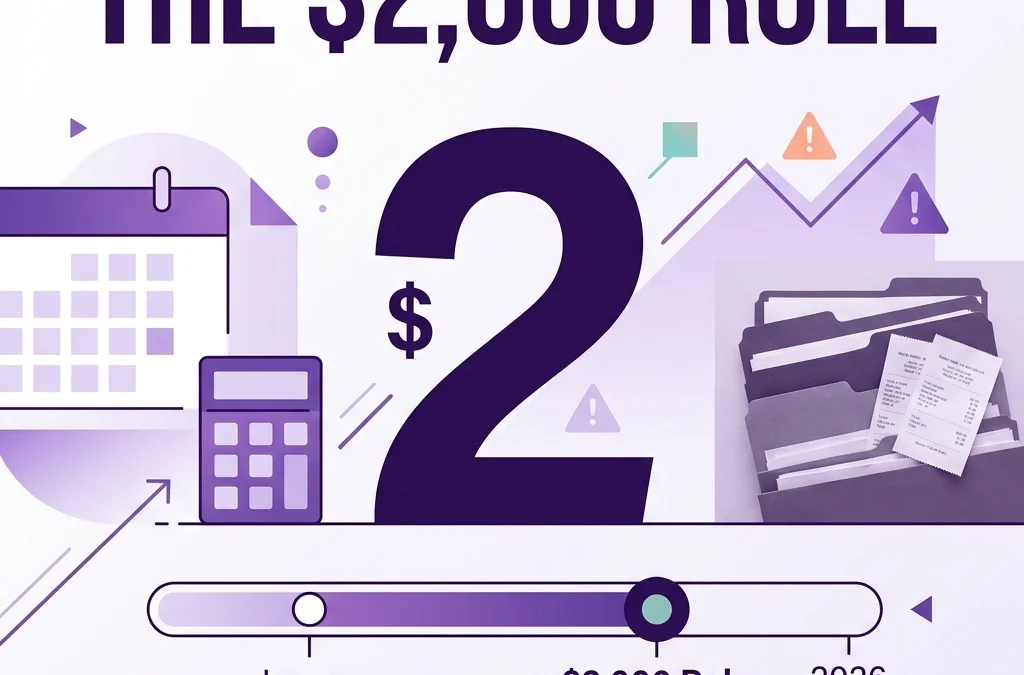
Stylized 1099 tax forms next to a large 2,000 dollar figure representing the new IRS reporting threshold.

Why did the 1099-K threshold change back to $20,000?

If you have been following the news, the 1099-K threshold has been a bit of a roller coaster. There was a plan to drop it to $600, which caused a lot of panic for people selling old furniture on apps or taking small payments via Venmo.

As part of the same 2026 legislation, the Form 1099-K threshold has reverted to the original $20,000 and 200 transactions limit.

This is a huge relief for businesses that use third party settlement organizations. It means you will not get a 1099-K from your payment processor unless you hit both of those high marks. However, do not let this confuse you. If you pay a contractor via cash, check, or direct ACH, you still follow the $2,000 rule for the 1099-NEC. The $20,000 rule is specifically for the payment platforms to report to you.

What are the 1099 penalties for non-compliance in 2026?

Just because the threshold is higher does not mean the IRS is looking the other way. In fact, penalties for failing to file or filing late have increased alongside these changes. If you miss the deadline or provide incorrect information, the costs add up fast.

  1. Failure to file on time: Penalties can range from $60 to $310 per form, depending on how late you are.
  2. Intentional disregard: If the IRS thinks you purposely ignored the $2,000 rule, the penalty can jump to over $630 per form, or 10 percent of the total amount that should have been reported.
  3. Incorrect information: Sending a 1099 with the wrong TIN (Taxpayer Identification Number) or name can trigger a penalty if you do not fix it quickly.

At Books LA, we see these penalties hit small businesses right when they are trying to grow. It is much cheaper to have a clean bookkeeping system than to pay the IRS for a mistake.

How does the OBBB Act affect crypto, tips, and overtime?

The OBBB Act brought in a few other moving parts that your bookkeeper is likely watching closely.

Mandatory Crypto Reporting: The IRS is getting very serious about digital assets. If you pay contractors in cryptocurrency, those payments still count toward the $2,000 threshold. You must track the fair market value of the crypto in U.S. dollars at the time the payment was made.

Tips and Overtime: There are new considerations for how tips are reported and how overtime is calculated for certain industries. If you are in the service or construction industry, ensuring your payroll and your 1099 tracking are in sync is vital. If a worker is misclassified as a contractor but is actually an employee receiving tips or overtime, the $2,000 threshold is the least of your worries. The misclassification penalties are much steeper.

A purple digital currency coin and clock icon symbolizing mandatory crypto reporting and payroll compliance.

What should your bookkeeping workflow look like now?

Even though you do not have to file for someone you paid $1,500, you should still act like you do. Here is the rule of thumb we use at Books LA: Always get the W-9 before you send the first payment.

It does not matter if the first invoice is only for $100. If you wait until they hit $2,000 in December to ask for their tax info, they might disappear on you.

  • Collect W-9s early: Make it part of your onboarding process for every new vendor.
  • Track by Vendor in QBO/Xero: Ensure your cloud accounting software is set up to track "1099 payments" automatically.
  • Review quarterly: Look at your vendor spend every three months to see who is approaching the $2,000 mark.
  • Backup Withholding: The backup withholding threshold also jumped to $2,000. If a vendor refuses to give you a TIN and you pay them over $2,000, you are required to withhold taxes from their payment and send it to the IRS.

You can see more about how we handle these details on our services page.

Why the $2,000 rule does not mean "tax-free" income

This is a common misconception we hear from business owners. They think that if they do not have to send a 1099, the contractor does not have to pay taxes on that money.

That is not true.

The contractor is still legally required to report every dollar of income, even if it was only $5. The $2,000 rule is simply a reporting threshold for the payer (you), not a tax exemption for the payee (them). Keeping your books accurate helps you prove your expenses during an audit, regardless of whether a 1099 was issued.

An organized purple file folder with documents showing audit-ready bookkeeping and financial transparency.

Ready to get your 1099s in order?

Navigating the OBBB Act and the new $2,000 limit can feel like a lot, especially when you are also trying to manage daily operations and payroll.

If your current bookkeeping feels like a pile of receipts and "I will get to it later," we can help. Whether you need a one time cleanup or ongoing monthly support, our team at Books LA is here to make sure you stay compliant and penalty free.

Request a bookkeeping review here


About the Author
Jelena Arkula is the owner of Books LA, a cloud-based bookkeeping firm based in Los Angeles, California. With years of experience helping small businesses master QuickBooks Online (QBO) and Xero, Jelena and her team focus on making accounting friendly and accessible. We are not just number crunchers: we are your partners in growth.

Disclaimer: Books LA provides bookkeeping and compliance support. We do not provide income tax advice. Please consult with a qualified CPA regarding your specific income tax filings and the legal implications of the OBBB Act for your business.


FAQ: The 2026 1099 Rules

What happens if I pay someone $1,999?
You are not required to file a 1099-NEC or 1099-MISC with the IRS. However, you should still keep a record of the payment as a business expense in your books.

Do I need to send 1099s for payments made via credit card?
No. Payments made by credit card or through third party processors like PayPal are reported by the processor on a 1099-K (if they hit the $20,000/200 transaction mark). You do not need to issue a 1099-NEC for those.

Does the $2,000 rule apply to corporations?
Generally, no. You usually do not have to send a 1099 to a corporation (S-Corp or C-Corp). The exception is for legal services: you almost always have to send a 1099 to your lawyer, even if they are incorporated.

What is the deadline for filing 1099-NEC in 2026?
The deadline is typically January 31st for the preceding tax year. Even with the higher threshold, the deadline remains the same.

Can I file my 1099s electronically?
Yes, and the IRS actually prefers it. If you have more than 10 forms, electronic filing is mandatory. Most modern software like QuickBooks Online makes this simple.

What if I don't have the contractor's Social Security Number?
You should request a W-9 before paying them. If they refuse to provide it and you pay them over $2,000, you must begin backup withholding at a rate of 24 percent.

Is crypto considered a "cash" payment for 1099s?
For reporting purposes, yes. If the value of the crypto at the time of payment exceeds $2,000 for the year, you must issue a 1099 based on its U.S. dollar value.

Does this change affect my state taxes?
It depends. Many states follow federal guidelines, but some have their own lower thresholds. Always check your specific state’s requirements or ask your bookkeeper to look into it for you.

New 2026 Crypto Reporting: Is Your Small Business Ready for Form 1099-DA?

New 2026 Crypto Reporting: Is Your Small Business Ready for Form 1099-DA?

Last updated: April 4, 2026

Small businesses using digital assets must now prepare for Form 1099-DA, the new IRS requirement for reporting cryptocurrency sales and exchanges. This post is for business owners who accept crypto or invest business funds in digital assets, covering exactly how to organize your books before the 2026 filing season.

Disclaimer: Books LA provides bookkeeping and compliance support. We are not CPAs and do not provide income tax advice. We work closely with your CPA to ensure your financial data is tax-ready. Please consult a tax professional for specific filing strategies.

What exactly is the new Form 1099-DA for small businesses?

Fast Answer: Form 1099-DA is a new tax document that "brokers" (like Coinbase or Kraken) use to report your business's crypto sale proceeds to the IRS. Starting with the 2026 tax year, these forms will also include your "cost basis," meaning the IRS will know exactly how much profit or loss you made on every transaction.

For years, the world of digital assets felt a bit like the Wild West. You could buy, sell, or trade Bitcoin and Ethereum without much oversight from the tax man unless you were incredibly diligent with your own reporting. Those days are officially over. The IRS has introduced Form 1099-DA to create a transparent paper trail for every digital asset transaction. Consequently, if your business buys a piece of equipment with Bitcoin or sells an NFT, a copy of that transaction record is going straight to the IRS.

Stylized digital tax document and Bitcoin symbol representing IRS Form 1099-DA compliance.

When does the new crypto reporting requirement start?

You might be wondering if you can put this off for another year. Actually, the transition is already happening. For transactions that occurred in 2025, brokers are required to report "gross proceeds" only. This means they tell the IRS how much money you received from a sale, but not what you originally paid for the asset.

However, the real heavy lifting begins with the 2026 tax year. Starting in 2026, brokers must report the cost basis and the date of acquisition for most digital assets. Therefore, any bookkeeping mistakes you make today could result in a massive headache when 2026 forms start arriving in your inbox. Because the IRS receives an identical copy of these forms, your business books must match the broker's data perfectly to avoid a red flag on your return.

Who counts as a crypto broker under the new rules?

The definition of a "broker" in the crypto space is surprisingly broad. It doesn't just refer to the big trading platforms you see on Super Bowl commercials. Under the new regulations, brokers include custodial exchanges, certain digital asset payment processors, and even some hosted wallet providers. Even kiosk operators, those Bitcoin ATMs you see in convenience stores, are now considered brokers.

If your business uses a payment processor to accept crypto from customers, that processor will likely issue you a Form 1099-DA. Similarly, if you use a business account on a major exchange to trade assets, you should expect a form. Understanding who is reporting your data is the first step in ensuring your bookkeeping cleanup covers all the right bases.

How should you track your crypto cost basis for 2026?

Tracking cost basis is the most significant challenge for small business owners. In the world of traditional stocks, your brokerage does most of the work for you. With crypto, you might move assets from an exchange to a private "cold" wallet and then back to a different exchange. When you do this, the second exchange has no idea what you originally paid for that asset.

To stay compliant, you need to implement a "wallet-specific" tracking system. This means documenting the exact price of the asset (in USD) at the moment of every acquisition. If you are moving assets between your own wallets, these are not taxable events, but they must be documented as "transfers" so they don't look like sales. We often recommend using specialized software that syncs with your QuickBooks Online or Xero account to automate this process. You can explore some of these options on our add-ons and apps page.

Minimalist graphic of digital wallets and a bar chart showing crypto cost basis tracking for business.

What happens if your records don’t match the 1099-DA?

Accuracy is no longer optional. If a broker reports that you sold $50,000 worth of Solana, but your books show $45,000, the IRS automated systems will likely trigger a notice. This is why reconciliation is the "secret sauce" of good bookkeeping. Every month, you or your bookkeeper should be matching your internal ledger against your exchange statements.

If you find a discrepancy, you need to resolve it immediately. Sometimes brokers make mistakes, or they might have different "valuation" methods for tokens. By staying on top of this monthly, you avoid the "tax season panic" where you're trying to find a receipt for a transaction that happened fourteen months ago. Many of our clients find that our monthly packages are the best way to keep this reconciliation on autopilot.

Why is separating business and personal crypto accounts critical?

One of the biggest mistakes we see is "commingling" funds. This happens when a business owner uses their personal Coinbase account to pay a business vendor or vice-versa. While this might seem convenient in the moment, it creates a nightmare for Form 1099-DA reporting.

The IRS expects business assets to be held in business accounts. If your personal name is on the 1099-DA but the income belongs to your S-Corp, you’re going to have a hard time explaining that during an audit. Furthermore, it makes it nearly impossible to calculate your true business profit. If you’ve already mixed your accounts, don't worry, we specialize in bookkeeping cleanup to get those threads untangled before the IRS comes knocking.

Abstract visual of book reconciliation matching small business crypto records with IRS Form 1099-DA.

How can a bookkeeper help with the 2026 crypto transition?

You didn't start your business to become a crypto forensic accountant. A professional bookkeeper acting as your essential partner takes the technical burden off your shoulders. We ensure that every crypto transaction is categorized correctly, whether it’s revenue, an expense, or a capital gain.

Specifically, we help you:

  • Categorize crypto payments as business income or expenses.
  • Reconcile exchange statements with your bank accounts.
  • Monitor for the arrival of Form 1099-DA and ensure it matches your ledger.
  • Provide clean, organized reports to your CPA for tax filing.

This partnership allows you to focus on growing your business while we handle the data entry and compliance checks. If you're ready to get your crypto books in order, we'd love to chat. You can book a call with us here.


About the Author

Jelena Arkula is the owner of Books LA, an accounting firm based in Los Angeles, California. With years of experience helping local businesses navigate the complexities of cloud accounting, Jelena and her team are experts in QuickBooks Online and Xero. We specialize in providing "real-world" bookkeeping solutions that move businesses forward.


FAQ: Small Business Crypto Reporting

1. What is the deadline for receiving Form 1099-DA?
Generally, brokers must provide you with the form by January 31st of the year following the transactions. For 2026 reporting, you should receive your forms by early 2027.

2. Does Form 1099-DA apply to NFTs?
Yes, the IRS definition of "digital assets" includes NFTs (Non-Fungible Tokens). If your business sells or exchanges an NFT through a broker, expect a 1099-DA.

3. What if I use a decentralized exchange (DEX) like Uniswap?
Currently, the IRS has temporarily excluded some decentralized protocols from the immediate reporting requirements while they study the technology further. However, you are still legally required to report those gains on your taxes even if you don't receive a form.

4. How much does it cost to have a bookkeeper manage crypto?
Crypto bookkeeping is often an "add-on" service because it requires specialized software and more frequent reconciliation. Pricing usually depends on your transaction volume. You can see our base rates on our packages page.

5. I only buy and hold crypto; do I get a form?
No. You only receive a Form 1099-DA when you sell, exchange, or use digital assets to pay for goods or services. Simply holding (HODLing) is not a reportable event.

6. Can't I just use my exchange's year-end report?
You can use it as a starting point, but exchange reports are notoriously "siloed." They don't know what happened to the asset before it arrived on their platform or after it left. A bookkeeper provides the "full picture" across all your wallets.

7. What are the penalties for not reporting crypto?
The IRS is treating crypto non-compliance very seriously. Penalties can include substantial fines for underpayment of tax, and in extreme cases, it could be viewed as tax evasion. Matching your books to the 1099-DA is the best way to stay safe.

8. Do I need to report crypto if I lost money?
Yes! Reporting losses is actually beneficial because it can often offset your other business gains, reducing your overall tax bill. Your bookkeeper will help you track these "capital losses."

Ready to get your crypto books organized?
Click here to request a bookkeeping review or contact us to learn how we can help your LA business stay compliant in 2026.

Why Everyone is Talking About Real-Time Bookkeeping (And How AI Makes it Possible)

Why Everyone is Talking About Real-Time Bookkeeping (And How AI Makes it Possible)

Fast Answer: Real-time bookkeeping uses artificial intelligence to record and categorize financial transactions the moment they occur. This approach is for small business owners who need instant financial clarity to manage cash flow and make quick decisions without waiting for a monthly report.

Last updated: March 19, 2026

Waiting until the 15th of the month to see how you performed last month is a risky way to run a business. You might notice a cash shortage or a massive overspend on supplies far too late to fix it. Traditionally, small business bookkeeping involved a "lag" because humans had to manually enter data from receipts and bank statements. Today, that delay is disappearing. Artificial intelligence now acts as a digital assistant that never sleeps, reconciling accounts and flagging errors in seconds.

What exactly is real-time small business bookkeeping?

Real-time bookkeeping is the practice of updating your financial records continuously rather than in batches. Instead of a "month-end close" being the only time you see your numbers, your dashboard is accurate every morning. This shift happens because AI software connects directly to your bank feeds and credit cards.

Because the data flows in constantly, the software can suggest categories for every expense immediately. If you buy coffee for a client, the AI sees the transaction and matches it to "Meals and Entertainment" before you even leave the cafe. You get a living, breathing view of your profit and loss statement. This level of visibility helps you stay ahead of bills and understand your true bank balance at any given moment.

Purple pulse line transitioning into a bar chart showing real-time small business financial visibility.

How does AI for bookkeeping actually work?

Most people think of AI as a futuristic robot, but in accounting, it is mostly about pattern recognition and machine learning. When you use bookkeeping services that leverage AI, the software looks at thousands of past transactions to predict how a new one should be handled. It learns your habits. For example, if you always pay your Los Angeles office rent to the same landlord, the AI recognizes the vendor name and maps it to your "Rent" account automatically.

Specifically, AI excels at "Optical Character Recognition" or OCR. This means it can read a blurry photo of a receipt and pull out the date, the vendor, the tax amount, and the total. It then compares this receipt to your bank statement to ensure everything matches. This process, known as automated reconciliation, reduces the human error that typically happens during manual data entry. You can learn more about why these tools are vital in our post on why small businesses need cloud bookkeeping to stay competitive.

Why should you connect AI to QuickBooks or Xero?

Software like QuickBooks Online (QBO) and Xero are the engines of your financial house, but AI is the fuel. Connecting a dedicated AI expense tool directly to your accounting software creates a seamless bridge. When these systems talk to each other, data flows without you having to export CSV files or click "upload" every Friday.

Actually, the real power lies in the integration. When you link an AI tool like Dext or Hubdoc to QBO, the receipt data lands exactly where it belongs in your general ledger. This prevents "orphan transactions" where you have a bank charge but no supporting document. Keeping your documents organized is a major part of enhancing operational efficiency. By connecting these tools, you ensure that your books are always audit-ready without spending your Sunday nights scanning paper.

Abstract purple cubes connected by data lines representing AI integration for small business bookkeeping.

What are the common pitfalls of automated bookkeeping?

While AI is incredibly powerful, it is not perfect. One major pitfall is the "set it and forget it" mentality. Business owners often assume that because the software is automated, they never have to look at it. This leads to "garbage in, garbage out." If the AI miscategorizes a large equipment purchase as a simple repair, your tax liability and your asset list will be wrong.

Another mistake is ignoring duplicate entries. Sometimes a receipt is scanned twice, or both a bank feed and a manual entry exist for the same bill. If you don't have a human expert reviewing the AI's work, your expenses might look much higher than they actually are. We often see these issues when performing a bookkeeping cleanup. To avoid these traps, you must treat AI as a tool that assists a bookkeeper, not a total replacement for professional oversight.

How do you handle expense management with AI?

Effective expense management is about more than just saving receipts. It is about understanding where your money is going in real-time. AI tools allow you to set spending limits and receive alerts when a specific category, like "Marketing," is nearing its monthly budget. This proactive approach is a massive upgrade over the old way of looking at a spreadsheet once a year.

To get started, you should choose one AI tool that integrates with your current accounting software. Train your team to snap photos of every receipt immediately. Consequently, your "Accounts Payable" will always be current, showing you exactly who you owe and when the money needs to leave your account. Mastering this flow is essential for business success. When your expenses are managed by AI, you spend less time hunting for paper and more time growing your company.

Digitizing a paper receipt with a laser to illustrate AI-driven expense management and bookkeeping services.

Is real-time bookkeeping right for your Los Angeles business?

If you are a solo freelancer with five transactions a month, you might not need high-level AI automation. However, for growing businesses in Los Angeles with employees, multiple vendors, and complex sales, real-time data is a necessity. The faster your business moves, the faster your data needs to move.

Professional bookkeeping services provide the human intelligence needed to verify what the AI is doing. We act as the final check to ensure your reports are accurate and your strategy is sound. Transitioning to this model might feel like a big step, but it is actually a move toward peace of mind. You can find a helpful checklist for transitioning to cloud bookkeeping to make the move easier.


About the Author

Jelena Arkula is the owner of Books LA, a boutique accounting firm based in Los Angeles. With years of experience in QuickBooks Online and Xero, Jelena helps small business owners move away from messy spreadsheets and into clear, real-time financial systems. She believes that better data leads to better lives for entrepreneurs.


FAQ: Common Questions About AI and Real-Time Bookkeeping

Does AI mean I don't need a bookkeeper anymore?
No. AI handles the repetitive data entry, but a bookkeeper is still needed to audit the data, handle complex entries, and provide financial insights.

How much do AI bookkeeping tools cost?
Most integrations like Dext or Hubdoc cost between $20 and $50 per month, depending on the volume of documents you process.

Is my financial data safe when using AI?
Yes. Reputable AI tools use bank-level encryption. Using cloud-based systems is generally safer than keeping paper files or Excel sheets on a single laptop.

Can AI handle my sales tax calculations?
AI can help categorize taxable sales, but you still need a professional to ensure you are filing correctly with the state.

What if the AI makes a mistake?
Mistakes happen, which is why monthly reconciliations are vital. A human expert should review the AI's categorizations to catch and fix errors before they impact your reports.

How long does it take to set up an AI workflow?
Usually, a basic connection between your bank and QBO takes minutes. Fine-tuning the "rules" and training the AI on your specific vendors can take a few weeks.

Does this help with my income taxes?
While we do not provide income tax advice, real-time bookkeeping makes your CPA's job much easier. They will have clean, organized data ready for tax season.


Disclaimer: Books LA provides bookkeeping and consulting services. We do not provide income tax advice. We work closely with CPAs for income tax matters, and we recommend you confirm all tax-related strategies with your CPA.

Ready to see your numbers in real-time? Visit Books LA to learn how we can help you modernize your finances.

Startup Bookkeeping: The 2026 Guide to Real-Time Weekly Close (2026)

Startup Bookkeeping: The 2026 Guide to Real-Time Weekly Close (2026)

Last updated: February 13, 2026

Real-time weekly close means you know your cash position, burn rate, and profitability every single week instead of waiting 30 days to see what happened last month. For startups burning through runway, that lag can be deadly.

This guide walks you through the exact startup bookkeeping process we use with growth-stage businesses in LA. You'll get the weekly checklist, the key reports to watch, and what to automate so you're not drowning in spreadsheets.

Why Startups Need Weekly Close (Not Just Monthly)

Monthly books worked fine in 1995. They don't work when you're testing pricing, scaling ads, hiring fast, or talking to investors.

Here's what weekly close gives you:

Cash runway visibility. You know exactly how many weeks you have left at your current burn rate.

Faster course correction. If a marketing channel tanks or a client churns, you see it in 7 days, not 35.

Investor-ready numbers. Your board deck is always current. No scrambling before a fundraise.

Confident decision-making. You can approve a hire, cut a vendor, or adjust pricing based on real data from last week.

Monthly close is a rearview mirror. Weekly close is a dashboard.

Comparison of monthly bookkeeping close versus real-time weekly close for startups

What a Real-Time Weekly Close Includes

This isn't about logging in daily to check your bank balance. It's a structured process that takes 60 to 90 minutes once a week.

Here's what you're doing:

1. Categorize all new transactions

Every bank transaction and credit card charge from the past 7 days gets coded. Software, contractor payments, office supplies, meals, ads.

Use your cloud accounting software (QuickBooks Online or Xero). Bank feeds pull everything in automatically. You just review and confirm the category.

2. Send invoices and follow up on overdue receivables

If you bill clients, this happens weekly. Send new invoices. Chase anything past 15 days.

For SaaS or subscription businesses, this is automated. You're just spot-checking failed payments.

3. Reconcile your main accounts

Match your accounting software balance to your actual bank balance. Do the same for your business credit card.

Catches duplicate charges, missed transactions, or bank errors before they pile up.

4. Check your key metrics

Pull three reports every week:

  • Profit and Loss (P&L) for the week. What did you spend? What came in?
  • Cash flow summary. Ending cash balance and weekly burn rate.
  • Accounts Receivable aging. Who owes you money and for how long?

You're not doing deep analysis here. You're scanning for red flags.

5. Update your 13-week cash forecast

This is the single most important tool for startup bookkeeping. It's a rolling forecast that shows projected cash in and cash out for the next 13 weeks.

Update it with actuals from last week. Adjust for any new hires, contracts, or payments coming in.

This is what keeps you from running out of runway by surprise.

The Weekly Close Checklist (Copy This)

Here's the exact sequence. Do it the same day every week. Friday morning works for most startups.

  • Log into QuickBooks Online or Xero
  • Review and categorize last 7 days of bank transactions
  • Categorize last 7 days of credit card charges
  • Reconcile main checking account
  • Reconcile business credit card
  • Send any outstanding invoices
  • Follow up on invoices older than 15 days
  • Run P&L for the past week
  • Run cash flow summary
  • Check A/R aging report
  • Update 13-week cash forecast with actuals
  • Flag anything unusual (big unexpected expense, delayed payment, etc.)

Takes 60 to 90 minutes once you've done it twice.

Startup bookkeeping weekly close checklist workspace with financial dashboard and reports

What to Automate (And What Not To)

Weekly close is fast because most of the data entry is automated. Here's what you set up once and forget:

Automate:

  • Bank and credit card feeds
  • Recurring invoices (subscriptions, retainers)
  • Recurring expenses (software, rent, insurance)
  • Payroll sync from Gusto or Rippling

Don't automate:

  • Transaction categorization review (software guesses wrong 20% of the time)
  • Reconciliation (you need human eyes on this)
  • Cash forecast updates (requires judgment about timing)

The goal is to automate data flow, not decision-making.

Common Mistakes Startups Make With Weekly Close

Mistake 1: Mixing personal and business expenses

Your bookkeeper can't categorize a transaction if they don't know whether it's a business meal or your lunch. Use separate cards. Always.

Mistake 2: Waiting until expenses pile up

If you skip two weeks, you're stuck trying to remember what a $47 charge from three weeks ago was for. Weekly rhythm prevents this.

Mistake 3: Not tracking contractor payments properly

1099 reporting is mandatory. If you're paying contractors through Venmo or Zelle, you're creating a mess. Use a business account and code every payment.

Mistake 4: Ignoring the cash forecast

P&L tells you if you're profitable. Cash forecast tells you if you'll survive. Startups die from running out of cash, not from being unprofitable in month six.

When to Bring in Help

You can handle weekly close yourself if:

  • You have fewer than 50 transactions per week
  • You're comfortable in QuickBooks or Xero
  • You have 90 minutes every Friday
  • You understand debits, credits, and accrual accounting

You should bring in bookkeeping services when:

  • Transaction volume hits 200+ per month
  • You're raising a round and need investor-grade books
  • You're spending more time on bookkeeping than product or sales
  • You've made categorization mistakes that messed up your tax filing

We work with a lot of growth-stage startups in Los Angeles. The most common tipping point is Series A. Pre-seed and seed stage founders usually handle it themselves. Post-Series A, the complexity and stakes are too high.

Automated bank transaction flow connecting to startup bookkeeping software

How This Works With Your CPA

Weekly startup bookkeeping handles the transaction-level work. Your CPA handles tax strategy and compliance.

Here's the division:

We handle (or you handle):

  • Weekly transaction categorization
  • Monthly reconciliation
  • Financial reports
  • Cash forecasting
  • 1099 prep

Your CPA handles:

  • Income tax filing
  • Tax strategy and planning
  • Quarterly estimated tax calculations
  • Nexus and sales tax registration (we can help track sales tax, but they advise on filing)

Important: We don't provide income tax advice. We coordinate with your CPA to make sure they have clean books for tax prep. Always confirm tax decisions with your CPA.

The Reports That Matter Most

Not all financial reports are equally useful for startups. Here are the three you actually need every week:

1. Profit & Loss (P&L)

Shows revenue and expenses for a specific period. Run it for the past 7 days and compare it to the prior week.

You're looking for: unexpected spikes in spending, revenue dips, or patterns you didn't expect.

2. Cash Flow Summary

Shows how much cash came in, how much went out, and your ending balance. This is survival data.

Track your weekly burn rate here. If you spent $25k last week and brought in $10k, you burned $15k.

3. Accounts Receivable Aging

Lists everyone who owes you money and how long the invoice has been outstanding.

Anything past 30 days needs a follow-up call. Anything past 60 days might not get paid.

These three reports take 5 minutes to generate in QuickBooks or Xero. They tell you everything you need to know about your financial health right now.

What Happens If You Skip Weekly Close

You don't explode immediately. But here's what creeps in:

Week 2: Transactions pile up. You forget what that $89 charge was for.

Week 4: Your cash forecast is stale. You approve a hire based on outdated numbers.

Week 8: Tax time arrives and your books are a mess. Your CPA charges you extra for cleanup. You miss deductions.

Week 12: An investor asks for financials. You scramble for three days to produce something accurate. It delays your round.

Weekly startup bookkeeping isn't about perfection. It's about avoiding surprises.

Startup growth trajectory showing scaling bookkeeping complexity over time

Setting Up Your First Weekly Close

If you're starting from scratch, here's the sequence:

Step 1: Connect your bank and credit card to QuickBooks Online or Xero. Let it pull in the last 90 days of transactions.

Step 2: Spend 2 to 3 hours categorizing everything from the past 90 days. This is the one-time pain. (Or hire someone to do this as a bookkeeping cleanup).

Step 3: Reconcile all accounts so your starting balances are accurate.

Step 4: Set up your 13-week cash forecast in Google Sheets or Excel. List every expected cash inflow and outflow by week.

Step 5: Pick a day (Friday morning works well) and block 90 minutes every week.

Step 6: Follow the checklist above every single week.

After four weeks, the process becomes automatic. You'll finish in 60 minutes.

Ready to Get Your Books on a Weekly Rhythm?

If you're a growth-stage startup in LA and you want someone to handle the weekly close for you, we can help. We work with founders who need investor-ready books without spending their Fridays in QuickBooks.

Book a short call and we'll walk you through what we'd handle, what you'd still own, and what it costs.


FAQ: Weekly Close for Startups

How long does weekly close take?

60 to 90 minutes once you've done it twice. The first time takes longer because you're learning the workflow. Most of that time is reviewing and categorizing transactions. Reconciliation and reporting take 10 minutes combined.

Can I do weekly close myself or do I need a bookkeeper?

You can do it yourself if you have fewer than 50 transactions per week and you're comfortable with accounting software. Most pre-seed and seed startups handle it in-house. Post-Series A, the volume and complexity usually require outside help.

What software do I need?

QuickBooks Online or Xero. Both support bank feeds, invoicing, and the reports you need. QBO is more common in the U.S. Xero has a cleaner interface. Either works.

What's a 13-week cash forecast and why do I need it?

It's a rolling projection of your cash balance for the next 13 weeks. You list expected cash in (customer payments, investment) and cash out (payroll, software, contractors) by week. It shows you when you'll run out of money if nothing changes. This is how you avoid a cash crisis.

Do I need weekly close if I'm pre-revenue?

Yes. Even if you have no revenue, you're spending money. Weekly close tracks your burn rate and keeps your cash forecast accurate. Investors will ask for this data when you raise.

What happens if I miss a week?

Nothing breaks immediately. But transactions pile up and you lose visibility. If you miss two weeks, you're playing catch-up. Miss a month and you're doing cleanup work instead of weekly close.

How is this different from monthly close?

Monthly close gives you accurate numbers 30 days after the month ends. Weekly close gives you directional numbers 7 days after the week ends. For startups, speed matters more than perfection. You'd rather be 95% accurate in 7 days than 100% accurate in 35 days.

Do you provide tax advice?

No. We handle the bookkeeping and coordinate with your CPA for income tax matters. Your CPA handles tax strategy, filing, and compliance. Always confirm tax decisions with your CPA.

What does weekly close cost if I outsource it?

For startups with 100 to 300 transactions per month, expect $400 to $800/month for weekly bookkeeping services. Price depends on transaction volume, complexity (multiple entities, international payments), and how clean your books are when we start. Reach out for a specific quote.

Can I switch from monthly to weekly mid-year?

Yes. You just start following the weekly checklist. If your books are messy, do a one-time cleanup first so your starting point is accurate. Then begin the weekly rhythm.


Books LA provides bookkeeping services for growth-stage startups in Los Angeles. We use QuickBooks Online and Xero and work closely with your CPA to keep your books investor-ready. Based in LA, we specialize in helping founders who need accurate financials without spending their time on accounting software.

1099 Reporting Changes: How Professional Bookkeeping Services Keep You Compliant (2026)

1099 Reporting Changes: How Professional Bookkeeping Services Keep You Compliant (2026)

Last updated: February 13, 2026

Tracking contractor payments just got easier, but only if your books are set up correctly. The biggest change for 2026 is the 1099-NEC and 1099-MISC threshold increasing from $600 to $2,000, and professional bookkeeping services ensure you track these new limits accurately while managing the mandatory e-filing for businesses with 10 or more forms.

If you've been issuing 1099s for every contractor who crossed the $600 mark, you're about to file a lot fewer forms. That's good news for small business owners drowning in paperwork. But the flip side? You still need to track every payment, even the ones that fall below the new threshold, because your contractors still owe taxes on that income.

This is where professional bookkeeping services make the difference. Let's break down exactly what changed, what it costs to stay compliant, and how long it takes to get your systems ready.

What Our Bookkeeping Services Include

Here at Books LA, our 1099 compliance package covers the full cycle, not just the January scramble.

Year-round contractor tracking. We categorize every payment to contractors in your QuickBooks Online or Xero account, flagging which vendors are approaching the $2,000 threshold. This means you know exactly where you stand in November, not February.

W-9 collection and storage. We request and organize W-9 forms from every contractor before you cut the first check. Missing or incorrect W-9s are the number one reason 1099s get rejected or delayed.

Software setup and testing. We connect your accounting system to approved 1099 e-filing software and run test submissions before the deadline. The IRS rolled out a new IRIS (Information Returns Intake System) platform in 2025, and it has different formatting requirements than the old system.

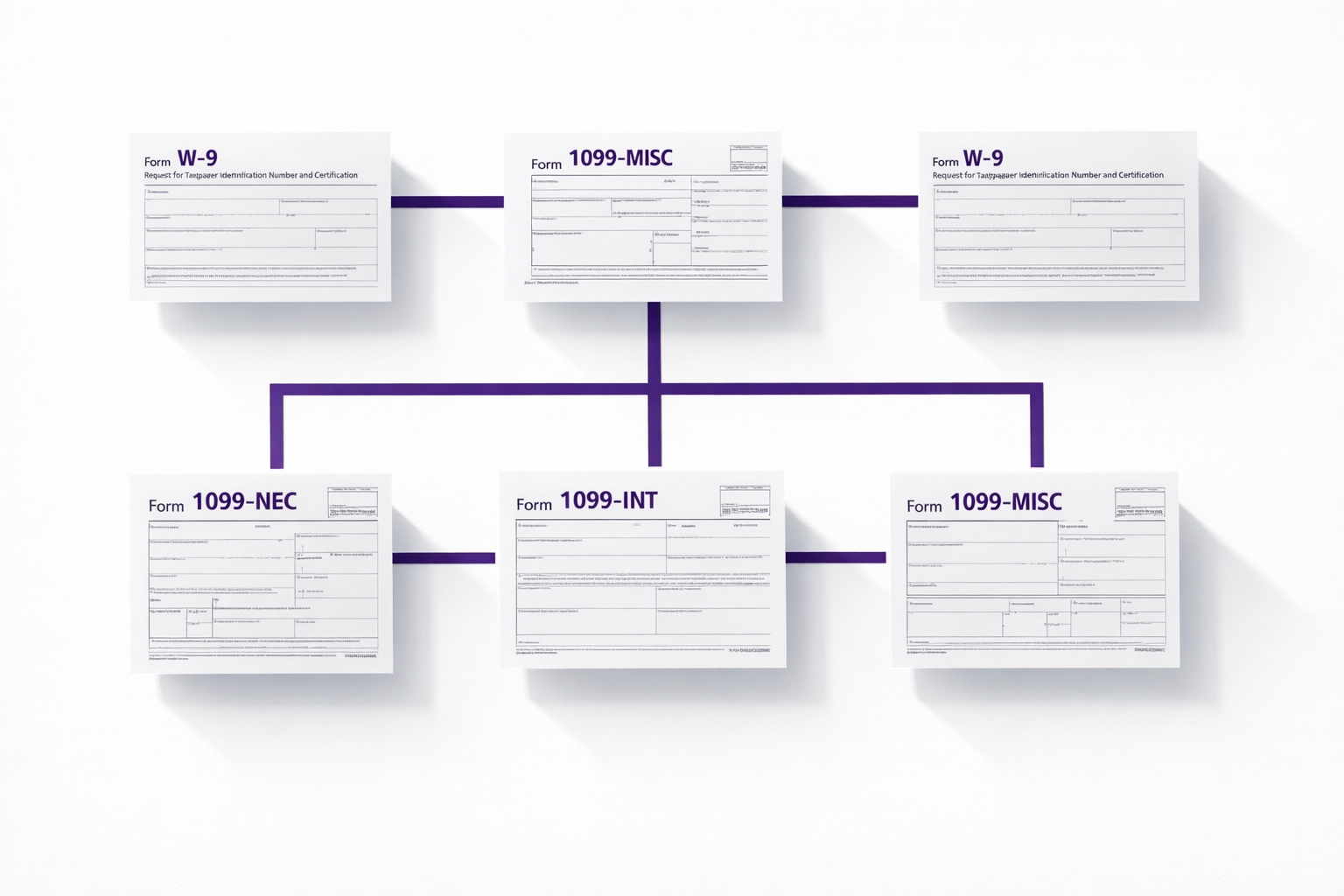
Organized W-9 and 1099 forms connected in workflow for bookkeeping services tracking

Payment verification. Before filing, we cross-check your recorded payments against bank statements to catch duplicate entries or missed transactions. Small business bookkeeping mistakes here trigger IRS notices, and those are a pain to resolve.

Recipient copy distribution. We generate and send contractor copies by the January 31 deadline. That keeps you on good terms with your contractors and avoids the "I never got my 1099" phone calls.

IRS e-filing. For businesses with 10 or more forms, e-filing is mandatory in 2026. We handle the submission, confirm acceptance, and store the confirmation receipts in your file.

How Much Bookkeeping Services for 1099s Cost

The cost depends on how many contractors you pay and how messy your records are going into the filing season.

Clean books, under 25 contractors: $300 to $600 for the full 1099 package. This assumes your books are reconciled monthly and we've been tracking contractors all year.

Messy books or mid-year handoff: $800 to $1,500. If we need to reconstruct payment records, hunt down missing W-9s, or fix vendor categorizations, it takes more time.

High-volume businesses (25+ contractors): Custom pricing, usually $1,200 to $2,500. Construction companies, event planners, and creative agencies often fall into this range.

Outsourced bookkeeping with monthly service typically includes 1099 prep as part of the package. If you're paying for monthly reconciliation and categorization, there's minimal extra work at year-end because the heavy lifting is already done.

One-time 1099 cleanup is always more expensive than ongoing service. That's the math of bookkeeping. Fixing a year of data takes longer than maintaining it month by month.

How Long the 1099 Software Setup Takes

If you're switching to e-filing for the first time or moving to the new IRIS system, plan for at least two weeks of setup time.

Week 1: Data prep. We export your contractor payment data, verify W-9 forms, and clean up any mismatched names or TINs (taxpayer identification numbers). The IRS matches these exactly, so "John Smith DBA Acme Consulting" and "Acme Consulting" will trigger a rejection.

Week 2: Software connection and testing. We link your accounting system to the e-filing platform, map your data fields, and submit a test file. The IRIS system usually returns test results within 48 hours. If there are errors, we fix them and resubmit.

January calendar highlighting 1099-NEC filing deadline for tax year compliance

After the first year, setup is faster. Most bookkeeping services can turn around 1099s in three to five business days if your books are current and W-9s are on file.

The January 31 deadline doesn't move, so starting in December is smart. Contractors are less responsive in January, and if you need a corrected W-9, you don't want to wait until January 28 to find out.

New 1099 Thresholds: What Your Bookkeeping Services Need to Track

The $2,000 threshold applies to payments made during the 2026 tax year. That means any contractor who received $2,000 or more in total payments from you between January 1, 2026 and December 31, 2026 gets a 1099-NEC.

Payments under $2,000 still matter. Your contractor must report that income on their tax return, even if you don't issue a form. This is why good small business bookkeeping systems track every contractor payment, not just the ones that cross the threshold. If the IRS audits your contractor and you paid them $1,800, they might ask you for proof of payment.

Backup withholding still applies at $2,000. If a contractor doesn't provide a valid W-9, you're required to withhold 24% of payments once they hit $2,000 in a calendar year. We flag these situations in your monthly reports so you can follow up before it becomes a problem.

1099-K threshold changed too. Third-party payment platforms like PayPal and Venmo now issue 1099-K forms only when a contractor receives more than $20,000 and 200 transactions. This is a huge shift from the $600 threshold that was briefly in effect. If you pay contractors through these platforms, we track both channels to make sure you're not double-reporting.

State rules vary. California, for example, still requires reporting at the $600 threshold for state tax purposes. Professional bookkeeping services familiar with multi-state compliance handle these split reporting requirements automatically.

The IRS also introduced inflation adjustments starting in 2027, meaning the $2,000 threshold will increase periodically. We track these updates and adjust your systems accordingly.

Why E-Filing Matters More in 2026

If you issue 10 or more 1099 forms, you must e-file. No exceptions.

The old paper filing process is officially dead for most businesses. The IRS wants digital submissions through the IRIS platform because it reduces processing errors and speeds up their matching process.

What the IRIS system checks:

  • Exact name and TIN matches with IRS records
  • Correct formatting for dates, amounts, and addresses
  • Valid payer information (your business name, EIN, and address)

If any field is wrong, the IRS rejects the entire batch. You have to fix it and resubmit. This is why professional 1099 compliance workflows include pre-filing validation. We catch errors before the IRS sees them.

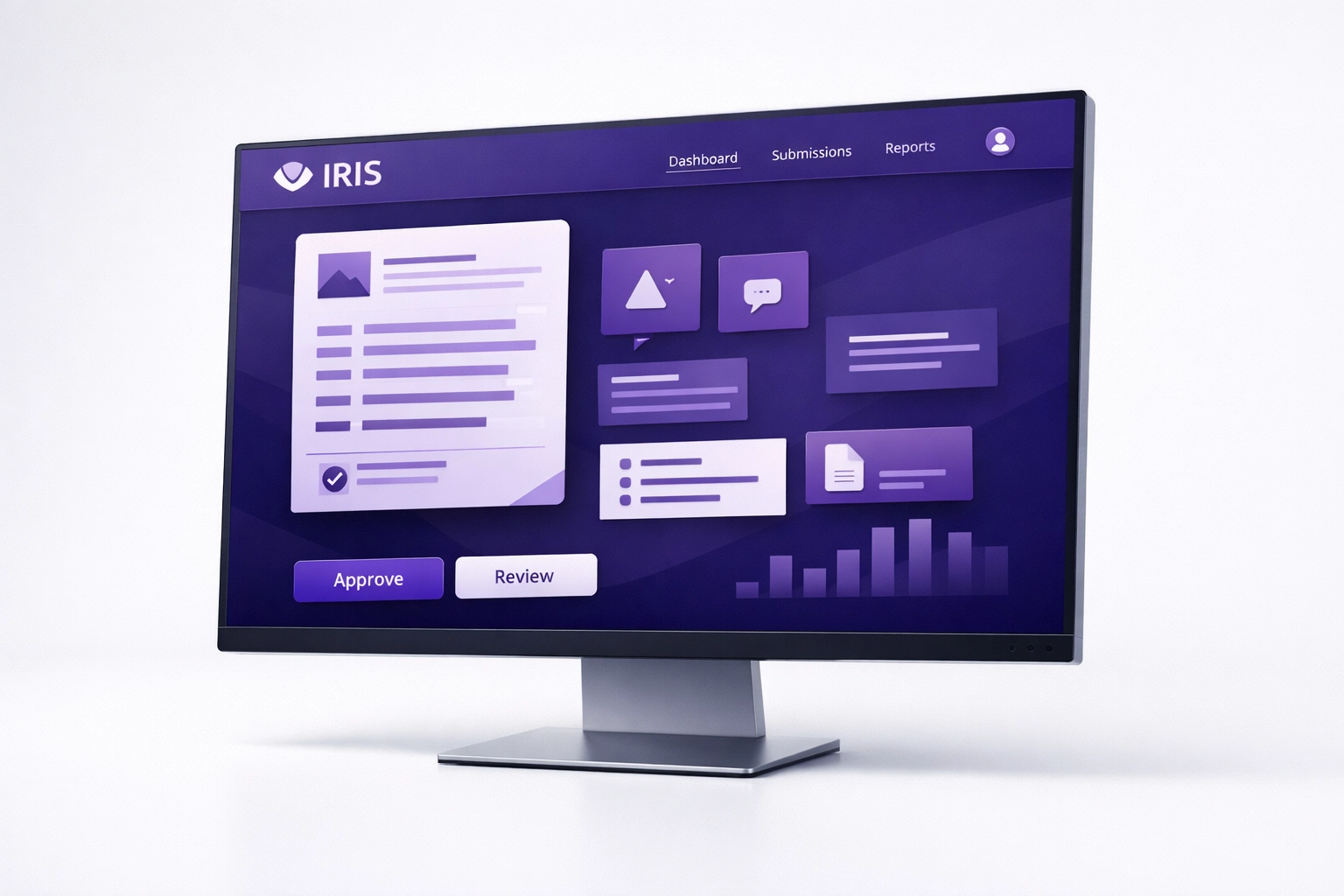
IRIS e-filing system interface for submitting 1099 forms to the IRS electronically

Paper filers (under 10 forms) can still mail forms to the IRS, but e-filing is faster and gives you instant confirmation. Most businesses choose to e-file even when it's not required.

How Books LA Handles 1099 Compliance

We're a Los Angeles-based bookkeeping firm specializing in small business owners who need accurate, timely 1099 reporting without the stress.

Our team is QuickBooks Online and Xero certified, and we've processed over 1,000 1099 forms for clients in construction, consulting, creative services, and property management. We know the software, we know the deadlines, and we know the IRS quirks that trip up DIY filers.

We don't just file forms in January. We build your bookkeeping services around compliance from day one. That means every contractor is set up correctly in your system, every payment is categorized properly, and every W-9 is stored where we can find it.

When January rolls around, we're not scrambling. We're reviewing, confirming, and filing.

What Happens If You Miss the Deadline

The 1099-NEC filing deadline is January 31, 2027 for the 2026 tax year. Miss it, and penalties start immediately.

IRS penalties for late filing:

  • $60 per form if filed within 30 days
  • $120 per form if filed after 30 days but before August 1
  • $310 per form if filed after August 1 or not at all

For a business with 20 contractors, that's $6,200 in penalties if you miss the deadline entirely. Small mistakes (wrong TIN, misspelled name) carry lower penalties, but they still add up.

We've never missed a 1099 deadline for a client. Our process includes multiple check-ins, automated deadline reminders, and early filing whenever possible.

The CPA Coordination Piece

Books LA provides bookkeeping services, not tax advice. We coordinate with your CPA for final income tax filings and make sure your 1099 data matches your year-end books.

Most CPAs prefer to receive clean, reconciled books and completed 1099 files by mid-January. This gives them time to review before filing your business tax return. If your CPA finds discrepancies, we work with them to resolve it quickly.

We handle sales tax, payroll tax, and business license compliance as part of our standard service. For income tax strategy and deductions, we defer to your CPA. It's a partnership, and it works because everyone stays in their lane.

If you don't have a CPA, we can introduce you to several in the Los Angeles area who specialize in small business returns. Having both a bookkeeper and a CPA is the standard setup for most businesses once they start paying contractors.

Frequently Asked Questions

What is the 1099-NEC threshold for 2026?

The threshold is $2,000. Any contractor who receives $2,000 or more in payments during the 2026 calendar year must receive a 1099-NEC form by January 31, 2027.

Is the 1099-K threshold changing?

Yes. Third-party payment processors now issue 1099-K forms only when a payee receives more than $20,000 and 200 transactions. This is a significant increase from the temporary $600 threshold.

What is the new IRIS system for 1099s?

IRIS (Information Returns Intake System) is the IRS's new e-filing platform launched in 2025. It replaces the old FIRE system and has stricter formatting requirements. Most bookkeeping services now use third-party software that integrates with IRIS for easier submissions.

Who needs to e-file 1099s in 2026?

Any business filing 10 or more information returns (including 1099-NEC, 1099-MISC, and 1099-K) must e-file. Businesses filing fewer than 10 forms can still mail paper copies, but e-filing is faster and provides instant confirmation.

Do I need to report payments under $2,000?

You don't need to issue a 1099 form, but the payment is still taxable income for the recipient. They must report it on their tax return. You should still track these payments in your books in case of an audit.

Does my state have different 1099 rules?

Yes. California, for example, requires businesses to report contractor payments over $600 for state tax purposes, even though the federal threshold is $2,000. Check with your CPA or a local bookkeeping service to confirm your state's requirements.

Can bookkeeping services handle contractor W-9s?

Yes. Most professional bookkeeping services collect, verify, and store W-9 forms as part of contractor onboarding. We request W-9s before processing the first payment to avoid delays at year-end.

When is the 1099-NEC filing deadline for 2026?

The deadline to file 1099-NEC forms with the IRS and provide copies to contractors is January 31, 2027. This applies to payments made during the 2026 tax year. Both the IRS copy and the contractor copy are due on the same date.


Ready to stop stressing about 1099s? Books LA handles the full process, from W-9 collection to IRS e-filing. Book a call to see how we keep your 1099 compliance simple and on time.

AI for Bookkeeping: How to Integrate AI with QBO and Xero for Seamless Accounting (2026)

AI for Bookkeeping: How to Integrate AI with QBO and Xero for Seamless Accounting (2026)

Last updated: March 19, 2026

Fast Answer: AI for bookkeeping automates up to 80% of manual data entry by syncing directly with QuickBooks Online or Xero to categorize transactions and reconcile accounts in real time. This guide is for small business owners who want to reduce administrative overhead and improve financial accuracy through modern AI integration.

Do you find yourself staring at a mountain of digital receipts every Sunday night while your bank balance remains a mystery? Most small business owners spend over 10 hours a month on basic data entry, which is time taken away from growing your actual business. By 2026, the question is no longer if you should use AI for bookkeeping, but how you can connect it to your existing software without creating a technical mess.

How does AI for bookkeeping actually work with QBO and Xero?

Modern AI tools do not just "read" numbers; they understand context. When you connect an AI agent to QuickBooks Online (QBO) or Xero, it acts as a digital assistant that works 24/7 inside your ledger. Native tools like Intuit Assist for QBO or Xero’s built-in predictive coding use machine learning to look at your historical data.

Specifically, these tools identify patterns in how you spend money. If you frequently buy supplies from a specific vendor, the AI recognizes the vendor name and suggests the correct Chart of Accounts category before you even open the software. Furthermore, third-party apps like Booke.ai or Integra Balance take this a step further by logging into your portal daily to match invoices to bank feed transactions automatically.

Digital tablet showing AI for bookkeeping automatically syncing data into a cloud accounting ledger.

What are the most common AI bookkeeping pitfalls for small businesses?

While AI is powerful, it is not a "set it and forget it" solution. One of the biggest mistakes we see at Books LA is business owners giving the AI too much autonomy without a review process. This often leads to "auto-post" errors where the AI guesses a category incorrectly and applies that mistake to hundreds of transactions.

Consider a recent case where a construction client used an automated tool to handle fuel expenses. The AI saw "Chevron" and automatically categorized every charge as "Fuel." However, many of those charges were actually for vehicle repairs performed at the same location. Because no one was reviewing the work, their repair budget looked tiny while their fuel costs were massively inflated. Consequently, their tax strategy for the year was based on flawed data.

Another pitfall is the "Data Ghost" effect. This happens when an AI tool creates a duplicate transaction because it cannot tell the difference between a manual entry you made and the automated bank feed. To avoid this, you must set up clear rules within your bookkeeping services workflow that define which source of data is the "source of truth."

Can AI really handle your expense management without manual help?

Expense management used to mean stuffing paper into a shoebox. Now, AI-driven OCR (Optical Character Recognition) has made the physical shoebox obsolete. When you use tools like Dext or Hubdoc connected to Xero, the AI extracts the date, vendor, total, and tax amount with incredible precision.

However, the "manual" part has changed from data entry to data verification. You still need to ensure the AI correctly identifies the business purpose of the expense. For example, a dinner at a restaurant could be "Meals and Entertainment" or it could be a "Staff Meeting." AI cannot know who you were with unless you tell it. Most successful businesses use add-ons and apps to bridge this gap, allowing employees to snap a photo and add a quick note that the AI then processes.

Automated receipt scanning process for efficient small business bookkeeping and expense management.

Which AI tools are best for connecting to your accounting software?

Choosing the right stack depends on your volume and complexity. If you are a solo entrepreneur, the native AI features within QuickBooks Online are often enough to handle basic categorization. For growing companies with higher transaction volumes, third-party integrations provide more robust features.

  1. Booke.ai: This is a favorite for those using QBO or Xero because it offers a "non-human bookkeeper" experience. It reconciles accounts before your morning coffee is ready.
  2. Dext (formerly Receipt Bank): This is the gold standard for expense management. It pulls data from your email, your phone, and even direct supplier fetches.
  3. Fathom: If you want AI to help with high-level reporting and forecasting, this tool connects to your books to provide visual insights that are much easier to read than a standard P&L.

Integrating these tools is usually as simple as authorizing an API connection. Once connected, the data flows back and forth, keeping your small business bookkeeping updated in real time. You can read more about why this connectivity matters in our post on why every small business needs cloud accounting.

How do you ensure your AI bookkeeping remains accurate?

The secret to seamless accounting in 2026 is the "Human-in-the-Loop" model. AI handles the heavy lifting of data extraction and initial categorization, while a professional bookkeeper performs a weekly or monthly review. This ensures that weird edge cases, like a refund that looks like income, don't skew your numbers.

You should establish a "Review Queue" in your software. This is a holding area where the AI places any transaction it is less than 95% sure about. By spending 15 minutes a week reviewing this queue, you maintain the integrity of your financial records without doing the 10 hours of grunt work. This balance of technology and expertise is exactly what we provide at Books LA.

Magnifying glass over a data node illustrating professional human oversight in AI bookkeeping services.

What does AI bookkeeping service cost compared to DIY?

Many owners try to DIY their AI setup to save money, but they often end up paying more in "cleanup costs" later. A basic QBO subscription might cost $30 to $90 per month, and additional AI apps can add another $20 to $50. If you spend 5 hours a month fixing AI mistakes, your "internal cost" is essentially your hourly rate multiplied by five.

In contrast, professional bookkeeping services that utilize AI can often provide a more fixed-cost solution. You get the benefit of the expensive AI tools and the expert oversight for a flat monthly fee. This usually results in cleaner books, better tax readiness, and zero Sunday night stress.


Ready to Upgrade Your Workflow?

If you are tired of fighting with your software and want your books to "just work," we can help. Our team specializes in connecting the best AI tools with your QBO or Xero account to give you back your time.

Book a short discovery call with Books LA today


Disclaimer: Books LA provides bookkeeping and business advisory services. We do not provide income tax advice, legal advice, or formal tax filings. We work closely with our clients' CPAs to ensure all financial data is tax-ready. Please consult with your CPA regarding specific income tax matters.


About the Author

Jelena Arkula is the owner of Books LA, a boutique accounting firm based in Los Angeles, California. As a certified QuickBooks ProAdvisor and Xero partner, Jelena has helped hundreds of small businesses transition from messy spreadsheets to high-efficiency, AI-integrated accounting systems. Her goal is to make financial clarity accessible for every entrepreneur.


Frequently Asked Questions

Is AI bookkeeping safe for my financial data?

Yes, most reputable AI tools use bank-level 256-bit encryption. They connect to your accounting software via secure APIs, meaning they never see your actual bank login credentials.

Will AI replace my bookkeeper?

AI replaces the "data entry" portion of bookkeeping, but it cannot replace the strategic oversight, tax-readiness checks, or personalized advice that a human professional provides.

How much does it cost to add AI to QuickBooks?

Native AI features are often included in your standard QBO subscription. Third-party AI apps generally range from $15 to $60 per month depending on transaction volume.

Can AI handle my 1099 filings?

AI can help track which vendors need 1099s by categorizing payments correctly, but a human should still perform the final review and filing to ensure compliance with IRS rules.

What happens if the AI categorizes something wrong?

You can easily "undo" or re-categorize any transaction in QBO or Xero. The AI learns from your corrections, so it is less likely to make the same mistake twice.

Do I need to be tech-savvy to use AI bookkeeping?

Not necessarily. Most tools are designed with a user-friendly interface. However, having a pro set up the initial "rules" and integrations ensures everything flows correctly from day one.

Does AI work with desktop versions of QuickBooks?

AI integration is significantly more limited and difficult with desktop software. To get the full benefit of AI automation, we strongly recommend moving to a cloud-based platform like QuickBooks Online or Xero.

7 Mistakes You’re Making with AI for Bookkeeping (and How to Fix Them)

7 Mistakes You’re Making with AI for Bookkeeping (and How to Fix Them)

Last updated: March 20, 2026

Using AI for bookkeeping saves time by automating data entry, but without human oversight, it often creates messy duplicates and miscategorized transactions that hide your true profit. This guide for small business owners identifies the seven most common AI accounting errors and provides the specific steps needed to keep your financial records accurate and tax-ready.

If you have ever looked at your Profit and Loss statement and wondered why your "Office Supplies" category is suddenly five times higher than usual, you have likely encountered the limitations of artificial intelligence. We are currently in an era where software can read a receipt in seconds. However, that software does not understand your business strategy. At Books LA, we see these "AI hiccups" daily. While we love technology, we know that small business bookkeeping still requires a human pulse to ensure the numbers actually make sense.

Why is your AI bookkeeping tool making mistakes?

Artificial intelligence functions on patterns and probability, not certainty. When you connect a tool to your bank feed, it looks at a transaction from "Amazon" and makes a guess based on what other businesses do. Because most people buy paper and pens there, the AI might categorize your new $2,000 laptop as a "low-value office supply" instead of a "fixed asset" that needs to be depreciated.

Consequently, your expenses look higher than they are, and your balance sheet is missing a significant asset. This type of error is why bookkeeping services have shifted from data entry roles to data validation roles. We are no longer just typing in numbers; we are auditing what the machines think they saw.
AI for bookkeeping tool categorizing a receipt, showing why professional bookkeeping services are needed for validation.

1. Are you letting AI replace human oversight entirely?

The biggest mistake business owners make in 2026 is the "set it and forget it" mentality. It is incredibly tempting to believe that because your software has an "Auto-Post" feature, you no longer need to look at your books. Unfortunately, AI does not have a "gut feeling."

Imagine your business pays a monthly subscription for a software tool. If that tool accidentally double-charges you one month, an AI rule might simply categorize both charges without flagging the error. A human bookkeeper, however, would immediately notice the duplicate and initiate a refund. Without that human eye, you are essentially letting a robot spend your money without supervision. We recommend using AI as a high-speed assistant, but you must remain the manager who signs off on the work.

2. Is "garbage data" ruining your financial forecasts?

AI is only as good as the information it consumes. If you connect a high-tech forecasting tool to a QuickBooks file that hasn't been reconciled in six months, the AI will produce beautiful, professional-looking charts that are completely wrong. This is often called "Garbage In, Garbage Out."

Before you implement advanced cloud bookkeeping automations, your books must be clean and reconciled. If your data contains old, uncashed checks or duplicate entries from 2024, the AI will incorporate those errors into its future predictions. For example, if you forgot to delete a canceled $5,000 invoice from last year, the AI might tell you that you have more cash flow coming in than you actually do, leading you to make a risky hiring decision you can't afford.

3. Are you putting your sensitive data at risk in public AI tools?

Many entrepreneurs are now using public tools like ChatGPT to analyze their financial trends. While these tools are powerful, uploading an export of your full general ledger or payroll report into a public AI is a massive security risk. Unless you are using an enterprise-grade version with strict data privacy toggles, that information could technically be used to train the model, making your private financial data part of a public data set.

Instead of using public bots, stick to the built-in AI features within secure platforms like QuickBooks Online or Xero. These companies spend millions on encryption and data sovereignty. If you must use an external tool, ensure you redact sensitive info like employee names, social security numbers, and specific bank account digits first. Protecting your data is just as important as balancing the ledger.

Secure digital vault and padlock illustrating data protection and privacy for automated small business bookkeeping.

4. Why does your AI keep miscategorizing transactions?

AI lacks context. It sees a $150 charge at a local restaurant and assumes it is "Meals and Entertainment." However, if that lunch was actually a celebration for a friend's birthday and not a business meeting, it shouldn't be on your books at all. Alternatively, if you bought a gift for a client at that same restaurant, it might fall under a different tax deduction limit.

Specific context is the "secret sauce" of navigating financial clarity. To fix this, you should avoid "Auto-Add" rules for vendors where the purchase intent changes frequently. For example, a trip to Costco could be for office snacks (supplies), a new printer (equipment), or cleaning products (janitorial). If you let the AI decide, it will pick one and stick to it, regardless of what was actually in the cart.

5. Is your AI running on outdated tax regulations?

Tax laws change, especially in a fast-moving economy. While software companies do their best to update their algorithms, there is often a lag between a new legislative change and the AI’s ability to apply it to your specific industry. If you rely solely on a machine to calculate your payroll complexity, you might find yourself underpaying taxes because the AI didn't catch a localized rate change in Los Angeles.

Regularly auditing your settings is essential. Every quarter, sit down with your bookkeeper or CPA to ensure the "rules" your AI is following still align with current IRS and state guidelines. Machines are great at following rules, but they are terrible at knowing when the rules have changed unless a human tells them.

6. How do you catch duplicate entries in automated feeds?

One of the most frustrating AI errors is the "Double Entry" glitch. This usually happens when you have an automated app (like an expense tracker) sending data to your accounting software, while your bank feed is also pulling in the same transaction. The AI sees two separate events and records them both.

Specifically, if you use a tool to scan a $50 receipt for gas and that tool pushes it to QuickBooks, and then your credit card feed also pulls in that $50 charge, the AI might not realize they are the same event. Suddenly, your "Fuel" expense is doubled. To fix this, you must consistently perform monthly bank reconciliations. This process acts as a safety net, catching any duplicates that the AI's "matching" logic missed.

Matching credit card icons and a checkmark representing the detection of duplicate entries in AI bookkeeping systems.

7. Why do your automations "drift" over time?

Automations are not permanent. A "Zap" or a bank rule that worked perfectly in January might start failing in June because a vendor changed their billing description or you opened a new merchant account. This is known as "automation drift."

If you don't audit your workflows, these small errors pile up quietly. We suggest a "Quarterly Automation Audit." Look at your top ten most active bank rules and ensure they are still sending data to the right accounts. If you've changed your business model, perhaps shifting from selling products to offering services, your old rules might be categorizing income incorrectly. Keeping your workflow management sharp ensures that technology works for you, rather than creating more work for you later.

A Practical Example: The "Marketing" Trap

Let's look at a real-world scenario. A client of ours, a small creative agency in LA, used an AI tool to categorize all Facebook charges as "Marketing Expense." For six months, the AI hummed along. However, during a review, we noticed their "Marketing" spend was $2,000 higher than their ad dashboard showed.

It turns out the owner had used the business card for a personal Facebook Marketplace purchase (a vintage desk) and a separate subscription for a software tool that Facebook also billed. The AI saw "Facebook" and blindly followed the rule. By the time we caught it, the books were a mess. A human review would have flagged the "Marketplace" description immediately, saving them from an incorrect tax filing.

About the Author: Jelena Arkula

I am Jelena Arkula, the owner of Books LA. Based right here in Los Angeles, our team specializes in helping growing businesses transition to the cloud using tools like QuickBooks Online and Xero. We don't just "do the books", we act as your financial partners to ensure your data is clean, your automations are smart, and your business is ready for growth. We believe that while AI is the future, a friendly, human expert is still the best shield against costly financial errors.


FAQ: Common Questions About AI Bookkeeping

1. Is AI bookkeeping cheaper than hiring a professional?
Initially, software subscriptions are cheaper than service fees. However, the cost of fixing "AI-made" errors during tax season often exceeds the monthly cost of a professional bookkeeper who prevents those errors from happening in the first place.

2. Can I trust QuickBooks’ "Auto-Add" feature?
We generally advise against "Auto-Add" for any vendor that isn't a fixed, unchanging cost (like rent). For most vendors, it is safer to have the AI "suggest" a category and then have a human click "Confirm."

3. Does AI handle sales tax correctly?
AI can help calculate rates, but it often struggles with nexus (where you are required to pay tax) and exempt items. You should always have a human verify your sales tax filings to avoid heavy penalties.

4. How often should I check my AI-automated books?
At a minimum, you should review your transactions weekly and perform a full reconciliation monthly. The longer you wait, the harder it is to remember what a specific transaction was for.

5. What is the best way to start using AI in my bookkeeping?
Start small. Use AI for receipt scanning (like Dext or Hubdoc) first. Once you are comfortable with how the data flows into your accounting software, you can slowly layer on more automation.

6. Will AI eventually replace bookkeepers?
It will replace the "data entry" part of the job, but it won't replace the advisory part. Business owners need someone to explain why the numbers look the way they do and how to use that data to grow.

7. Can AI detect fraud in my business?
AI is excellent at spotting unusual patterns, like a sudden jump in spending with a new vendor. However, it takes a human to investigate whether that pattern is legitimate or a sign of internal fraud.

8. What should I do if my AI-generated reports look wrong?
Stop all automations immediately and perform a manual bank reconciliation. You need to find the "point of failure" where the data diverged from reality before you can trust the machine again.


Disclaimer: Books LA provides bookkeeping and management accounting services. We are not CPAs and do not provide income tax advice. We work closely with our clients' CPAs to ensure financial data is accurate for tax preparation. Please consult with a qualified CPA for specific income tax matters.

Ready to clean up your books? Book a short call with Books LA today and let's make sure your AI tools are working for you, not against you.