Outsourced Bookkeeping: Is it Actually Worth the Investment for Scaling Startups? (2026)

Outsourced Bookkeeping: Is it Actually Worth the Investment for Scaling Startups? (2026)

Last updated: March 6, 2026

Yes, outsourced bookkeeping is a high-yield investment for scaling startups because it typically costs 50% less than a full-time hire while reclaiming 20+ hours of founder time every month. This guide explores the 2026 ROI of professional financial management, how to choose the right partner, and why DIY is the fastest way to stall your growth.

You started your business to build something incredible, not to spend your Sunday nights squinting at a QuickBooks dashboard and wondering why your bank balance doesn't match your ego. As you scale, that "I'll just do it myself" mentality becomes a literal bottleneck. In 2026, the complexity of digital payments, global contractors, and AI-driven transactions means that messy books aren't just an annoyance. They are a financial liability.

Abstract purple folder illustrating organized cloud-based bookkeeping and digital financial data for startups.

What exactly is outsourced bookkeeping in 2026?

Outsourced bookkeeping is the practice of hiring a specialized external team to manage your daily financial records, reconciliations, and reporting. Unlike the old days of dropping a shoebox of receipts at an accountant's office once a year, modern outsourced bookkeeping is a real-time, cloud-based partnership.

In 2026, this involves a blend of high-level human oversight and AI integration. Your bookkeeping partner uses tools like QuickBooks Online or Xero to automate data entry while providing the human nuance needed to categorize complex startup expenses correctly. This ensures your financial data is "investor-ready" at any given moment, which is vital when you are chasing your next seed round or Series A.

Why startups should outsource instead of hiring in-house

The math on hiring in-house rarely makes sense for a startup in the middle of a growth spurt. A full-time, competent bookkeeper in a market like Los Angeles can easily command a salary of $70,000 or more, plus benefits, taxes, and office space.

When you choose to outsource, you are only paying for the expertise and the hours you actually need. Most startups find that they can save up to 50% of their accounting budget by moving to a fractional model. Furthermore, an outsourced firm provides a "layered" level of expertise. You aren't just getting one person who might get sick or quit. You are getting a system and a team that stays consistent even as your company evolves. If you want to see how this fits into a broader growth strategy, check out our thoughts on focusing on business growth with ease.

How much does outsourced bookkeeping cost in 2026?

Pricing has become much more transparent over the last few years. While every business is different, most scaling startups can expect to see tiered pricing based on their monthly expenses or the number of accounts managed.

  • Early Stage Startups: Often range from $500 to $1,000 per month for basic reconciliation and financial statements.
  • Scaling Companies: Usually fall between $1,500 and $3,500 per month when they require deeper insights, accounts payable management, or payroll integration.
  • Enterprise-Lite: For those with massive transaction volumes or complex inventory, costs can scale higher, but still remain significantly lower than a full Finance Department.

You can view our specific pricing packages to get a better idea of where your startup might land on the spectrum.

Purple chart columns representing scalable bookkeeping costs and return on investment for growing startups.

Is the ROI of outsourced bookkeeping actually measurable?

It absolutely is. While many founders view bookkeeping as a "sunk cost," the ROI shows up in three distinct areas.

First, there is the Time Reclaim. If you spend 15 hours a month on books and your time is worth $150 an hour, you are effectively "paying" $2,250 for DIY bookkeeping. Outsourcing that same work for $1,000 creates an immediate $1,250 monthly profit in time value alone.

Second, there is Tax Efficiency. A professional bookkeeper ensures every valid deduction is captured throughout the year. We have seen e-commerce startups capture over $10,000 in missed tax savings simply by cleaning up their chart of accounts. While we focus on the books, we make sure everything is perfect for your CPA to handle the income tax filing.

Third, there is Fundraising Readiness. If an investor asks for your P&L and it takes you three weeks to "clean it up," you have already lost the deal. Having clean, real-time financials shows you are a professional who is ready for a check. If you're currently in a mess, our bookkeeping cleanup service might be the first step you need.

Common mistakes and how to avoid them

The biggest mistake founders make is waiting until "Tax Season" to think about their books. By then, the trail is cold, receipts are lost, and your CPA will charge you a premium to fix the mess.

Another frequent error is hiring a "cheap" generalist who doesn't understand the specific needs of a scaling startup. Startups have unique challenges, like managing burn rates, deferred revenue, and complex payroll for remote teams. You need a partner who understands these nuances. To avoid other pitfalls, you might want to read about how to avoid common small business pitfalls.

What we need from the client to get started

Outsourcing doesn't mean you disappear entirely, but it does mean you stop doing the heavy lifting. To have a successful partnership, we typically need:

  1. Read-only access to your bank and credit card accounts.
  2. Access to your existing accounting software (QBO or Xero).
  3. Integration with your payroll and billing platforms.
  4. A 15-minute monthly sync to clarify any unusual transactions.

The goal is to create a seamless transition to cloud bookkeeping so you can get back to what you do best.

Purple checkmark icon symbolizing successful startup transition to organized outsourced bookkeeping services.

The Books LA Difference: E-E-A-T

At Books LA, we aren't just data entry clerks. Based in the heart of Los Angeles, our team, led by Jelena Arkula, specializes in helping startups and small businesses navigate the financial hurdles of scaling. We are certified QuickBooks Online ProAdvisors and Xero partners. Our philosophy is simple: we provide the clarity you need to make brave business decisions.

Disclaimer: We are bookkeeping and payroll specialists. We do not provide income tax advice. We work closely with your CPA to ensure your year-end filing is a breeze. If you don't have a CPA, we can certainly point you toward some of our favorites.

Ready to stop stressing over spreadsheets? Book a short call with us today.


Frequently Asked Questions

Is my business too small for outsourced bookkeeping?

If you have more than 20 transactions a month and your time is better spent on sales or product, you aren't too small. Outsourcing early prevents "cleanup" costs later.

How do I know my data is secure?

We use bank-level encryption and read-only access for financial institutions. We never have the "keys" to move your money, only the ability to see and categorize the movements you authorize.

Can't I just use AI to do my bookkeeping for free?

AI is great for data entry, but it's terrible at context. It doesn't know if a "Staples" charge was for office supplies or a new desk for a remote employee that needs to be depreciated. You need a human to audit the AI.

Does this replace my CPA?

No. Your CPA is for high-level tax strategy and filing. We are your "boots on the ground" for daily financial health. We make your CPA's job easier (and cheaper).

How long does it take to get started?

Most startups can be fully onboarded within 7 to 14 days, depending on the state of their current books.

Will I lose control of my finances?

Actually, you'll gain more control. Instead of guessing your bank balance, you'll have accurate reports at your fingertips every single month.

What software do you use?

We primarily work within QuickBooks Online and Xero, as they offer the best integration for scaling startups in 2026.

What if my books are currently a total disaster?

Don't panic. We specialize in "cleanup" projects. We can go back months or even years to get your records accurate and compliant before moving into a monthly maintenance rhythm.

Interior Design Bookkeeping: The Designer’s Guide to Profitable Project Management (2026)

Interior Design Bookkeeping: The Designer’s Guide to Profitable Project Management (2026)

To run a profitable interior design firm in 2026, you must separate your client retainers from your operational cash flow and track every single purchase order with precision. This guide is for interior designers who are tired of "guesstimating" their project margins and want to use professional bookkeeping services to gain total financial clarity.

Last updated: March 6, 2026

Why is interior design bookkeeping different from other businesses?

Interior design is a unique beast in the world of accounting. Unlike a standard retail shop where you buy an item and sell it, you are likely managing large sums of client money before you even buy a single sofa. Because you handle retainers, deposits, and pass-through expenses, your bank balance is often a lie.

Minimalist purple icons illustrating project funds and client retainers for interior design bookkeeping.

If you look at your bank account and see $50,000, you might feel like you are winning. However, if $45,000 of that is earmarked for a custom Italian marble table and shipping fees, your actual business cash is much lower. Proper bookkeeping services for designers focus on "Project Accounting." This means we track every dollar tied to a specific room or client, ensuring you do not accidentally spend the client’s furniture budget on your own studio rent.

How do you track project-based expenses accurately?

The secret to a profitable 2026 is moving away from generic expense tracking. Instead, you need to categorize every transaction by project and phase. When you buy a sample or pay a contractor, that cost needs to be linked directly to the client’s file.

Since most designers work on a markup or flat fee plus expenses model, your books need to reflect that complexity. For instance, you should be using "Items" in your accounting software rather than just "Categories." This allows you to see exactly how much you paid for a lamp versus how much you billed the client. Moreover, maintaining this level of detail makes it much easier to see which projects are actually making money and which ones are sucking up your time for zero profit.

If you are just starting to organize these details, you might want to look at our essential checklist for a seamless transition to cloud bookkeeping to get your digital files in order.

What are the most common bookkeeping mistakes designers make?

One of the biggest traps is mixing personal and business finances. It starts small with a quick lunch on the business card, but it quickly turns into a nightmare for your bookkeeper. Another frequent error is failing to reconcile sales tax. Because interior designers often buy items at wholesale and sell them at retail, the sales tax implications are massive.

Additionally, many designers forget to track "reimbursable expenses" like parking, tolls, or site visit fuel. These small costs add up over a six-month project. If you are not billing these back or at least tracking them, you are effectively giving your clients a discount you never agreed to. If you find yourself in a mess, a bookkeeping cleanup service can help you find your footing again.

A tangled line turning straight representing professional bookkeeping cleanup services for designers.

How can professional bookkeeping services improve your cash flow?

A professional bookkeeper does more than just enter data. We look at your Accounts Receivable to see who hasn't paid their design fee yet. In 2026, automation is your best friend. We can set up systems where invoices are sent and followed up on automatically, so you don't have to play the role of the "debt collector."

When you have a clear view of your monthly bank reconciliations, you can see the gaps in your cash flow before they become emergencies. This allows you to plan your next big hire or marketing push with confidence rather than fear. You might also find that tailored bookkeeping services provide the specific reporting you need to show investors or banks if you are looking to expand your studio.

What software should interior designers use in 2026?

We generally recommend QuickBooks Online or Xero for interior design firms. These platforms have become incredibly smart at handling the project-heavy nature of your work. They also integrate with design-specific project management tools like Ivy, Mydoma, or DesignFiles.

Cloud accounting software interface for interior design firms tracking real-time project expenses.

The benefit of these integrations is that your purchase orders and invoices flow directly into your accounting software. This reduces manual entry errors and ensures your financial data is always current. If you haven't made the switch yet, check out our guide on why small businesses need cloud bookkeeping to see how it can modernize your workflow.

Is it time to outsource your bookkeeping?

Many designers try to do it all. You are the lead creative, the project manager, and the delivery coordinator. Adding "accountant" to that list is usually a recipe for burnout. Outsourcing your bookkeeping allows you to stay in your "zone of genius."

Instead of spending Sunday night squinting at receipts, you could be refining a mood board or meeting a new high-end client. Professional bookkeeping services provide a level of oversight that protects you from costly mistakes. We act as a second pair of eyes on your numbers, ensuring that every vendor is paid on time and every client is billed accurately.


Want to see how your design firm can become more profitable?
At Books LA, we specialize in helping creative entrepreneurs master their numbers.
Book a short call with us today to discuss a custom plan for your studio.


Frequently Asked Questions

Why shouldn't I just use a spreadsheet for my design projects?
Spreadsheets are prone to human error and don't sync with your bank. As your business grows, a spreadsheet will fail to track complex sales tax or project markups accurately, leading to a massive mess at year-end.

How do I handle sales tax when I work in multiple states?
Sales tax for designers is tricky. You generally need to collect tax based on where the items are delivered. We work with you to track these locations and ensure you are registered and filing in the correct jurisdictions.

What is the average cost of bookkeeping services for a designer?
Pricing varies based on your volume and the number of projects you manage. Most of our clients find that the time they save, and the errors we prevent, more than covers the monthly investment.

Do I still need a CPA if I have a bookkeeper?
Yes. We handle the day-to-day financial health and reporting. Your CPA uses our clean books to file your income tax returns. We work closely with CPAs to ensure they have everything they need for a stress-free tax season.

Can you help me clean up my books from last year?
Absolutely. Many of our clients come to us with a "shoebox" of receipts or a messy QuickBooks file. We specialize in historical cleanups to get you caught up and ready for the future.

How often will we communicate about my numbers?
At a minimum, we provide monthly financial reports. However, we are always available for questions as they arise during your projects. We believe in being a partner, not just a data entry service.

Do you provide income tax advice?
No, we do not provide income tax advice. We focus on bookkeeping, sales tax, and operational financial management. We always recommend confirming your final tax strategy with a qualified CPA.


About the Author: Jelena Arkula

Jelena Arkula is the owner of Books LA, a boutique accounting firm based in Los Angeles. With a passion for helping small business owners find peace in their numbers, Jelena and her team specialize in QuickBooks Online and Xero solutions. When she isn't helping designers maximize their profits, she is likely exploring the vibrant art and design scene in LA. We are your partners in financial clarity, helping you move from "surviving" to "thriving."

Clean architectural lines symbolizing financial structure and clarity for interior design studios.

AI for Bookkeeping: How Smart Tech Saves Small Business Owners 20+ Hours Weekly (2026)

AI for Bookkeeping: How Smart Tech Saves Small Business Owners 20+ Hours Weekly (2026)

Last updated: March 6, 2026

AI for bookkeeping uses machine learning to automate roughly 80% of manual data entry and bank reconciliation, effectively giving small business owners back 20 or more hours every month. This guide explains how 2026 technology handles the heavy lifting of financial tracking so you can focus on growth instead of spreadsheets.

What exactly is AI for bookkeeping?

If you are still typing invoice numbers into a ledger or manually matching bank lines to receipts, you are working harder than you need to. In 2026, AI for bookkeeping acts as a silent, always-on digital assistant that lives inside your accounting software. It does not just record numbers. It understands them.

Unlike the basic automation of five years ago, today’s AI recognizes patterns in your spending and learns your specific business habits. If you are an interior designer buying velvet swatches from the same London vendor every month, the AI learns to categorize that expense, calculate the currency conversion, and flag it for a specific client project without you lifting a finger.

This technology has shifted bookkeeping from a "once a month" chore into a continuous, real-time background process. Because the software is constantly learning from millions of similar transactions across the globe, the accuracy rates now far exceed what a tired human can achieve at 11:00 PM on a Tuesday.

How does automation buy you back 20 hours a week?

Most small business owners do not realize how much time they actually leak into "invisible" admin tasks. When we talk about saving 20 hours a week for high-volume businesses, we are looking at the cumulative effect of hundreds of tiny actions.

First, consider data entry. In the past, you had to open an email, download a PDF, and manually enter the data into QuickBooks or Xero. Now, AI extracts that data instantly. It identifies the vendor, the date, the tax amount, and even the line-item details. This alone can save a busy entrepreneur five to ten hours of clerical work every month.

Second, think about bank reconciliation. In 2026, AI tools perform "real-time transaction processing." Instead of waiting until the end of the month to match your bank statement to your records, the AI does it as the transactions occur. It identifies duplicates and flags unusual spending patterns before they become a problem. By the time you sit down to look at your services or financial reports, the work is already done.

Minimalist purple clock representing time saved through automated AI bookkeeping and data processing.

Which bookkeeping tasks are now fully automated?

The short answer is: almost all the boring ones. However, it is helpful to see the specific breakdown of what the machines handle in a modern workflow:

  • Categorization: AI automatically assigns expenses to the correct accounts (software, supplies, travel, or advertising) based on past behavior and industry standards.
  • Receipt Capture: You simply snap a photo or forward an email. The AI reads the "unstructured data" and files it where it belongs.
  • Anomaly Detection: If a subscription price suddenly jumps or a double payment occurs, the AI alerts you immediately.
  • Project Tracking: For industries like interior design or construction, AI can link specific expenses to project codes automatically.
  • Cash Flow Forecasting: By analyzing your historical data, the AI predicts when you might hit a cash crunch, giving you weeks of lead time to pivot.

Because these tasks are automated, you stop being a data entry clerk and start being a CEO. You can check your hub at any moment and see a crystal-clear picture of your financial health.

Does AI work for specific industries like interior design?

Yes, and this is where it gets interesting. Interior designers often struggle with a mountain of small purchases, complex sales tax, and reimbursable expenses. Traditional bookkeeping for designers is a nightmare of "did I bill the client for those brass hinges?"

AI for bookkeeping excels here because it can cross-reference purchase orders with vendor invoices and client bills. It ensures that every penny spent on a project is tracked and accounted for. This level of detail used to require a full-time assistant. Now, it requires the right add-ons and apps and a smart setup.

Furthermore, AI helps manage the specific compliance needs of specialized industries. Whether you are dealing with multi-state sales tax or complex payroll for a growing startup, the technology ensures that the foundational data is clean and ready for review.

Why do you still need a human bookkeeper if AI is so smart?

You might wonder if you should just fire everyone and let the robots run the show. While AI is incredible at processing data, it lacks the "human" context of your business goals. At Books LA, we believe the best results come from a hybrid approach.

AI handles the volume, but a human expert provides the oversight. You need a partner who can look at the data and say, "The AI categorized this correctly, but your profit margins on this specific service are actually shrinking. We should talk about your pricing."

We provide that high-level perspective. We ensure the AI is configured correctly and that your clients are being billed accurately. Technology is the engine, but you still need a driver who knows the destination.

Interlocking purple gears showing the perfect balance between AI technology and professional human bookkeeping.

How to get started with an AI-driven workflow

Making the switch does not have to be a massive overhaul. Most modern businesses start by migrating to cloud-based platforms like QuickBooks Online or Xero. From there, you layer on specialized AI tools that fit your niche.

  1. Audit your current time: Track how many hours you spend on admin for one week. The number will likely shock you.
  2. Move to the cloud: If you are still on a desktop-based system, you are missing out on the best AI features. Check out why every small business needs cloud accounting.
  3. Automate the intake: Set up a dedicated email for invoices and use a tool that "reads" them automatically.
  4. Connect your feeds: Ensure your bank and credit card feeds are talking to your accounting software 24/7.
  5. Hire a partner: Find a bookkeeping team that embraces technology instead of fearing it. You can see our packages to see how we integrate these tools into our daily work.

The ROI of modern bookkeeping

Is it worth the investment? Let's look at the math. If you value your time at $150 per hour and AI saves you 20 hours a month, that is $3,000 in found value every single month. That is $36,000 a year that you are currently "spending" on manual labor that could be automated.

Beyond the money, there is the mental clarity. There is no price tag on the relief of knowing your books are caught up, your sales tax is handled, and your financial reports are accurate. When you have clean data, you make better decisions. You can see our about page to learn how we have helped other founders make this transition.

Ascending spiral of financial documents with a purple growth line representing positive ROI from clean books.


Important Tax Disclaimer

Books LA provides expert bookkeeping and financial management services. We do not provide income tax advice or file income tax returns. We work closely with our clients’ CPAs to ensure the financial records are accurate and tax-ready. We strongly recommend that you consult with a qualified CPA for all income tax matters and specific tax planning strategies. Our focus remains on business-level compliance, including sales tax, payroll tax, and business licensing.


About the Author: Jelena Arkula

I am Jelena Arkula, the owner of Books LA. Based in the heart of Los Angeles, our team helps startups and small businesses navigate the complexities of modern accounting. We are experts in QuickBooks Online (QBO) and Xero, and we specialize in building efficient, AI-enhanced workflows that give business owners their time back. We believe that bookkeeping should be a tool for growth, not a source of stress.


FAQ: AI for Bookkeeping

Is AI bookkeeping actually accurate?

In 2026, AI is often more accurate than humans for repetitive tasks because it does not get tired or distracted. However, it still requires human oversight to handle one-off transactions or complex business decisions.

Do I still need software like QuickBooks or Xero?

Yes. AI for bookkeeping usually lives inside or connects to these platforms. They act as the "source of truth" while the AI acts as the "worker" that moves data into them.

Can AI handle my sales tax?

AI is excellent at calculating sales tax based on the location and type of sale. It simplifies the reporting process significantly, though you should still have a professional review the final filings.

What if the AI makes a mistake?

The best systems flag "low confidence" transactions for human review. If the AI is not 99% sure about a category, it will ask for your input rather than guessing.

Is my financial data safe with AI?

Modern AI tools use enterprise-grade encryption and comply with strict data privacy laws. In many cases, it is safer than having physical receipts and paper ledgers lying around an office.

How long does it take to set up?

A basic setup can be done in a few days. For more complex businesses, it may take a few weeks to fully "train" the AI on your specific vendor patterns and project structures.

What do I need to provide to my bookkeeper?

You simply need to provide access to your bank feeds and a way for us to see your invoices (like a shared email or a scan app). We handle the rest. Ready to simplify your life? Feel free to contact us for a quick chat.

Tips and Tricks for Bookkeeping: 7 Productivity Hacks to Save You Hours Every Week (2026)

Tips and Tricks for Bookkeeping: 7 Productivity Hacks to Save You Hours Every Week (2026)

Last updated: March 6, 2026

Fast Answer: You can reclaim over five hours every week by automating bank feeds, using mobile receipt scanning, and integrating your payroll with your cloud accounting software. This guide is for small business owners who want to master small business bookkeeping through simple, high-impact tips an tricks for bookkeeping that move the needle on profitability.

Why is small business bookkeeping so time-consuming?

Staring at a mountain of digital receipts on a Friday afternoon is a ritual many Los Angeles entrepreneurs know too well. Most owners lose precious hours because they treat bookkeeping as a reactive chore rather than a proactive system. Consequently, the data is usually three weeks late, making it impossible to use for real-time decision-making.

When you handle financial records manually, the risk of human error skyrockets. Specifically, typing in transaction amounts from a paper statement is a recipe for typos that lead to reconciliation headaches later. Furthermore, the mental energy required to remember what a $42.50 charge from four months ago was for is a massive drain on your creativity.

Instead of fighting the tide, you need to build a workflow that does the heavy lifting for you. This approach allows you to focus on your actual craft, whether that is interior design, tech development, or retail. Let’s dive into the seven hacks that will change how you view your numbers in 2026.

Can you automate your data entry tasks?

Automation is the foundation of modern financial management. By setting up automated bank feeds, you allow your accounting software to pull transactions directly from your business accounts every 24 hours. Therefore, you no longer have to wait for a monthly statement to see where your cash is going.

Most platforms like QuickBooks Online or Xero allow you to create "Bank Rules." For instance, if you pay a recurring subscription for software, you can tell the system to always categorize that vendor as "Software & Subscriptions." This small step eliminates the need for manual categorization for about 80% of your transactions.

A purple credit card sending automated data into a gear, representing bookkeeping automation for small businesses.

Using AI tools to handle recurring expenses ensures your books stay updated even when you are on vacation. However, you must review these entries occasionally to ensure the software hasn't misidentified a new vendor. Typically, our clients at Books LA find that bank rules alone cut their data entry time by half.

Should you use cloud-based accounting software in 2026?

Operating your business on a local spreadsheet or a desktop-only program is a major bottleneck. Cloud-based platforms offer real-time access from any device, meaning you can check your profit and loss statement while waiting for coffee. Moreover, these systems provide automatic backups, so you never have to worry about a hard drive crash destroying years of financial history.

Collaboration becomes significantly easier when your data lives in the cloud. You can grant your bookkeeper or CPA access without ever needing to email sensitive files back and forth. If you haven't made the jump yet, check out why every small business needs cloud accounting to understand the full scope of the benefits.

Security in 2026 has reached a point where cloud storage is often safer than keeping files on a personal laptop. Multi-factor authentication and bank-level encryption protect your sensitive data from prying eyes. Transitioning to the cloud is often the single most important step in a seamless transition to cloud bookkeeping.

How does a clean chart of accounts save you time?

Many business owners make the mistake of having too many categories or, conversely, dumping everything into "Miscellaneous." A cluttered chart of accounts makes your financial reports look like a confusing alphabet soup. Specifically, if you have ten different categories for "Office Supplies," you will struggle to see the big picture.

Keep your categories broad but meaningful. For example, instead of having a line item for every single software tool, group them under "Cloud Subscriptions." This logical structure keeps your reports clean and easy to read at a glance. When your reports are simple, you spend less time decoding them and more time acting on the insights.

Avoid the temptation to track every tiny detail that doesn't impact your tax liability or business strategy. Your bookkeeper will thank you, and your year-end tax prep will be much faster. A clean setup is a core part of streamlining your financial processes.

What are the best ways to track expenses in real time?

The "shoebox" method of keeping receipts is officially dead. Mobile apps now allow you to snap a photo of a receipt before you even leave the restaurant. These apps use optical character recognition (OCR) to extract the date, vendor, and amount automatically.

Consequently, you never have to deal with faded thermal paper or lost deductions. One of our clients recently realized they were missing out on nearly $4,000 in annual deductions simply because they weren't capturing small, out-of-pocket expenses. By using a digital capture tool, they reclaimed that money without any extra effort.

A purple smartphone scanning a paper receipt and converting it into digital bookkeeping data for expense tracking.

Integrating these apps directly with your accounting software ensures that the digital image is attached to the transaction. This creates a bulletproof audit trail. If the IRS ever asks for proof of an expense, you can find the receipt in seconds rather than digging through a physical file cabinet.

Why should you integrate your financial systems?

Running your payroll in one system and your bookkeeping in another is a recipe for double work. When your systems are disconnected, you have to manually record payroll totals, tax withholdings, and net pay into your general ledger. This process is tedious and prone to errors.

By connecting your payroll provider to your accounting software, the data flows automatically after every pay run. You can see how this works in our guide on transforming payroll complexity into simplicity. Similarly, connecting your invoicing or e-commerce platform ensures your sales figures are always accurate.

Integrated systems provide a "single source of truth" for your business. Instead of checking three different apps to see if you have enough cash for an expansion, you can find everything in one dashboard. This level of clarity is vital for navigating financial clarity and avoiding pitfalls.

Is monthly reconciliation really necessary?

Reconciliation is the process of matching your bank statement to your accounting software records. While it might sound boring, it is the only way to catch bank errors, duplicate charges, or forgotten subscriptions. Skipping this step for even a few months can lead to a massive "cleanup" project that costs thousands of dollars.

Setting aside one hour on the first Friday of every month keeps your books in top shape. During this time, look for any transactions that haven't cleared or amounts that seem off. Therefore, you catch problems when they are small and easy to fix.

Consistency is the secret sauce of small business bookkeeping. If you wait until the end of the year, the task will feel overwhelming and you will likely miss key details. Regular check-ins prevent the "tax season panic" that plagues so many entrepreneurs.

How do you balance automation with human review?

Software is incredibly smart in 2026, but it is not perfect. Automation can sometimes categorize a loan payment as an expense or miss a double-billed invoice. Therefore, you need a human eye to review the work that the AI is doing.

This hybrid approach gives you the best of both worlds: the speed of technology and the wisdom of experience. You should spend your time reviewing the reports, not just checking boxes. Ask yourself: "Does this profit margin look right for my industry?" or "Why did our utilities jump 20% this month?"

If you find that you are still spending too much time in the weeds, it might be time to consider professional help. Many owners reach a point where their time is worth more than the cost of a bookkeeper. We help clients by handling the technical side so they can focus on their vision.

A magnifying glass reviewing a purple financial chart, illustrating expert oversight and small business financial clarity.

Meet the Expert: Books LA

Jelena Arkula is the owner of Books LA, a boutique accounting firm based in Los Angeles. We specialize in helping small business owners move from financial chaos to total clarity using tools like QuickBooks Online and Xero. Our team focuses on creating efficient workflows that save our clients hours of administrative work every week. We don’t just crunch numbers; we provide the roadmap for your business growth.


Frequently Asked Questions

How much time does bookkeeping automation actually save?
Most small business owners save between 4 and 8 hours per month just by using automated bank feeds and receipt scanning apps. This doesn't include the time saved during tax season when all your records are already organized.

Can I do my own bookkeeping with just software?
You certainly can, but software is only as good as the data you put into it. Many owners find that they still need a professional to handle complex tasks like depreciation, loan amortization, and monthly reconciliations to ensure accuracy.

What is the biggest mistake small businesses make with bookkeeping?
The most common error is mixing personal and business expenses. This creates a "commingling" nightmare that makes it very difficult to track actual business performance and can lead to issues during an audit.

How often should I look at my financial reports?
You should review your Profit & Loss statement and Balance Sheet at least once a month. This allows you to spot trends, manage cash flow, and make adjustments before small issues become big problems.

Is cloud accounting software safe from hackers?
Modern platforms use the same level of encryption as major banks. While no system is 100% foolproof, using a reputable cloud provider with multi-factor authentication is significantly safer than keeping files on an unencrypted laptop.

What do I need to provide a bookkeeper to get started?
Generally, we need access to your accounting software, view-only access to your bank and credit card statements, and any payroll or sales tax records you have. We make the process as hands-off for you as possible.

Does Books LA provide income tax advice?
We do not provide income tax advice or file income tax returns. We focus on day-to-day bookkeeping, sales tax, and payroll. We work closely with your CPA to ensure they have perfect books to prepare your tax return. Always consult your CPA for specific tax strategies.

Ready to stop spending your weekends on spreadsheets?
Book a short call with Books LA today and let's see how we can give you those hours back.

Catch Up Bookkeeping: The Ultimate Recovery Plan for Your Messy Books (2026)

Catch Up Bookkeeping: The Ultimate Recovery Plan for Your Messy Books (2026)

Fast Answer: Catch up bookkeeping is the specialized process of updating your financial records by reconciling past transactions and correcting errors to ensure your business is tax-compliant and profitable. This post provides a complete recovery plan for business owners who have fallen behind and need a clear path back to financial clarity in 2026.

Last updated: March 6, 2026

You probably didn't start your business because you loved data entry or bank reconciliations. Most entrepreneurs in Los Angeles and beyond focus on growth, sales, and serving their customers. Consequently, the bookkeeping often slips to the bottom of the to-do list until it becomes a mountain of stress. If you are looking at a pile of unrecorded receipts or a QuickBooks file that hasn't been touched in months, you are not alone.

Falling behind on your books is a common hurdle for scaling companies. However, ignoring the mess only leads to bigger headaches during tax season or when you apply for a business loan. This guide will walk you through the bookkeeping cleanup process so you can stop guessing and start knowing your numbers.

What is included in a bookkeeping cleanup?

A thorough bookkeeping cleanup involves more than just clicking "add" on a few transactions in your software. Specifically, it is a deep dive into your financial history to ensure every dollar is accounted for. This process typically starts with a full review of your bank and credit card statements against your accounting software.

Professionals look for duplicate entries, missing expenses, and payments that were incorrectly categorized as personal draws. For instance, if you bought a new computer but recorded it as a simple office supply expense, a cleanup specialist will move it to the proper asset account. This level of detail ensures your balance sheet actually reflects the health of your business.

Furthermore, a cleanup includes reconciling every single account. This means your software balance must match your actual bank statement balance to the penny. If these numbers do not align, your financial reports are essentially fiction. We work to resolve these discrepancies so you have a solid foundation for the future.

Bookkeeping cleanup visualization showing messy data organized into accurate financial records.

Why is catch up bookkeeping important for your taxes?

Tax season in 2026 will be here faster than you think. If your books are a mess, your CPA will likely charge you a premium to fix them, or worse, they might file based on inaccurate data. Filing with bad data is a massive risk because it can trigger IRS audits or cause you to pay more in taxes than you actually owe.

Consider a scenario where you recorded a business loan as income. Suddenly, your profit looks $50,000 higher than it actually is. Consequently, you could end up paying thousands in unnecessary taxes. Catch up bookkeeping prevents these expensive mistakes by properly identifying what is revenue and what is a liability.

Additionally, we must state that while we handle the heavy lifting of organization, we do not provide income tax advice. We work closely with CPAs for income tax matters and always recommend that you confirm your final filings with your CPA. Our job is to give them a clean set of books so they can maximize your deductions and keep you compliant.

How do you know if your books need a professional cleanup?

Identifying the need for help is the first step toward recovery. You might notice that your bank balance never seems to match what QuickBooks says you have. Alternatively, you might see a huge "Uncategorized Expenses" account on your Profit and Loss statement. These are red flags that your system has broken down.

Another sign is the feeling of "financial "blindness." If you cannot tell someone exactly how much profit you made last month without hesitating, you need a cleanup. Reliable data is the only way to make smart decisions about hiring, inventory, or marketing spend. You can read more about navigating financial clarity to see other common pitfalls to avoid.

Moreover, if you are planning to scale or seek investment this year, your books must be pristine. Lenders and investors will ask for at least 12 months of clean financials. If you have to tell them "wait, let me fix my books first," you might lose the deal.

How much does catch up bookkeeping cost in 2026?

Pricing for a bookkeeping cleanup varies depending on the complexity and how many months you are behind. Some firms charge an hourly rate, while others provide a flat project fee. At Books LA, we typically prefer a flat fee so you know exactly what to expect without any surprise bills.

The total cost is generally influenced by your transaction volume and the number of bank or credit card accounts involved. For example, a business with two bank accounts and 50 transactions a month will be much cheaper to clean up than a high-volume e-commerce store with ten accounts.

Ultimately, the cost of a cleanup is an investment in your company's survival. The amount you save in tax penalties and recovered "lost" expenses often pays for the service itself. You can check our packages page to see how we structure our ongoing support after the cleanup is done.

How long does it take to clean up messy books?

A standard cleanup project can take anywhere from two weeks to two months. The timeline depends heavily on how quickly you can provide the necessary documents. If we have to chase down bank statements or login access, the project will naturally stall.

Once we have everything, we follow a structured workflow to ensure nothing is missed. First, we link the accounts and pull the data. Next, we categorize the historical transactions. Finally, we perform the reconciliations and generate the final reports.

While it might seem like a long time, the peace of mind you get at the end is worth it. Imagine waking up on a Monday morning and knowing exactly where your cash is. That is the goal of every catch up project we take on.

Minimalist clock and calendar icon representing an efficient catch up bookkeeping timeline.

What do you need to provide for a cleanup project?

To get started, we usually need "view-only" access to your bank and credit card portals. This allows us to pull statements and check images without needing you to manually download and email them every day. It is the most efficient way to handle the process.

You will also need to provide a list of your major vendors and how you want them categorized. For instance, if you use a specific software for your interior design business, we need to know if that goes under "Software" or "Project Costs."

Lastly, communication is key. We will likely have a list of "who is this?" questions for transactions that aren't obvious. The faster you can answer those, the faster we can close the books. You can see how we interact with our clients here.

Common mistakes to avoid during a bookkeeping recovery

One big mistake is trying to "shortcut" the process by just entering a single adjustment at the end of the year. This might make the bank balance match, but it destroys your ability to see trends or pass an audit. You need the granular detail of each month to understand your business.

Another error is mixing personal and business expenses during the cleanup period. If you used your business card for a grocery run, tell your bookkeeper. It is much easier to categorize it as an "Owner Draw" now than to have an auditor find it later.

Finally, don't wait until April 14th to start this. The demand for catch up bookkeeping spikes right before tax deadlines. By starting now, you ensure you get the attention you deserve and avoid the "rush" fees that many firms charge during peak season.

How to maintain clean books after the cleanup

Once the mess is cleared, the goal is to never go back. Most businesses transition into monthly bookkeeping services to keep the data fresh. This prevents the "mountain" from growing again.

We recommend setting up a weekly routine to review your accounts. Spend 15 minutes checking for any weird transactions or missing receipts. This small habit makes the end-of-month close a breeze.

Additionally, consider using apps like Dext or Hubdoc to manage your receipts. You can find more info on these in our add-ons and apps section. These tools allow you to snap a photo of a receipt and send it straight to your books, so nothing gets lost in your glove box.


About the Author: Jelena Arkula

I’m Jelena, the owner of Books LA. Based right here in Los Angeles, I’ve helped countless small business owners navigate the stress of messy financials. We specialize in QuickBooks Online and Xero, focusing on providing "smart" bookkeeping that actually helps you grow. My rule of thumb? If your books aren't helping you make decisions, they aren't done right.


Want us to handle the mess for you?
If you are tired of staring at a spreadsheet that doesn't make sense, let’s talk. We can review your current setup and give you a clear quote for a full cleanup.
Book a short call with us here


FAQ: Catch Up Bookkeeping Questions

Can I do my own bookkeeping cleanup?
You certainly can, but it is often time-consuming and prone to errors. Most owners find that their time is better spent generating revenue while a professional ensures the books are audit-proof.

How far back can you catch up my books?
We can typically go back as far as you have bank records for. Most cleanup projects cover one to two years, but we have handled cases going back much further for businesses that haven't filed in years.

Do I need to change my accounting software?
Not necessarily. We work primarily with QuickBooks Online and Xero. If you are using an older desktop version or a spreadsheet, we can help you migrate to a cloud-based system during the cleanup.

What happens if I lost my receipts?
While receipts are important for audits, we can often use bank statements to categorize your expenses. However, for large purchases, we will help you find ways to reconstruct the documentation needed for compliance.

Is cleanup bookkeeping the same as tax preparation?
No. Cleanup is the process of organizing your data. Tax preparation is the act of filing your returns with the government. We provide the clean data to your CPA so they can do the filing.

What does it cost if I only have a few months of backlog?
Smaller backlogs are generally more affordable. We offer custom quotes based on your specific situation, so you only pay for the work that actually needs to be done.

Will my data be secure during the process?
Absolutely. We use encrypted password managers and "view-only" bank access whenever possible. Your financial privacy and security are our top priorities.

How do I get started with Books LA?
The first step is to reach out for a consultation. We will take a look at your current books, identify the scope of work, and provide a flat-fee proposal to get you back on track.

Bookkeeping Services Los Angeles: Why Your Small Business Needs Local Eyes in 2026

Bookkeeping Services Los Angeles: Why Your Small Business Needs Local Eyes in 2026

Last updated: March 6, 2026

Fast Answer: Hiring local bookkeeping services in Los Angeles provides your business with a partner who understands city-specific regulations like the City of LA Business Tax and local payroll nuances. This guide explains why local expertise beats generic national platforms and how a specialized LA bookkeeper can protect your cash flow this year.

Running a small business in Los Angeles involves navigating a unique set of challenges that remote, one-size-fits-all accounting firms often miss. Because the city has its own specific filing requirements and economic pace, having a professional who knows the local landscape is a massive advantage. We see many business owners struggle with "California-sized" headaches that could have been avoided with a simple, local check-in.

Specifically, we are going to dive into the exact reasons why proximity matters in 2026. You will learn about the local tax traps to avoid, the benefits of personalized service, and how to vet a bookkeeper los angeles residents actually trust. Whether you are a creative agency in Silver Lake or a tech startup in Santa Monica, your books deserve a local perspective.


About the Author

Jelena Arkula is the owner of Books LA, a boutique bookkeeping firm based right here in Los Angeles. She and her team specialize in QuickBooks Online (QBO) and Xero, providing clear financial paths for service-based businesses and creative entrepreneurs. Since we are local, we understand the hustle of the LA market and the specific rules that keep our city running.

Disclaimer: We are bookkeepers, not CPAs. We do not provide income tax advice or file federal/state income tax returns. We focus on daily operations, sales tax, and payroll. Always consult with your CPA for income tax matters.


Why are local bookkeeping services in Los Angeles different?

Most people think bookkeeping is just about data entry, but in Southern California, it is about compliance with a complex web of local rules. For example, the City of Los Angeles requires a Business Tax Registration Certificate (BTRC) and annual renewals based on gross receipts. If your bookkeeper is located in another state, they might completely overlook these city-level requirements.

Consequently, you could end up with surprise penalties or late fees that drain your bank account. A local bookkeeping services los angeles provider knows exactly when these deadlines hit. They understand that doing business in Santa Monica is different from doing business in Unincorporated LA County. Since we live here, we see the local tax changes as they happen, not six months too late.

Furthermore, local bookkeepers often have established relationships with local CPAs. This means that when tax season rolls around, the handoff of your clean books is seamless. Because we speak the same language as your local tax professional, your year-end filing becomes a stress-free experience rather than a frantic scavenger hunt for receipts.

Purple location pin over an LA map representing local bookkeeping services and tax compliance.

What specific LA taxes should my bookkeeper handle?

While your CPA handles the big income tax return, your daily bookkeeper keeps the wheels turning on local compliance. In Los Angeles, this usually starts with the Gross Receipts Tax. This tax is notoriously confusing because the rates vary depending on your business category. If your transactions are not categorized correctly from day one, you might overpay or trigger an audit.

Additionally, many LA businesses deal with specialized payroll requirements. The City of Los Angeles has its own minimum wage escalations and sick leave ordinances that often differ from federal or even state levels. Because of this, having a bookkeeper los angeles expert ensures your payroll platform is configured correctly for our specific zip codes.

Specifically, we focus on:

  • City of LA Business Tax (BTRC) renewals.
  • California Sales and Use Tax filings.
  • Local payroll compliance and minimum wage tracking.
  • County property tax statements (Form 571-L).

By managing these details monthly, we prevent the "mountain of paperwork" that usually accumulates at the end of the year. You can see more about how we structure these tasks on our services page.

How much does a bookkeeper in Los Angeles cost in 2026?

Pricing for bookkeeping services in a high-cost area like Los Angeles generally reflects the level of expertise and the complexity of the local market. Most local firms have moved away from hourly billing in favor of fixed monthly packages. This shift is beneficial for you because it makes your professional fees predictable.

Typically, you can expect to pay anywhere from $500 to $2,500 per month depending on your transaction volume and the number of accounts. For instance, a small consulting firm might be on the lower end, while a busy interior design firm with high inventory and project tracking would be higher. Since every business is different, we always recommend a discovery call to get an accurate quote.

However, you should be wary of prices that seem too good to be true. If a service is charging $99 a month, they are likely offshore or using automated software that does not account for the nuances of your specific LA business. Investing in quality bookkeeping is actually a cost-saving measure in the long run. Proper categorization can save you thousands in CPA fees because they won't have to "clean up" your books before filing.

A professional purple calculator and growth chart showing the value of a bookkeeper in Los Angeles.

What is the process for onboarding with a local firm?

Starting with a new bookkeeper should feel like a relief, not a chore. Initially, we perform a deep-dive review of your existing QuickBooks or Xero files. This allows us to see where the "skeletons" are buried and what needs immediate attention. If your books are a mess, we start with a cleanup phase to get everything back to zero.

Next, we establish a communication rhythm. Even though we are local, most of our daily work happens digitally for efficiency. We use secure portals to share documents and bank feeds to pull data automatically. Specifically, this means you spend less time scanning paper and more time running your business.
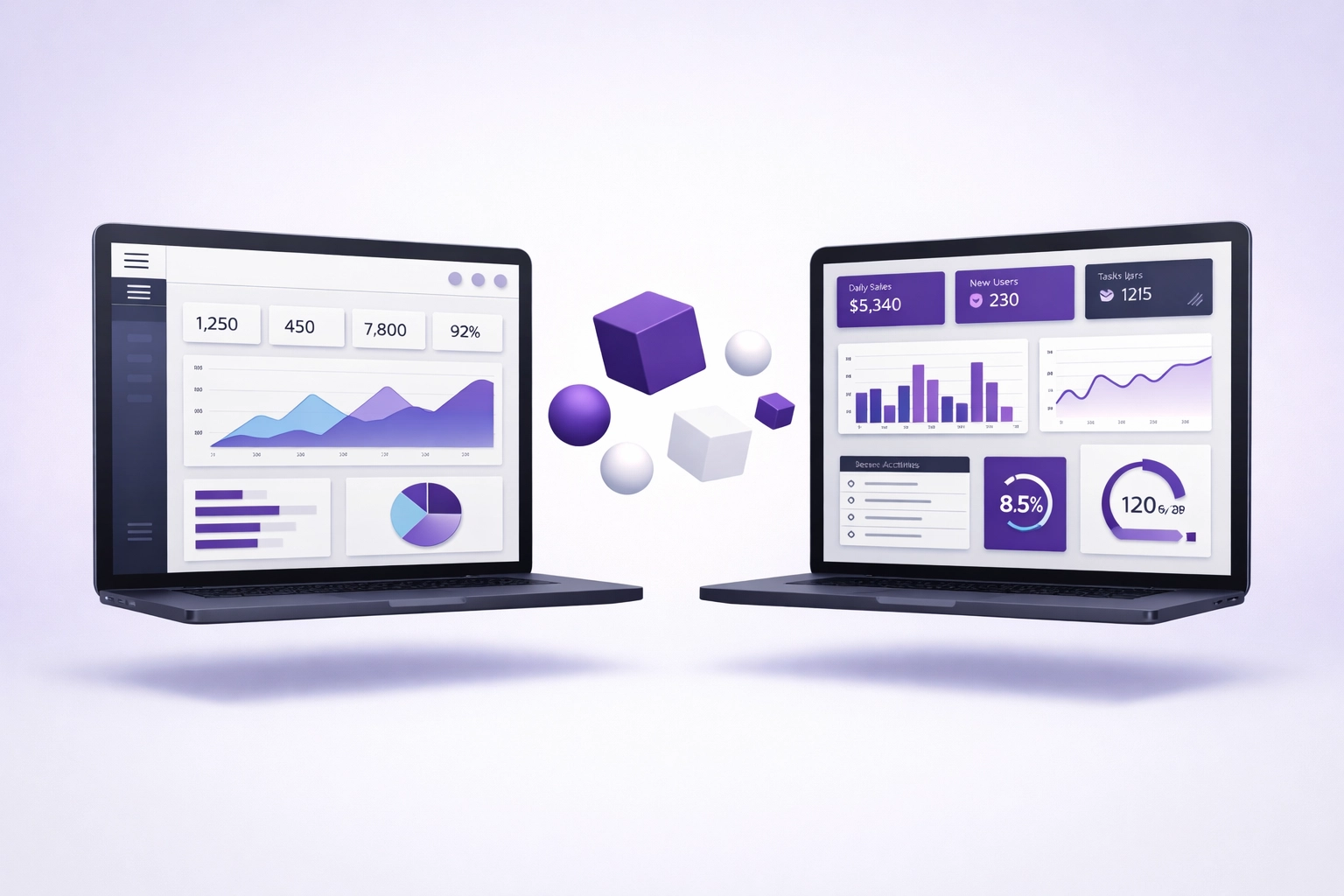
Finally, we set up a monthly reporting schedule. Every month, you will receive a Profit & Loss statement and a Balance Sheet that actually make sense. Because we are in the same time zone, we are available for a quick chat if you have questions about a specific expense or a sudden dip in cash flow.


Want a local expert to look at your books?

If you are tired of wondering if your books are actually correct, let’s chat. We help LA business owners get clear on their numbers so they can grow with confidence.
Book a quick review call with Books LA here


How does local bookkeeping improve your cash flow?

Cash flow is the heartbeat of any business, especially in an expensive city like Los Angeles. A local bookkeeper helps you monitor "burn rates" and ensures your accounts receivable aren't lagging. When you know exactly who owes you money and when your bills are due, you can make smarter decisions about hiring or expanding.

Moreover, we help you identify local trends. For example, if we notice that shipping costs are rising across our client base in Southern California, we can alert you to adjust your pricing early. This proactive approach is something you rarely get from a "faceless" national bookkeeping platform.

Specifically, we look for:

  • Duplicate subscriptions you forgot to cancel.
  • Unusually high merchant processing fees.
  • Slow-paying clients that need a nudge.
  • Tax savings through proper expense categorization.

Upward financial arrow and bank card illustrating healthy cash flow for Los Angeles small businesses.

Is virtual bookkeeping better than in-person?

In 2026, the best "local" bookkeeping is actually a hybrid model. While we use the latest cloud technology like QuickBooks Online to keep things fast, being in the same city means we can meet if a major strategy shift is needed. This gives you the best of both worlds: the speed of a digital firm and the trust of a local partner.

Therefore, you don't have to worry about mailing physical checks or dropping off shoe boxes of receipts. We use tools that integrate directly with your bank and your point-of-sale systems. Because we are experts in these tools, we can troubleshoot software issues that might baffle a non-local generalist. Check out our add-ons and apps page to see the tech stack we love.

Ultimately, the goal is to get the bookkeeping off your plate entirely. You didn't start your business to spend your Friday nights reconciling bank statements. By partnering with a bookkeeper los angeles team, you reclaim your time and gain the peace of mind that only comes from professional oversight.

Digital cloud and business folder representing efficient virtual bookkeeping services in Los Angeles.

Common bookkeeping mistakes LA owners make

One of the biggest mistakes we see is co-mingling personal and business expenses. This is a nightmare during an audit and makes it impossible to see your true profit. Because Los Angeles has a high cost of living, it is tempting to "just use the business card" for a personal dinner, but this creates a massive mess in your ledger.

Another mistake is ignoring the City of LA Business Tax until it is too late. The penalties for late filing can be steep, and the city is very active in its enforcement. If you haven't renewed your BTRC by the February deadline, you are already behind.

Specifically, many owners also fail to reconcile their accounts monthly. They look at their bank balance and think they are fine, but they aren't accounting for uncleared checks or upcoming tax payments. This "bank balance accounting" is a recipe for a cash flow crisis.


FAQ: Everything You Need to Know About LA Bookkeeping

Why can't I just use a cheap online bookkeeping service?

Cheap services often use automated algorithms that miss context. They won't know that your "Amazon" purchase was a specific piece of equipment for a project in West Hollywood that needs to be tracked separately. Local eyes catch those nuances.

What documents do I need to provide to get started?

Initially, we need access to your accounting software, bank statements, and any existing tax filings. We use a secure portal for this, so you never have to worry about your data's safety.

Do you handle my income tax returns?

No, we do not file income tax returns. We provide clean, audit-ready books to your CPA, which usually saves you a significant amount of money on their hourly billing.

Is there a long-term contract?

We typically work on a month-to-month basis because we believe our value should keep you with us, not a legal document. However, we do ask for a 30-day notice if you ever decide to move on.

Can you fix my books if they are a mess from last year?

Yes, we specialize in "catch-up" and cleanup projects. We can go back through 2025 or earlier to ensure your records are accurate for your CPA.

How often will we communicate?

We provide monthly reports and are available for email or phone support during business hours. You will never be left wondering about the status of your books.

Do you work with my specific industry?

We focus on service-based businesses, creative agencies, and startups. If your business is in Los Angeles and you use (or want to use) QuickBooks or Xero, we are likely a great fit.


Ready for a cleaner financial future?

Stop stressing over your spreadsheets and start focusing on your vision. Our team at Books LA is ready to help you master your numbers in 2026.
Contact us today for a custom quote

Startup Bookkeeping: 5 Proven Tips to Explode Your Cash Flow in 2026

Startup Bookkeeping: 5 Proven Tips to Explode Your Cash Flow in 2026

Last updated: March 6, 2026

Startup bookkeeping drives cash flow by automating the gap between spending and earning, ensuring you never run out of runway unexpectedly. This guide is for founders who want to stop guessing about their bank balance and start scaling with data-backed confidence in 2026.

Running a startup in 2026 feels a lot like flying a plane while building the engines. You have a million things on your mind, from product-market fit to hiring your first ten employees. However, the one thing that can grounded your flight faster than a bad pitch is a lack of cash. Most founders think bookkeeping is just for tax season. In reality, proper startup bookkeeping is your most powerful tool for maintaining a healthy cash flow and staying alive long enough to win.

What is the most common mistake in startup bookkeeping?

The biggest mistake we see at Books LA is the "shoebox method" or, more accurately for 2026, the "digital junk drawer" approach. This happens when you mix your personal life with your business expenses. It might seem easier to use your personal card for a quick software subscription, but this creates a nightmare for your future self.

When you mix funds, you lose the ability to see exactly where your money is going. Consequently, you cannot accurately calculate your burn rate. If you cannot calculate your burn rate, you cannot tell an investor when you will need more capital. Therefore, the very first step to exploding your cash flow is creating a total separation of church and state.

You need a dedicated business bank account and a business credit card from day one. This simple move creates a clean audit trail and ensures every dollar spent is categorized correctly from the start. If you are already in a mess, you might need a bookkeeping cleanup service to untangle the web before you can move forward.

Minimalist spheres representing the separation of personal and business finances for startup bookkeeping.

Which software should you use for startup bookkeeping in 2026?

Choosing the right platform is critical for automation and accuracy. While there are many options, QuickBooks Online and Xero remain the industry leaders for a reason. Specifically, QuickBooks Online currently holds a massive share of the market because its integration ecosystem is unmatched.

In 2026, you want software that talks to everything else in your tech stack. You should look for a platform that connects directly to your bank feeds, your payment processor like Stripe or Shopify, and your payroll provider. This connectivity allows for real-time data syncing. As a result, you spend less time manually entering data and more time analyzing your margins.

Using cloud accounting software also means you have access to your numbers anywhere. Whether you are at your desk in Los Angeles or traveling for a conference, you can check your profit and loss statement with a few clicks. This level of visibility is the foundation of a healthy cash flow. You can learn more about why this matters in our post on why every small business needs cloud accounting.

How does a consistent financial cadence improve cash flow?

Bookkeeping is not a once-a-year event. To truly explode your cash flow, you need to establish a rhythm. Think of it as a workout routine for your business finances. Without a regular schedule, small errors snowball into massive problems that are expensive to fix.
We recommend a three-tiered approach:

  1. Weekly: Categorize every single transaction. If you wait longer than a week, you will forget what that $47.50 charge on Amazon was for. Additionally, send out your invoices and follow up on anyone who hasn't paid.
  2. Monthly: Reconcile your accounts. This means making sure your software matches your bank statement to the penny. During this time, you should also review your Profit & Loss and Cash Flow statements. Look for surprises. Did your SaaS subscriptions jump by 20%? Now is the time to find out why.
  3. Quarterly: This is your deep dive. Compare your actual spending against your budget. Clean up any misclassifications and prepare for your quarterly estimated taxes.

By maintaining this cadence, you catch cash leaks before they turn into floods. For example, you might notice a "free trial" that started charging you three months ago. Meanwhile, someone who hasn't paid their invoice might need a gentle nudge before they disappear entirely.

A glowing cloud icon illustrating integrated cloud accounting software for real-time startup cash flow tracking.

Why is accounts receivable management the secret to cash flow?

You can have millions of dollars in "revenue," but if that money isn't in your bank account, you are still broke. This is where many startups fail. They are so focused on closing the deal that they forget to actually collect the money.

In 2026, manual invoicing is a relic of the past. You should automate your invoice reminders. If a client is three days late, the system should send a polite nudge. If they are ten days late, it should send a firmer one. Furthermore, you should make it as easy as possible for people to pay you. If you don't accept credit cards or ACH payments directly through your invoice, you are adding friction to your own cash flow.

Effective accounts receivable management means you get paid faster. When you get paid faster, your runway extends. It is a simple equation that many founders ignore until they are staring at a zero balance.

How do payroll and tech integrations protect your runway?

For most startups, payroll is the single largest expense. If your payroll data isn't syncing correctly with your bookkeeping software, your financial reports are essentially fiction. Modern providers like Gusto or Rippling are essential because they break down costs by department.

Knowing exactly how much you are spending on R&D versus Sales is crucial for strategic decisions. For instance, if you see that your Sales costs are rising while revenue stays flat, you know you have a productivity problem. Additionally, if you use a cap table management tool like Carta, ensuring it aligns with your books is vital for investor reporting.

When your tech stack is fully integrated, the data flows seamlessly. This creates an environment where you can make hiring or firing decisions based on facts rather than "vibes." You can explore how we help with these integrations on our add-ons and apps page.

Minimalist calendar marking a financial cadence for consistent monthly startup bookkeeping reviews in 2026.

Important: A Note on Taxes and Compliance

While we love helping you keep your books in order, it is important to remember that bookkeeping and tax filing are two different specialties. At Books LA, we focus on the day-to-day financial health of your business. We do not provide income tax advice or file corporate tax returns.

Instead, we work closely with your CPA. We provide them with clean, reconciled, and accurate books so they can do their jobs efficiently. This partnership ensures you stay compliant while maximizing your deductions. Always consult with a qualified CPA for your specific tax strategy and filing requirements.

About the Author: Jelena Arkula

Jelena Arkula is the owner of Books LA, a boutique accounting firm based in Los Angeles. With years of experience helping startups and small businesses navigate the complexities of cloud accounting, Jelena and her team specialize in QuickBooks Online and Xero. We believe that clear financials are the key to business freedom. When we aren't untangling messy ledgers, you can find us supporting the vibrant small business community here in LA.

Interlocking rings symbolizing the seamless integration of payroll and bookkeeping software for small businesses.

FAQ: Startup Bookkeeping in 2026

How much does startup bookkeeping cost?
Pricing usually depends on your monthly expenses and the complexity of your transactions. Most startups can expect to pay anywhere from $500 to $2,500 per month for professional services. You can view our packages here.

Can’t I just do my own bookkeeping to save money?
You can, but it often costs more in the long run. Founders usually spend 10+ hours a month on bookkeeping. If your time is worth $100 an hour, you are "spending" $1,000 of your time on a task that a pro could do better and faster.

What documents do I need to give my bookkeeper?
Initially, we need access to your bank feeds, credit card statements, and any third-party payment processors like Stripe. We also need to see your payroll reports and any outstanding invoices.

How long does it take to get my books caught up?
If you are behind, a cleanup typically takes between two to four weeks depending on how many months (or years) of data we need to process.

Do I need a bookkeeper if I have an accountant?
Yes. Think of a bookkeeper as the person who keeps the kitchen clean and the ingredients prepped every day. The accountant is the chef who comes in at the end of the year to cook the tax return. You need both for a functional kitchen.

What is the difference between cash and accrual accounting?
Cash accounting records transactions when money actually moves. Accrual accounting records them when the "event" happens (like when you send an invoice). Most scaling startups eventually move to accrual to get a clearer picture of their actual business health.

When should I hire a professional bookkeeper?
The best time is before you think you need one. Typically, once you hit $10k in monthly revenue or hire your first employee, the complexity grows beyond what most founders should handle themselves.

Ready to get your finances on track? Contact us today for a consultation and let's see how we can help you scale.

Bookkeeping Cleanup: How Small Businesses Get Back on Track in 30 Days (2026)

Bookkeeping Cleanup: How Small Businesses Get Back on Track in 30 Days (2026)

Last updated: February 23, 2026

Small businesses can complete a full bookkeeping cleanup in 30 days by organizing records, correcting errors, reconciling accounts, and establishing ongoing systems. This guide walks you through the exact four-week process that brings messy books back to life.

You're dealing with piles of receipts, bank statements you haven't checked in months, and that nagging feeling that something's off. Consequently, you avoid looking at your financials because the mess feels too big to fix.

Here's the good news: bookkeeping cleanup follows a clear roadmap. Moreover, the process is more manageable than you think when broken into weekly chunks.

What Does a Bookkeeping Cleanup Actually Include?

A proper bookkeeping cleanup isn't just data entry. Instead, it's a systematic review that corrects past mistakes and prevents future ones.

The cleanup process covers five core areas:

  • Gathering and organizing all financial documents in one place
  • Identifying and fixing errors like duplicate entries or wrong categorization
  • Reconciling every bank and credit card account to match your records
  • Cleaning up your chart of accounts to ensure proper transaction flow
  • Building sustainable processes so you never fall behind again

Organized financial documents and folders for small business bookkeeping cleanup process

Furthermore, this work ensures your financial reports are accurate for tax season and business decisions. At Books LA, we've helped dozens of Los Angeles businesses tackle backlogs ranging from six months to three years.

Why Do Small Business Books Get Messy in the First Place?

Life happens. Business gets busy. Bookkeeping slides.

Most small business bookkeeping problems start with inconsistent recording. For example, you enter transactions when you remember, not on a regular schedule. Additionally, many business owners mix personal and business expenses, creating confusion.

Other common causes include:

  • Switching accounting software mid-year without migrating data properly
  • Losing receipts or invoices and guessing at amounts later
  • Not reconciling bank accounts monthly (or ever)
  • Recording sales but forgetting to track expenses

In the construction bookkeeping world, we also see issues with job costing. Specifically, expenses get lumped together instead of tracked by project, making profitability analysis impossible.

Week 1: Gather Everything and Get Organized

Start by creating a single collection point for all financial documents. This includes bank statements, credit card statements, invoices, receipts, and payroll reports.

Your Week 1 checklist:

  • Download or collect all bank statements for the cleanup period
  • Gather credit card statements from every business card
  • Locate invoices (both sent to customers and received from vendors)
  • Find receipts, whether paper or digital
  • Pull payroll reports if you have employees

Organize these materials by date and type. Additionally, separate paper records from digital ones. If you're missing information, reach out to vendors or clients now rather than waiting until year-end when memories fade.

During this phase, you're not entering anything yet. Instead, you're simply getting everything in front of you so you can see the full picture.

Week 2: Identify and Correct the Errors

Now comes the detective work. Consequently, you'll compare your income reports with actual invoices and bank deposits to spot mismatches.

Common errors to look for:

  • Duplicate entries that inflate income or expenses
  • Incorrect amounts due to typos or misprints
  • Cash sales not yet recorded in your system
  • Transactions posted to wrong accounts or categories
  • Missing transactions entirely

Remove duplicates immediately. Then, correct wrong figures by comparing them to original source documents like bank statements or invoices.

Reviewing financial documents to identify and correct bookkeeping errors with magnifying glass

Moreover, this step prevents small errors from snowballing into big problems. At Books LA, we use QuickBooks Online and Xero to cross-reference data systematically, catching issues that manual reviews often miss.

Week 3: Reconcile Everything to Your Bank

Reconciliation is where bookkeeping cleanup gets real. Specifically, you're matching every transaction in your accounting software to your actual bank and credit card activity.

The reconciliation process:

  1. Start with your primary business checking account
  2. Match each withdrawal and deposit to a record in your books
  3. Identify unrecorded transactions and add them
  4. Mark everything as reconciled once it matches

Next, tackle credit cards the same way. Furthermore, review your accounts payable and accounts receivable. Flag unpaid bills and open invoices that may no longer need collection.

Verify vendor and customer records too. Update names, addresses, and tax IDs. Combine duplicate accounts. Ensure W-9 forms are on file for vendors you'll issue 1099s to.

Working with a CPA: We don't provide income tax advice at Books LA. However, we work closely with CPAs throughout the cleanup process to ensure everything's ready for tax preparation. Always confirm tax-related decisions with your CPA.

Week 4: Clean Your Chart of Accounts and Build Systems

Your chart of accounts is the backbone of accurate bookkeeping. Consequently, cleaning it up ensures future transactions flow to the right categories.

Review each account in your chart. Combine similar accounts that serve the same purpose. Additionally, delete unused accounts that clutter your reports. Make sure account names clearly describe what they're for.

Adjust account balances to match real totals. Then, run preliminary financial reports to verify everything matches your bank statements.

The key to staying clean: sustainable processes

Bookkeeping cleanup only works if you don't fall behind again. Therefore, create a monthly bookkeeping checklist that includes:

  • Recording transactions weekly (not monthly)
  • Reconciling bank accounts by the 10th of each month
  • Reviewing accounts receivable and following up on unpaid invoices
  • Storing all receipts digitally using your phone or scanner

Moreover, consider automation. Cloud accounting systems like QuickBooks and Xero offer bank feeds, recurring invoices, and payment reminders that reduce manual work.

Should You DIY Your Bookkeeping Cleanup or Hire Help?

This depends on three factors: your comfort with accounting software, the size of your backlog, and how much time you have.

Consider DIY if:

  • Your backlog is less than three months
  • You're comfortable with QuickBooks or Xero
  • You can dedicate 10-15 hours per week for a month

Consider outsourced bookkeeping if:

  • Your backlog exceeds six months
  • You're not sure what accounts to use for certain transactions
  • You need the cleanup done quickly for a loan application or tax deadline
  • You want assurance that IRS rules and GAAP standards are met

Comparison of DIY bookkeeping chaos versus organized outsourced bookkeeping services

Professional bookkeeping services identify issues you might miss. Furthermore, we complete the work faster because we've done hundreds of cleanups. At Books LA, our team knows construction bookkeeping nuances, e-commerce reconciliation quirks, and consultant-specific categorization rules.

Ready to get your books cleaned up? Book a short call with us to discuss your situation and what a cleanup would involve.

What Happens After Your Bookkeeping Cleanup?

Clean books open doors. Specifically, you can finally see accurate profit margins, make informed decisions, and prepare for tax season without panic.

Additionally, you'll have reliable financial reports to show banks, investors, or partners. Your CPA will thank you for organized records that make tax preparation straightforward.

The real benefit, though, is peace of mind. Consequently, you'll stop avoiding your finances and start using them to drive growth.

Common Bookkeeping Cleanup Mistakes to Avoid

Even with good intentions, business owners make predictable mistakes during cleanup.

Don't do this:

  • Deleting transactions instead of voiding them (this creates gaps in your audit trail)
  • Guessing at transaction dates or amounts
  • Skipping reconciliation because "the numbers look close enough"
  • Forgetting to update opening balances after making corrections
  • Cleaning up once but not establishing ongoing processes

Moreover, avoid mixing cleanup work with current-month bookkeeping. Finish the backlog first, then shift to maintaining real-time records.

If you're unsure about a transaction, flag it and ask for help. Our team at Books LA works alongside your CPA to clarify unclear items and ensure everything meets standards.

Industry-Specific Cleanup Considerations

Different business models require focus on different areas during bookkeeping cleanup.

E-commerce stores need to match platform fees and shipping costs with sales. Additionally, inventory tracking becomes critical if you're holding products.

Construction companies must separate costs by job. Furthermore, work-in-progress (WIP) accounts need adjustment to reflect accurate job profitability. Learn more about construction bookkeeping specifics.

Consultants and service businesses should separate retainers from earned revenue. Moreover, mileage and home office expenses need proper categorization.

Regardless of industry, the four-week framework applies. However, the specific accounts you review and the reports you prioritize will vary.


Frequently Asked Questions About Bookkeeping Cleanup

How much does bookkeeping cleanup cost?
Pricing depends on backlog size and complexity. Typically, cleanup for 3-6 months of records ranges from $800-$2,500. Moreover, businesses with multiple revenue streams or significant transaction volume pay more. Contact Books LA for a specific quote based on your situation.

Will cleanup delete my data or past records?
No. Proper bookkeeping cleanup improves accuracy without deleting important records. Instead, we correct errors, void duplicates, and adjust categorization. Consequently, your complete transaction history remains intact.

How long does professional bookkeeping cleanup actually take?
Most cleanups finish in 2-4 weeks depending on backlog length and data quality. Furthermore, we can prioritize sections if you need specific reports sooner for loans or taxes.

What do you need from me to start a cleanup?
We need access to your accounting software, bank statements, and credit card statements for the cleanup period. Additionally, provide invoices and receipts if they're not already in your system. Most clients gather these items in 1-2 days.

Can you clean up books if I haven't reconciled in over a year?
Yes. Longer backlogs take more time, but the process remains the same. Moreover, we've successfully cleaned up books with backlogs of 2-3 years.

Do I need to be on QuickBooks or Xero for cleanup services?
We work primarily with QuickBooks Online and Xero because they're industry standards. However, if you use different software, we can often still help or recommend migration as part of the cleanup process.

What happens if you find errors my old bookkeeper made?
We document the errors, make corrections, and explain what we changed. Additionally, we notify you if the errors affect past tax returns so you can discuss amendments with your CPA. Remember, we don't provide income tax advice, so tax-related decisions require CPA consultation.

How do I prevent falling behind after cleanup?
Establish a weekly transaction recording habit and monthly reconciliation schedule. Furthermore, consider ongoing bookkeeping services to maintain clean books permanently. Many clients start with cleanup, then transition to monthly bookkeeping support.

QBO vs Xero 2026 Review: The Ultimate Guide to Bookkeeping Services (2026)

QBO vs Xero 2026 Review: The Ultimate Guide to Bookkeeping Services (2026)

Last updated: February 11, 2026

After diving deep into expenses, invoicing, billable expenses, projects, bank feeds, and reporting across both platforms, here's the bottom line: Xero wins for teams needing unlimited users and simple workflows, while QuickBooks Online excels when you need advanced reporting and complex customization. The right choice for your bookkeeping services depends on team size, feature priorities, and how your bookkeeper actually works.

This post wraps up our 7-part series. You'll get our honest take on which software fits different business models, what professional bookkeeping services cost on each platform, and how long a migration actually takes.

What Our Bookkeeping Services Include

We're an LA-based bookkeeping firm certified in both QuickBooks Online and Xero. Whether you choose QBO or Xero, our bookkeeping services cover the same essentials.

Monthly close and reconciliation. We reconcile every bank account, credit card, and loan. We categorize transactions, match invoices to payments, and make sure your balance sheet is clean.

Accounts payable and receivable. We track who owes you and who you owe. We send invoices, record bills, and keep your cash flow visible.

Financial reporting. You get a P&L, balance sheet, and cash flow statement every month. We customize reports based on what you actually need to see.

Sales tax tracking. We handle nexus monitoring, accrual tracking, and filing prep. We coordinate with your CPA for income tax but manage sales tax in-house.

Payroll reconciliation. We make sure payroll expenses match your payroll provider and that tax liabilities are recorded properly.

Software setup and cleanup. If you're migrating from one platform to another or starting fresh, we build your chart of accounts, import historical data, and clean up any mess left behind.

Both platforms handle these tasks well. The difference is in how fast you can train your team, how much you'll spend on additional users, and whether you need advanced features like job costing or multi-currency support.

QuickBooks Online vs Xero bookkeeping software dashboard comparison

How Much Professional Bookkeeping Services Cost

Software cost and bookkeeping service cost are two separate line items.

Software pricing (2026):

QuickBooks Online ranges from $35/month (Simple Start) to $275/month (Advanced). Most small businesses use Plus at $115/month, which includes 5 users and inventory tracking.

Xero ranges from $25/month (Early) to $90/month (Established). All plans include unlimited users. The catch: Early limits you to 20 invoices and 5 bills per month, which doesn't work for most active businesses.

If you need more than 5 users, Xero saves you hundreds per month. QuickBooks charges per user after the plan limit, and those fees add up fast.

Bookkeeping service pricing:

Our small business bookkeeping services start at $400/month for simple businesses with under 50 transactions. Mid-sized businesses with multiple revenue streams, inventory, or project tracking typically pay $800 to $1,500/month.

Software complexity affects our pricing slightly. QuickBooks Online takes longer to customize but offers more control. Xero is faster to set up but less flexible for complex workflows.

Cleanup projects are separate. Expect $1,500 to $5,000 depending on how far behind you are and which platform you're using.

If you're switching platforms, migration is usually part of the cleanup cost. We don't charge separately for software migration unless your data is a disaster.

How Long the Software Migration Takes

Migrating between QuickBooks Online and Xero (or vice versa) usually takes 2 to 4 weeks.

Week 1: We export your data, review your chart of accounts, and build the new structure in the target platform. We also identify any customizations or integrations that won't transfer cleanly.

Week 2: We import historical transactions, map accounts, and reconcile opening balances. This is where most of the grunt work happens.

Week 3: We run parallel books for one month. You keep using the old system while we update the new one. This catches errors and gives your team time to adjust.

Week 4: We finalize, train your team, and switch over completely.

The timeline stretches if your books are messy, if you have complex inventory, or if you're migrating years of data instead of just the current year.

Xero to QuickBooks migrations take slightly longer because QuickBooks requires more setup for custom fields, classes, and locations. QuickBooks to Xero is faster because Xero's structure is simpler.

Most businesses should plan to migrate at the start of a new quarter. Don't migrate in December or during busy season.

Bookkeeping software migration timeline showing four-week transition process

Which Software We Recommend for Your Bookkeeping Services

There's no universal winner. It depends on your team, your growth plan, and your bookkeeper's preferences.

Choose Xero if:

You have more than 5 people who need access. Xero's unlimited user pricing is unbeatable. If you're adding project managers, sales reps, or department heads to your accounting system, Xero wins.

You operate internationally. Xero handles multi-currency better and supports 160+ currencies without requiring the most expensive plan.

You want basic inventory management without paying extra. Xero includes inventory tracking in all plans. QuickBooks locks inventory behind the $115/month tier.

You value ease of use over customization. Xero's interface is cleaner and faster to learn. New hires get up to speed in days, not weeks.

You work with a lot of third-party apps. Xero connects to over 1,000 integrations compared to QuickBooks' 750+.

Choose QuickBooks Online if:

You need advanced reporting and customization. QuickBooks lets you drill into transaction details, customize every report field, and build complex workflows.

You run a construction business or track jobs. QuickBooks' class and location tracking is more robust, and job costing features are built in.

Your CPA insists on QuickBooks. Most US accountants prefer QuickBooks because they've used it for decades. Switching to Xero might create friction at tax time.

You already have years of QuickBooks data. Migration is possible but expensive. If your current system works, don't fix what isn't broken.

You need fewer than 5 users and want deeper control. For solo owners or small teams, QuickBooks' feature depth justifies the learning curve.

Our honest take:

We use both. For service-based businesses with small teams, we lean toward QuickBooks. For product-based businesses with growing teams, we recommend Xero. For construction and project-based work, QuickBooks wins.

If you're hiring outsourced bookkeeping services, ask which platform your bookkeeper prefers. A great bookkeeper on the "wrong" software beats a mediocre bookkeeper on the "right" one.

FAQ

Which software is easier to migrate away from if I change my mind later?

Xero exports cleaner data and has fewer proprietary features, so migrating away from Xero is slightly easier. QuickBooks locks in some customizations (like classes and locations) that don't map perfectly to other platforms. That said, both systems export to Excel and CSV, so neither traps you permanently.

Does Xero or QuickBooks cost more when you factor in apps and add-ons?

Xero's base price is lower, but you'll pay for apps like Hubdoc (document management), Xero Payroll, and advanced inventory. QuickBooks bundles more features but charges higher base prices. For most small businesses, total cost ends up similar. Xero saves money if you need lots of users. QuickBooks saves money if you need fewer users but want built-in features.

Which software has better customer support?

QuickBooks offers live chat and phone support. Xero offers 24/7 online support and callbacks but no inbound phone line. In practice, most bookkeepers rarely call support because both platforms have strong user communities and help documentation. Your bookkeeper's experience matters more than the support hotline.

Do both platforms integrate with payroll and sales tax filing?

Yes. QuickBooks integrates natively with QuickBooks Payroll and QuickBooks Sales Tax. Xero integrates with Gusto, ADP, and TaxJar. Both work fine. If you already use a specific payroll provider, check compatibility before choosing.

Which platform handles sales tax better?

QuickBooks has stronger built-in sales tax automation, especially for multi-state nexus. Xero requires third-party apps like Avalara or TaxJar for complex sales tax. If sales tax is a big part of your business, QuickBooks wins. If sales tax is simple (one state, straightforward rules), Xero is fine.

Is the user interface really that different between Xero and QuickBooks?

Yes. Xero feels like a mobile app with a clean dashboard and simple menus. QuickBooks feels like traditional accounting software with more buttons, shortcuts, and data on every screen. Non-accountants prefer Xero. Accountants and bookkeepers prefer QuickBooks. Train your team on whichever you choose and the difference fades after a month.

Will my CPA care which software I use?

Most CPAs prefer QuickBooks because it's the industry standard in the US. That said, good CPAs work with both. If your CPA refuses to work with Xero, find a new CPA. Modern accounting firms handle both platforms without issue. Just give your CPA accountant-level access and export reports at tax time.

Should a startup use different software than an established business?

Startups benefit from Xero's lower cost and unlimited users. Established businesses benefit from QuickBooks' advanced features and customization. But plenty of successful businesses run on either platform long-term. Choose based on your team and workflow, not your business stage. You can always migrate later if your needs change.


Disclaimer: This post covers bookkeeping software and bookkeeping services. We do not provide income tax advice. Always coordinate with your CPA for income tax strategy, filing, and compliance. We handle sales tax, payroll tax, and business license tracking, but final tax decisions should be reviewed with your tax advisor.

QBO vs Xero Reporting: Why Your CPA Will Love These Insights (2026)

QBO vs Xero Reporting: Why Your CPA Will Love These Insights (2026)

Last updated: February 11, 2026

QuickBooks Online wins for deep customization and tax-ready reports, while Xero delivers clean, real-time financial reporting that updates automatically. Both platforms work beautifully with professional bookkeeping services that know how to set them up for your CPA.

This post is for LA business owners who want their accountant to actually enjoy working with their books. We'll cover what reports your CPA needs, how each platform delivers them, and why proper setup matters more than the software choice.

The reporting reality check

Your CPA doesn't want fancy dashboards. They want accurate, detailed reports that let them drill into transactions without asking you twenty follow-up questions.

QuickBooks Online gives you more than 65 pre-built reports with granular filtering. You can customize columns, add comparison periods, and save templates for recurring use. Xero keeps it simpler with around 30 core reports that look cleaner but offer less flexibility.

Here's what matters: both platforms can produce everything your tax preparer needs. The difference is how much setup and customization you want to manage yourself.

QuickBooks vs Xero reporting comparison showing detailed spreadsheet and clean dashboard interface

What our bookkeeping services include

Our Los Angeles team is certified in both QuickBooks Online and Xero. We handle the reporting setup so your CPA gets exactly what they need.

Standard report package:

  • Profit and Loss statement (monthly, quarterly, year-to-date)
  • Balance Sheet with prior period comparison
  • Cash Flow Statement
  • Accounts Receivable and Payable Aging
  • General Ledger detail
  • Transaction detail by account

We set up custom reporting templates based on your CPA's preferences. If they want specific sub-account breakdowns or departmental tracking, we build those into your system from day one.

Our bookkeeping services also include monthly reconciliation before reports go out. Your CPA shouldn't be the first person to spot a $5,000 miscategorization.

QuickBooks reporting advantages:

QuickBooks lets us create custom report groups. We can bundle the exact reports your CPA wants and generate them all with one click. The platform also connects directly to TaxCalc and Avalara for sales tax reporting.

We use the Accountant View feature to add notes and adjustments without cluttering your main company file. Your CPA can log in through their own portal and pull reports anytime.

Xero reporting advantages:

Xero's reports update in real time as transactions hit your bank feed. We set up tracking categories for job costing or department splits, and those flow automatically into every report.

The multi-currency handling is cleaner in Xero. If you have international clients or vendors, your P&L shows both transaction currency and base currency without extra reconciliation steps.

Both platforms export to Excel, but Xero's CSV exports maintain better formatting for pivot tables.

How much professional bookkeeping services cost

Full-service monthly bookkeeping with reporting setup runs $400 to $1,200 per month depending on transaction volume.

What affects the price:

  • Number of monthly transactions (under 100 vs 500+)
  • Multiple entities or locations
  • Inventory tracking requirements
  • Payroll integration
  • Custom reporting templates

One-time reporting setup without ongoing bookkeeping services costs $500 to $1,500. We configure your chart of accounts, set up report templates, and train your CPA's office on where to find everything.

Most LA businesses fall in the $600 to $800 monthly range once everything is dialed in. That includes bank reconciliation, categorization, monthly close, and a full report package ready for your accountant.

Outsourced bookkeeping costs less than hiring internally when you factor in software licenses, training time, and coverage for vacations or sick days.

How long the reporting setup takes

Initial reporting configuration takes two to three weeks if your books are current.

Week one: We audit your chart of accounts and map everything to standard reporting categories. We also verify that prior months are reconciled and categorized correctly.

Week two: We build custom report templates and test them against your prior year numbers. We send samples to your CPA for approval and adjust based on their feedback.

Week three: Final setup in the system, plus documentation so your CPA knows where to access reports and what each template shows.

If your books need cleanup first, add four to six weeks. We can't build reliable financial reporting on top of messy transaction data.

Once setup is complete, monthly report generation takes 30 minutes after the books are closed. We usually deliver reports by the 10th of the following month.

Three-week timeline for bookkeeping setup and financial reporting configuration

How our bookkeeping services prepare your reports for tax season

Tax season goes faster when your reports match how your CPA organizes their workpapers.

Pre-tax season checklist:

  • Reconcile all accounts through year-end
  • Verify loan balances match bank statements
  • Confirm fixed asset detail is complete
  • Review large or unusual transactions
  • Document any journal entries
  • Export transaction detail by GL account

We work with your CPA starting in January to gather their standard report list. Most want comparative P&L (current year vs prior year), detailed balance sheet, and depreciation schedules.

QuickBooks makes this easier with its Direct Accountant Access feature. Your CPA can pull their own reports without bugging you for logins. They can also make adjusting entries in their own view without changing your actual books.

Xero requires an advisor user license for your CPA. We help set that up as part of our bookkeeping services package.

Sales tax and payroll tax reports:

Both platforms generate sales tax liability reports. We reconcile these monthly so there are no surprises in December.

For payroll tax reporting, QuickBooks Online Payroll integrates directly with your books. Xero requires a third-party app like Gusto. Either way, we make sure quarterly 941 data matches your P&L.

We do not prepare income tax returns. We coordinate with your CPA to provide clean books and supporting documentation they need for your business return.

Common reporting mistakes we fix:

Many business owners run reports without reconciling first. Your P&L might show $10,000 in expenses that haven't actually cleared your bank yet.

Another issue: mixing personal and business transactions. We set up separate tracking so your CPA can easily identify what belongs on your Schedule C or corporate return.

We also catch duplicate transactions from bank feeds. QuickBooks is notorious for importing the same expense twice if you use both credit card feeds and bank feeds.

Why your CPA will thank you for proper reporting setup

CPAs charge by the hour. If they spend three hours hunting for missing receipts or decoding weird account names, that's on your bill.

Clean reports with proper categorization cut their prep time in half. That saves you money and keeps your accountant happy.

Your CPA also needs reports that match prior years. If you switch from QuickBooks to Xero mid-year without migrating history, they lose the ability to run year-over-year comparisons.

We handle that migration as part of our outsourced bookkeeping setup. Your historical data comes over so reports show trending across multiple years.

Good financial reporting also helps you make decisions between tax appointments. You shouldn't wait until April to know if you're profitable.

Ready to set up reporting your CPA will love?

We're based in Los Angeles and work with CPAs across California. Our team is certified in both QuickBooks Online and Xero.

Request a free bookkeeping review and we'll audit your current reporting setup. You'll get specific recommendations on what needs fixing before tax season.

Professional financial reports with charts and data visualizations for CPA review

Frequently Asked Questions

What's the difference between a P&L and a Balance Sheet for tax purposes?

Your P&L shows income and expenses for a specific time period. Your CPA uses this to calculate taxable profit. The Balance Sheet shows what you own and owe as of a specific date. Both are required for most business tax returns, and your CPA needs them to match.

Can I create custom reports in both QuickBooks and Xero?

Yes, but QuickBooks gives you more control. You can customize columns, filters, and sub-totals extensively. Xero lets you customize basic layouts and tracking categories, but complex custom reports usually require Excel export and pivot tables.

How do tracking categories in Xero compare to class tracking in QuickBooks?

They work similarly. Both let you split transactions by department, location, or project. Xero allows two tracking categories per transaction; QuickBooks allows one class plus one location. For construction businesses or multi-location shops, this matters for job costing reports.

What payroll tax reports do CPAs need from bookkeeping software?

Your CPA needs quarterly 941 summaries, annual W-2 and 1099 totals, and state unemployment reports. QuickBooks Online Payroll generates these automatically. With Xero, you'll use Gusto or another payroll app that syncs to your books.

How do I handle sales tax liability reports in each platform?

Both platforms have built-in sales tax tracking. QuickBooks connects to Avalara for automatic filing. Xero requires manual filing or a third-party integration. We reconcile sales tax liability monthly as part of our bookkeeping services to avoid year-end scrambling.

Which platform do CPAs prefer to work with?

Most CPAs are more familiar with QuickBooks because it has larger market share. However, CPAs who work with modern service businesses or international clients often prefer Xero's cleaner interface and real-time reporting. Ask your CPA before choosing.

What reports should I send my CPA every month?

Send your P&L, Balance Sheet, and bank reconciliation summaries. If you have loans, include loan amortization schedules. For seasonal businesses, include a rolling 12-month P&L so your CPA can see trends. We generate this standard package as part of monthly close services.

Do I need different reports for monthly close versus tax season?

Monthly close reports focus on operational metrics like cash position and accounts receivable aging. Tax season reports need more detail: transaction listings by account, fixed asset registers, and documentation for any adjustments. We prepare both report sets with our outsourced bookkeeping packages.


Important: We provide bookkeeping and financial reporting services. We do not prepare income tax returns or provide income tax advice. All tax-related decisions should be made in coordination with your CPA or tax professional. The reporting recommendations in this post are for bookkeeping accuracy and should be confirmed with your tax advisor for your specific situation.