Wait, What Does a Bookkeeper Actually Do? Core Responsibilities Explained

Wait, What Does a Bookkeeper Actually Do? Core Responsibilities Explained

Last updated: May 1, 2026

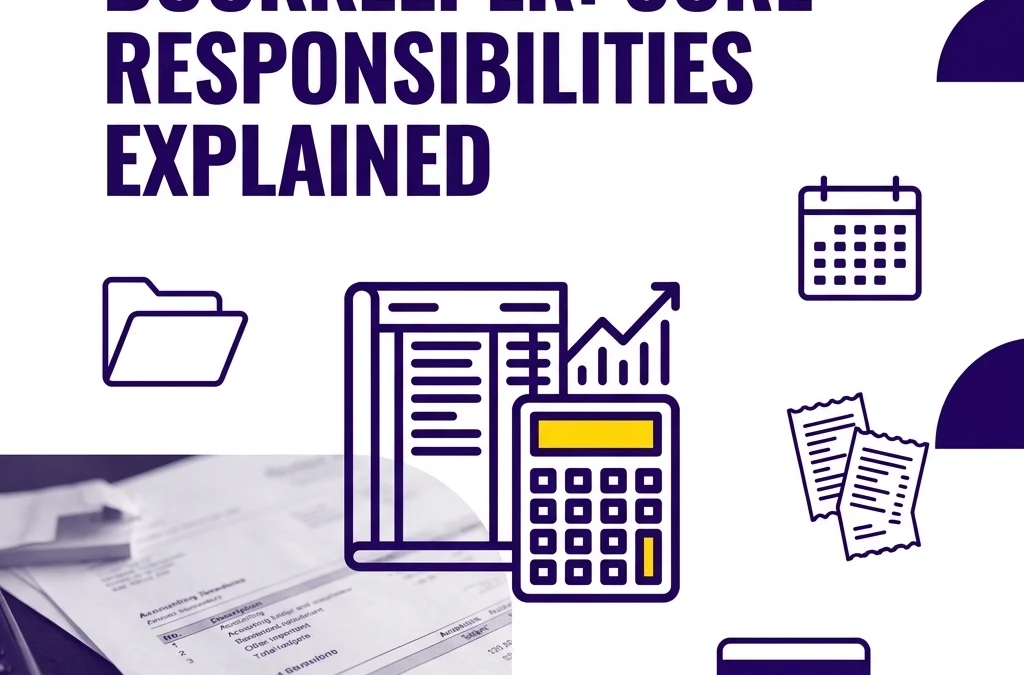
A bookkeeper records, categorizes, and reconciles your business transactions, manages core workflows like bills and invoices, and produces accurate financial reports you can actually use. This post is for small business owners and freelancers, and it covers what a bookkeeper does, what they do not do, and when it makes sense to hire one.

TL;DR

  • A bookkeeper keeps your financial records accurate and current.
  • Core tasks usually include transaction categorization, bank reconciliations, accounts payable, accounts receivable, and monthly reports.
  • A bookkeeper helps you stay organized for your CPA, but does not replace a CPA for income tax advice.
  • Good bookkeeping supports cash flow decisions, payroll tracking, sales tax workflows, and year-end readiness.
  • If your reports are late, unreliable, or unreconciled, it is probably time to get help.

Many business owners start by doing their own books, but as the business grows, the complexity of tracking every transaction becomes a secondary job. Understanding the core responsibilities of a professional bookkeeper helps you identify when you need to hand off the reins to ensure your financial records are "tax-ready" and reliable for decision-making.

The Core Responsibilities of a Modern Bookkeeper

While the image of a bookkeeper used to involve green eye-shades and physical ledgers, modern bookkeeping is largely digital, utilizing tools like QuickBooks Online and Xero. The primary goal remains the same: creating a clear, accurate trail of every financial event in your business.

1. Accounts Payable (AP): Managing Your Bills

Accounts Payable is essentially what you owe to others. A bookkeeper ensures that your vendors are paid on time and that you have a clear picture of your upcoming obligations. This includes:

  • Entering bills as they arrive to track future cash outflows.
  • Verifying that charges match the services or products received.
  • Scheduling payments so you avoid late fees while maintaining healthy cash flow.

2. Accounts Receivable (AR): Tracking Your Income

Accounts Receivable is the money owed to your business by customers. If you do not stay on top of AR, your cash flow will suffer even if your sales are high. A bookkeeper’s role in AR includes:

  • Generating and sending professional invoices to your clients.
  • Monitoring which invoices are past due.
  • Recording payments as they come in to ensure your "Total Income" reflects reality.

Purple credit card and invoices illustrating bookkeeping tasks like recording payments and account reconciliation.

3. Bank and Credit Card Reconciliations

Reconciliation is the process of matching the transactions in your accounting software to the transactions on your bank statement. This is arguably the most important task a bookkeeper performs.

  • It ensures that no transactions are missing.
  • It catches duplicate entries.
  • It identifies fraudulent charges or bank errors early.
  • It verifies that the "Cash" balance on your reports is the actual amount of money you have in the bank.

4. Financial Statement Preparation

At the end of every month, a bookkeeper produces reports that tell the story of your business. These are not just for the IRS; they are for you.

  • Profit and Loss (P&L) Statement: Shows your revenue minus your expenses over a specific period.
  • Balance Sheet: Provides a snapshot of what you own (assets) and what you owe (liabilities) at a specific point in time.
  • Statement of Cash Flows: Tracks the actual movement of cash in and out of the business.

You can learn more about how these reports guide your growth on our services page.

The Crucial Distinction: Bookkeeper vs. CPA

One of the most common misconceptions is that a bookkeeper and a Certified Public Accountant (CPA) do the same thing. In reality, they are two halves of the same coin.

The Bookkeeper handles the "now." They are the daily or monthly ground troops who organize the data, pay the bills, and ensure the records are clean. Think of them as the person who builds the foundation and the walls of a house.

The CPA handles the "after" and the "big picture." They use the data the bookkeeper has organized to file income tax returns and provide high-level tax strategy. If the bookkeeper's work is messy, the CPA will spend their expensive hourly rate cleaning it up before they can even start the tax return.

Disclaimer: At Books LA, we do not provide income tax advice or file income tax returns. We work alongside your CPA to ensure they have a clean, accurate "book" of data to work from. We always recommend confirming tax-specific strategies with your licensed tax professional.

Payroll Support and Compliance

While many businesses use automated payroll providers, a bookkeeper often acts as the bridge between the payroll software and the general ledger. They ensure that:

  • Gross wages, taxes, and benefits are categorized correctly.
  • Payroll liabilities are tracked so you know what is owed to the government.
  • Employee information is kept up to date within the accounting ecosystem.

Beyond payroll, bookkeepers often assist with "bookkeeping-adjacent" compliance, such as filing sales tax returns or renewing local business licenses. These tasks are time-sensitive and carry heavy penalties if missed, making professional oversight a significant relief for business owners.

Calendar with a checkmark highlighting payroll and tax compliance deadlines for professional bookkeeping services.

A Practical Example: The Real Cost of Missing Data

Imagine a small consulting firm that manages its own books. At the end of the year, they send their QuickBooks file to their CPA. The CPA notices that the bank balance in QuickBooks is $15,000 higher than the actual bank statement.

The CPA now has to go back through twelve months of data to find the errors. This might take 10 hours at $350 per hour.

If that firm had a professional bookkeeper reconciling the accounts every month, that error would have been caught in thirty days, cost nothing extra to fix, and the CPA would have spent their time finding tax deductions instead of fixing data entry errors. Consistent bookkeeping is almost always more affordable than a year-end "cleanup" by an accountant.

Why Quality Bookkeeping Matters for Your Growth

Clean books provide the confidence to make big moves. When you know your exact profit margins and your current cash position, you can decide whether to hire a new employee or invest in new equipment without guessing.

At Books LA, we focus on cloud-based solutions like QuickBooks Online and Xero to give you real-time access to this data. You shouldn't have to wait until tax season to know if you made money in July.

If you are curious about how these systems work together, our blog post on cloud accounting covers the benefits of moving away from desktop software.

Next Steps for Your Business

  1. Review your current process: Are your bank accounts reconciled through the end of last month?
  2. Audit your reports: Can you pull a Profit and Loss statement right now that you trust?
  3. Consult a professional: If you are spending more than 5 hours a month on data entry, it is likely time to delegate.

If you want a professional eye on your current setup, you can book a short call with us to discuss your specific needs.


FAQ: Common Questions About Bookkeeping Services

What does a bookkeeper actually do day to day?
A bookkeeper records transactions, categorizes income and expenses, reconciles bank and credit card accounts, tracks bills and invoices, and prepares monthly reports.

What is the difference between a bookkeeper and a CPA?
A bookkeeper keeps the financial records clean and current. A CPA uses that information for income tax filing, tax strategy, and higher-level accounting work.

Do I need a bookkeeper if I use QuickBooks or Xero?
Usually, yes. Software helps with data capture, but it does not reliably replace human review, account mapping, reconciliation, and cleanup.

How much does a bookkeeper typically cost?
It depends on transaction volume, number of accounts, cleanup needs, payroll, and reporting complexity. Many firms use flat monthly pricing so costs are easier to plan for.

What does a bookkeeper need from me to get started?
Usually bank and credit card access, prior bookkeeping records, payroll details, loan information, receipts if needed, and answers to a few setup questions about your business.

Can a bookkeeper help with taxes?
A bookkeeper can help keep your records organized for tax season and may support sales tax or payroll tax workflows. They should not replace your CPA for income tax advice. At Books LA, we work with CPAs on income tax matters, and you should confirm tax positions with your CPA.


About the Author
Jelena Arkula is the owner of Books LA, a boutique bookkeeping firm based in Los Angeles. With a focus on friendly, professional service, Jelena and her team help small businesses and freelancers master their finances using modern tools like QuickBooks Online and Xero. We believe that clear books are the foundation of every successful business. You can see what our clients say on our testimonials page.
Affordable Bookkeeping Solutions for Startups on a Budget: How to Scale Profitably (2026)

Affordable Bookkeeping Solutions for Startups on a Budget: How to Scale Profitably (2026)

Last updated: May 1, 2026

Startups can keep bookkeeping affordable by starting with low cost software, keeping records clean monthly, and outsourcing once DIY bookkeeping takes more than about five hours a month. This guide is for founders and early stage business owners who want a practical, low cost bookkeeping setup, and it covers software, outsourcing ROI, and cleanup.

TL;DR

  • Use a low cost cloud system first, usually QuickBooks Online, Xero, Wave, or Zoho Books.
  • DIY works early, but once bookkeeping takes more than five hours a month, outsourcing is usually the more affordable choice.
  • The real cost is not just software. It is also founder time, missed errors, and cleanup later.
  • Keep business and personal spending separate from day one.
  • Reconcile bank and credit card accounts every month.
  • If your books are behind or messy, a cleanup project is often the fastest way to get back to accurate reporting.
  • A bookkeeper handles day to day records. A CPA handles income tax advice and filing.

What are the most affordable bookkeeping software options for startups?

For a startup on a strict budget, your first decision is the tech stack. In 2026, the landscape of accounting software is highly competitive, offering several entry level tiers that provide professional features at a fraction of the cost of a full time controller.

Wave Accounting
Wave remains a top choice for pre seed startups because its core accounting features are free. It allows you to track income and expenses, scan receipts, and run basic financial reports. While it lacks the advanced inventory and project tracking of paid tools, it is a solid starting point for those with zero capital.

FreshBooks
FreshBooks is particularly effective for service based startups. Their "Lite" plan usually starts around $12 to $15 per month and is excellent for managing up to five clients. It excels in time tracking and professional invoicing, though it can become expensive as your client list grows.

QuickBooks Online (Simple Start)
QuickBooks Online (QBO) is the industry standard. For about $30 per month, the Simple Start plan offers robust bank feeds and integration with over 650 third party apps. At Books LA, we primarily work within the QBO and Xero ecosystems because they allow for seamless scalability as your business grows. You can explore how these tools fit into a broader strategy on our services page.
Zoho Books
If you are already using the Zoho suite for CRM or email, Zoho Books offers a free tier for businesses with revenue under $50,000 per year. It provides automated workflows that are usually only found in much more expensive packages.

Digital tablet showing growth on a financial chart for affordable startup bookkeeping software.

The true cost of DIY: Understanding the ROI of outsourcing

Many founders view bookkeeping as a "cost center" rather than an investment. However, the return on investment for outsourcing your books often manifests in "recovered time" and "tax efficiency."

To calculate the ROI, consider the Founder Tax. If your time is valued at $150 per hour and you spend 10 hours a month struggling with reconciliations and expense categorization, your internal cost is $1,500. A professional bookkeeping package for a startup might cost only a third of that amount.

Beyond the hourly math, professional bookkeeping provides:

  1. Accuracy for Funding: If you plan to raise venture capital or apply for a bank loan, your books must be GAAP compliant. Errors found during due diligence can kill a deal or lower your valuation.
  2. Audit Protection: Clean books make the year end process with your CPA much faster and cheaper.
  3. Real Time Insights: Knowing your burn rate and runway exactly allows you to make hiring or marketing decisions based on data rather than gut feeling.

What does a bookkeeping cleanup service involve?

Many startups operate for the first year or two using a "shoebox" method or a messy spreadsheet. When it comes time to file taxes or seek investment, they realize their data is unusable. This is where a cleanup service becomes essential.

A cleanup involves a professional bookkeeper going back through historical bank statements and receipts to ensure every transaction is categorized correctly and every account is reconciled to the penny. This process clears out "uncategorized expenses" and ensures that your Balance Sheet and Profit and Loss statements actually reflect reality.

While cleanup is an upfront investment, it prevents the much higher cost of filing amended tax returns or losing out on tax credits. We often help clients get their records in order before they move to a monthly subscription model.

How to hire a professional bookkeeper on a budget

Hiring a full time employee is rarely the right move for a startup. Instead, look for virtual bookkeeping firms or specialized freelancers. When evaluating help, look for the following:

  • Software Certification: Ensure they are a QuickBooks ProAdvisor or a Xero Certified Partner.
  • Industry Experience: A bookkeeper who understands the specific needs of startups (like R&D tax credits or software subscriptions) is more valuable than a generalist.
  • Communication Style: You need someone who explains your financials in plain English, not accounting jargon.

For those just starting their search, our hub offers additional resources on what to look for in a financial partner.

Minimalist calculator and pen symbolizing professional bookkeeping and financial oversight for startups.

Common bookkeeping mistakes startups make when trying to save money

In an effort to be "affordable," many startups inadvertently create expensive problems later on.

Co-mingling Funds
This is the most common mistake. Using a personal credit card for business expenses (or vice versa) creates a nightmare for your bookkeeper and can jeopardize the "corporate veil" that protects your personal assets. Always keep separate bank accounts.

Ignoring Reconciliations
Simply connecting your bank to QuickBooks is not "doing the books." You must reconcile the statements every month to ensure that transactions weren't missed or duplicated by the software.

Misclassifying Workers
Startups often hire contractors to save on payroll taxes. However, if the IRS deems these workers to be employees, the back taxes and penalties can be ruinous. A good bookkeeper will flag these risks early. You can read more about the importance of these partnerships in our post on why every small business needs cloud accounting.

Disclaimer

Books LA does not provide income tax advice, legal advice, or formal tax preparation. We focus on bookkeeping compliance, sales tax, and payroll management. We work closely with our clients' CPAs to ensure all income tax matters are handled by a licensed tax professional. Please consult with your CPA regarding your specific tax situation.

Next Steps for Your Startup

If you are currently managing your own books and it is taking more than a few hours a month, it might be time for a professional review.

  • This week: Separate any personal and business expenses.
  • This month: Reconcile all bank and credit card accounts for the current year.
  • Next month: Evaluate if a monthly service or a one time cleanup is needed to keep your growth on track.

If you would like a professional to take a look at your current setup, you can contact us here to discuss your needs.


FAQ: Affordable Bookkeeping for Startups

1. What is the most affordable bookkeeping setup for a startup?
Usually, it is a basic cloud accounting subscription plus a simple monthly process for categorizing transactions, reconciling accounts, and storing receipts. For very early stage businesses, Wave or a lower tier of QuickBooks Online or Xero can be enough.

2. How much does outsourced bookkeeping cost for a startup?
Many startups pay about $300 to $800 per month, depending on transaction volume, number of accounts, payroll needs, and how clean the books already are. Cleanup work is often a separate one time project.

3. When should I stop doing my own bookkeeping?
A good rule is when it takes you more than five hours a month, when you are falling behind on reconciliations, or when you are making reporting decisions from incomplete numbers.

4. Can I use Excel instead of bookkeeping software?
You can, but it usually creates more work later. Excel does not handle bank feeds, audit trails, or reconciliations as well as proper bookkeeping software.

5. What does a bookkeeping cleanup include?
Cleanup usually means reviewing old transactions, correcting categories, reconciling accounts, clearing uncategorized items, and making sure your reports match reality.

6. Do I still need a CPA if I hire a bookkeeper?
Yes. A bookkeeper keeps the records accurate and current. A CPA handles income tax advice and tax filing. We do not provide income tax advice, and we recommend confirming tax treatment with your CPA.


About the Author
Jelena Arkula is the owner of Books LA, a boutique accounting firm based in Los Angeles. With years of experience helping startups and small businesses navigate the complexities of cloud accounting, Jelena and her team specialize in QuickBooks Online and Xero. They are dedicated to providing friendly, professional, and accurate financial support to the LA business community.

Abstract rising blocks with a sprout representing sustainable business growth through expert bookkeeping.

How to Compare Virtual Bookkeeping Firms (And Find ‘The One’) (2026)

How to Compare Virtual Bookkeeping Firms (And Find ‘The One’) (2026)

Last updated: May 1, 2026

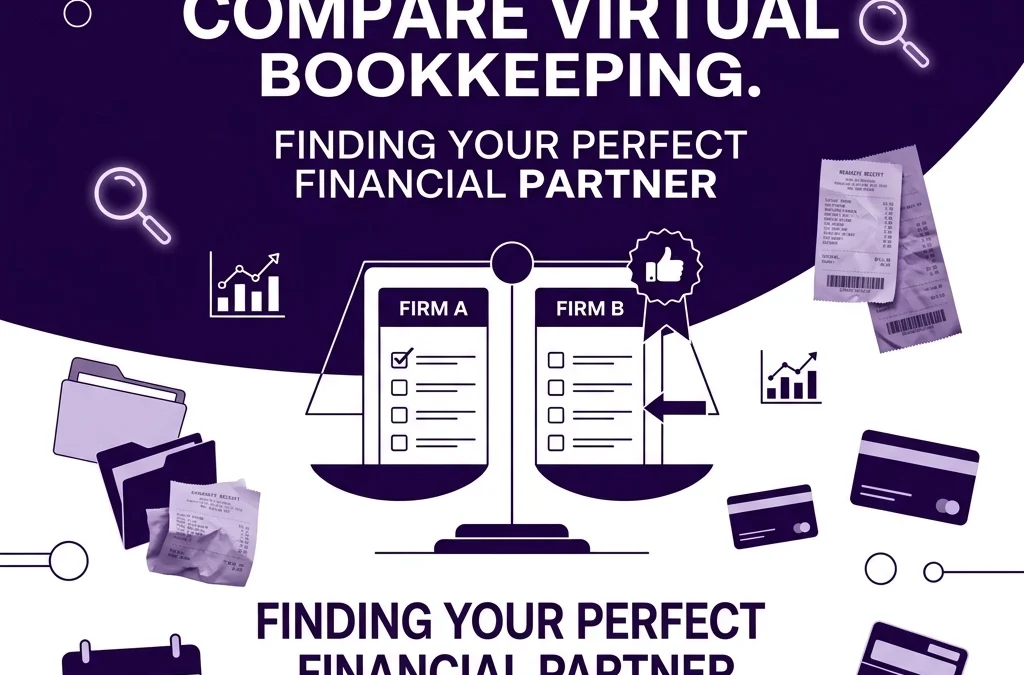
The best way to compare virtual bookkeeping firms is to look at five things first: software, communication model, pricing transparency, industry fit, and security. This guide is for small business owners and startups that want to choose a firm with confidence, and it covers the key questions, red flags, pricing differences, and a simple comparison example.

TL;DR;

Choose a virtual bookkeeping firm that works in QuickBooks Online or Xero, gives you a dedicated point of contact, explains exactly what is included in the monthly fee, understands your industry workflow, and follows basic security standards like 2FA and secure document sharing. Avoid firms that lock you into proprietary software, hide extra fees, or make it hard to understand who is actually doing the work.

Choosing a virtual bookkeeping firm is one of the most important decisions a business owner can make. When you find the right fit, your financial data becomes a tool for growth. When you choose the wrong one, you end up with messy books, missed deadlines, and a massive cleanup bill later. At Books LA, we believe the best partnership is built on clarity and trust, not just data entry.

What technology stack do they use?

The first thing to compare is the software the firm uses. There are generally two types of virtual firms: those that use industry-standard software and those that use proprietary, "home-grown" software.

We highly recommend choosing a firm that works within QuickBooks Online or Xero. These are the gold standards of cloud accounting. If you ever decide to leave the firm, you own your data. You can simply take your QBO login and walk away.

Some large virtual firms use proprietary dashboards. While these can look sleek, they often make it very difficult to export your data if you decide to change providers. You essentially become "locked in" to their ecosystem. Before signing a contract, ask if you will own the subscription and if the data is portable.

Digital tablet showing financial charts and a cloud, representing portable cloud accounting software data.

How does the firm handle communication?

Communication is usually where virtual partnerships fail. You need to know exactly who is looking at your books and how to reach them. When comparing firms, look for these three communication models:

  1. The Ticket System: You send an email to a general support address and whoever is available answers. This lacks continuity.
  2. The Account Manager Model: You talk to a salesperson or manager, but they are not the person actually doing the bookkeeping.
  3. The Dedicated Bookkeeper Model: You have a direct line to the person working on your files.

At Books LA, we lean toward a personalized approach because we know that context matters. A bookkeeper who knows your business history will spot an error faster than a random person in a ticket queue. Check out our about page to see how we prioritize these relationships.

Does the firm have a specific industry focus?

A generalist bookkeeper is better than no bookkeeper, but a specialist is a force multiplier. Different industries have different compliance needs and reporting requirements.

For example, a law firm needs specialized trust accounting. A creative agency needs to track project profitability. An e-commerce brand needs to manage inventory and sales tax across multiple states. If a firm says they work with everyone, they might not understand the nuances of your specific niche. Ask for client references or case studies from businesses similar to yours to ensure they understand your workflow.

Understanding pricing transparency and value

Pricing for virtual bookkeeping is no longer a mystery, but it is also not a "one size fits all" situation. Most modern firms have moved away from hourly billing because it creates misaligned incentives. Instead, look for fixed monthly packages.

When comparing quotes, look closely at what is included. Some firms offer a low "teaser" rate but charge extra for:

  • Reconciling more than two bank accounts.
  • Processing more than 50 transactions.
  • Generating specialized reports.
  • Communicating via phone.

A transparent firm will be able to tell you exactly what your monthly investment covers. If the pricing seems too good to be true, it usually means the firm is using offshore labor with very little oversight or the "catch-up" fees will be significant later.

Graphic of two connected nodes representing a direct line of communication with a dedicated virtual bookkeeper.

Comparison Example: Boutique vs. High-Volume Firms

To give you a clear picture, let's look at a typical comparison for a growing service business.

High-Volume/Budget Firm:

  • Cost: $150 to $250 per month.
  • Tech: Proprietary software.
  • Communication: Email only; 48-hour response time.
  • Result: Basic reports, but often missing the "human" check for errors.

Boutique/Professional Firm (Like Books LA):

  • Cost: $400 to $900+ per month.
  • Tech: QuickBooks Online or Xero.
  • Communication: Dedicated professional; same-day or next-day response.
  • Result: Audit-ready books, proactive advice, and seamless service integration.

The Importance of Security and Data Privacy

Your financial data is your most sensitive information. Any virtual firm you consider should be able to explain their security protocols clearly. This includes:

  • Use of password managers like LastPass or 1Password.
  • Two-factor authentication (2FA) on all financial accounts.
  • Professional liability insurance.
  • Secure portals for sharing sensitive documents.

Never work with a firm that asks you to email your passwords or credit card numbers in plain text.

Three purple tiered blocks symbolizing transparent virtual bookkeeping pricing and structured service packages.

IRS/Tax Disclaimer

Books LA provides professional bookkeeping and administrative services. We do not provide income tax advice, tax preparation, or formal tax planning. We work closely with your CPA to provide them with the clean data they need for your tax filings. If you do not have a CPA, we can provide referrals to professionals who specialize in your industry. Always confirm specific tax matters with a qualified tax professional.

About the Author: Jelena Arkula

Jelena Arkula is the owner of Books LA, a premier bookkeeping firm based in Los Angeles, California. With years of experience helping small businesses and startups navigate the complexities of cloud accounting, Jelena and her team specialize in QuickBooks Online and Xero. We believe that bookkeeping should be more than just a chore; it should be the foundation of your business strategy.


FAQ: Choosing a Virtual Bookkeeping Firm

What should I compare first when choosing a virtual bookkeeping firm?
Start with five basics: software, communication, pricing, industry experience, and security. If a firm is weak in any of these areas, problems usually show up later.

How much do virtual bookkeeping services typically cost?
Most professional firms charge between $300 and $1,500 per month, depending on transaction volume, number of accounts, cleanup needs, and reporting complexity. If a price looks unusually low, ask what is not included.

Should I choose a firm that uses proprietary software?
Usually, no. It is safer to work with a firm that uses QuickBooks Online or Xero so your data stays portable and you are not locked into one provider.

Do I have to give the firm access to my bank accounts?
Yes, but not full control. Most firms work with read-only or accountant access, which lets them review transactions and reconcile accounts without moving money.

Can a virtual bookkeeping firm help if my books are behind or messy?
Yes. Many firms offer cleanup or catch-up work before monthly bookkeeping starts. Ask for a clear scope, timeline, and fixed price if possible.

Will a virtual bookkeeping firm handle income taxes too?
Usually not. Bookkeepers keep the records accurate and organized, then work with your CPA on income tax matters. Books LA does not provide income tax advice, so you should confirm tax decisions with your CPA.


Ready to see the difference professional bookkeeping can make?
We invite you to book a short call with our team to discuss your current setup and see if Books LA is the right partner for your business.

Bookkeeping for Small Business: Your Questions Answered (Minus the Boring Stuff)

Bookkeeping for Small Business: Your Questions Answered (Minus the Boring Stuff)

Last updated: May 1, 2026

Bookkeeping for a small business means recording transactions, reconciling accounts, tracking what you owe and are owed, and producing accurate monthly reports so you can make informed decisions. If you are a small business owner, startup founder, or freelancer, this guide will show you the basics, the tools, the costs, and when it makes sense to get help.

TL;DR;

  • Bookkeeping keeps your records accurate so you can see profit, cash flow, and liabilities clearly.
  • The core monthly tasks are categorizing transactions, reconciling accounts, managing AP/AR, and reviewing reports.
  • QuickBooks Online and Xero are the most common cloud tools for small businesses.
  • Most outsourced bookkeeping services cost about $300 to $2,500+ per month depending on complexity.
  • The biggest mistakes are mixing personal and business spending, skipping reconciliations, and waiting until tax season.
  • A good next step is to get your bank feeds connected, review last month's reports, and decide whether DIY or outsourced support makes more sense.

Managing the books is often the task that gets pushed to the bottom of the to-do list, but it is the foundation of every successful business. When your records are clean, you can make decisions based on data rather than gut feelings. This post will walk you through the practical steps to move from a shoebox of receipts to a streamlined digital system.

What a Bookkeeper Actually Does Every Month

Many people confuse bookkeeping with tax preparation. While they are related, bookkeeping is the day-to-day process of recording financial transactions. A bookkeeper ensures that every dollar moving in or out of your business is accounted for and categorized correctly.

The core responsibilities of a bookkeeper include:

  • Categorizing Transactions: Assigning every bank and credit card transaction to the correct account, such as travel, office supplies, or software subscriptions.
  • Bank Reconciliation: Matching your internal records against your bank statements to ensure the balances match perfectly.
  • Accounts Payable and Receivable: Tracking the money you owe to vendors and the money your customers owe to you.
  • Financial Reporting: Generating the "Big Three" reports: the Profit and Loss statement, the Balance Sheet, and the Cash Flow Statement.
  • Payroll Support: Ensuring employees and contractors are paid and that payroll taxes are recorded correctly.

Without these basics, your business is essentially flying blind. You might have money in the bank, but without reconciliation, you do not know if that money is actually available or if it is already spoken for by upcoming bills.

A minimalist purple bank card and digital folder representing organized small business financial records.

Choosing the Best Bookkeeping Software for Your Needs

In 2026, there is no reason to be using a manual ledger or a complicated spreadsheet unless your business is extremely simple. Cloud-based software is the standard because it allows for automation and real-time collaboration with your financial team.

For most small businesses and startups, the choice comes down to QuickBooks Online or Xero. Both are excellent tools, but they serve slightly different preferences.

QuickBooks Online (QBO)

QuickBooks is the industry leader for a reason. It has the most robust reporting capabilities and the largest network of professional bookkeepers who know how to use it. If you plan on scaling your business or eventually hiring a full-time finance team, QBO is usually the safest bet. It integrates with almost every other business app on the market.

Xero

Xero is often praised for its user-friendly interface and beautiful design. It is a favorite among tech-forward startups and creative freelancers. One of its best features is that it allows for unlimited users on all plans, which is great if you have multiple partners who need to see the numbers.

Whichever you choose, the goal is to get your bank feeds connected immediately. This allows the software to pull in transactions automatically, reducing the time spent on manual data entry by significant margins. You can read more about why we love these tools in our post about cloud accounting for small business.

The Importance of Automation and Digital Tools

Modern bookkeeping is less about data entry and more about data management. To keep your books clean without spending hours every weekend on admin work, you need to leverage automation.

We recommend using bookkeeping apps with automated expense tracking. Tools like Dext or Hubdoc allow you to snap a photo of a receipt or forward an email invoice directly into your accounting software. The AI reads the date, vendor, and amount, then matches it to the transaction in your bank feed.

Automation helps eliminate the "missing receipt" headache during a bookkeeping cleanup service. It also ensures that your records are audit-ready at all times. If the IRS ever asks for proof of a deduction, the digital image of the receipt is attached directly to the transaction in your software.

Digital receipt capture via smartphone for automated small business expense tracking and record keeping.

Hiring Professional Help: Online vs. Local

As your business grows, you will likely reach a point where doing the books yourself is no longer a good use of your time. When that happens, you have two main options: hiring a local professional or working with a virtual bookkeeping firm.

Finding Experienced Bookkeepers

When you look for a pro, do not just hire the first person who knows how to use a calculator. Look for certifications. If you use QuickBooks, look for a ProAdvisor. If you use Xero, look for a Xero Certified Advisor. This ensures they actually know the nuances of the software you have chosen.

Why Virtual Firms Are Popular for Startups

Virtual firms offer high-level expertise without the overhead of an in-house employee. You get access to a team of professionals who use standardized workflows and the latest technology. This is often the most affordable bookkeeping solution for startups because you only pay for the level of service you need, rather than a full salary and benefits package.

Working with a firm also provides a layer of security. If one person goes on vacation, there is someone else who knows your accounts and can ensure your bills get paid and your reports get filed on time. You can check out our client testimonials to see how this model has worked for other business owners.

What Does Bookkeeping Actually Cost?

This is the question everyone asks. Pricing for bookkeeping services is rarely one-size-fits-all because every business has a different volume of transactions and complexity.

Generally, you will see two pricing models:

  1. Hourly: Usually ranging from $50 to $150 per hour depending on the complexity and the expert's location.
  2. Fixed Monthly Fee: Most modern firms prefer this. It provides predictable costs for the business owner. Monthly fees can range from $300 for a very small freelancer to $2,500+ for a complex startup with payroll and high transaction volume.

When evaluating bookkeeping packages, consider what is included. Does it include sales tax filings? Does it include 1099 processing? Understanding the scope upfront prevents "scope creep" and surprise bills later.

A minimalist bar chart with an upward trend line representing business growth and clear financial data.

Common Mistakes to Avoid

Even with the best software, things can go wrong if you do not follow a consistent process. Here are the most common pitfalls we see:

  • Commingling Funds: Using your business card for personal groceries or your personal card for business software. This makes the bookkeeping twice as hard and can create legal issues for corporations.
  • Not Reconciling Monthly: If you do not reconcile your accounts every month, errors can snowball. A small mistake in January can lead to a massive headache in December.
  • Ignoring the Balance Sheet: Most owners only look at the Profit and Loss. However, the Balance Sheet tells you what you own and what you owe. If your Balance Sheet is a mess, your Profit and Loss is likely wrong too.
  • Waiting Until Tax Season: Trying to recreate a year of financial history in April is stressful and leads to missed deductions.

FAQ: Your Bookkeeping Questions Answered

What does bookkeeping for a small business include?
It includes recording transactions, categorizing income and expenses, reconciling bank and credit card accounts, tracking bills and invoices, and preparing monthly reports.

What is the best bookkeeping software for small businesses?
For most businesses, it is QuickBooks Online or Xero. QuickBooks Online is often the better fit for reporting depth and broad app integrations, while Xero is popular for its clean interface and unlimited users.

How much do bookkeeping services typically cost?
Many small businesses pay roughly $300 to $1,500 per month, while more complex businesses can pay $2,500 or more. Cost depends on transaction volume, cleanup needs, payroll, sales tax, and reporting requirements.

When should I hire a professional bookkeeper instead of doing it myself?
Usually when your books are falling behind, reconciliations are not getting done monthly, or your time is better spent running the business. If you are guessing at your numbers, it is probably time to get help.

Can I do my own bookkeeping if my business is very small?
Yes, if your setup is simple and you stay consistent every month. The problem is not size, it is whether you can keep records accurate, complete reconciliations, and review reports regularly.

How do I compare bookkeeping firms or online bookkeepers?
Look at software expertise, monthly process, communication style, response time, reporting quality, and exactly what is included in the fee. Ask whether they handle cleanup, AP/AR, payroll support, and year-end coordination with your CPA.


A Note on Taxes

Books LA does not provide income tax advice. We are bookkeeping experts who focus on the accuracy of your financial data. We work closely with CPAs for income tax matters to ensure your filings are accurate. We always recommend that our readers confirm specific tax positions with their CPA.

About the Author

Jelena Arkula is the owner of Books LA, based in Los Angeles. With years of experience in the accounting industry, she helps small businesses and startups navigate the complexities of cloud accounting. Jelena and her team are certified in QuickBooks Online and Xero, providing high-touch, professional support to help business owners focus on growth.

Ready to get your books in order?
A good next step is to review your last reconciled month, list any missing items, and book a short call if you want a bookkeeping review.

Can AI Really Help You Manage Your Own Books? Find Out Here

Can AI Really Help You Manage Your Own Books? Find Out Here

Last updated: April 5, 2026

AI can handle repetitive data entry and basic transaction categorization, but it cannot replace the strategic oversight and nuanced judgment of a professional bookkeeper. This guide is for small business owners and startups in Los Angeles and throughout the US who want to know if they can safely rely on AI for their small business bookkeeping or if they still need human expertise.

We will cover the specific tasks AI handles well, the common errors it makes, and how to combine technology with professional oversight to keep your financials clean.

The current state of AI in small business bookkeeping

Artificial intelligence has moved beyond a buzzword into a functional part of modern accounting software. If you use QuickBooks Online or Xero, you are already using AI. These platforms use machine learning to "guess" how to categorize a transaction based on how you, or millions of other users, categorized it in the past.

For a new business owner in Los Angeles, this tech feels like a massive relief. You connect your bank account, and suddenly, half your work seems done. However, there is a significant difference between data entry and financial management. AI is excellent at the former but struggles with the latter.

Purple credit card with data streams representing automated small business bookkeeping bank synchronization.

What AI does well: The "Pros" of automation

When it comes to high volume and low complexity, AI is a powerful tool. Here is where AI for bookkeeping actually shines for small businesses.

1. Speed and bank feed synchronization

AI can process thousands of transactions in seconds. Instead of manually typing in every expense from your business credit card, the software pulls the data directly and attempts to match it to existing bills or receipts. This reduces the "lag time" in your reporting.

2. Basic categorization

If you pay your Los Angeles Department of Water and Power bill every month, the AI will quickly learn that this is a "Utilities" expense. It is very good at identifying recurring, simple transactions that do not change from month to month.

3. Receipt processing and OCR

Optical Character Recognition (OCR) technology allows you to snap a photo of a receipt. The AI reads the vendor name, the date, and the total amount. This is a standard feature in many add-ons and apps that we recommend to our clients. It saves hours of manual typing and helps keep your digital record-keeping organized.

Where AI falls short: The "Cons" of total automation

While AI is fast, it is not "smart" in the way a human professional is. It lacks context and cannot understand the intent behind a transaction.

1. The context gap

AI does not know your business strategy. For example, if you spend $2,000 at Apple, an AI might categorize it as "Office Supplies." A professional bookkeeper will ask: "Is this a replacement for a broken laptop (an expense) or an addition of five new iPads for a new retail location (an asset)?" This distinction matters for your balance sheet and your tax liability.

2. Mistakes with complex tax rules

AI often misses the nuances of tax law. It might categorize 100 percent of a meal expense as deductible, when current IRS rules might only allow for 50 percent. It also struggles with intercompany transfers or owner draws, often mislabeling them as income or expenses, which can lead to you paying more in taxes than you actually owe.

3. Missing the "Red Flags"

A professional looks for patterns that indicate fraud, duplicate billing, or bank errors. AI generally assumes the data it receives is correct. If a vendor accidentally bills you twice for the same service, the AI might simply categorize both and move on. A human eye notices the anomaly and helps you get your money back.

A magnifying glass finding a bookkeeping error that automated AI tools missed in a financial ledger.

A practical example: AI vs. Human oversight

Let’s look at a common scenario for a growing startup in LA.

The business owner, Sarah, uses an AI-only bookkeeping service. She spends $5,000 on Facebook ads in June. The AI sees "Facebook" and categorizes it under "Advertising."

However, Sarah also had a $500 charge from Facebook for a specialized developer tool. The AI sees "Facebook" again and puts that under "Advertising" too.

Later that month, Sarah receives a refund from a vendor. The AI does not recognize the vendor name and "guesses" that it is "Other Income."

By the end of the year, Sarah’s "Advertising" expense is inflated, her "Software" expense is missing data, and her "Income" looks higher than it actually is because of the incorrectly categorized refund. When she hands these books to her CPA, they will likely charge her a significant "cleanup fee" to fix the mess before they can even start the tax return.

By working with a bookkeeping cleanup service, Sarah could have avoided these errors from the start.

Why a hybrid approach is the best choice

The goal for a small business owner should not be "AI only" or "Manual only." The most successful businesses use a hybrid approach. You should use AI to handle the heavy lifting of data collection, but you need a professional to review that data for accuracy and compliance.

At Books LA, we leverage technology to keep our packages efficient. We use automated tools to pull data, but every single month, a human bookkeeper reviews your ledger to ensure everything is in the right place.

A balanced scale representing the hybrid approach of AI automation and human professional bookkeeping oversight.

The role of compliance and local regulations

For businesses in California, bookkeeping is not just about income and expenses. You have to deal with California sales tax, City of Los Angeles business licenses, and complex payroll regulations. AI is notoriously bad at navigating these local requirements.

If you are expanding your team, you need to ensure your payroll is categorized correctly to satisfy both state and federal requirements. While AI can sync with your payroll provider, it cannot tell you if you are accidentally misclassifying a contractor.

IRS/Tax Disclaimer: We do not provide income tax advice. Books LA focuses on bookkeeping, sales tax, and payroll tax compliance. We work closely with our clients' CPAs for all income tax matters and recommend that you always confirm specific tax strategies with your CPA.

Next steps for your business

If you are currently DIY-ing your books with AI and feeling unsure about the data, here is what you should do:

  1. Run a Profit and Loss report: Look for "Uncategorized Expenses" or "Ask My Accountant" categories. If these are full, your AI is failing you.
  2. Check your balance sheet: Does the bank balance in your software match your actual bank statement? If not, you have a reconciliation error that AI cannot fix on its own.
  3. Consult a professional: Sometimes a quick review can save you thousands in the long run.

If you want to ensure your books are ready for tax season without the stress of "guessing," you can contact us for a consultation.

About the Author: Jelena Arkula

I am Jelena Arkula, the owner of Books LA. Based right here in Los Angeles, our team helps small business owners and startups move away from the "shoebox" method of accounting. We specialize in QuickBooks Online and Xero, combining high-tech automation with the high-touch service that business owners need to grow. We believe that technology should empower your business, not make your financial life more confusing.

California map icon with a compliance checklist for Los Angeles small business regulatory and tax requirements.

Frequently Asked Questions

Is AI bookkeeping cheaper than hiring a person?

AI software is generally cheaper upfront, but the long-term cost is often higher. Business owners frequently pay thousands of dollars in "cleanup fees" to CPAs at the end of the year to fix AI errors.

Can AI file my business taxes?

No. AI can help organize data, but it cannot file your business income tax returns. You still need a CPA or tax professional to ensure you are compliant with IRS and state regulations.

Does AI work for all types of businesses?

AI works best for very simple service-based businesses with few transactions. If you have inventory, multiple employees, or complex sales tax requirements, AI alone is usually insufficient.

What happens if the AI makes a mistake on my books?

You are ultimately responsible for the accuracy of your financial records. If the AI miscategorizes expenses and you underpay your taxes, you will be the one facing penalties and interest from the IRS or the state.

How often should a human review AI-generated bookkeeping?

We recommend a professional review at least once a month. This process, known as a monthly close, ensures that all accounts are reconciled and any AI "guesses" are corrected before they become bigger problems.

Can I switch from AI-only bookkeeping to a professional service?

Yes. We often help clients transition from automated platforms. We typically perform a bookkeeping review to identify any historical errors before taking over the monthly management.

Does AI understand California-specific taxes?

Generally, no. AI struggles with the nuances of California's specific sales tax districts and the City of Los Angeles business tax requirements. These require local knowledge and manual oversight.

What is the biggest mistake business owners make with AI?

The biggest mistake is the "set it and forget it" mentality. Business owners assume that because the software is "syncing," the books are correct. Syncing data is not the same as accurate bookkeeping.

Should I use the "Auto-Add" feature in QuickBooks?

We generally advise against using "Auto-Add" for any transaction that isn't a 100 percent certain recurring utility. Auto-adding transactions removes the opportunity for a human to verify the expense before it hits your permanent records.

How do I know if my AI bookkeeping is messy?

A clear sign of messy books is a balance sheet that shows negative balances in asset accounts or large balances in "Uncategorized" categories. If your reports don't make sense to you, they probably won't make sense to the IRS either.

The Paperless Pivot: How to Stop Drowning in Receipts and Reclaim Your Desktop

The Paperless Pivot: How to Stop Drowning in Receipts and Reclaim Your Desktop

Last updated: April 12, 2026

Moving to a paperless bookkeeping system is the most effective way for small business owners to reduce administrative overhead and ensure financial records are audit ready. This guide is for founders and business owners who are tired of managing physical files and will cover the exact workflow, tools, and naming conventions required to transition to a cloud based accounting environment.

For many business owners in Los Angeles, the "office" is a laptop at a coffee shop or a home desk covered in thermal paper receipts that are slowly fading into oblivion. Beyond the clutter, paper based systems create a massive lag in your financial data. If your bookkeeper has to wait for a physical envelope of receipts at the end of the month, your profit and loss statement is already four weeks out of date by the time you see it.

The recent shifts in the accounting industry, including the closure of automated platforms like Botkeeper earlier this year, have highlighted a critical truth: technology is a tool, but a reliable system requires both the right software and professional oversight. Going paperless is not just about "scanning stuff." It is about creating a verified digital trail that connects your bank account to your cloud accounting software.

Why the "Botkeeper Closure" Matters for Your Digital Files

The news regarding Botkeeper shuttering its doors has many business owners rethinking their tech stack. It proved that relying on a "black box" of automation without understanding where your data lives is risky. When you pivot to a paperless system using tools like QuickBooks Online or Xero, you maintain ownership of your digital archive. If a service provider disappears, your documents remain safely stored in your cloud ecosystem.

At Books LA, we advocate for a "human plus tech" approach. We use automation to grab the data, but we use human expertise to ensure that a receipt for "Apple" is categorized as "Office Supplies" and not "Groceries."

Secure digital file folder with a shield icon representing safe cloud bookkeeping data ownership.

The Essential Toolkit for a Paperless Office

You do not need a room full of enterprise equipment to go paperless. In fact, a minimalist approach is usually more sustainable for small teams.

1. The Smartphone (Your Primary Scanner)

Your phone is the fastest way to kill paper at the source. Instead of putting a receipt in your wallet, you scan it before you even leave the store. We recommend apps like Hubdoc or the QuickBooks Online mobile app. These tools use Optical Character Recognition (OCR) to read the vendor, date, and amount automatically.

2. The Desktop Scanner

For backlogs or high volume mail, a dedicated scanner is a lifesaver. The ScanSnap and Hubdoc integration is a favorite in our office because it allows you to bypass the computer entirely and send documents straight to the cloud.

3. Cloud Accounting Software

QuickBooks Online and Xero are the industry standards for a reason. They serve as the "source of truth" where your digital receipts meet your bank transactions. Switching from manual to cloud accounting is the single biggest step you can take toward scaling your business.

The 3 Step Workflow to Eliminate Receipt Clutter

Establishing a routine is more important than the software you choose. If the process is difficult, you will stop doing it.

Step 1: Centralize and Capture

Decide on one point of entry. Whether it is a dedicated email address (like re******@*********ny.com) or a mobile app, every single financial document must go there. When you receive a digital invoice in your inbox, forward it immediately. When you get a paper receipt, scan it immediately.

Step 2: Standardized Naming Conventions

Searchability is the goal of a paperless office. If you leave files named "Scan_1234.pdf," you have just traded physical clutter for digital clutter. A professional naming convention looks like this:
YYYY-MM-DD – Vendor – Amount
Example: 2026-04-12 – Staples – 45.99.pdf

Most modern tools like Hubdoc will do a lot of this heavy lifting for you, but it is important to verify the data before it syncs to your accounting software.

Step 3: Archive and Shred

Once a document is captured in your cloud system and backed up, the physical copy is redundant. The IRS has accepted digital receipts since 1997, provided they are legible and store all necessary information. Once the digital file is verified, shred the paper.

Smartphone scanning paper receipts into digital data for efficient paperless business accounting.

How Much Does a Bookkeeper Cost in a Paperless Environment?

A common question we hear is, "How much does a bookkeeper cost?" While pricing varies based on the complexity of your business, being paperless actually saves you money in the long run.

When a bookkeeper has to manually data enter information from paper or hunt down missing receipts, it increases the billable hours or the package price. An outsourced bookkeeping investment is much more efficient when the "pipes" are already connected. You are paying for financial insights and strategy, not for someone to type numbers from a piece of paper into a computer.

By using cloud accounting for small businesses, you allow your bookkeeper to focus on high level tasks like cash flow forecasting and budget tracking.

Managing the Digital Transition: Real World Rules of Thumb

  • The 24 Hour Rule: If you don't scan a receipt within 24 hours, the chances of losing it or the ink fading increase by 50%.
  • The "One Tool" Policy: Do not use three different apps to scan receipts. Pick one and stick to it so your data isn't scattered.
  • Check for Compliance: Especially for Los Angeles businesses, ensure your digital records include any necessary sales tax or California payroll details.

The Benefits of a Clean Desktop

Beyond just being "organized," a paperless office provides:

  1. Instant Retrieval: Finding a receipt for a warranty claim takes seconds, not hours of digging through boxes.
  2. Audit Defense: If the IRS requests documentation, you can provide a clean, organized digital folder.
  3. Real Time Data: Your books stay current because the data flows in as it happens.

If you are currently overwhelmed by subscriptions for tools you don't use, consider canceling unnecessary subscriptions and reinvesting those funds into a streamlined document management workflow.

Upward trending financial chart with icons representing clarity and growth through paperless bookkeeping.

Summary of Next Steps

  • This Week: Choose your capture tool (Hubdoc or QBO app).
  • This Month: Scan every new receipt and forward every digital invoice. Do not worry about the backlog yet.
  • Next Month: Begin tackling one "box" of old receipts per week until the backlog is gone.

If you want a professional team to set up these workflows for you and manage your monthly bookkeeping, check out our packages to see how we can help.


Author Box: Jelena Arkula
Jelena is the founder of Books LA, a Los Angeles based bookkeeping firm specializing in cloud accounting for growing businesses. As a QuickBooks ProAdvisor and Xero partner, she helps founders move away from manual "shoebox" accounting into streamlined, digital workflows that provide real time financial clarity.

Disclaimer: Books LA provides bookkeeping and business consultation services. We are not CPAs and do not provide income tax advice. We work closely with our clients' CPAs to ensure tax readiness. Please consult with a tax professional for specific tax matters.


FAQ: Going Paperless and Bookkeeping Costs

Does the IRS really accept digital receipts?
Yes. Since 1997, the IRS has accepted digital images of receipts as long as they are highly legible and contain all the information found on the original paper document.

Is cloud accounting secure for my financial data?
Cloud platforms like QuickBooks Online and Xero use bank level encryption. In most cases, your data is much safer in the cloud than it is in a physical file cabinet that could be subject to fire, theft, or water damage.

How much does a bookkeeper cost per month?
For a small business using cloud tools, professional bookkeeping typically ranges from $500 to $2,500 per month depending on transaction volume and the complexity of services like payroll or accounts payable.

Do I need to keep the original paper after scanning?
Once you have verified that the digital scan is clear and has been backed up to a secondary location (like your accounting software and a cloud drive), you can generally shred the original.

What if I have five years of backlogged paper?
Don't try to do it all at once. Start "clean" from today moving forward. Then, set aside one hour a week to scan the most recent year of data first.

Can I just take a photo of the receipt with my regular camera app?
While you can, it is not recommended. Using a dedicated app like Hubdoc automatically extracts the data and links it to your accounting software, saving you hours of manual entry later.

What happens if my software provider (like Botkeeper) closes down?
This is why we advocate for using established platforms like QBO or Xero while maintaining your own digital archive. Always ensure you can export your data and documents at any time.

Do I need a special scanner for receipts?
No, a smartphone is enough for most. However, if you have dozens of receipts a week, a high speed scanner like a ScanSnap will pay for itself in saved time very quickly.

Does going paperless help with sales tax audits?
Absolutely. Digital systems allow you to categorize transactions by location and jurisdiction, making it much easier to pull reports for sales tax filings and audits.

How do I get started if I am totally overwhelmed?
Pick one category, like "Travel Expenses," and commit to only capturing those digitally for thirty days. Once that habit is formed, add another category. Or, hire a professional to perform a bookkeeping cleanup to get your digital house in order.

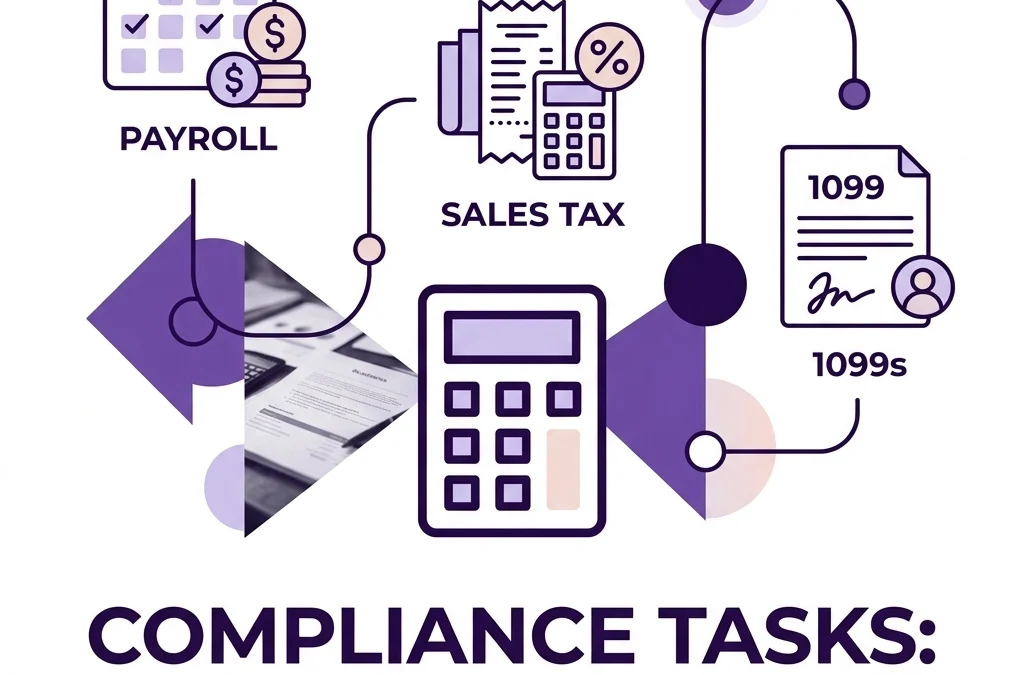
Payroll, Sales Tax, and 1099s: The ‘Big Three’ Compliance Tasks You Shouldn’t Do Alone

Payroll, Sales Tax, and 1099s: The ‘Big Three’ Compliance Tasks You Shouldn’t Do Alone

Last updated: April 12, 2026

Handling payroll, sales tax, and 1099s correctly is the only way to avoid the most common and expensive regulatory penalties small businesses face today. This guide is for founders and business owners who want to understand the logistics of these "Big Three" compliance tasks and why professional oversight is a non-negotiable part of scaling a stable company.

The Reality of Modern Compliance

In 2026, the complexity of managing a business has only increased. Between remote employees living in different states and the rise of digital marketplaces, the logistical burden of staying "legal" can feel like a full-time job. While software has made these tasks easier to initiate, it has also made it easier to make mistakes at scale.

At Books LA, we see many owners try to DIY these areas using only a software platform. While tools like QuickBooks Online (QBO) or Xero are fantastic, they are only as good as the data entered and the settings selected. Missing a single checkbox or filing a day late can trigger a chain reaction of notices and fines.

1. Payroll: More Than Just a Direct Deposit

Payroll is often the largest expense for a business and also the one with the strictest reporting requirements. You are not just paying an employee; you are acting as a tax collector for the federal and state governments.

The Logistics of Payroll Compliance

Payroll compliance involves four main phases:

  • Onboarding: Collecting W-4s for employees and W-9s for contractors.
  • Classification: Determining if a worker is a W-2 employee or a 1099 contractor.
  • Calculations: Withholding federal income tax, Social Security, Medicare, and state-specific taxes (like SDI or state withholding).
  • Remittance and Filing: Sending those withheld funds to the agencies on time and filing quarterly reports (like Form 941).

The Risk of Misclassification

Misclassifying an employee as an independent contractor is a major focus for regulatory agencies. If an agency determines a worker should have been a W-2 employee, you may be liable for unpaid payroll taxes, workers’ compensation premiums, and unpaid overtime. This is a common area where professional outsourced bookkeeping services provide a layer of protection by reviewing worker roles against current standards.

Stylized purple paycheck representing accurate small business payroll and compliance processing.

2. The 1099 Nightmare: January's Annual Headache

If you pay a contractor $600 or more during the calendar year for services related to your business, you generally need to file a Form 1099-NEC. While it sounds simple, the logistics of gathering information for dozens of vendors often derails business owners every January.

Why 1099 Compliance Fails

The primary reason businesses fail at 1099 reporting is a lack of year-round documentation. If you wait until January 15th to ask a vendor for their Taxpayer Identification Number (TIN), you are already behind.

The Costs of Getting it Wrong

The IRS takes these information returns seriously. As of 2026, the penalties for late or incorrect 1099 filing range from $60 to $310 per form. If the IRS determines there was "intentional disregard" for the filing requirements, that penalty can jump to over $570 per form with no annual cap. For a business with 20 contractors, a simple mistake could easily cost over $11,000 in penalties alone.

The Professional Workflow

A professional bookkeeper maintains a "W-9 or No Pay" policy. We help you ensure that no payment is sent to a vendor until their W-9 is on file and their data is entered into your accounting system. This turns the January panic into a simple, automated filing process.

3. Sales Tax: The Most Volatile Task

Sales tax is arguably the most complex of the Big Three because the rules change based on where you are and where your customers are. This is known as "Nexus."

Understanding Nexus

You are required to collect and remit sales tax in any state where you have a "nexus" (a business connection). In the past, this meant having a physical office or warehouse. Today, "Economic Nexus" means that if you sell a certain dollar amount or a certain number of transactions into a state, you are liable for their sales tax.

The Logistics of Filing

Each state has its own frequency for filing:

  • Monthly: For high-volume sellers.
  • Quarterly: For mid-size businesses.
  • Annually: For small, low-volume entities.

Missing a sales tax filing is particularly dangerous because the money you owe isn't your money: it belongs to the state. Regulatory agencies are much more aggressive about collecting sales tax than they are about other business taxes.

Minimalist white and purple calculator symbolizing sales tax calculation and bookkeeping accuracy.

Why Automation Alone Isn't Enough

Software companies often market their tools as "set it and forget it" solutions. However, the closure of several automated bookkeeping platforms in recent years has shown that without a human eye, errors go unnoticed until an audit letter arrives.

A professional bookkeeper at Books LA does what software cannot:

  • We verify that your payroll taxes actually match your bank withdrawals.
  • We check that your sales tax settings in your e-commerce store match the laws in the states where you have nexus.
  • We ensure that your 1099-NEC and 1099-MISC forms are filed under the correct categories to avoid IRS flags.

If you want to ensure your books are audit-ready, you can view our service packages to see how we handle these logistics for you.

Practical Example: The Cost of a DIY Mistake

Imagine a small Los Angeles-based marketing agency with five contractors. The owner DIYs their bookkeeping but forgets to collect a W-9 for two contractors who were paid $5,000 each.

  1. January arrives: The owner can't find the contractors to get their details.
  2. The Deadline passes: The 1099s aren't filed by January 31.
  3. The Penalty: The IRS eventually flags the $10,000 in payments on the agency’s tax return that wasn't supported by 1099s.
  4. The Total: Between late filing fees and potential "intentional disregard" penalties, the owner pays $1,200 in fines for a task that would have taken 10 minutes with the right process in place.

Next Steps for Your Business

Compliance shouldn't keep you up at night, but it does require a system. Here is what you can do this month:

  • Audit your vendor list: Ensure every person you have paid over $600 has a W-9 on file.
  • Check your payroll settings: Verify that your state tax IDs are correctly entered in your payroll software.
  • Review your sales tax: If you have seen a surge in out-of-state orders, check if you have hit a new nexus threshold.

If these tasks feel overwhelming, it might be time to contact us for a consultation. We specialize in taking these logistics off your plate so you can focus on growing your business.


About the Author
Jelena Arkula is the owner of Books LA, a premier bookkeeping firm based in Los Angeles. With years of experience in QuickBooks Online and Xero, Jelena and her team help small businesses navigate the complexities of compliance and financial reporting. We are certified ProAdvisors who believe in the power of "Human + Tech" to build better businesses.

Disclaimer: Books LA provides bookkeeping and compliance support services. We do not provide income tax advice or tax planning. We work closely with our clients' CPAs to ensure all bookkeeping data is ready for income tax filing. Please consult with your CPA for specific income tax matters.


FAQ: Common Questions About Compliance Logistics

How much does it cost to have a bookkeeper handle 1099s?
Most firms, including Books LA, include 1099 tracking in their monthly packages or offer them as a year-end add-on. Generally, you can expect a base fee plus a small per-form fee for filing.

Can’t my payroll software handle my 1099s automatically?
While many payroll platforms offer 1099 filing, they only file for the vendors you pay through that specific platform. If you paid a contractor via check, Venmo, or wire transfer, you must manually ensure those are included.

What happens if I miss a sales tax filing deadline?
Most states charge an immediate penalty (often $50 or a percentage of the tax due) plus interest. Repeated late filings can lead to the revocation of your seller’s permit.

What is the difference between 1099-NEC and 1099-MISC?
1099-NEC is for Non-Employee Compensation (services). 1099-MISC is now used for things like rent, royalties, or prizes. Using the wrong form can result in filing errors.

Do I need to file a 1099 for a corporation?
Generally, no. Payments to C-Corps and S-Corps are typically exempt from 1099 reporting, but there are exceptions for legal and medical services. Always keep a W-9 on file to prove the corporate status.

How often should I review my worker classifications?
It is best practice to review classifications annually or whenever a worker’s job duties change significantly. The Department of Labor often updates its "economic reality" test, and you want to stay ahead of those changes.

Why shouldn't I just let my CPA handle sales tax?
Many CPAs focus on annual income tax and prefer not to handle the high-frequency logistics of monthly or quarterly sales tax filings. Bookkeepers are often better positioned to handle these recurring tasks as they are closer to your daily transaction data.

What is the most common payroll mistake you see?
The most common mistake is failing to register for a state tax ID when hiring a remote employee in a new state. This leads to unpaid state unemployment insurance and significant back-tax issues.

Stranded by Your Bookkeeping Software? 3 Steps to Secure Your Data Right Now

Stranded by Your Bookkeeping Software? 3 Steps to Secure Your Data Right Now

Last updated: April 12, 2026

If your bookkeeping software is shutting down or experiencing major disruptions, you need to export your general ledger, receipts, and bank statements to a secure, offsite location immediately. This guide is for business owners who need to protect their financial history and maintain continuity when their tech stack fails, specifically addressing the recent industry shifts like the Botkeeper closure.

When a major player in the automated bookkeeping space like Botkeeper announces a shutdown, it sends shockwaves through the small business community. Many founders chose these platforms for the promise of "set it and forget it" accounting, only to realize that when the software goes dark, the data might go with it. Security and continuity are not just IT concerns: they are fundamental to your ability to file taxes, secure loans, and prove the value of your business.

Why the "Automated-Only" Model Just Broke

For years, the trend in accounting has been toward maximum automation. The idea was that AI could replace the human bookkeeper entirely. However, the recent closure of major automated platforms has proven that software is a tool, not a replacement for professional oversight. When a platform closes, you lose more than just a dashboard: you lose the "brain" that was categorizing your transactions.

If you are currently using an automated platform that is sunsetting or pivoting, you cannot afford to wait until their official last day to act. Access to support will dwindle, and data export tools often become buggy as server resources are scaled back.

A fractured purple gear symbolizing the failure of automated bookkeeping software systems.

Step 1: Export and Back Up Your Data Offsite

Your first priority is a comprehensive data export. Do not rely on the software company to keep your records accessible in a "read-only" mode after they close. History shows that these promises are often short lived.

What to Export

You need to pull every report possible for the last three fiscal years, plus the current year-to-date. This includes:

  • The General Ledger (the most detailed record of every transaction).
  • Balance Sheets and Profit and Loss statements (monthly and annual).
  • Accounts Payable and Accounts Receivable aging reports.
  • Trial Balances for each year-end.

Where to Store It

Implement a hybrid backup strategy. Choose a secure cloud provider like Google Drive or Dropbox Business, but also keep a copy on a physical external drive. We often recommend using tools like Hubdoc or ScanSnap to ensure your source documents (receipts and invoices) are stored independently of your bookkeeping software. You can read more about how ScanSnap and Hubdoc work together to create a permanent audit trail.

Testing Your Backup

A backup is only useful if it works. Open the exported CSV or Excel files to ensure the data is readable and not corrupted. If the software offers a "full data export" in a proprietary format, ask for a CSV version as well, as you might not have the software to open the proprietary file later.

Step 2: Enable Multi-Factor Authentication (MFA) and Audit Access

During a software transition or closure, security risks increase. Former employees of the software company may still have backend access, or the platform’s security updates might lapse.

Enforce MFA

Ensure that every person who has access to your financial data (including your bank accounts and any remaining software portals) has Multi-Factor Authentication enabled. This requires a second form of verification, usually a code from an app like Google Authenticator, which blocks unauthorized access even if a password is leaked.

The Principle of Least Privilege

Audit who has access to your books right now. If you have former employees, contractors, or third-party apps still linked to your accounts, revoke their access immediately. Only grant the minimum level of access necessary for a person to do their job. For example, a virtual assistant might need to see receipts but should not have access to your payroll data or bank transfer capabilities.

A purple geometric shield representing multi-factor authentication for small business bookkeeping security.

Step 3: Conduct a "Human Audit" of Your Recent Books

The biggest danger of automated bookkeeping software is "silent failure." This is when the AI categorizes transactions incorrectly for months, and because no human is checking, the errors compound.

Look for Gaps

When software is in the process of shutting down, API connections to your bank accounts are often the first things to break. Check your recent statements against the software to ensure every transaction has actually been recorded. If you see a gap of several weeks or months, you will need a bookkeeping cleanup service to manually reconstruct those records.

Verify the "Bot" Logic

Rules that worked in 2024 might not work in 2026. If your software was automatically "learning" your behavior, check that it didn't start miscategorizing large expenses as assets or vice versa. A quick review by a professional can save you thousands in future tax corrections.

How Much Does a Real Bookkeeper Cost?

A common reason business owners flock to "bot" solutions is the perceived cost savings. However, the true cost of a software failure often outweighs the monthly subscription. If you are looking to move from a software-only solution to a human-led service like Books LA, here is what you can realistically expect to pay in 2026.

Monthly Bookkeeping Fees

Most professional firms now use "value-based" or "tiered" pricing rather than hourly rates. This provides you with a predictable monthly cost.

  • Basic Monthly Bookkeeping: Typically ranges from $400 to $800 per month for small businesses with low transaction volume.
  • Growth-Stage Bookkeeping: Ranges from $800 to $1,500 per month. This often includes more complex needs like accounts payable management or multiple bank accounts.
  • Full-Service Accounting: For larger operations, this can exceed $2,500 per month but includes deep financial analysis and controller-level oversight.

The Cost of a Cleanup

If your software has left your books in a mess, a one-time cleanup fee is usually required. This is typically calculated based on the number of months that need to be corrected and the complexity of the errors. While it might seem like a large upfront investment, it is essential for getting your business back on solid ground. You can check out our service packages to see how these tiers look in practice.

Stacked purple cubes representing tiered pricing and service levels for professional bookkeeping.

Moving Forward: Choosing a Stable Partner

The lesson from the Botkeeper closure is that software should support the bookkeeper, not replace them. When choosing your next partner, look for:

  1. Platform Independence: Do they use industry-standard tools like QuickBooks Online or Xero? If the firm disappears, you should still own your data and your software subscription.
  2. Human Accountability: Will you have a dedicated point of contact who understands your business?
  3. Proactive Security: Do they advocate for MFA and secure document portals?

At Books LA, we focus on high-touch, professional service backed by the best technology available. We aren't a "black box" where data goes in and reports come out magically. We are your partners in growth.

If you are currently feeling the weight of a software transition, the best thing you can do is act today. Securing your data is the only way to ensure your business remains resilient, no matter what happens in the tech world.

Ready to move your books to a more stable, human-led environment? Book a short call with our team to discuss your transition plan.


Author Box: Jelena Arkula

Location: Los Angeles, CA
Tools: QuickBooks Online Advanced Certified ProAdvisor, Xero Certified Partner.
Bio: Jelena Arkula is the founder of Books LA, a firm dedicated to helping modern business owners navigate the complexities of cloud accounting. With a focus on "clean books and clear minds," she helps clients move away from unreliable automation toward stable, scalable financial systems.
Rule of Thumb: If you haven't looked at your Balance Sheet in 30 days, you aren't running your business: your business is running you.


IRS/Tax Disclaimer

Books LA provides bookkeeping and business advisory services. We do not provide income tax advice, nor do we prepare income tax returns. We work closely with our clients' CPAs to ensure that the financial data we provide is accurate and ready for tax filing. We recommend that all readers consult with a qualified CPA for specific income tax matters and planning.


FAQ: Software Transitions and Bookkeeping Security

1. What exactly happened with Botkeeper?
Botkeeper, a platform that used AI to automate bookkeeping, announced significant changes and service closures in early 2026. This left many users needing to find new providers and migrate their data quickly.

2. How long does it take to switch from automated software to a human bookkeeper?
A standard transition takes about 2 to 4 weeks. This includes data migration, setting up new bank feeds, and a "look-back" period to ensure the previous software didn't leave any major errors.

3. Is it more expensive to have a human bookkeeper than a software bot?
Initially, the monthly fee for a human-led service is often higher than a basic software subscription. However, when you factor in the cost of fixing software errors and the value of professional advice, human-led bookkeeping is often more cost-effective in the long run. You can learn more about whether outsourced bookkeeping is worth it here.

4. Can I just keep my data in Excel?
While you should export your data to Excel for backup purposes, we do not recommend using it as your primary bookkeeping tool. It is prone to manual entry errors and lacks the audit trails required for professional financial management.

5. Will I lose my history if I switch platforms?
Not if you export your data correctly. We help our clients migrate their historical data so that they have a continuous record of their business performance across different platforms.

6. Is my data safe in the cloud?
Yes, provided you use reputable platforms (like QBO or Xero) and enable security features like Multi-Factor Authentication. Cloud accounting is generally much safer than keeping paper records or files on a single office computer.

7. Do I need to buy new software if I hire Books LA?
We typically work within your existing QuickBooks Online or Xero subscription. This ensures that you always own your data, even if you decide to change providers in the future.

8. How do I know if my current software is failing?
Signs include unreconciled balances that never seem to clear, transactions categorized as "Ask My Accountant" for months, and a lack of response from the software's support team. If the reports don't match your bank statement, it’s time to move.

AI Didn’t Kill the Bookkeeper, It Just Proved We Need Humans More Than Ever

AI Didn’t Kill the Bookkeeper, It Just Proved We Need Humans More Than Ever

Last updated: April 12, 2026

Artificial intelligence has changed how we handle financial data, but it has not replaced the need for human bookkeepers. If anything, the recent instability in the "automated-only" market shows that while software can move data, only humans can interpret it with the nuance required for business growth. This post is for small business owners and founders who are navigating the shift toward automation and need to know why professional oversight remains the most critical part of their financial stack.

What the Botkeeper closure taught the industry

The announcement of Botkeeper’s closure in February 2026 sent a clear signal through the accounting world. For years, the promise was that a platform could completely automate the bookkeeping process, removing the need for human intervention. When a major player in that space shuts down or pivots away from the "pure automation" model, it highlights a fundamental truth: software is a tool, not a replacement for a professional.

Many business owners who relied solely on these platforms found themselves in a difficult position. They had mountains of data but very little clarity on whether that data was accurate. When the software made a mistake, there was no one to call to fix the underlying logic. This event has forced a return to basics, where technology is used to handle the heavy lifting of data entry while a human expert provides the necessary checks and balances.

Why automated bookkeeping often fails the "smell test"

AI is excellent at recognizing patterns, but it is terrible at understanding context. In bookkeeping, context is everything. Without it, your financial statements might look "finished" while being fundamentally wrong.

For example, consider a retail business processing a high volume of transactions. AI systems often struggle with refunds and discounts. If a customer returns an item, the AI might misclassify that transaction as a generic expense rather than a contra-revenue account. Over several months, this obscures your true profit margins. A human bookkeeper looks at those patterns and asks why the refund rate is spiking or if the data is mapping correctly to the chart of accounts.

In the construction industry, we see this frequently with client deposits. An automated system might see a large wire transfer and automatically post it as revenue. However, if that money is meant to cover future materials and labor, it should be sitting on the balance sheet as a liability (unearned revenue). If the AI marks it as income, you are looking at an overstated profit margin that will lead to a very stressful conversation later in the year.

Magnifying glass inspecting a bar chart to find bookkeeping errors missed by automation.

The human elements that software cannot replicate

Bookkeeping is as much about relationships and subjective decision-making as it is about math. There are several areas where a machine simply cannot compete with a person who understands your business goals.

  1. Subjective Decision-Making: When you decide to make a large charitable donation or invest in a new piece of equipment, the "correct" way to categorize that can vary based on your long-term strategy. AI evaluates objective metrics and cold data. It doesn’t know that you plan to sell the business in three years or that you are trying to lean out your operations for a specific loan application.
  2. Professional Judgment: Experienced bookkeepers develop a "sixth sense" for errors. When I see a utility bill that is triple the usual amount, I don't just categorize it and move on. I flag it. Is there a leak at the office? Did the provider make a billing error? An algorithm will just see a transaction from "LADWP" and hit the "approve" button.
  3. Complex Payroll Nuance: Payroll is one of the most sensitive parts of a business. A mistake here doesn't just mess up a report; it affects your team's livelihood. AI might miss a holiday pay calculation or fail to apply a specific local tax rate change. These errors lead to penalties and damaged trust with your employees. Dealing with California-specific payroll matters requires a level of oversight that basic software often lacks.

Finding the balance between tech and humans

The most efficient way to run your business in 2026 is not to reject AI, but to use it as a powerful assistant. At Books LA, we advocate for being "AI native" by using tools like QuickBooks Online and Xero to handle data ingestion, while keeping our eyes on every single transaction.

This approach gives you the best of both worlds: the speed of modern technology and the security of professional judgment. It’s the difference between having a pile of receipts and having a financial roadmap. If you are wondering if this level of service fits your budget, you might be interested in our guide on whether outsourced bookkeeping is actually worth the investment for scaling startups.

A scale balancing human judgment and automated bookkeeping icons for accurate financial management.

How much does a bookkeeper cost?

A common question we hear, especially from those moving away from "cheap" automated platforms, is what a human-led service actually costs. Generally, professional bookkeeping services are priced based on the complexity and volume of your business transactions.

While a "bot" might charge a flat $100 a month, the cost of cleaning up the errors that bot makes can run into the thousands. Most small businesses find that a professional monthly service provides a much higher return on investment by preventing costly errors and providing actionable insights. We offer various packages tailored to different stages of business growth, ensuring you only pay for the level of oversight you actually need.

Why professional oversight is a non-negotiable

If you are scaling, your financial data is your primary tool for making decisions. If that tool is broken, your decisions will be flawed. The Botkeeper closure proved that "set it and forget it" does not work for financial records.

Oversight means more than just checking for errors. It means ensuring that your workflow is optimized. For instance, using tools like SnapScan and Hubdoc can make gathering documents easier, but a human still needs to ensure those documents are attached to the right entries for audit protection.

Organized purple folder with digital receipts illustrating audit-ready bookkeeping records.

Next steps for your business

If you have been relying on an automated service that is closing down or if you are realizing that your DIY software approach isn't giving you the clarity you need, here is what you should do this week:

  1. Export your data: If you are on a platform that is shutting down, ensure you have all your historical general ledgers and receipt images exported immediately.
  2. Perform a spot check: Look at your "Uncategorized Expenses" or "Ask My Accountant" folders. If these are overflowing, your automation isn't working.
  3. Assess your needs: Decide if you need simple compliance help or if you want a partner who can provide deeper insight into your cash flow and operations.

We are here to help you bridge the gap between "data" and "information." You can contact us for a short call to review your current setup and see how we can bring that human touch back to your books.


Author Box: Jelena Arkula
Jelena Arkula is the owner of Books LA, a boutique bookkeeping firm based in Los Angeles. She is a certified expert in QuickBooks Online and Xero, specializing in helping small business owners navigate the complexities of modern accounting technology. With years of experience in the LA market, Jelena focuses on providing the human oversight that pure automation misses.


FAQ

What exactly happened with Botkeeper?
Botkeeper announced a significant shift and closure of certain service models in February 2026. This was largely due to the difficulty of maintaining 100% accuracy using only automated AI without sufficient human oversight, leaving many clients needing to find new providers.

Is AI bookkeeping always inaccurate?
Not necessarily, but it is often incomplete. AI is great at repetitive tasks like importing bank feeds, but it lacks the context to handle complex transactions, inter-company transfers, or specific industry nuances without a human reviewing the work.

How much does a professional bookkeeper cost compared to software?
While software subscriptions are cheap, professional services typically range from a few hundred to a few thousand dollars per month depending on your business size. The value lies in the accuracy and the time you save by not having to fix software errors later.

Can I still use QuickBooks or Xero?
Yes! We highly recommend them. These tools are excellent for hosting your data. The goal is to have a professional manage these tools for you so that the automation works correctly rather than creating a mess.

Will a human bookkeeper help me with my taxes?
A bookkeeper ensures your records are accurate and "tax-ready." However, we do not provide income tax advice. We work closely with your CPA to ensure they have everything they need to file your returns accurately.

What is the biggest risk of using only automation?
The biggest risk is "garbage in, garbage out." If the AI misclassifies your expenses for an entire year, you will make business decisions based on false profit margins and likely pay more in taxes (or penalties) because your books don't reflect reality.

How long does it take to switch from an automated service to Books LA?
Most transitions take about 30 days. We perform a "cleanup" phase to ensure the previous automation didn't leave any lingering errors, then move into a regular monthly cadence.

Do you work with businesses outside of Los Angeles?
While we are based in LA and love our local community, we work with clients remotely across the country using cloud-based tools like QuickBooks Online and Hubdoc.


IRS/Tax Disclaimer:
Books LA provides bookkeeping and related compliance services. We do not provide income tax advice, tax planning, or tax filing services for income tax returns. We recommend all clients work with a qualified CPA for income tax matters. We are happy to collaborate with your CPA to provide the accurate financial data they need for tax preparation.

The Botkeeper Shutdown: Why ‘Set It and Forget It’ Bookkeeping Just Broke

The Botkeeper Shutdown: Why ‘Set It and Forget It’ Bookkeeping Just Broke

Last updated: April 12, 2026

Small business owners and accounting firms relying on Botkeeper for automated financial management are currently navigating a significant industry disruption following the company's sudden closure in February 2026. This post explains why the "set it and forget it" bookkeeping model failed for Botkeeper, the risks of relying solely on venture-backed AI startups, and how to transition to a stable, human-led bookkeeping partnership.

The recent collapse of Botkeeper serves as a wake-up call for the entire accounting industry. For over a decade, the narrative suggested that AI would eventually replace the need for human bookkeepers entirely. However, the events of early 2026 have proven that while technology is a powerful tool, it cannot stand alone as a replacement for professional oversight and business model stability.

What happened to Botkeeper in 2026?

In early February 2026, Botkeeper announced it would cease operations after 11 years in business. Despite raising nearly $90 million in venture capital and developing a platform capable of automating a vast majority of transaction coding, the company succumbed to what CEO Enrico Palmerino described as a "perfect storm."

The primary driver was customer concentration risk. A significant portion of Botkeeper’s revenue came from a few large accounting firms. When these firms underwent rapid consolidation in late 2025, Botkeeper’s revenue projections disintegrated almost overnight. This highlights a critical lesson: a bookkeeping provider's technical ability is irrelevant if their business model is built on unstable, high-growth venture capital demands rather than sustainable, relationship-based service.

The failure of the "Set It and Forget It" bookkeeping model

The "set it and forget it" promise is incredibly appealing to a busy founder. The idea that a bot can handle 100 percent of your books without you ever having to look at a spreadsheet is a common marketing angle. But bookkeeping is not just about data entry. It is about context.

AI platforms like the one Botkeeper built are excellent at repetitive tasks. They can code 80 percent of transactions with high accuracy. However, the remaining 20 percent often contains the most critical financial data. When automation-only solutions fail, they fail silently. Errors compound over months, leading to a "bookkeeping cleanup" nightmare that eventually requires a human expert to untangle.

A fractured purple gear representing the breakdown of automated bookkeeping and failed software systems.

Why single-vendor dependency is a risk for your data

If your entire financial history is locked inside a proprietary "black box" software, you are at the mercy of that company’s financial health. When Botkeeper shut down, many users were left wondering how to export their data and how to maintain continuity for their upcoming filings.

Relying on a single AI-driven vendor creates a single point of failure. At Books LA, we believe in using industry-standard tools like QuickBooks Online and Xero. This ensures that you, the business owner, always own your data. If your service provider changes, your data remains accessible and portable.

For a deeper look at whether this type of investment makes sense for your stage of business, read our guide on outsourced bookkeeping for scaling startups in 2026.

How much does a bookkeeper cost in 2026?

The Botkeeper closure has led many founders to reassess the value of a human-led team versus a "cheap" bot. While AI-only services often lead with low-cost entry points, the true cost of bookkeeping includes the price of accuracy and stability.

Typically, professional bookkeeping services are priced based on the volume of transactions and the complexity of the business. You might see pricing structured as follows:

  • Basic Monthly Bookkeeping: For small businesses with low volume, prices often range from $300 to $700 per month.
  • Scaling Growth Packages: For businesses with higher complexity, multiple bank accounts, or inventory, costs generally range from $800 to $1,500 per month.
  • Full-Service Controller Oversight: For startups requiring deep reporting and accrual-basis accounting, costs can exceed $2,000 per month.

While these rates are higher than a "software-only" subscription, they include the human oversight that prevents the "perfect storm" Botkeeper users are now facing. You can view our transparent pricing packages to see how we structure our human-led support.

The Books LA approach: Human-led, tech-powered

We use technology every day. We love tools like Hubdoc and ScanSnap for document management. But technology is the assistant, not the boss.

Our approach at Books LA is to provide stability. We are not a venture-backed startup looking for a "hockey-stick" growth curve. We are a Los Angeles-based firm focused on steady, reliable service for our clients. When you work with us, you have a dedicated person who understands the context of your business, something a bot cannot replicate.

A sturdy purple pillar with bookkeeping icons symbolizing a stable and reliable human-led accounting service.

What to do if you were affected by the Botkeeper closure

If you are currently stranded by an automated bookkeeping platform, your first priority should be data preservation.

  1. Export everything: Download your general ledger, balance sheets, and profit and loss statements immediately.
  2. Secure your source documents: Ensure you have copies of all receipts and invoices in a neutral location like Google Drive or a dedicated document fetcher.
  3. Find a stable partner: Look for a firm that uses open-platform software (like QBO or Xero) and has a track record of longevity.

If you need a professional to review your current state and help you transition, you can contact us here.

Important Disclaimer Regarding Taxes

Books LA does not provide income tax advice. We focus on bookkeeping-adjacent compliance, including sales tax, payroll tax coordination, and business licenses. We work closely with our clients' CPAs for all income tax matters. You should always confirm your income tax strategies with your CPA.


FAQ: Common Questions About Bookkeeping Automation and Costs

Why did Botkeeper shut down?
Botkeeper faced a collapse in revenue projections after its largest accounting firm clients consolidated. As a venture-backed company, it could not maintain the high growth rates required by investors when the market shifted.

Is AI bookkeeping safe for my business?
AI is safe when used as a tool by a human bookkeeper. It is risky when used as a "set it and forget it" replacement for professional oversight, as it can result in silent errors that go undetected for months.

How do I know if I own my bookkeeping data?
If you use industry-standard software like QuickBooks Online or Xero, you typically own the subscription or can have it transferred to you. If you use a proprietary "black box" platform, your data may be harder to retrieve if the company closes.

What is the difference between a bot and a human bookkeeper?
A bot follows logic rules to categorize transactions. A human bookkeeper understands the "why" behind a transaction, handles complex vendor relationships, and ensures that your financial statements actually make sense for your specific industry.

How long does it take to switch from an automated platform to Books LA?
A standard transition typically takes 2 to 4 weeks, depending on the state of your current books. If a cleanup is required due to automation errors, the timeline may be longer.

Can I still use automation tools with Books LA?
Absolutely. We advocate for document management and workflow strategies that use technology to make your life easier, but we provide the expert human review to ensure accuracy.

Does Books LA handle my annual income tax return?
No. We specialize in day-to-day bookkeeping and operational compliance. We prepare your books to be "tax-ready" and then hand them off to your CPA for the final income tax filing.

What happens if my business is behind on its books?
We offer cleanup services to bring your records up to date. We will review your previous months, correct any automation errors, and provide a clean starting point for ongoing monthly service.


About the Author
Jelena Arkula is the owner of Books LA, a premier bookkeeping firm based in Los Angeles. With years of experience as a QuickBooks Online ProAdvisor and Xero specialist, Jelena focuses on helping small businesses and startups move beyond unstable "automation-only" solutions to achieve real financial clarity.

Next Action:
If your current bookkeeping solution feels unstable or you’re worried about the risks of automated-only platforms, book a short call with our team this week to discuss a review of your books.