Manual to Cloud Bookkeeping: A Step-by-Step Guide for Small Businesses
Switching from manual bookkeeping to cloud bookkeeping can feel like a huge task. You’re juggling spreadsheets or paper files, unsure how to move cleanly into QuickBooks Online or Xero without losing control. This guide breaks down the exact steps, tools, and timeline you need to make the switch smoothly. You’ll get a clear path to clean books, accurate reports, and a stress-free monthly close. For more details, visit this guide.
Transitioning to Cloud Bookkeeping

Making the leap to cloud bookkeeping is about more than just technology. It’s about gaining control and clarity over your finances. Let’s explore why this shift can be a game-changer for your business.
Why Switch to Cloud Bookkeeping
Cloud bookkeeping offers real-time access to your financial data from anywhere. Imagine not having to be tied to your office to check your numbers. You can gain insights on the go, which means better decision-making. Plus, a cloud system reduces paperwork and saves time, allowing you to focus on growing your business.
Benefits of QuickBooks Online and Xero
QuickBooks Online and Xero are popular for a reason. They are user-friendly and offer robust features. QuickBooks Online is great for businesses that need detailed reporting and easy invoicing. Xero shines with its straightforward interface and strong support for businesses managing cash flow. Both integrate seamlessly with apps like PayPal and Square, helping you track every transaction. For more insights, check out Out of the Box Technology’s blog.
Step-by-Step Migration Guide

Now that you understand the benefits, let’s break down the steps to migrate your bookkeeping system to the cloud without a hitch.
Preparing for Your Switch
Preparation is key. Start by gathering all your current financial documents. This includes invoices, receipts, and bank statements. Check that your data is accurate and up-to-date. Backup your current records, so nothing gets lost in the transition. Finally, choose a cloud service that fits your business needs, whether it be QuickBooks Online or Xero.
Setting Up QuickBooks Online or Xero
Once you’ve chosen your platform, the setup is straightforward. Begin by creating an account and importing your existing financial data. Most platforms offer simple import tools that can pull data directly from your spreadsheets. Customize your account settings to match your business structure. Don’t forget to set up user permissions to keep your data secure.
Bank Feed and Reconciliation Process
Linking your bank accounts with your new system is crucial. This feature allows you to automatically import transactions, helping you maintain accurate records without manual entry. Regular reconciliation—matching your transactions with bank statements—ensures your books are always balanced. Visit EJM Bookkeeping’s guide for more tips on this process.
Completing Your First Monthly Close
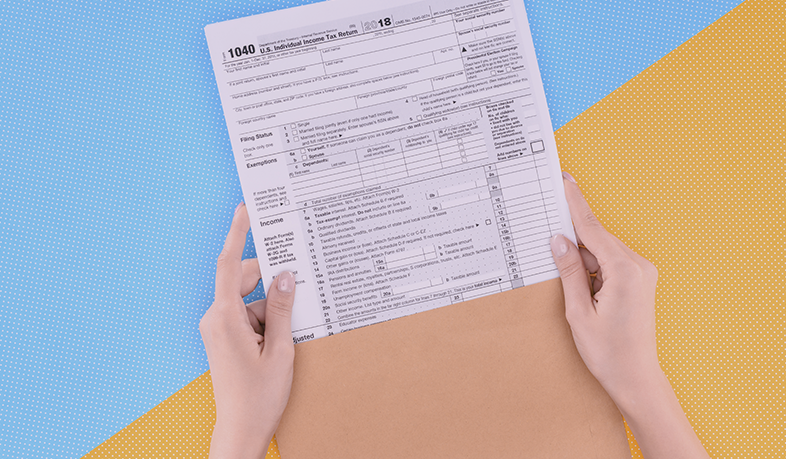
With the system set up, you’re ready to tackle your first monthly close. This part ensures your financial health is on track.
Running P&L and Balance Sheet
Your Profit & Loss (P&L) statement and balance sheet are essential tools. They give a snapshot of your financial performance. Generate these reports to see where you stand. They help you identify trends and adjust your strategies accordingly. This is the moment you gain financial clarity.
Tools for Expense Tracking and Financial Clarity
Expense tracking apps can further simplify your bookkeeping. Tools like Expensify or Receipt Bank automate the recording of expenses, ensuring nothing is overlooked. They also categorize your spending, providing insights into cost-saving opportunities. Explore the options to find what suits your business best.
Scheduling a Consult for Seamless Migration
If you’re feeling overwhelmed, consider scheduling a consultation with a professional. Experts can guide you through the process, offering tailored advice and support. They ensure your migration is smooth and your books are clean. Remember, the longer you wait, the more complicated it may get, so don’t hesitate to seek help.
FAQs
Q1: What if I make a mistake during the transition?
A1: Most cloud systems have support teams ready to assist. Also, regular backups ensure you can recover from errors.
Q2: How often should I reconcile my accounts?
A2: Aim for at least once a month, though weekly is ideal for maintaining accuracy.
Q3: Are cloud systems secure?
A3: Yes, they use encryption and security protocols to protect your data.
Q4: Can I switch platforms later?
A4: Yes, but it’s easier to choose the right one upfront to avoid unnecessary hassle.