The 1099 Headache: New 2026 Reporting Limits and How to Stay Out of Trouble

The 1099 Headache: New 2026 Reporting Limits and How to Stay Out of Trouble

Last updated: April 12, 2026

Starting in 2026, the IRS has officially raised the 1099-NEC and 1099-MISC reporting threshold from $600 to $2,000 per vendor. This guide is for Los Angeles business owners and founders who need to navigate these new limits, understand the 1099-K nuances, and maintain clean records for contractor compliance.

If you have been in business for more than a minute, you know that January is usually synonymous with 1099 season. It is that frantic time of year when you are chasing down addresses, social security numbers, and total payment amounts for every contractor who did more than a few hundred dollars of work for you. For decades, that "magic number" was $600. But as of the 2026 tax year, the rules have finally shifted to reflect a more modern economy.

While the higher threshold sounds like a win for your administrative to-do list, it does not mean you can stop paying attention to your bookkeeping. In fact, these changes make accurate tracking even more important to ensure you do not miss a filing or accidentally file when you do not need to. At Books LA, we focus on keeping your bookkeeping services organized so that these threshold changes are just a simple filter in your software rather than a manual nightmare.

What are the new 2026 1099 reporting limits?

The headline change for the 2026 tax year is the increase in the reporting threshold for Form 1099-NEC (Non-Employee Compensation) and Form 1099-MISC (Miscellaneous Information). After years of the $600 limit, the IRS has bumped this up to $2,000.

This means that if you pay a freelance graphic designer, a consultant, or a specialized contractor in Los Angeles less than $2,000 throughout the calendar year 2026, you generally do not have to issue them a 1099-NEC. This change is intended to reduce the "paperwork pile" for small businesses. According to early estimates, this could eliminate a significant portion of the filings that previously cluttered up the desks of founders and accountants alike.

However, there is a catch. This $2,000 limit is specific to the 2026 tax year. If you are still tidying up records for the 2025 tax year (which you would have filed in early 2026), the old $600 rule still applies. Do not let the new 2026 rules confuse your previous year’s compliance requirements.

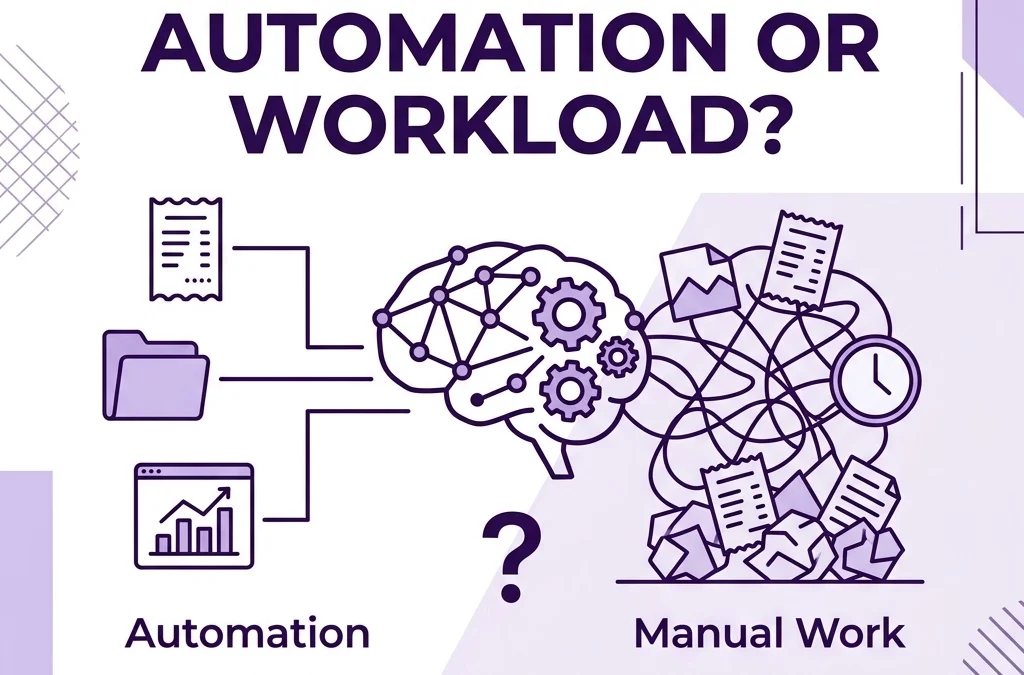
2026 1099 reporting threshold change from $600 to $2,000 limit for small businesses.

Which 1099 forms are affected by the $2,000 threshold?

The $2,000 threshold primarily impacts the most common forms used by small businesses:

  1. Form 1099-NEC: This is the big one. It is used for payments to individuals who are not your employees, such as independent contractors, freelancers, and attorneys.
  2. Form 1099-MISC: This is used for other types of payments like rent, royalties, or prizes. If you pay rent to a landlord who is not incorporated, that payment now follows the $2,000 threshold as well.

It is also worth noting that starting in 2027, this $2,000 threshold will be indexed for inflation. This means the number might climb even higher in the future, so staying on top of your annual bookkeeping updates is essential. If you are scaling and want to know if professional help is the right move, you might check out our thoughts on outsourced bookkeeping for startups.

How does the 1099-K rule change for 2026?

While the 1099-NEC threshold went up, the 1099-K rules have their own set of complexities. Form 1099-K is issued by third-party payment processors like PayPal, Venmo, Stripe, and credit card companies.

For the 2026 tax year, the reporting threshold for 1099-K has been restored to $20,000 and 200 transactions. This is a massive jump from the proposed (and often delayed) $600 threshold that caused so much confusion over the last few years. To trigger a 1099-K from a processor like Stripe, a vendor must meet both conditions: over $20,000 in gross payments and more than 200 individual transactions.

For you as a business owner, this is actually a relief. If you pay a contractor through a credit card or a third-party processor, the responsibility for reporting that income generally shifts to the processor. You typically do not need to issue a 1099-NEC for payments made via credit card or third-party network, because the IRS expects those to be reported on a 1099-K.

What do business owners need to collect from contractors?

Despite the higher dollar limits, your workflow for onboarding contractors should not change. You should still collect a Form W-9 from every single contractor or vendor before you send them their first payment.

Why? Because you do not always know at the start of the year if you will end up paying someone $500 or $5,000. If you wait until January 2027 to ask for a W-9 from someone you stopped working with in May 2026, you are going to have a hard time getting a response.

A solid document management strategy includes a "No W-9, No Pay" policy. This ensures that when the time comes to file, you already have the tax ID numbers and addresses you need. We are big fans of tools that simplify this process. For example, using Scansnap and Hubdoc together can help you keep digital copies of these forms organized and easily accessible.

Secure digital document folder for organized contractor W-9 forms and 1099 compliance.

Common 1099 mistakes to avoid this year

Even with a higher threshold, there are plenty of ways to run into trouble. Here are a few common pitfalls for LA-based founders:

  • Misclassifying employees as contractors: The IRS and the state of California (via AB5) are very strict about who counts as an independent contractor versus an employee. The dollar amount you pay them does not change their classification status.
  • Forgetting state requirements: Federal thresholds have changed, but some states have their own reporting requirements that may remain lower than $2,000. Always check with your CPA to ensure you are meeting California-specific filing rules.
  • Double reporting: If you pay a contractor $3,000 via credit card, you do not need to issue a 1099-NEC. The credit card company handles the reporting via 1099-K. Issuing a 1099-NEC in this scenario would result in the IRS thinking the contractor earned $6,000 instead of $3,000.
  • Missing the deadline: The deadline for 1099-NEC is typically January 31st. Even if you only have one or two forms to file, missing that date results in automatic penalties per form.

How to manage the logistics of 1099s

The best way to stay out of trouble is to maintain a clean ledger throughout the year. If you are using QuickBooks Online (QBO) or Xero, you should be categorizing your payments to "Contract Labor" or "Professional Fees" and checking the box that says "Track for 1099."

At the end of the year, you can run a 1099 summary report. This report will show you every vendor you have paid, the total amount, and whether you have a W-9 on file. With the new 2026 rules, you can simply look for those who cross that $2,000 line.

If managing this sounds like a headache you would rather avoid, we have monthly bookkeeping packages designed to take this off your plate. We make sure your vendors are tracked properly every month so that January is just another Tuesday instead of a tax-induced panic attack.

Abstract chart symbolizing balanced ledgers and monthly vendor tracking for small business bookkeeping.

Practical Example: The Freelancer Spend

Let's look at how this works in practice for an LA founder named Sam who runs a small marketing agency.

Sam works with three contractors in 2026:

  1. Contractor A (Web Developer): Paid $1,500 via bank transfer (ACH).
  2. Contractor B (Copywriter): Paid $2,500 via check.
  3. Contractor C (Designer): Paid $5,000 via credit card.

Under the 2026 rules:

  • Contractor A: No 1099-NEC is required because the total is under $2,000.
  • Contractor B: A 1099-NEC is required because the total is over $2,000 and Sam paid by check.
  • Contractor C: No 1099-NEC is required from Sam because the payment was made by credit card (this will be reported by the credit card processor on a 1099-K if the designer hits the $20,000/200 transaction mark).

Sam still needs to have W-9s for all three just in case he decides to hire them for more work later in the year, but the actual filing is much lighter than it would have been under the old $600 rule.

Next steps for your 1099 compliance

As we move through 2026, the best thing you can do is update your internal thresholds and audit your vendor list.

  1. Review your vendor list: Look at who you have paid so far this year.
  2. Collect W-9s now: Do not wait until the holidays.
  3. Update your accounting software: Ensure your 1099 tracking settings are active for relevant vendors.
  4. Talk to your CPA: While we handle the bookkeeping and the tracking of these payments, your CPA will be the one to give you final tax filing advice.

If you are feeling overwhelmed by the paperwork, let's chat. You can contact us for a quick review of your books. We love helping LA businesses stay organized and compliant without the stress.


FAQ: 2026 1099 Reporting and Compliance

Does the $2,000 limit apply to the 1099s I am filing right now?
No. The $2,000 threshold applies to the 2026 tax year. For any payments made in 2025 (filed in early 2026), the $600 threshold still applies.

Do I need to send a 1099 to an LLC?
Generally, you do not need to send a 1099 to a corporation (S-Corp or C-Corp). However, you usually do need to send one to an LLC if it is treated as a partnership or a disregarded entity (single-member LLC). Always check the W-9 to be sure.

What happens if I forget to get a W-9 and the contractor won't give it to me?
You may be required to perform "backup withholding," which means taking 24% of their payment and sending it to the IRS. This is why it is vital to get the W-9 before you pay them.

What is the penalty for not filing a 1099?
Penalties can range from $60 to $310 per form depending on how late you file. If the IRS determines you intentionally disregarded the requirement, the penalty can be $630 or more per form.

Do I have to file 1099s if I only have one contractor?
Yes. If you paid one contractor more than $2,000 (for 2026) via cash, check, or ACH, you are required to file the 1099-NEC.

Why did the 1099-K limit go back up to $20,000?
The IRS delayed the transition to a lower threshold several times due to the administrative burden it would place on taxpayers and the agency. For 2026, it sits at $20,000 and 200 transactions.

Is Venmo considered a "third-party processor" for 1099-K?
Yes, but only if you use a "Business Profile" or tag the payment as "Goods and Services." Personal payments to friends and family are not supposed to be reported, but you should always use a business account for business payments.

Can I just use my bookkeeping software to file these?
Most modern platforms like QuickBooks Online and Xero have built-in 1099 filing features. They will help you map your accounts and e-file directly with the IRS.


Author Box
Jelena Arkula is the owner of Books LA, a boutique bookkeeping firm based in Los Angeles. With a focus on tech-forward solutions like QuickBooks Online and Xero, Jelena helps founders and creative agencies move from financial chaos to total clarity. When she is not balancing ledgers, she is helping LA businesses scale with smart, outsourced financial management.

IRS/Tax Disclaimer
Books LA provides bookkeeping and compliance tracking services. We do not provide income tax advice or file income tax returns. All information regarding tax thresholds and reporting should be confirmed with your CPA or a qualified tax professional before filing.
Looking For a Bookkeeper in Los Angeles? Here Are 5 Things You Should Know

Looking For a Bookkeeper in Los Angeles? Here Are 5 Things You Should Know

Last updated: April 17, 2026

Finding the right bookkeeper in Los Angeles requires a balance of local market knowledge and technical proficiency in modern accounting software. This guide is for small business owners in the LA area who are ready to delegate their finances and want to understand typical costs, necessary credentials, and the software standards required for a successful partnership.

Navigating the financial landscape of a business in Southern California is different than in many other parts of the country. Between specific local regulations and the fast-paced nature of the LA economy, your choice of a financial partner matters more than you might think. Whether you are running a boutique in Silver Lake or a construction firm in the Valley, getting your books in order is the first step toward scaling.

Here are the five most important things you should know before hiring a bookkeeper in Los Angeles.

1. Software proficiency is a non-negotiable requirement

The days of physical ledgers and paper receipts are long gone. In today’s market, a bookkeeper who is not an expert in cloud-based accounting software is a liability. Most professional bookkeeping services in Los Angeles rely on platforms like QuickBooks Online (QBO) or Xero.

When you are interviewing a potential bookkeeper, ask about their certifications. A "QuickBooks ProAdvisor" or a "Xero Certified Advisor" badge is more than just a marketing tool. It proves that the individual understands the automated workflows that save you time and money.

Modern bookkeeping is about more than just data entry. It involves setting up integrations with tools like Dext for receipt management or Melio for accounts payable. If your bookkeeper is still asking you to mail them paper bank statements, they are likely not using the efficient systems needed to keep your costs down and your data accurate.

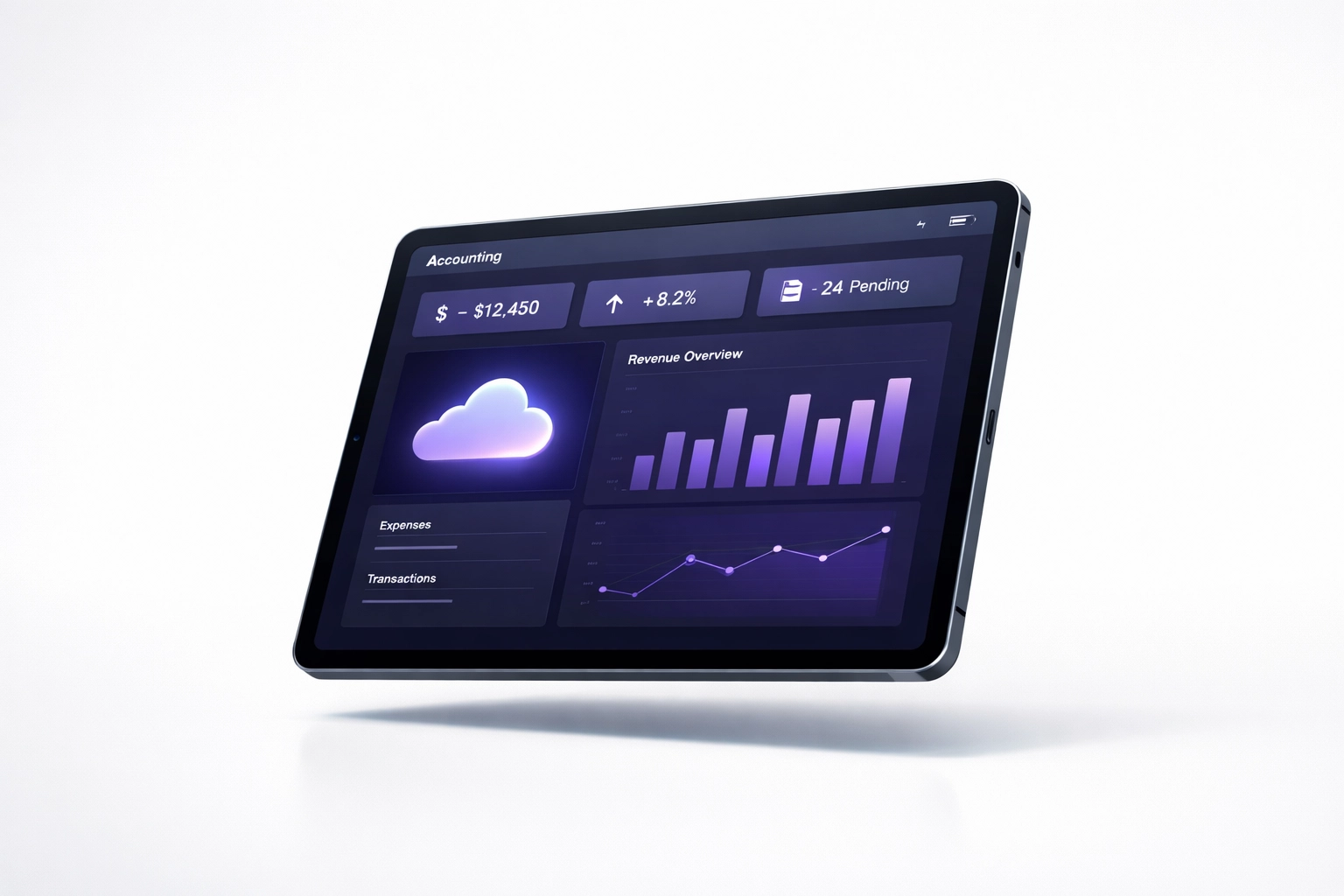
Digital dashboard on a tablet representing efficient cloud bookkeeping services in Los Angeles.

2. Understand the current Los Angeles market rates

Los Angeles is one of the more expensive markets in the United States for professional services. According to recent market data, hourly rates for bookkeepers in the LA area can range from $21 to $57 per hour. For a seasoned professional with more than five years of experience, you should expect to pay toward the higher end of that range, often between $35 and $40 per hour for specialized work.

However, many business owners find that an hourly rate can be unpredictable. This is why many local firms offer flat-fee bookkeeping packages that provide a predictable monthly cost. When evaluating pricing, consider what is included. Does the rate cover bank reconciliations, sales tax filings, and monthly financial statements, or are those considered "add-ons"?

Budgeting for a professional bookkeeper is an investment in your company’s health. While it might be tempting to find the cheapest option available, poor bookkeeping often costs more in the long run through missed deductions or expensive cleanup fees later.

3. The difference between in-house and outsourced bookkeeping

One of the first decisions you will face is whether to hire an employee or partner with a firm.

Hiring an In-House Employee:
This gives you a dedicated person in your office. However, you are responsible for payroll taxes, benefits, workers compensation insurance, and providing office space and equipment. In Los Angeles, the overhead for a full-time employee can add 20 percent to 30 percent on top of their base salary.

Outsourced Bookkeeping Services:
Partnering with a firm like Books LA often provides better value. You get access to a team of experts without the "people management" overhead. Outsourced services are scalable. If your business grows, the service grows with you. If things slow down, you can often adjust your service level.

Choosing an outsourced model also ensures that your financial data is handled by people who stay current on the latest technology and regulatory changes. You can read more about how this works for growing companies in our guide on the power of cloud accounting.

4. Local Los Angeles expertise matters for compliance

While cloud accounting allows you to work with anyone in the world, there are distinct advantages to finding a bookkeeper in Los Angeles. California has unique payroll laws, and the City of Los Angeles has its own set of business tax requirements.

A local bookkeeper understands the City of Los Angeles Office of Finance requirements and the annual business tax renewal process. They are familiar with California’s Employment Development Department (EDD) and the nuances of state-specific payroll taxes.

If your business involves physical products, you also need someone who understands California sales tax. Managing sales tax across different districts in the LA area can be complex. Having a partner who knows the local landscape ensures you don't run into issues with the California Department of Tax and Fee Administration (CDTFA).

Stylized Los Angeles skyline icon representing local compliance expertise from a bookkeeper in Los Angeles.

5. Know when you need a bookkeeper versus a CPA

This is perhaps the most common point of confusion for small business owners. A bookkeeper and a CPA (Certified Public Accountant) perform different functions, though they work closely together.

A bookkeeper handles the day-to-day financial transactions. They categorize your expenses, reconcile your bank accounts, manage your accounts payable and receivable, and generate monthly financial reports. They ensure that your financial data is clean and organized throughout the year.

A CPA typically focuses on high-level tax planning, complex financial audits, and filing your annual income tax returns.

At Books LA, we focus on the bookkeeping and management side of your finances. We do not provide income tax advice. Instead, we work directly with your CPA to provide them with the accurate, high-quality data they need to file your taxes. If your books are messy, your CPA will spend hours cleaning them up, and they will charge you their high hourly rate to do so. A good bookkeeper saves you money by making the CPA’s job easy.

A Practical Example: The Cost of a "Messy Book" Cleanup

Consider a small creative agency in Downtown LA that hasn't touched their books in six months. They assume they can handle it themselves during tax season.

  • The DIY Approach: The owner spends 40 hours trying to categorize a year's worth of transactions. They miss $4,000 in deductible expenses because they lost the receipts. Their CPA spends 10 hours fixing errors at $300 per hour ($3,000). Total "cost" is $7,000 plus the owner's lost time.
  • The Professional Approach: The agency hires a professional for a bookkeeping cleanup service. The books are caught up accurately. All deductions are found. The CPA receives a perfect file and finishes the return in 2 hours. The total cost is significantly lower, and the owner spent those 40 hours winning new clients.

Organized lines and a calculator representing professional cleanup and financial clarity for bookkeeping near me.

Next Steps for Your Business

If you are currently searching for a "bookkeeper near me," start by organizing your last three months of bank statements and identifying which software you are currently using. Having these ready will make your initial consultation much more productive.

If you would like to see how we can help you get your time back, feel free to visit our services page to see our current offerings.


Author Box
Jelena Arkula is the owner of Books LA, a bookkeeping firm based in Los Angeles, California. As a QuickBooks Advanced ProAdvisor, Jelena specializes in helping local business owners move away from manual spreadsheets and into efficient, cloud-based workflows. She believes that clear numbers lead to better business decisions.

Disclaimer
Books LA provides bookkeeping and financial management services. We do not provide income tax advice or file income tax returns. We work collaboratively with our clients' CPAs to ensure financial accuracy for tax matters. Please consult with a qualified CPA for all income tax-related concerns.


FAQ: Hiring a Bookkeeper in Los Angeles

How much does a bookkeeper in Los Angeles cost?
Rates generally fall between $21 and $57 per hour. Many businesses prefer flat-fee monthly packages, which typically range from $300 to $1,500 per month depending on the volume of transactions and complexity of the business.

Do I need a bookkeeper if I only have a few transactions?
Even with low volume, professional bookkeeping ensures that your records are compliant and that you are maximizing deductions. It also prevents a "cleanup" situation at the end of the year, which is often more expensive than monthly maintenance.

Can you clean up my books if they are a mess from last year?
Yes. Cleanup services are a standard part of what we do. We can go back through previous months or years to reconcile accounts and ensure your balance sheet is accurate.

What software do you recommend?
We primarily work with QuickBooks Online and Xero. These platforms offer the best integrations for automation and allow for real-time collaboration between you and our team.

Do you handle my payroll?
Yes, we can manage the administrative side of payroll through integrations like Gusto or ADP. We ensure that the data is correctly recorded in your general ledger.

How often will I hear from my bookkeeper?
At a minimum, you should receive monthly financial reports. However, we are available for communication throughout the month as questions arise regarding transactions or financial processes.

Will you talk to my CPA?
Absolutely. We view ourselves as the bridge between your daily operations and your CPA’s tax filing. We provide them with the reports and documentation they need to work efficiently.

Do I have to be located in Los Angeles to work with you?
While we specialize in the Los Angeles market and local compliance, our cloud-based tools allow us to work with business owners across California and the United States.

How long does it take to get started?
The onboarding process usually takes about one to two weeks. This includes getting access to your systems, setting up your chart of accounts, and establishing a regular communication workflow.

What do you need from me each month?
Most of our process is automated through bank feeds. We may occasionally need you to clarify a specific transaction or provide a copy of a specific contract or large purchase receipt.

Ready to get started? You can request a bookkeeping review today.

Is Your AI Actually Doing Your Bookkeeping, or Just Giving You More Homework?

Is Your AI Actually Doing Your Bookkeeping, or Just Giving You More Homework?

Last updated: April 12, 2026

AI bookkeeping automation handles the heavy lifting of data entry and transaction matching, but it still requires human oversight to ensure your financial reports are accurate and tax-ready. This post is for business owners who want to understand the limits of automation and how to ensure their technology is saving them time rather than creating a mountain of cleanup work.

The promise of artificial intelligence in the accounting world has been huge. We were told that software would soon handle everything from receipt scanning to complex financial analysis. In 2026, we can see that while the tech has improved, the dream of a completely "hands-off" bookkeeping system is still a bit of a myth. For many founders, these automated platforms end up creating a "shadow" to-do list: a long list of uncategorized transactions and errors that eventually need a human to fix.

What AI is actually doing for your books right now

Artificial intelligence is genuinely great at the "boring" parts of bookkeeping. If you are using modern tools like QuickBooks Online or Xero, you are already seeing AI at work. It excels at high-volume, repetitive tasks that used to take human bookkeepers hours to complete.

Specifically, AI is currently handling:

  • Data Extraction: Tools can read a PDF invoice or a photo of a receipt and pull out the vendor, date, and amount with high accuracy.
  • Transaction Matching: The software looks at your bank feed and matches transactions to existing bills or invoices.
  • Routine Categorization: If you pay your rent to the same landlord every month, the AI learns that this is always "Rent Expense."
  • Anomaly Detection: Machine learning algorithms can scan thousands of transactions to find outliers that might indicate a double payment or a potential error.

When these systems work, they are beautiful. They provide speed and basic organization that allows a business to see its cash flow in real-time. However, the trouble starts when the software encounters something it does not recognize.

Digital scanning of a bank card representing AI bookkeeping automation and transaction matching.

The "Uncategorized" trap: Why AI gives you homework

The biggest complaint we hear from business owners using "automated-only" solutions is the dreaded "Uncategorized" account. When an AI is not 100 percent sure where a transaction belongs, it does not guess. It parks that transaction in a holding account and asks you to figure it out.

This is the "homework" we are talking about. If you are a busy founder in Los Angeles, you do not want to spend your Sunday night looking at 45 transactions labeled "Ask Client" or "Uncategorized."

AI lacks context. It knows you spent $200 at a restaurant, but it does not know if that was a personal meal, a team-building lunch, or a meeting with a potential investor. Each of those has different tax implications. Without a human bookkeeper to ask the right questions or set up the right rules, that data stays messy. If you leave these errors to pile up, you might find yourself needing a bookkeeping cleanup service before tax season even begins.

Lessons from the Botkeeper closure

The recent industry shakeups, including the closure of platforms like Botkeeper earlier this year, have highlighted a major risk in the "pure tech" approach. Many businesses relied entirely on a software-first platform only to find themselves stranded when the service shut down or changed direction.

This shift proved that technology is a tool, not a partner. When a platform relies too heavily on algorithms without enough human backstopping, the quality of the data can degrade quickly. Business owners who were left in the lurch realized that having a human who actually understands their business is much more valuable than a shiny dashboard that no one is monitoring.

Where human oversight becomes non-negotiable

There are parts of your business finances that a machine simply cannot handle yet. These are the areas where the "human + tech" hybrid model shines.

1. Strategic Context
An AI can tell you that your expenses are up 10 percent. A human bookkeeper can tell you why and help you decide if that increase is a healthy investment in growth or a sign that you need to cut back on subscriptions. You can read more about managing those costs in our post about the benefits of canceling unnecessary subscriptions.

2. Complex Compliance
While AI can categorize a simple utility bill, it struggles with nuanced items like sales tax nexus, payroll tax across different states, or specific business license requirements. These are bookkeeping-adjacent compliance topics that require a professional eye to ensure you stay in the clear.

3. Integration and Workflow
A human can help you set up a workflow that actually works for your team. Whether it is making sure ScanSnap and Hubdoc are working together or organizing your document management, a person can tailor the system to your specific needs.

A magnifying glass focusing on a financial chart showing human oversight in bookkeeping data.

The real cost of "Cheap" automation

It is tempting to choose the cheapest automated bookkeeping software available. However, you have to factor in the cost of your own time. If you spend five hours a month fixing what the AI got wrong, or if you have to pay thousands of dollars for a cleanup at the end of the year, that "cheap" software becomes very expensive.

We often talk to startups that are scaling quickly and realize they have outgrown their basic automation. They need someone to translate the data into financial insights. You can explore whether outsourced bookkeeping is actually worth the investment for scaling startups to see where your business fits on that timeline.

A note on taxes and CPAs

At Books LA, we focus on keeping your day-to-day books clean and your financial reports accurate. It is important to note that Jelena is not a tax expert and we do not provide income tax planning or advice.

We love working alongside your CPA. Our job is to hand them a "clean set of books" so they can do their best work on your tax return without having to spend dozens of hours fixing basic entry errors. We always recommend that you confirm all income tax matters with your CPA.

How to get the most out of AI without the headache

If you want to use AI effectively, follow these three rules:

  1. Never let the "Uncategorized" list grow: Set a weekly 10-minute check-in to clear out anything the software did not recognize.
  2. Use human-verified rules: Only set "auto-add" rules for transactions that are 100 percent consistent, like your monthly rent or a specific software subscription.
  3. Audit the AI monthly: Even if the software thinks it matched everything correctly, have a human (or a professional bookkeeper) review the reconciliation reports to catch "hallucinations" or errors.

Stacked document folders with a checkmark symbolizing a clean, human-verified bookkeeping workflow.

What to do next

If your current bookkeeping setup feels like it is giving you more homework than answers, it might be time for a change. You can look at our packages to see how we blend technology with personal oversight to keep your books Los Angeles-level stylish and accurate.

If you are ready to stop doing your own bookkeeping homework, feel free to reach out for a bookkeeping review.


About the Author
Jelena Arkula is the owner of Books LA, a boutique bookkeeping firm based in Los Angeles. She specializes in helping creative agencies and scaling startups manage their finances using tools like QuickBooks Online and Xero. With a focus on clarity and friendly service, Jelena helps business owners move past the "homework" phase of bookkeeping and into actual growth.


FAQ: AI Bookkeeping and Automation

Does AI bookkeeping replace the need for a human bookkeeper?
No. While AI handles data entry and matching, a human is still needed to review the work for accuracy, handle complex transactions, and provide strategic advice.

Why is my "Uncategorized" account always full if I use automation?
AI does not like to guess. If a transaction is new or does not perfectly match a previous pattern, the software parks it there for you to manually review.

Is automated bookkeeping safe for my business data?
Generally, yes. Major platforms like QBO and Xero use bank-level encryption. The risk is usually in the "accuracy" of the data rather than the "security" of the data.

Can AI handle my sales tax or payroll tax?
AI can help track the numbers, but it often misses the nuances of changing state laws or local business license requirements. Human oversight is highly recommended for tax-adjacent compliance.

How much does it cost to fix books that were messed up by poor automation?
Cleanup costs vary based on the volume of transactions and how many months are messy, but it is almost always more expensive than paying for a monthly professional service from the start.

Will my CPA be mad if I use an automated-only bookkeeping service?
Many CPAs find that automated-only services lead to more work for them at year-end, which results in higher tax preparation fees for you. They usually prefer a human-reviewed set of books.

What is the best way to start using AI in my bookkeeping?
Start by using receipt-capturing tools like Hubdoc. This automates the data entry part without letting the software make "decisions" about your high-level financial categories.

Does Books LA use AI?
Yes, we use the best technology available to keep our processes efficient, but every single transaction is ultimately overseen by a human professional to ensure accuracy.

7 Mistakes You’re Making with Construction Bookkeeping (and How to Fix Them)

7 Mistakes You’re Making with Construction Bookkeeping (and How to Fix Them)

Last updated: April 17, 2026

This guide is for construction business owners and project managers who want to eliminate financial errors and improve project profitability. You will learn the seven most common construction bookkeeping mistakes, including poor overhead allocation and mishandled retainage, along with practical steps to perform a bookkeeping cleanup.

Construction accounting is significantly more complex than standard retail or service based bookkeeping. You are managing fluctuating material costs, varying labor rates, subcontractor insurance certificates, and complex billing cycles. When these details are not managed properly, your profit margins disappear. If your books feel like a mess, you are not alone, but you do need a plan to fix them.

1. Mixing Personal and Business Finances

One of the most frequent issues we see during a bookkeeping cleanup is the commingling of personal and business funds. When you use your business credit card for a personal grocery run or pay a business utility bill from your personal checking account, you create a reporting nightmare.

This practice makes it difficult to track the actual profitability of your business. It also creates a massive headache for your CPA during tax season. If your business is an LLC or a Corporation, mixing funds can lead to "piercing the corporate veil," which may put your personal assets at risk in a legal dispute.

How to fix it:
Stop using personal accounts for business immediately. Open a dedicated business checking account and a business credit card. If you accidentally use the wrong card, record the transaction as an Owner’s Draw or an Owner’s Contribution. Keeping these lines clear is the first step toward professional financial management.

2. Misallocating Overhead Costs Across Projects

Overhead includes costs that are not directly tied to one specific job, such as office rent, administrative salaries, and general insurance. Many contractors make the mistake of either ignoring overhead in their job costing or allocating it incorrectly.

If you only track direct costs like lumber and labor, you might think a project is highly profitable when it is actually barely breaking even after you factor in the cost of keeping the lights on. Conversely, if you allocate overhead based solely on labor hours, you might overprice bids for labor-intensive jobs and underprice bids for material-heavy projects.

How to fix it:
Determine a standard overhead allocation rate. You can base this on direct labor hours, total direct costs, or a percentage of revenue. Review this rate at least once a year. By applying a consistent overhead "burden" to every job, you get a much clearer picture of your true net profit.

Purple scale balancing geometric shapes representing overhead cost allocation in construction accounting.

3. Inaccurate or Outdated Job Cost Estimates

Your bookkeeping is only as good as the data you put into it. Many construction firms fall into the trap of using "gut feelings" or outdated pricing sheets from three years ago. With material costs and labor rates shifting constantly, an estimate that worked last year could result in a loss today.

When your estimated costs do not match your actual costs, your Work in Progress (WIP) reports become useless. You cannot accurately predict your cash flow if you do not know the real cost of completing the work on your books.

How to fix it:
Compare your estimated costs to your actual costs at the end of every project. If you see a consistent 10 percent variance, you need to update your bidding software or spreadsheets. Use your bookkeeping services to run "Actual vs. Estimated" reports monthly so you can catch overruns while the project is still active.

4. Ignoring Real-Time Job Costing

Waiting until a project is 100 percent complete to look at the numbers is a recipe for disaster. Real-time job costing allows you to see how much you have spent against your budget while you still have time to make adjustments.

If a subcontractor is overbilling or if a specific crew is taking longer than expected on framing, you need to know that in week two, not week twenty. Without real-time data, you are essentially flying your business blind.

How to fix it:
Utilize construction-specific features in QuickBooks Online or Xero. Ensure that every bill, timecard, and receipt is tagged to a specific job and a specific cost code. This allows you to run reports that show your "Cost to Complete" at any given moment.

5. Incorrect Job Cost Cutoffs and Accruals

Construction bookkeeping relies heavily on timing. If a subcontractor finishes their work in March but doesn't send the invoice until April, your March profit will look much higher than it actually is. This is known as a cutoff error.

If you operate on a cash basis, your financial statements will swing wildly based on when you happen to write checks or receive payments. For most construction companies of a certain size, accrual-basis accounting is necessary to see the true financial health of the business.

How to fix it:
Implement a month-end close process. At the end of the month, look for work that has been completed but not yet billed. You should "accrue" these expenses so they appear in the same month as the revenue they helped generate. This provides a much more accurate view of your monthly performance. Check out our navigating financial clarity guide for more on common pitfalls.

Minimalist calendar with a cutoff line illustrating the importance of timely construction bookkeeping accruals.

6. Poor Management of Retainage and Progress Billing

Retainage is a unique aspect of construction where a percentage of your payment (often 5 or 10 percent) is held back until the project is finished. Many bookkeepers mistakenly record the full invoice amount as "Income" without properly tracking the portion they won't see for months.

This can lead to a situation where your Profit and Loss statement looks great, but your bank account is empty because a large chunk of your profit is tied up in retainage.

How to fix it:
Set up specific "Retainage Receivable" and "Retainage Payable" accounts on your Balance Sheet. When you send a progress bill, separate the retainage amount into this account. This ensures you are tracking exactly how much is owed to you and when you can expect to collect it.

7. Undocumented Work and Unapproved Change Orders

Change orders are where construction profits go to die. It is common for a client to ask for a "small change" in the field. If your crew does the work without a formal, signed change order that includes the price, you may never get paid for that extra labor and material.

From a bookkeeping perspective, unrecorded change orders mean your job costs will exceed your original budget, making the project look like a failure even though you were just doing extra work.

How to fix it:
Establish a "no signature, no work" policy for changes. Every change order should be entered into your accounting system as an adjustment to the contract price. This ensures that your revenue and your costs stay in alignment.

Why a Bookkeeping Cleanup is Essential

If you have been making these mistakes for months or years, your books are likely "messy." A bookkeeping cleanup involves going back through your historical data to correct miscategorized transactions, reconcile old bank statements, and fix job costing errors.

A cleanup is not just about making the numbers look pretty; it is about getting a clean slate so you can make informed decisions. You cannot plan for growth or apply for a significant business loan with inaccurate financial statements.

How to fix messy books:

  1. Reconcile every bank and credit card account for the last 12 to 24 months.
  2. Review your Accounts Receivable and write off invoices that are truly uncollectible.
  3. Review your Balance Sheet to ensure assets and liabilities are accurately stated.
  4. Categorize any "Uncategorized Expenses" to the correct projects.

If this feels overwhelming, it is often more cost-effective to hire professional bookkeeping services to handle the heavy lifting of a cleanup.

Graphic of chaotic pieces transforming into a neat folder representing professional bookkeeping cleanup services.

About the Author

Jelena Arkula is the owner of Books LA, a premier accounting and bookkeeping firm based in Los Angeles, California. With years of experience helping construction companies navigate messy books, Jelena and her team specialize in QuickBooks Online and Xero. We focus on providing financial clarity so business owners can focus on building.

Disclaimer

Books LA provides bookkeeping and strategic financial consulting. We do not provide income tax advice. We work closely with our clients' CPAs to ensure tax readiness. You should always confirm specific tax strategies and filings with your qualified CPA.


FAQ: Construction Bookkeeping and Cleanup

How much does a bookkeeping cleanup cost?
The cost varies depending on the volume of transactions and how many months or years of data need to be fixed. Most cleanups are priced as a one-time project fee.

How long does it take to clean up messy construction books?
A typical cleanup for a small to mid-sized construction company takes between two and six weeks, depending on the availability of records like bank statements and receipts.

Can I use standard QuickBooks for my construction business?
You can, but it is best to use QuickBooks Online Plus or Advanced to access the job costing and project tracking features that are essential for construction.

Do you handle payroll for construction crews?
We help manage the bookkeeping side of payroll, including tracking labor costs to specific jobs. For the actual check cutting and tax filing, we often integrate with specialized payroll providers.

What documents do I need to provide for a cleanup?
You will typically need to provide access to your accounting software, bank statements, credit card statements, loan agreements, and previous tax returns.

Why is my CPA asking for a WIP report?
A Work in Progress (WIP) report shows the CPA how much revenue you have earned versus how much you have billed. It is critical for accurate accrual-basis tax filing.
Do I need a bookkeeper if I already have a CPA?
Yes. A CPA generally focuses on high-level tax strategy and filing once a year. A bookkeeper handles the daily and monthly transactions that keep your business running and ensures the data given to the CPA is accurate.

What is the biggest mistake you see in construction books?
The biggest mistake is usually a total lack of job costing. Without knowing exactly what each project costs, it is impossible to know if you are actually making money.


Ready to get your finances in order?
If you are tired of guessing your profit margins, request a bookkeeping review today and let’s get your books cleaned up.

Why “Human-in-the-Loop” AI Will Change the Way You Do Your Bookkeeping

Why “Human-in-the-Loop” AI Will Change the Way You Do Your Bookkeeping

Last updated: April 17, 2026

Human-in-the-loop AI ensures that your financial data is processed with the speed of automation and the precision of a professional bookkeeper. This post is for business owners who want to scale their operations using AI for bookkeeping without sacrificing the accuracy required for clean financial statements. We will cover how the feedback loop works, why AI remains an assistant rather than a decision maker, and what this means for your bottom line.


About the Author

Jelena Arkula is the owner of Books LA, a boutique accounting firm based in Los Angeles. With years of experience helping local businesses clean up messy books and implement efficient workflows, Jelena and her team specialize in QuickBooks Online (QBO) and Xero. Books LA focuses on providing high-quality outsourced bookkeeping that blends modern technology with human oversight.


What is "Human-in-the-Loop" AI for bookkeeping?

The term "Human-in-the-Loop" (HITL) refers to a system where artificial intelligence handles the heavy lifting of data processing while a human expert provides oversight, feedback, and final validation. In the world of accounting, this means using AI to scan receipts, categorize transactions, and match invoices, while a professional bookkeeper reviews the output to ensure it matches the actual context of your business.

AI is incredibly fast at recognizing patterns. It can process thousands of transactions in seconds. However, it lacks the ability to understand "why" a specific purchase was made or how a unique business event should be recorded. By keeping a human in the loop, you get the best of both worlds: the efficiency of software and the judgment of a person.

Abstract representation of human-in-the-loop AI for bookkeeping automation and precision.

Why AI is an excellent assistant but a poor decision maker

One of our core philosophies at Books LA is that AI is an assistant, not a manager. It is great at following rules, but it cannot make high-level decisions. For example, AI might see a transaction at a hardware store and automatically categorize it as "Supplies." A human bookkeeper, knowing that your construction company is currently working on a specific fixed-asset project, might realize that purchase actually belongs under "Capitalized Equipment."

If you rely solely on AI, these nuances are lost. Over time, these small miscategorizations lead to "messy books" that take thousands of dollars to fix come tax season. When you use outsourced bookkeeping that utilizes HITL AI, you ensure that someone is actually looking at the data to make the final call. The AI suggests, but the human decides.

How the feedback loop improves your financial accuracy

The "loop" part of HITL is what makes the system smarter over time. When a human corrects an AI categorization, the system learns from that correction. This is known as supervised learning.

  1. The AI processes a transaction: It assigns a confidence score. If it is 99 percent sure, it might suggest the category.
  2. The human reviews: If the AI is wrong, the bookkeeper manually corrects the entry.
  3. The system learns: The AI notes the correction and applies that logic to similar transactions in the future.

This cycle creates a verifiable workflow. Instead of blindly trusting an algorithm, your books are backed by a trail of human validation. This is essential for maintaining investor confidence and ensuring your reports are audit-ready.

Minimalist purple folder and magnifying glass illustrating human validation for audit-ready bookkeeping.

The balance between AI speed and human judgment

Speed is the primary reason business owners look into AI for bookkeeping. Nobody wants to wait three weeks after the month ends to see their Profit and Loss statement. HITL AI allows for near real-time data entry.

However, speed without accuracy is dangerous. A fast set of books that is 20 percent incorrect is worse than a slow set of books that is 100 percent correct. The HITL model finds the middle ground. It automates the 80 percent of transactions that are routine (like your monthly rent or software subscriptions) and flags the 20 percent that require a "judgment call" for human review.

This approach often results in a 20 to 25 percent increase in efficiency compared to traditional manual entry, allowing your bookkeeping team to focus on strategic advice rather than data entry.

Practical Example: The cost of AI error vs. HITL accuracy

Let’s look at a typical scenario for a Los Angeles based creative agency.

The Scenario: The agency spends $5,000 on a series of specialized software licenses for a specific client project that is billable.

  • Pure AI Approach: The AI sees the vendor name and categorizes the $5,000 under "Software Expenses." It misses the fact that this should have been a "Reimbursable Client Cost." The agency owner looks at their reports, thinks their overhead is high, and fails to invoice the client for the $5,000.
  • HITL Approach: The AI suggests "Software Expenses." The professional bookkeeper at Books LA sees the high dollar amount and the specific vendor. They check the client project list and move the transaction to "Billable Expenses."

The Result: The agency saves $5,000 in lost revenue because a human was there to catch the context that the AI missed.

A glowing checkmark within a data stream representing accuracy in AI-powered outsourced bookkeeping.

What does outsourced bookkeeping with HITL cost?

Many business owners worry that adding a human to the process makes it too expensive. In reality, HITL AI actually lowers the long-term cost of bookkeeping. By automating the routine tasks, the "human" hours required are reduced. You are no longer paying a professional to type numbers into a spreadsheet; you are paying them to review and verify the data.

When you look at bookkeeping packages, you should ask if they use automation and how they verify the data. A "cheap" service that uses pure AI often ends up costing more in "cleanup fees" later on. We find that the most cost-effective way to run a business is to have a consistent, monthly review process where AI does the heavy lifting and humans do the thinking.

Important Disclaimer: Bookkeeping vs. Income Tax

At Books LA, we focus on providing the cleanest financial data possible. However, it is important to note that we do not provide income tax advice. We are not a CPA firm. We work closely with your CPA to ensure they receive a "tax-ready" set of books at the end of the year. You should always confirm specific tax strategies and filings with your licensed CPA. Our role is to handle the day-to-day compliance, such as sales tax, payroll tax, and general ledger maintenance, so your tax professional can do their job effectively.

How to start using HITL AI in your business

If you are still doing your own books or relying on a system that feels outdated, the transition to a modern HITL workflow is simpler than you might think.

  1. Switch to Cloud Accounting: Use platforms like QuickBooks Online or Xero that support AI integrations.
  2. Connect Your Feed: Ensure your bank feeds and receipt capture tools are synced.
  3. Hire an Expert: Work with a team like Books LA to act as the "human" in your loop.
  4. Review Monthly: Spend 15 minutes a month reviewing the categorized data with your bookkeeper to ensure the AI is learning correctly.

If you are ready to see how this balance of technology and human expertise can work for your business, you can request a bookkeeping review today.


FAQ: AI for Bookkeeping and Human Oversight

Is AI bookkeeping safe for my financial data?
Yes, when used with reputable platforms like QBO or Xero, AI bookkeeping uses the same level of encryption as major banks. The human-in-the-loop model adds an extra layer of safety by ensuring an expert reviews the data for anomalies.

Will AI replace my bookkeeper entirely?
No. AI is a tool that handles data entry. You still need a human to understand the context of your business, handle complex transactions, and ensure you are compliant with local Los Angeles and California business regulations.

How much does outsourced bookkeeping with AI cost?
Pricing varies based on your transaction volume and the complexity of your business. Generally, it is more affordable than hiring a full-time employee because the AI reduces the number of hours a human needs to work on your files.

Can AI handle my sales tax and payroll?
AI can help calculate and track these figures, but a human must always verify them. Payroll and sales tax are high-stakes compliance areas where a small AI error can lead to significant government penalties.

What if the AI makes a mistake?
This is exactly why the "Human-in-the-Loop" model exists. A human reviewer is responsible for catching and correcting any errors made by the AI before your financial statements are finalized for the month.

Do I need to be tech-savvy to use this?
Not at all. Your bookkeeping team handles the technical side of the AI. Your job is simply to provide the data (like receipts or access to bank feeds) and review the final reports.

Does Books LA work with my existing CPA?
Absolutely. We provide the clean, verified data your CPA needs for tax season. We focus on the month-to-month bookkeeping so your CPA can focus on high-level tax planning.

How do I know if my current bookkeeper is using AI correctly?
Ask them about their verification process. If they are just "auto-posting" transactions without a manual review, you are at risk for errors. A good bookkeeper will be able to explain how they validate the data the software provides.

Do You Really Need a Full-Time Employee? Here’s the Truth About Bookkeeping Costs

Do You Really Need a Full-Time Employee? Here’s the Truth About Bookkeeping Costs

Last updated: April 17, 2026

For most small business owners, hiring a full-time bookkeeper is an unnecessary expense that drains capital better spent on growth. In this guide, we will break down the real costs of in-house hiring versus outsourced bookkeeping services to help you decide which path fits your current stage of business.

Deciding how to handle your finances is one of the biggest crossroads for a growing company. You have reached the point where you cannot do the data entry yourself anymore, but you are not sure if you are "big enough" to put someone on payroll. The truth is that the gap between DIY and a full-time salary is huge, and most businesses find their sweet spot in the middle with outsourced bookkeeping.

The Real Cost of an In-House Bookkeeping Employee

When you look at a job board and see a bookkeeper asking for $50,000 a year, that is not your actual cost. Hiring an employee comes with a "burdened" cost that most founders underestimate.

The burdened cost includes:

  • Payroll Taxes: Social Security, Medicare, and unemployment taxes.
  • Benefits: Health insurance, 401k matching, and paid time off.
  • Overhead: Office space, a desk, a high-end laptop, and software licenses.
  • Management Time: The hours you spend training, reviewing their work, and doing annual performance reviews.

Industry data suggests that the true cost of an employee is typically 1.25 to 1.4 times their base salary. That $50,000 bookkeeper is actually costing your business closer to $70,000. For a startup or a small service business in Los Angeles, that is a massive chunk of overhead for a role that might only require 10 to 15 hours of actual work per week.

Illustration representing the hidden overhead and bookkeeping costs of hiring a full-time employee.

Comparing the Numbers: In-House vs. Outsourced Bookkeeping

Let’s look at the math for a typical small business doing between $1M and $3M in annual revenue.

Option A: Full-Time In-House Bookkeeper

  • Base Salary: $55,000
  • Taxes and Benefits: $13,750
  • Software and Equipment: $2,500
  • Total Annual Cost: $71,250

Option B: Outsourced Bookkeeping Services

  • Average Monthly Fee: $600 to $1,200
  • Software: Usually included or discounted
  • No benefits or taxes
  • Total Annual Cost: $7,200 to $14,400

The difference is staggering. By choosing bookkeeping services over a full-time hire, you are saving roughly $50,000 to $60,000 a year. That is money that could hire a new sales rep, fund a marketing campaign, or simply stay in your pocket as profit.

The Hidden Risks of the "One Person" Office

Cost is not the only factor. When you hire one full-time person, you are putting all your financial eggs in one basket. If that person gets sick, goes on vacation, or quits suddenly, your financial data stops. You lose continuity.

Outsourced firms operate differently. At Books LA, we use a team approach. This means your books are always getting done, regardless of individual schedules. You also get a higher level of expertise. A standard in-house bookkeeper is great at data entry, but they might not have the high-level oversight to spot complex errors or suggest tax-saving strategies. When you outsource, you often get access to a team that includes both staff bookkeepers and senior controllers who have seen it all.

When Does a Full-Time Hire Actually Make Sense?

We are all about honesty here. There is a point where hiring in-house becomes the right move. Typically, this happens when your business hits one of these markers:

  1. High Transaction Volume: If you are a high-volume e-commerce brand or a restaurant group with thousands of daily transactions that require constant reconciliation.
  2. Complex Operational Needs: If you need someone to manage physical inventory, handle daily accounts receivable collections, or process a complicated weekly payroll for 50+ employees.
  3. Revenue Scale: Usually, once a company passes the $5M to $10M revenue mark, the complexity of daily operations starts to justify a full-time internal finance person.

If you are not there yet, you are likely paying for "idling time." You are paying a full-time salary for someone who spends half their day browsing the internet because the actual bookkeeping tasks are finished.

Minimalist calculator representing scaling transaction volume and small business bookkeeping growth.

Why Small Business Bookkeeping is Changing

Modern accounting technology like QuickBooks Online and Xero has made the "full-time bookkeeper" role nearly obsolete for the average small business. Automations can now handle the heavy lifting of bank feeds and receipt scanning.

What you need today isn't a data entry clerk; you need a cloud accounting partner who knows how to manage these tools. An outsourced service focuses on the output (clean reports and reconciliations) rather than the hours spent sitting in a chair.

Making the Transition

If you currently have messy books or are struggling to keep up with the DIY approach, jumping straight to a full-time hire is a "panic move." It feels like it will solve the problem, but it often just creates a new management burden.

The better first step is a bookkeeping cleanup. Getting your historical data into a clean, digital format allows an outsourced team to take over seamlessly. This gives you the clarity you need to run your business without the overhead of an extra employee.

About the Author: Books LA

Books LA is a boutique bookkeeping firm based in Los Angeles, California. Led by Jelena Arkula, our team specializes in QuickBooks Online and Xero for small businesses and startups. We focus on providing "real-talk" financial clarity without the corporate jargon. We believe that every business owner deserves to understand their numbers without being buried in them.


Important Disclaimer: Books LA provides bookkeeping and business consultation services. We do not provide income tax advice, and we do not file income tax returns. We work closely with our clients' CPAs to ensure they have the clean data needed for tax season. We always recommend confirming specific tax matters with a licensed CPA.


FAQ: The Truth About Bookkeeping Costs

1. How much does outsourced bookkeeping usually cost per month?
Most small businesses pay between $500 and $1,500 per month. The price depends on your transaction volume, the number of bank accounts, and if you need extra services like accounts payable or payroll management.

2. Is a freelancer cheaper than a bookkeeping firm?
A solo freelancer might have a lower hourly rate, but they often lack the systems, security, and backup staff that a firm provides. If a freelancer disappears, your books stop. A firm offers more stability for a similar price point.

3. What if I only have a few transactions?
If you have very low volume, you might only need a quarterly check-in or a basic monthly package. Even at low volumes, having a professional set up your chart of accounts correctly is worth the initial investment.

4. Will I lose control of my data if I outsource?
No. In fact, you usually gain more control. Cloud-based tools like QuickBooks Online allow you to log in and see your data anytime, anywhere. You own the data; we just keep it organized for you.

5. Do I still need a CPA if I have a bookkeeper?
Yes. Think of it this way: your bookkeeper is the person on the ground every day making sure the data is accurate. Your CPA is the specialist who comes in at the end of the year to file your taxes and handle high-level tax planning. We love working with CPAs because we give them the clean files they need to do their job efficiently.

6. How do I know when it's time to stop doing it myself?
When you start dreading the "books" or if you are more than two months behind on reconciliations, it is time. If you are making decisions based on your bank balance rather than a Profit & Loss statement, you have outgrown the DIY stage.

7. Can an outsourced bookkeeper help with my 1099s?
Yes. Most monthly bookkeeping services include tracking 1099 requirements throughout the year so that January isn't a total nightmare for you.

8. What software should I use?
We almost always recommend QuickBooks Online or Xero. They are the industry standards for a reason: they integrate with almost every bank and business app on the market, making outsourced bookkeeping much more efficient.

Ready to get your time back?

If you are tired of the DIY struggle but aren't ready for a full-time hire, we should talk. You can book a call with us to see how we can help you get your books in order.

Looking for a Bookkeeper in Los Angeles? Here Are 10 Things You Should Know

Looking for a Bookkeeper in Los Angeles? Here Are 10 Things You Should Know

Last updated: Sunday, 5 of April 2026

Finding the right bookkeeper in Los Angeles requires balancing technical skill with industry-specific knowledge and a modern approach to technology. This guide covers the 10 essential factors for LA small business owners, from cost expectations to the critical role of human judgment in an AI-driven world.

1. Understanding the Los Angeles Rate Market

Bookkeeping rates in California generally range from $16 to $36 per hour depending on the complexity of your financial situation and the level of experience required. In a high-cost area like Los Angeles, you might find that specialized services or those with deep industry experience lean toward the higher end of that scale. While price is always a factor, the cheapest option often leads to more expensive cleanup projects later. Investing in a professional who understands California-specific labor laws and local business taxes can save you thousands in potential penalties.

2. Industry Specifics: Why Local Context Matters

Los Angeles has a unique economic landscape. If you are running a production company in Hollywood, a tech startup in Silicon Beach, or a boutique in Silver Lake, your bookkeeping needs will differ wildly. A generalist might understand debits and credits, but an LA-focused bookkeeper should understand specific nuances like royalty calculations, licensing agreements, or production budgets. They should also be familiar with local city taxes and the specific filing requirements for businesses operating within the City of Los Angeles.

Minimalist purple palm tree graphic symbolizing specialized bookkeeping services for Los Angeles small businesses.

3. AI is an Assistant, Not a Decision Maker

In 2026, many bookkeeping firms use artificial intelligence to categorize transactions and pull data from receipts. While this technology increases efficiency, it is important to remember that AI is an excellent assistant, not a decision maker. When you hire a bookkeeper, you are not just paying for someone to use software. You are paying for human judgment. An AI might see a charge at a restaurant and categorize it as "Meals," but it does not know if that was a personal lunch or a legitimate client meeting that needs to be documented for tax purposes. You need a professional who reviews the AI's work and applies business logic to ensure your reports are accurate and meaningful.

4. Qualifications and Software Expertise

While bookkeeping does not require a federal license, you should look for candidates with degrees in accounting or finance and relevant certifications. Most modern businesses in LA rely on cloud-based platforms like QuickBooks Online or Xero. Your bookkeeper should be more than just "familiar" with these tools; they should be experts who can troubleshoot integration issues with your payment processors or payroll providers. For more on why modern tools matter, you can read about the power of cloud accounting for growing companies.

5. Communication and Reliability

Your financial data is the heartbeat of your business. If your bookkeeper is slow to respond or provides inconsistent reports, you cannot make informed decisions. Look for a partner who communicates clearly and sets a regular schedule for monthly closes. You should expect your books to be finalized by a specific date every month so you can review your profit and loss statements while the information is still fresh. Reliability is often the biggest differentiator between a hobbyist and a professional service.

6. Defining Core Responsibilities

Before hiring, be clear about what you need. Standard bookkeeping usually includes recording daily transactions, reconciling bank and credit card accounts, and preparing basic financial reports. However, you might also need help with transforming payroll complexity or managing accounts payable and receivable. Defining these boundaries early prevents "scope creep" and ensures you are not overpaying for services you don't need or under-serving critical areas of your business.

Minimalist clock and folder graphic representing time savings through professional Los Angeles bookkeeping services.

7. Identifying When to Hire

Many small business owners wait too long to hire help. If you find yourself spending your weekends staring at spreadsheets instead of growing your company, it is time for a change. Other signs include being months behind on reconciliations, feeling stressed about tax deadlines, or having no idea whether you actually made a profit last month. Hiring help is often the first step in navigating financial clarity and moving away from common pitfalls that stall growth.

8. Compliance and Risk Management

A professional bookkeeper acts as a first line of defense against errors and compliance issues. They ensure your transactions are recorded in conformity with accounting standards and flag inconsistencies that could lead to audits. In California, staying compliant with payroll taxes and sales tax is particularly rigorous. Your bookkeeper should work alongside your CPA to ensure that the data provided at year-end is clean, organized, and ready for tax preparation.

9. The Relationship Between Bookkeepers and CPAs

It is a common misconception that a bookkeeper and a CPA do the same thing. Think of your bookkeeper as the person who maintains the engine of your car every day, while the CPA is the specialist who performs the annual smog check and files the official paperwork with the state. A great bookkeeper in Los Angeles will have a process for handing off clean files to your CPA, which often reduces the billable hours your CPA spends on "cleanup" work.

Abstract gears graphic showing how a professional bookkeeper works with a CPA for small business financial health.

10. Scalability for the Future

Your business today will not look the same in two years. You need a bookkeeping partner who can scale with you. This might mean moving from simple cash-basis reporting to accrual-basis accounting as you grow, or adding complex inventory tracking as you launch new products. When interviewing, ask how they have helped other clients transition through different growth phases. Choosing a partner who can handle your future complexity prevents the headache of switching providers later.

A Practical Example of Human Judgment

Consider a Los Angeles consulting firm that uses an AI tool to fetch bank transactions. The AI sees a $500 payment to an electronics store. Without human intervention, the AI might categorize this as "Office Supplies." However, a human bookkeeper who understands the business knows the firm just hired a new contractor and realizes this was actually a hardware purchase that needs to be capitalized and depreciated over time. That single correction affects the balance sheet, the tax liability, and the accuracy of the company's valuation. This is why we emphasize that technology assists the process, but the human makes the final call.

Important Tax Disclaimer

Books LA provides bookkeeping and business consulting services. We do not provide income tax advice, and we do not prepare income tax returns. We focus on day-to-day financial accuracy, sales tax compliance, payroll tax management, and business licensing. We strongly recommend that all clients work with a qualified CPA for income tax matters. We are happy to coordinate with your CPA to provide the accurate financial data they need to maximize your tax strategy.

Balance scale icon illustrating the harmony between AI financial tools and professional human judgment in bookkeeping.

About the Author

Jelena Arkula is the owner of Books LA, a boutique bookkeeping firm based in Los Angeles. With years of experience helping local businesses find financial clarity, Jelena and her team specialize in QuickBooks Online and Xero. They believe in leveraging modern technology to increase efficiency while maintaining the high-touch human oversight that complex business decisions require. Books LA serves a wide variety of industries across the Los Angeles area, focusing on building long-term partnerships that foster growth.


FAQ: Hiring a Bookkeeper in Los Angeles

How much does a bookkeeper in LA typically cost?
Most professional bookkeepers charge between $16 and $36 per hour, though many modern firms offer fixed monthly packages starting around $400 to $600 for basic services.

Do I need a local bookkeeper or can I hire someone remote?
While cloud accounting allows for remote work, a local LA bookkeeper understands specific California payroll laws and City of Los Angeles business tax requirements that a remote generalist might miss.

Can’t I just use AI and software to do it myself?
Software is great for data entry, but AI often miscategorizes transactions. Without a professional to review the data, your reports will likely contain errors that make them useless for decision-making or tax filing.

What is the difference between a bookkeeper and an accountant?
Bookkeepers handle daily transaction recording and reconciliations. Accountants (CPAs) typically handle high-level tax strategy, audits, and filing income tax returns.

How often should my books be updated?
At a minimum, your books should be reconciled monthly. For high-volume businesses, weekly updates are recommended to maintain an accurate view of cash flow.

What do I need to provide to my bookkeeper to get started?
Usually, you will need to provide view-only access to bank and credit card statements, a list of your current software tools, and your prior year’s tax return or financial statements.

Does a bookkeeper file my income taxes?
No. Most bookkeepers focus on the data and compliance tasks like sales tax and payroll tax. You should always have a CPA review your books and file your annual income tax returns.

What software is best for Los Angeles small businesses?
QuickBooks Online and Xero are the industry standards. They offer the best integrations with local banks and the apps most LA businesses use for payroll and payments.


If you are ready to stop managing spreadsheets and start growing your business, we can help. Request a bookkeeping review today to see how human-led bookkeeping can give you the clarity you need.

7 Mistakes You’re Making with Digital Record-Keeping (and How to Fix Them)

7 Mistakes You’re Making with Digital Record-Keeping (and How to Fix Them)

Last updated: April 5, 2026

To keep your business records compliant and organized, you must move beyond simple digital storage and implement a system of human review that corrects AI errors and standardizes document naming. This post is for Los Angeles small business owners who want to clean up their digital record-keeping and understand why AI is an excellent assistant but not a final decision maker for their books.

Digital record-keeping has shifted from a luxury to a necessity for business owners in Los Angeles. While tools like QuickBooks Online and various AI receipt scanners have made gathering data easier, they have also created a false sense of security. Many owners assume that because a document is "in the cloud," the job is done.

At Books LA, we see the results of this assumption every day. AI is a powerful tool for fetching data, but it lacks the context of your specific business operations. It can scan a receipt, but it cannot decide if that expense was a personal draw, a marketing cost, or a job-related expense for a specific client in Santa Monica.

Here are the seven most common mistakes we see in digital record-keeping and how you can fix them to stay compliant and organized.

1. Why shouldn't I let AI categorize everything automatically?

The most common mistake is treating AI as a decision maker rather than an assistant. AI tools are excellent at optical character recognition (OCR). They can read a date, a vendor name, and a total amount with high accuracy. However, AI often guesses the category based on the vendor name alone.

For example, if you go to Target to buy office paper, AI might correctly suggest "Office Supplies." But if you went to Target to buy a microwave for the employee breakroom, that should be handled differently, perhaps as a fixed asset or a different expense category depending on your capitalization threshold. If you allow the software to "auto-add" transactions without review, your general ledger will eventually become a mess of inaccurate data.

The Fix: Disable "auto-add" features in your accounting software. Use the AI to pull the data, but require a human decision maker to review the category and the "class" or "location" before the transaction is finalized.

2. How does a lack of version control hurt my business?

When multiple team members have access to digital folders, it is common for several versions of the same document to exist. You might have "Contract_Final.pdf," "Contract_Final_v2.pdf," and "Contract_Final_REAL.pdf." This creates significant confusion during an audit or a legal dispute. Failing to track versions leads to duplicated work and the very real risk of signing or acting upon an outdated document.

Layered digital document icons representing organized version control for business record-keeping.

The Fix: Use a document management system that includes built-in version history. Instead of creating new files, upload new versions to the same file entry. Ensure your team understands that the latest version in the system is the only source of truth.

3. Am I putting my data at risk with poor security?

Many small businesses in LA use basic cloud storage without considering role-based permissions. If your summer intern has the same level of access to your financial records as your lead bookkeeper, you have a security hole. Weak access controls or using unsecured "public" links to share sensitive PDFs exposes your business to data breaches.

The Boss’s Rule of Thumb: Access should be granted on a "need to know" basis. Your marketing team does not need access to your payroll tax filings.

The Fix: Implement encrypted storage and use multi-factor authentication (MFA) on every account. Review your privacy policy and ensure your internal file-sharing protocols match your commitments to your clients.

4. Why is using email as a filing system a mistake?

Many business owners treat their email inbox as their primary record-keeping tool. They search for "Receipt" or "Invoice" in their search bar whenever they need to find something. The problem is that email is a communication tool, not a storage tool. If an employee leaves the company or an account is compromised, those records can vanish or become inaccessible.

The Fix: Establish a workflow where every financial document received via email is immediately moved to a dedicated document management system or your accounting software’s receipt capture tool. Do not leave the only copy of a 1099 or a vendor contract sitting in an inbox.

5. What happens when I have no naming conventions?

Chaos scales faster than your business does. If one person names a file "Inv_123_Apple.pdf" and another names it "2026_Apple_Invoice.pdf," finding specific documents becomes a manual, time-consuming chore. Inconsistent naming conventions make it nearly impossible to use search functions effectively as your volume of transactions grows.

The Fix: Create a standard naming convention for all digital files. A common format is YYYY-MM-DD_VendorName_Amount. For example: 2026-04-05_Staples_45.20.pdf. This allows files to be sorted chronologically and searched by vendor or date easily.

6. How long do I actually need to keep these digital records?

A major compliance mistake is either deleting records too early or keeping them indefinitely. Both paths create risk. If you delete a record before the statute of limitations is up, you lose your defense in an audit. If you keep everything forever, you increase your liability and make your digital environment harder to manage.

The Fix: Consult with your CPA to establish a formal retention schedule. Generally, the IRS requires you to keep records for three to seven years, but certain documents, like business licenses or property records, should be kept permanently. Set up automated reminders or "purge dates" in your document management system.

7. What is the danger of not having a backup plan?

Relying on a single cloud provider is not a backup plan: it is a single point of failure. While companies like Intuit or Google have high uptime, accounts can be locked or files can be accidentally deleted by a user. Without a secondary, redundant backup, those records are gone forever.

The Fix: Use the "3-2-1" rule. Have three copies of your data, on two different media types, with one copy off-site. For digital records, this often means your primary cloud storage, a local backup, and a secondary cloud backup service that runs automatically.

A purple security shield icon with cloud storage symbols for secure digital record-keeping and backups.

A Practical Example: The Office Renovation

Let’s look at a realistic scenario for a business owner in Los Angeles. Imagine you are renovating your boutique office in Silver Lake. You spend $1,200 at a large home improvement store.

The AI assistant scans the receipt and sees the vendor. It suggests "Repairs and Maintenance." However, because you are a savvy owner, you review the transaction. You realize that $800 of that was for permanent fixtures that should be capitalized, and $400 was for basic paint and supplies.

If you had let the AI decide, your "Repairs" expense would be overstated, and your assets would be understated. By acting as the decision maker, you ensure your balance sheet is accurate and your tax strategy remains sound.

How we help at Books LA

Proper record-keeping is the foundation of a healthy business. We help our clients build systems where technology handles the heavy lifting of data entry, but human expertise handles the categorization and compliance. Whether you need a full bookkeeping cleanup or ongoing monthly support, we ensure your digital files are an asset, not a liability.

If you are tired of looking at a cluttered digital folder and wondering if you are audit-ready, it might be time to professionalize your process. You can view our packages to see how we integrate with your current workflow.

Next Action Steps:

  1. This week, disable "auto-categorize" in your accounting software.
  2. This month, create a one-page "Naming Convention" guide for your team.
  3. Today, check if Multi-Factor Authentication is turned on for your primary financial accounts.

About the Author

Jelena Arkula is the owner of Books LA, a bookkeeping firm based in Los Angeles. With years of experience helping local businesses navigate the complexities of digital record-keeping, she and her team are experts in QuickBooks Online (QBO) and Xero. Jelena believes that while technology is essential, the human element of "wisdom-sharing" is what truly keeps a business compliant and profitable.


Disclaimer: Books LA provides bookkeeping services and practical guidance on record-keeping. We do not provide income tax advice. We work closely with CPAs to ensure your books are ready for tax season, and we recommend that all readers confirm their specific tax positions and retention schedules with their CPA.


FAQ: Digital Record-Keeping for Small Business

1. Is a digital copy of a receipt enough for the IRS?
Yes, the IRS has accepted digital receipts since 1997, provided they are legible, store all the information from the original, and you can produce them during an audit.

2. What software do you recommend for scanning receipts?
We typically recommend QuickBooks Online’s mobile app, Dext, or Hubdoc. These tools act as great assistants by pulling data directly into your accounting workflow.

3. Does digital record-keeping cost more than paper?
Initially, there is a small cost for software subscriptions, but the long-term savings in physical storage space, time spent searching for files, and audit protection far outweigh the monthly fees.

4. How do I handle records if I use payment apps like Venmo or PayPal?
This is a common "mess" area. You must treat these like bank accounts. Download the monthly statements and attach the original invoices or receipts for every business-related transaction made through the app.

5. Can I just use Google Drive for all my records?
You can, but it requires strict folder structures and naming conventions. Google Drive is a storage tool: it does not "understand" your books the way an accounting-integrated tool does.

6. What if I lose my phone with all my receipt photos?
If you are using a cloud-based assistant like QBO or Dext, the photos are uploaded to the cloud immediately. Losing the physical device does not mean you lose the data.

7. Do I need to keep the original paper receipt after I scan it?
Once you have verified that the digital scan is clear and backed up, you generally do not need the paper copy. However, many owners keep paper copies for the current tax year just in case.

8. How do I know if my AI is categorizing things wrong?
Run a "Profit and Loss" report by month. If you see a sudden spike in one category or see vendors listed in strange places (like "Uncategorized Expense"), your AI is likely making poor decisions.

9. Can Books LA help me organize my old digital files?
Yes, we offer cleanup services to help business owners get their digital records in order and establish a system that works moving forward. You can contact us to discuss a review.

10. What is the biggest mistake people make with digital files?
Thinking that "saving it" is the same as "accounting for it." A file saved in a folder is just data: a file categorized in your books is information.

For more information on how we support our community, feel free to explore our about page or read our client testimonials.

How to Integrate Your Payment Apps with QuickBooks Without Creating a Mess

How to Integrate Your Payment Apps with QuickBooks Without Creating a Mess

Last updated: April 5, 2026

Integrating payment apps like Stripe, Square, or PayPal with QuickBooks Online provides speed, but it requires human oversight to prevent data errors. This guide is for Los Angeles small business owners who want to automate their bookkeeping workflow while ensuring their financial reports remain accurate for their CPA.

The Core Philosophy: AI as the Assistant, Not the Boss

In the world of modern accounting, artificial intelligence and automated sync tools are excellent assistants. They can move thousands of data points in seconds, which saves you hours of manual entry. However, AI is not a decision maker. It does not understand the nuance of your specific business model or the unique way you might need to track a specific promotion.

When you connect a payment processor to QuickBooks, you are delegating the data entry to an algorithm. If you do not supervise that algorithm, you might find that your books show double the income you actually earned or that your processing fees are completely missing. The technology handles the "how" of the data transfer, but you or your bookkeeper must handle the "why" and "where" of the accounting logic.

Professional oversight of digital data cubes to ensure accurate QuickBooks accounting logic.

Choosing Between Native and Third-Party Integrations

The first step in a clean integration is deciding how the data will flow. You generally have two choices: native integrations built by the software providers or third-party "bridge" apps.

Native Integrations

QuickBooks has built-in "Connect" features for Square, Stripe, and PayPal. These are often the easiest to set up. They are designed to pull in sales receipts, categorize fees, and match bank deposits automatically. For many small businesses in LA, this is the preferred route because it minimizes the number of subscriptions you need to manage.

Third-Party Bridge Apps

Sometimes, the native integration is too basic. If you have complex inventory needs or multiple tax jurisdictions, you might use a bridge app like A2X or Synder. These tools act as a more sophisticated "assistant." They summarize daily sales and handle the "gross to net" reconciliation before the data even hits your QuickBooks file.

Before you choose, review our step-by-step guide to setting up QuickBooks or Xero for your business success to ensure your foundation is solid.

Why Automated Mappings Often Go Wrong

The mess usually starts with "mapping." Mapping is the process of telling the integration which account in your Chart of Accounts should receive the data from the payment app.

If the AI assistant sees a $100 sale from Stripe, it needs to know:

  1. Is this Sales Income or Service Income?
  2. Is there Sales Tax included in that $100?
  3. Where should the $2.90 processing fee be recorded?

If you leave these decisions to the default settings, the AI might dump everything into "Uncategorized Income." This creates a significant cleanup project at the end of the year. Human oversight ensures that the income is split correctly between the actual revenue and the liability for sales tax.

The Problem with "Net" Deposits

One of the most common mistakes business owners make is recording the "net" amount deposited into their bank account. If a customer pays you $1,000 via Square, and Square takes a $30 fee, you receive $970 in your bank.

If the AI assistant only records the $970, your records are technically incorrect. Your gross revenue is understated, and your merchant expenses are invisible. A proper integration should record the full $1,000 as income and the $30 as an expense. This "gross settlement" approach is vital for accurate financial analysis and for staying competitive. You can read more about why this level of detail matters in our post on why small businesses need cloud bookkeeping to stay competitive.

Visualizing the split between gross sales revenue and merchant processing fees in bookkeeping.

Step-by-Step Integration Workflow

To keep your books clean, follow this logical flow for any payment app integration:

  1. Connect in a Sandbox or Trial Mode: If possible, test the sync with just a few transactions first.
  2. Map Your Accounts: Manually assign your Sales, Sales Tax, and Merchant Fee accounts. Do not rely on the "auto-create" feature for new accounts.
  3. Define the Sales Tax Agency: Ensure the integration knows which tax agency (like the California Department of Tax and Fee Administration) the sales tax belongs to.
  4. Verify Against the Bank Feed: After the sync runs, check your QuickBooks bank feed. You should see a "Match" found for the deposit. If you see "Add" instead of "Match," the integration is not working correctly and you might be doubling your income.
  5. Reconcile Monthly: Even with a perfect sync, you must perform a monthly reconciliation.

For a deeper dive into why that last step is so critical, see our article on the importance of monthly bank reconciliations.

Avoiding the "Double Income" Trap

The "Double Income Trap" happens when the payment app syncs a Sales Receipt into QuickBooks, and then the business owner also clicks "Add" on the bank deposit in the bank feed. Now, QuickBooks thinks you earned that money twice.

This is where the AI as an assistant fails if there is no human decision maker. The AI assistant synced the data as instructed, but the human user made a poor decision in the bank feed. To avoid this, always look for the green "Match" icon. If the match isn't showing up, it usually means the dates or amounts don't line up perfectly, requiring a human to investigate the discrepancy.

Interlocking shapes representing a successful transaction match within QuickBooks Online.

Practical Example: The $500 Sale

Let's look at how a clean integration handles a $500 sale made through Square in a Los Angeles retail shop.

  • The Transaction: A customer buys $500 worth of goods. Square charges 3% ($15).
  • The Assistant (Square Integration): Automatically creates a Sales Receipt in QBO for $500. It also records a "Transfer" or "Expense" for the $15 fee. It puts the remaining $485 into a "clearing account" (a temporary holding spot).
  • The Bank Deposit: Two days later, $485 hits the business bank account.
  • The Decision Maker (You/Bookkeeper): You see the $485 in the bank feed. QBO suggests a match to the $485 recorded in the clearing account. You confirm the match.

Result: Your income is exactly $500, your expenses are $15, and your bank balance is correct. No mess.

Maintaining Operational Efficiency

Integrating your apps is a part of a larger strategy to enhance operational efficiency. When your payment systems talk to your accounting software, you reduce the risk of human error in data entry. However, if the mapping is wrong, you simply automate the creation of errors.

If you are currently overwhelmed by digital records, you might find our tips on simple document management hacks helpful for organizing the rest of your financial life.

Final Thoughts for LA Business Owners

Automation is a tool, not a replacement for financial literacy. Whether you are using Stripe for an e-commerce site or Square for a coffee shop in Santa Monica, the goal of integration is to give you more time to grow your business, not to give you a headache at tax time.

By treating AI as an assistant that needs clear instructions and regular reviews, you can enjoy the benefits of a modern tech stack without the "mess" of disorganized books.

If you want a professional eye to review your current integrations, feel free to book a short call with us at Books LA. We specialize in making these systems work together seamlessly.


About the Author: Jelena Arkula

Jelena Arkula is the owner of Books LA, a boutique bookkeeping firm based in Los Angeles. With years of experience in QuickBooks Online and Xero, Jelena helps small businesses move to the cloud and optimize their financial workflows. She believes that while technology is essential, the "human touch" in accounting is what ensures true financial clarity.


FAQ: Integrating Payment Apps with QuickBooks

Does QuickBooks automatically sync with Stripe and Square?
Yes, QuickBooks has native "Connect" apps for both. However, you must manually go through the setup process to map your income and fee accounts correctly.

Will I get charged extra for these integrations?
Most native integrations provided by QuickBooks are included in your subscription, but third-party bridge apps like Synder or A2X usually have their own monthly fees.

Why is my income showing up twice in QuickBooks?
This usually happens because you are "adding" the transaction from the bank feed instead of "matching" it to the sales receipt generated by the integration.

Can I sync historical data or only new transactions?
Most integrations allow you to choose a start date. Be careful when syncing historical data, as it can clutter previously reconciled months.

What if my payment app handles sales tax?
You must ensure the integration is mapped to your Sales Tax Liability account in QuickBooks. If not, the tax collected will mistakenly be recorded as regular income.

Do I still need a bookkeeper if I automate the sync?
Yes. An automated sync is an assistant that moves data. A bookkeeper acts as the decision maker who ensures the data is mapped correctly and reconciles the accounts to catch errors the AI might miss.

How do I handle refunds through these apps?
A good integration will sync refunds as "Refund Receipts" or "Credit Memos." If your integration doesn't do this, you will have to record them manually to keep your revenue accurate.


IRS/Tax Disclaimer: Books LA does not provide income tax advice. We focus on bookkeeping, sales tax, and payroll compliance. We work closely with CPAs for income tax matters, and we recommend you confirm all tax-related decisions with your CPA.

Geometric spheres connected to represent a streamlined accounting and payroll software ecosystem.

Do You Really Need an Outsourced Bookkeeper? Here’s the Truth for Lean Teams

Do You Really Need an Outsourced Bookkeeper? Here’s the Truth for Lean Teams

Last updated: April 5, 2026

For most lean teams, the decision to outsource bookkeeping becomes necessary when the complexity of your financial data outpaces your team’s ability to interpret it accurately. If you find yourself second-guessing your automated reports or spending more than five hours a week on data entry, it is time to move beyond the DIY phase. In this post, we will explore the critical difference between using AI as an assistant and relying on a professional as a decision maker, the true costs of managing books in-house, and how to know when your Los Angeles business is ready for expert help.

The Reality of Bookkeeping in the Age of AI

We live in an era where technology promises to do everything for us. For a small business owner in Los Angeles, tools like QuickBooks Online and Xero have changed the game. They sync with your bank accounts, suggest categories for your expenses, and even remind you when bills are due.

However, there is a fundamental truth that many software companies do not highlight: AI is an excellent assistant, not a decision maker.

AI is fantastic at the "busy work." It can pull data from a receipt and place it into a digital ledger in seconds. It can match a deposit to an invoice. But AI does not understand your business strategy. It does not know if a specific purchase should be capitalized as an asset or expensed immediately. It cannot determine if you are meeting the specific nexus requirements for sales tax in a new state.

For lean teams, the danger lies in trusting the software too much. When you treat AI as the final authority on your financial health, you risk building your business on a foundation of "clean-looking" but fundamentally incorrect data.

A receipt transforming into digital data, representing automated bookkeeping and AI data entry for lean teams.

AI as the Assistant: What It Does Well

To maximize your efficiency, you should absolutely use AI to handle the manual heavy lifting. Lean teams thrive when they automate the repetitive tasks that used to require a full-time clerk.

  • Data Extraction: Tools that scan receipts and invoices save hours of manual typing.
  • Bank Feeds: Real-time synchronization keeps your transaction list current without manual uploads.
  • Basic Matching: AI is generally good at recognizing recurring payments, such as your monthly rent or utility bills.

When you use these tools correctly, you are unlocking efficiency through cloud accounting that was unavailable even a decade ago. But the assistant needs a supervisor.

The Professional as the Decision Maker: What AI Cannot Do

The "decision maker" role requires context, experience, and an understanding of the current regulatory environment. Here is where a professional bookkeeper steps in to provide the financial clarity that software cannot replicate.

1. Nuanced Categorization

AI works based on patterns, but business is not always patterned. If you buy a laptop, the AI might categorize it under "Office Supplies." A professional bookkeeper knows to ask: Is this for internal use or is it part of a project that needs to be billed to a client? Should this be depreciated over several years? These decisions impact your bottom line and your future tax liability.

2. Identifying Red Flags

A software program will not tell you if your margins are shrinking because of a silent increase in supplier costs. It will not notice that your merchant processing fees have crept up. A professional looks at the trends and provides the wisdom you need to make pivots before a small leak becomes a flood.

3. Compliance and Local Nuances

Running a business in Los Angeles comes with specific hurdles. From City of LA business licenses to specific California payroll requirements, the "default" settings in a generic software package often miss local compliance needs. Managing these details is a human-led process.

A financial bar chart with a highlighted data point showing human oversight and red flag detection in accounting.

When Should a Lean Team Stop Doing It Themselves?

There is no "one size fits all" revenue number that triggers the need for an outsourced bookkeeper. Instead, look for these three indicators that your current system is failing.
You Are Missing the Big Picture

If you are only looking at your bank balance to see how the business is doing, you are flying blind. Bookkeeping is about more than just knowing how much cash you have: it is about understanding your Profit and Loss (P&L) and your Balance Sheet. If you cannot generate these reports with 100 percent confidence, you need professional help.

Tax Season is a Period of Crisis

If you spend all of January and February cleaning up the previous year’s mess, your bookkeeping process is broken. A professional keeps your books "tax-ready" every single month. This makes the transition to your CPA seamless and prevents the high costs associated with emergency cleanups.

Payroll is Becoming a Headache

As your lean team grows, payroll complexity increases. Handling benefits, withholdings, and multi-state filings requires more than just a software subscription. We often see businesses transforming payroll complexity into a major liability by trying to DIY this high-risk area.

The True Cost: Outsourced vs. In-House

For a lean team, every dollar counts. Many owners hesitate to outsource because they see it as an added expense. However, the cost of an outsourced professional is almost always lower than the alternatives.

  1. The In-House Cost: Hiring a part-time bookkeeper in LA involves more than just their hourly rate. You have to account for payroll taxes, office space, software licenses, and the time spent managing them.
  2. The DIY Cost: Your time as a founder or manager has a high value. If you spend five hours a week on bookkeeping, multiply those hours by your effective hourly rate. Most owners find that they are "paying" themselves thousands of dollars a month to do a job they aren't trained for.
  3. The Error Cost: This is the invisible price tag. An incorrect categorization could lead to a missed deduction, costing you thousands in overpaid taxes. Conversely, an error that leads to an audit or penalties from the EDD can be devastating for a lean team.

By choosing to streamline your financial processes, you allow your team to focus on the work that actually generates revenue.

A balance scale weighing time and money to illustrate the value of streamlining small business financial processes.

Practical Steps for a Seamless Transition

If you have decided it is time to bring in an expert, the transition does not have to be painful. You should start by ensuring your records are digital. Moving to cloud bookkeeping is the first step toward a successful partnership.

Next, define the scope. Do you need someone to handle just the monthly reconciliation, or do you need help with accounts payable and receivable? For most lean teams, a "hybrid" approach works best: AI handles the initial data entry, and the outsourced bookkeeper reviews the work, handles the complex reconciliations, and provides monthly reporting.

Why the Human Touch Still Matters in Accounting

At the end of the day, accounting is a language. AI can translate individual words, but it cannot always understand the story the book is trying to tell. A professional bookkeeper acts as the editor of your financial story. They ensure the grammar (the data) is correct so that you can read the plot (the strategy) clearly.

As your partner, we focus on the bookkeeping and compliance aspects that keep your business running smoothly. We work alongside your CPA to ensure they have the clean data they need to file your income tax returns accurately.


Important Disclaimer

Books LA provides bookkeeping, sales tax, and payroll compliance services. We do not provide income tax advice or file income tax returns. We work closely with our clients' CPAs for all income tax matters. We strongly recommend that readers confirm all tax-related decisions with their qualified CPA.


FAQ: Common Questions About Outsourced Bookkeeping

Is it cheaper to hire a bookkeeper or use a sophisticated AI tool?
The software is cheaper in terms of monthly subscription fees, but the professional is cheaper in terms of total value. AI tools often lead to errors that require expensive "cleanups" later on. A professional ensures it is done right the first time.

How much does outsourced bookkeeping usually cost for a small team?
Pricing is generally based on the volume of transactions and the complexity of your accounts. Most lean teams can find professional services that fit within a manageable monthly flat fee, rather than an unpredictable hourly rate.

Do I lose control of my finances if I outsource?
No. You actually gain more control. Instead of being buried in the data entry, you receive high-level reports that allow you to make better-informed decisions. You remain the primary signer on all accounts.

Will an outsourced bookkeeper handle my taxes?
A professional bookkeeper handles the day-to-day records, sales tax, and payroll tax compliance. We do not file income tax returns: we prepare the "clean books" that your CPA needs to file those returns efficiently.

Can I switch to an outsourced bookkeeper in the middle of the year?
Yes. While many people wait for the end of the year, it is often better to switch as soon as possible. This allows the bookkeeper to catch and fix errors before they compound.

What software do I need to use?
We primarily work with QuickBooks Online and Xero. These platforms allow for the "AI as an assistant" model that makes our partnership most efficient.

How much of my time will this take each month?
Once the initial setup is complete, you should only need about 30 to 60 minutes a month to review reports and answer any specific questions about unusual transactions.


About the Author: Jelena Arkula

Jelena Arkula is the owner of Books LA, a premier bookkeeping firm located in Los Angeles. With years of experience helping small business owners move from financial chaos to clarity, Jelena specializes in implementing modern cloud accounting solutions. She is a certified expert in QuickBooks Online and Xero, and she believes that while technology is a powerful tool, it can never replace the human wisdom required for sound business decisions.

Next Step: Ready to see if your books are on the right track? Consider booking a short call for a bookkeeping review to ensure your "AI assistant" isn't leading you astray.


Related Resources: