
Last updated: February 11, 2026
QuickBooks Online gives you unlimited invoices with deeper customization, while Xero offers a faster, cleaner interface with better multi-currency support but limits you to 20 invoices per month on the entry plan. If you're working with an outsourced bookkeeping team or choosing invoicing software for your LA-based business, the right platform depends on your invoice volume, branding needs, and whether you work internationally.
This post breaks down the invoicing features in both platforms so you can make a smart choice. We'll cover what's included in our bookkeeping services, real costs, setup timelines, and how better invoicing actually improves your cash flow.
What Our Bookkeeping Services Include
When you work with Books LA for outsourced bookkeeping, invoicing setup and management is part of the package. Here's what we handle:
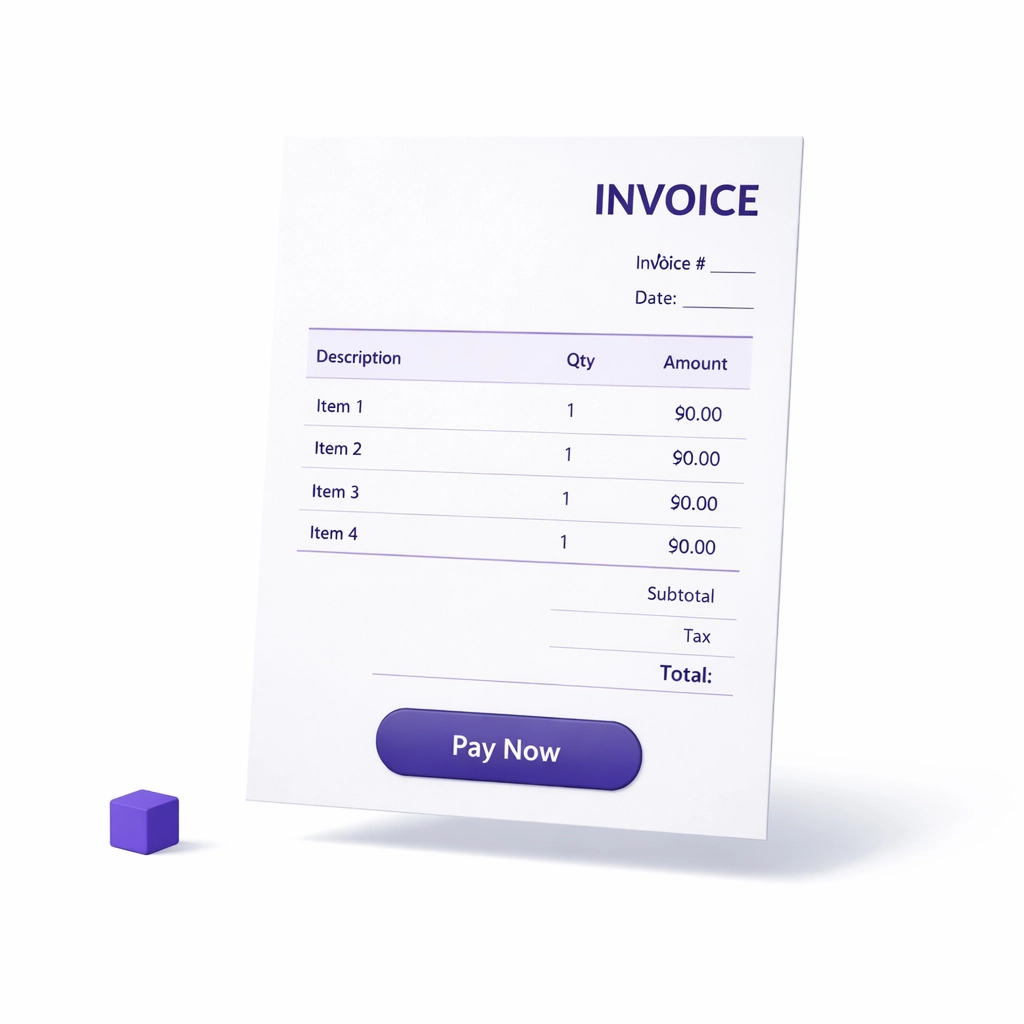
Invoice template design. We build custom invoice templates in either QBO or Xero that match your branding. Logo, colors, custom footer text, payment terms. It looks professional without you touching the design.
Recurring invoice automation. If you bill clients monthly or quarterly, we set up recurring invoices. The system sends them automatically. You approve or adjust as needed.
Payment gateway integration. We connect Stripe, PayPal, Square, or other processors so clients can pay directly from the invoice. Fewer late payments, faster cash flow.
Invoice tracking and follow-up. We monitor which invoices are paid, which are overdue, and send automated reminders. You don't chase payments manually.
Sales tax configuration. For Xero and QBO, we configure sales tax settings based on your LA county requirements and any other jurisdictions where you operate. This keeps you compliant without the guesswork.
Client-by-client customization. Some clients need NET 30 terms. Others pay upfront. We set invoice defaults per client so the right terms show up every time.
This is standard in our monthly bookkeeping services. If you're switching from manual invoicing or upgrading from a basic system, we migrate your data and rebuild your invoice workflow from scratch.
How Much Outsourced Bookkeeping Costs
Outsourced bookkeeping that includes invoicing setup and management typically runs $300 to $800 per month for most small businesses in LA. Here's the breakdown:
Basic monthly bookkeeping: $300 to $500/month. This includes transaction categorization, bank reconciliation, and basic invoicing support. Good for businesses with 20 to 50 invoices per month and straightforward billing.
Mid-tier service: $500 to $800/month. Includes everything above plus recurring invoice automation, payment gateway setup, client-specific billing rules, and sales tax tracking. Best for businesses with 50 to 150 invoices monthly or those needing tighter cash flow management.
High-volume or complex billing: $800+/month. For construction firms, agencies, or consultancies with project-based billing, retainer invoicing, or international clients. We handle job costing, multi-currency invoicing, and detailed reporting.
Most clients in the $500 to $800 range see ROI within the first quarter. You stop spending 10+ hours monthly on invoicing, catch unpaid invoices faster, and reduce billing errors that delay payment.
Software costs are separate. QuickBooks Online runs $35 to $100/month depending on plan. Xero costs $15 to $78/month. We help you pick the right tier based on your invoice volume and features needed.
How Long the Invoicing Setup Takes
If you're starting fresh or switching platforms, here's the realistic timeline for getting invoicing running smoothly with outsourced bookkeeping support:
Week 1: Discovery and design. We review your current invoicing process, client list, payment terms, and branding. Then we build your invoice template and configure payment gateways. This takes 2 to 4 hours of our time, 30 minutes of yours for approvals.
Week 2: Client import and rules setup. We import your client list, set up recurring invoices, and configure any custom billing rules (retainers, milestone billing, etc.). If you have historical unpaid invoices, we bring those in and mark their status.
Week 3: Testing and training. We send test invoices, confirm payment processing works, and walk you through how to approve or edit invoices before they go out. You'll also see how to check invoice status and pull payment reports.
Week 4: Go live. Your first real invoices go out. We monitor delivery, track opens, and handle any hiccups. Most clients are fully comfortable by the end of month one.
If you're switching from QBO to Xero or vice versa, add one extra week for data migration. We don't just export and import. We clean up duplicate clients, fix incorrect tax settings, and make sure your chart of accounts maps correctly.
For businesses already using QBO or Xero but just need invoicing cleanup, we can turn things around in 1 to 2 weeks.
How Outsourced Bookkeeping Improves Your Cash Flow with Better Invoicing
Good invoicing isn't just about sending pretty PDFs. It's about getting paid faster and reducing the time you spend chasing money. Here's what changes when you get it right:
Automatic payment reminders cut late payments by 30% to 50%. Both QBO and Xero let you set up automatic reminders at 3 days before due, on due date, and 7 days overdue. Clients forget. Reminders work. You don't have to write awkward emails.
Faster invoice delivery means faster payment. When invoicing is part of your monthly close process, invoices go out on the same day every month. Clients expect them. They budget for them. You get paid on a predictable schedule instead of scrambling at month-end.
Integrated payment gateways reduce payment friction. When clients can click "Pay Now" and enter a card directly in the invoice, you get paid 40% faster on average compared to mailed checks or bank transfers. Xero supports 160+ currencies, which is a huge win if you have international clients. QBO is better for domestic businesses that need deep Stripe or PayPal integration.
Better invoice tracking shows you exactly where your cash is. You can see at a glance which clients owe what, who's overdue, and what's projected to hit your account this week. This is critical for planning expenses, payroll, and growth investments.
Fewer billing errors mean fewer disputes. When your outsourced bookkeeping team manages invoicing, they catch duplicate invoices, incorrect tax rates, and wrong payment terms before they go out. Disputes delay payment by weeks. Prevention is faster than fixing.
We've seen clients reduce their average days to payment from 45 days to under 30 just by tightening up invoicing workflows and using automated reminders.
QuickBooks Online vs. Xero: Which Invoicing Software Wins?
Here's the honest comparison based on what we see working with LA businesses daily:
Choose QuickBooks Online if:
- You send more than 20 invoices per month and don't want plan limits
- You need deep invoice customization (branded templates, custom fields, detailed line items)
- You prefer phone support when something breaks
- Your payment processor is Stripe or PayPal and you want native integration
- You plan to scale invoicing volume without upgrading software tiers
Choose Xero if:
- You have international clients and bill in multiple currencies
- You want unlimited users without paying per seat (great for growing teams)
- You prefer a faster, cleaner interface for high-volume invoicing
- You use batch invoicing and want to process 10+ invoices at once
- Budget is tight and you need lower monthly software costs
Both platforms handle recurring invoices, automatic reminders, and payment tracking. The real difference is volume limits and interface speed.

For most LA-based service businesses and consultancies, QBO's unlimited invoicing and customization win. For agencies with remote teams or international clients, Xero's unlimited users and multi-currency support make more sense.
We're certified in both. We'll set up whichever fits your business model.
The LA-Based Bookkeeping Advantage
Books LA is based in Los Angeles and certified in both QuickBooks Online and Xero. We've been managing invoicing workflows for startups, consultancies, and small businesses since 2018.
We don't just set up software. We build invoicing systems that match how you actually work. That means custom billing rules for retainer clients, milestone invoicing for project work, and multi-client dashboards for agencies managing dozens of customers.
We also coordinate with your CPA on sales tax compliance and year-end reporting. We don't provide income tax advice, but we make sure your invoicing data is clean, categorized correctly, and ready for tax season without last-minute scrambling.
If you're tired of DIY invoicing or your current bookkeeper doesn't handle this part of the workflow, let's talk. Book a short call and we'll walk you through what's possible.
FAQ: QBO vs Xero Invoicing for Outsourced Bookkeeping
Which platform has better payment gateway options?
Both integrate with major processors like Stripe, PayPal, and Square. Xero has native GoCardless integration for ACH and international payments, which is useful for subscription billing. QBO has tighter Intuit-owned integrations. If you already use a specific processor, check compatibility before choosing.
Can I set up automatic payment reminders in both systems?
Yes. Both QBO and Xero let you configure reminders before due date, on due date, and after overdue. Xero's reminders are slightly more customizable with tone and timing options. QBO's are simpler but effective. Most clients see a 30% to 40% reduction in late payments just by turning reminders on.
Does Xero's 20-invoice limit on the Early plan apply per month or per client?
Per month total across all clients. If you send more than 20 invoices monthly, you need the Growing plan at $42/month. For outsourced bookkeeping clients with variable invoice volume, we usually recommend starting on Growing to avoid hitting limits mid-month.
Can I convert quotes to invoices in both platforms?
Yes. Both QBO and Xero let you create estimates or quotes and convert them to invoices with one click. This is useful for service businesses that quote project work before billing. Xero's quote-to-invoice flow is slightly faster. QBO gives you more customization on the quote template itself.
How do payroll tax and invoicing connect?
They don't directly, but when you use QBO Payroll or Xero Payroll, your payroll tax liabilities show up in the same dashboard as your invoicing and cash flow. This helps with planning. If you're invoicing clients and also paying employees, seeing both in one place avoids cash crunches. We help you set this up so nothing falls through the cracks.
What about sales tax settings? Which platform handles it better?
Xero is cleaner for businesses that operate in multiple tax jurisdictions. You can set tax rates per client and per line item easily. QBO has strong sales tax automation if you enable QuickBooks Sales Tax, but it's US-focused. For LA-based businesses with California sales tax only, both work fine. For multi-state or international, Xero wins.
Should I let my bookkeeper choose the software or do I decide?
It's a joint decision. We recommend based on your invoice volume, team size, payment processor, and whether you have international clients. You decide based on interface preference and budget. Most clients trust our recommendation because we're managing the system daily. If you already own a QBO or Xero subscription, we work with what you have unless it's truly holding you back.
How does invoicing workflow integrate with my CPA at tax time?
Your CPA needs clean revenue reports broken down by client, service, and tax status (taxable vs. non-taxable). Both QBO and Xero generate these reports. We make sure your invoice categories and tax settings are correct from day one so your CPA doesn't have to fix anything in March. We also coordinate directly with your CPA if they need custom reporting. We do not provide income tax advice, but we make sure your books are CPA-ready.
Tax Disclaimer: Books LA provides bookkeeping services and does not offer income tax advice. For income tax questions, consult your CPA. We work closely with CPAs to ensure your books are accurate and ready for tax filing.
