
Save Time and Money with Better Document Management in QBO and Xero
Most small business owners spend hours sorting receipts and chasing missing documents every month. That drags down your month-end close and leaves your profit and loss reports incomplete. With better document management in QuickBooks Online or Xero, you cut admin time, reduce errors, and get clean books faster. Here’s how to set up workflows that keep your financials organized and your business on track.
Streamlining Document Management

Managing documents efficiently is key to maintaining clean books. By focusing on organization, you can prevent errors and speed up your financial processes.
Clean Source Docs for Clean Books
Having organized source documents means fewer headaches during reconciliation. Start by ensuring every piece of financial data is clear and easy to find. Label documents accurately and keep them accessible. This simple step saves time and reduces stress at month-end.
Next, consider using digital copies. Scanning documents keeps them safe from physical damage and makes sharing easier. Tools like Dext or Hubdoc can automatically pull data from receipts, invoices, and bills, making your bookkeeping seamless. When your documents are well-organized, your financial reports paint a clearer picture.
Capture and Categorize Efficiently
To capture and categorize documents efficiently, use receipt capture tools. These tools let you snap photos of receipts and categorize them on the spot. This way, you won’t end up with a pile of papers at the end of the month. Dext and Hubdoc are excellent choices that integrate well with QuickBooks Online and Xero.
Categorization is crucial. Assign categories immediately to avoid confusion later. Use your accounting software to match expenses to categories, ensuring your profit and loss reports are accurate. This step also helps in tracking deductible expenses, which can be crucial for your bottom line.
Build a Robust Folder Structure
Creating a solid folder structure is essential for managing your documents. Start with main folders for months or quarters, then subfolders for categories like bank statements, invoices, and receipts. This makes retrieval easy when reviewing or auditing records.
Consider naming conventions that reflect the document type and date. For example, “2023-03-Invoice-VendorName” can help you locate documents quickly. A well-thought-out structure saves time and reduces errors, allowing you to focus on your core business activities.
Tools and Techniques for Success
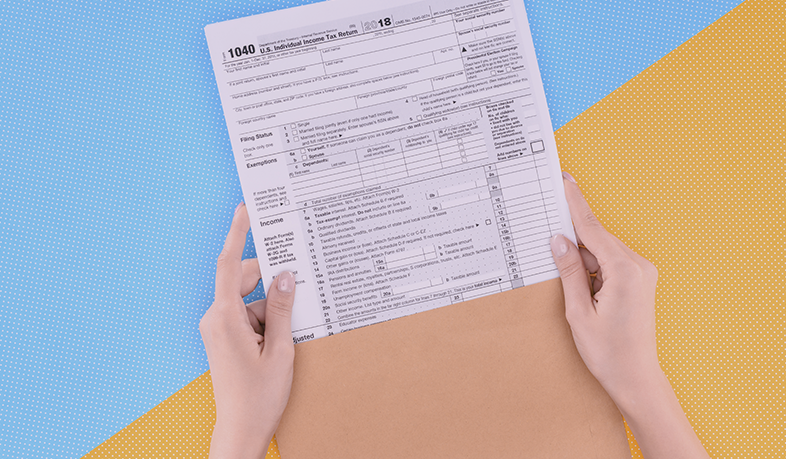
Effective document management is all about using the right tools and techniques. Here’s how to ensure success in your financial processes.
Leverage Receipt Capture Tools
Save time and avoid errors with receipt capture tools. These applications allow you to take a picture of your receipts and get them into your accounting software instantly. Dext, Hubdoc, or Bill.com can do this seamlessly. This means no more manual entry errors or lost receipts.
Using these tools, you can categorize expenses on the go. Set specific rules within the software to automate categorization. This automation ensures that your books stay accurate, and you can focus on growing your business rather than getting bogged down with admin tasks.
Accounts Payable Approvals with Ease
Streamlining accounts payable approvals is vital for maintaining a steady cash flow. Tools like Melio integrate with QuickBooks Online and Xero, simplifying this process. With digital approvals, you reduce paper clutter and speed up payment cycles.
Set up a clear hierarchy for approvals within your team. This improves accountability and reduces the risk of missed payments. Establishing a routine ensures bills are paid on time, maintaining your business’s creditworthiness and relationships with suppliers.
Enhance Workflow Automation
Automation is not just for big businesses. Small businesses can gain much from automating repetitive tasks. QuickBooks Online and Xero offer features that automate invoice reminders, bank transactions, and more. This reduces the manual workload and minimizes errors.
Identify repetitive tasks in your processes and set them to run automatically. This frees up time for strategic activities that drive growth. Automation leads to cleaner books and more time to focus on what’s important: running your business.
Ensuring Smooth Month-End Close

A smooth month-end close is achievable with the right processes in place. Here’s how to ensure your financials are ready on time.
Effective Bank Reconciliation Processes
Bank reconciliation is essential for maintaining accurate records. It involves comparing your bank statements with entries in your accounting software to ensure they match. Regular reconciliation prevents surprises and keeps your cash flow healthy.
Set a schedule for frequent reconciliations. Monthly or even weekly checks can catch discrepancies early. Use accounting software features to automate comparisons and flag mismatches. This proactive approach keeps your financials in top shape.
Security and Retention Best Practices
Keeping your financial data secure is a top priority. Use cloud-based solutions to store your documents securely. Solutions like QuickBooks Online and Xero provide robust security features to protect your data.
Establish a retention policy for your documents. Know which documents to keep and for how long. This not only keeps you compliant with regulations but also ensures you have the right data when needed.
Metrics and Performance Tracking
Tracking your business’s financial performance is crucial for growth. Use metrics like cash flow, profit margins, and expenses to gauge success. QuickBooks Online and Xero offer dashboards that provide real-time insights.
Regularly review these metrics to understand your financial health. This helps in making informed decisions and planning for the future. The more you know about your financials, the better you can steer your business toward success.
FAQ:
-
How often should I reconcile my bank accounts?
-
Aim for monthly reconciliations to catch errors early and keep your accounts accurate.
-
-
What tools can help with receipt management?
-
Tools like Dext and Hubdoc are great for capturing and categorizing receipts efficiently.
-
-
Why is document retention important?
-
It ensures compliance with regulations and easy access to past financial data.
-
-
How can automation help my small business?
-
Automation reduces manual tasks, minimizes errors, and frees up time for growth strategies.
-
