The 2026 Audit Wave: How Clean Books Became Your Best Insurance Policy

The 2026 Audit Wave: How Clean Books Became Your Best Insurance Policy

Last updated: February 11, 2026

Clean books prevent audit issues in 2026 by giving you real-time visibility into sales tax compliance, payroll tax obligations, and business license requirements before problems turn into penalties. When state agencies and automated matching systems flag discrepancies, accurate records are your only defense.

This post is for startup founders and construction business owners who need reliable bookkeeping services to stay compliant during the 2026 audit wave. You'll learn what professional bookkeeping includes, how much it costs, and why your CPA depends on clean data to protect you.

Why the 2026 audit wave is different

State and federal agencies now use automated systems to cross-check your bank deposits, payroll filings, and sales tax reports in real time. This is not the year-end audit your parents worried about. This is continuous monitoring.

If your QuickBooks categories are messy, your payroll tax deposits are late by even a day, or your sales tax nexus calculation is wrong, the system flags you automatically. No human review. No benefit of the doubt.

Startups scaling across state lines and construction companies juggling 1099 contractors are the highest risk targets. Why? Because growth creates complexity fast. One new employee in another state means payroll registration, state unemployment insurance, and potentially a business license. One project in a new county might trigger sales tax obligations you did not know existed.

The cost of being wrong has gone up. Late payroll tax penalties start at 2% and compound weekly. Sales tax underpayment can trigger retroactive bills going back three years, plus interest.

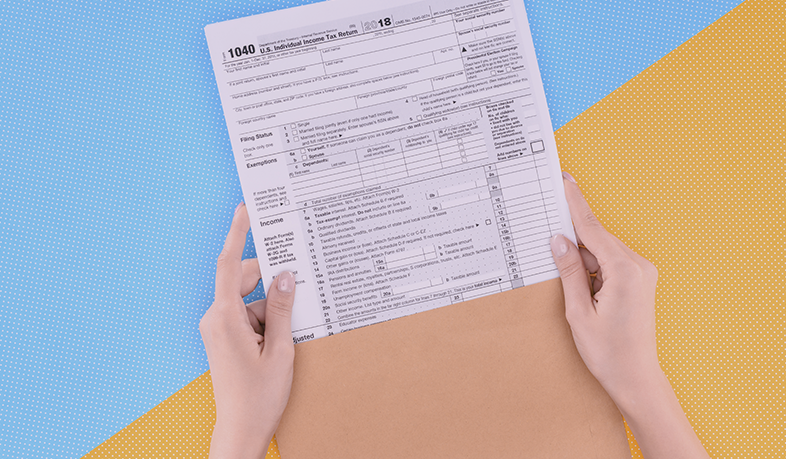
Audit alert visualization showing tax penalty risks for businesses with poor bookkeeping

What our bookkeeping services include

Our bookkeeping services are designed for businesses that need more than data entry. We focus on the details that prevent audit exposure.

Transaction categorization with tax implications in mind. Every expense and income entry is coded correctly so your sales tax liability is accurate and your payroll tax accounts balance. We do not use "Miscellaneous" as a catch-all.

Monthly reconciliation of all accounts. Bank accounts, credit cards, and loan balances are reconciled every month so your CPA has a clear picture at year end. This also catches duplicate transactions, missed payments, and unauthorized charges before they snowball.

Sales tax tracking and nexus monitoring. We track where you are doing business and alert you when you are approaching economic nexus thresholds in new states. For construction firms working across county lines, this is critical. For startups selling online, this prevents surprise bills.

Payroll tax compliance support. We make sure your payroll records match your 941 filings, your state withholding, and your unemployment insurance reports. If there is a mismatch, we catch it before the state does.

Business license and registration tracking. We maintain a checklist of your active licenses, renewal dates, and new registration requirements triggered by hiring or expansion. This is especially important for construction businesses that need contractor licenses in multiple jurisdictions.

1099 and W-2 preparation support. We ensure contractor payments are tracked separately and flagged for 1099 reporting. For employees, we verify that W-2 wages match payroll records so there are no discrepancies when your CPA files.

We use QuickBooks Online and Xero exclusively. Both platforms integrate with payroll providers, banks, and state filing systems, which means less manual entry and fewer errors.

Need help staying audit-ready?

We are Books LA, a Los Angeles-based bookkeeping team specializing in startup bookkeeping and construction bookkeeping. We are certified ProAdvisors for QuickBooks Online and Xero.

Our clients are founders managing remote teams and construction business owners juggling multiple job sites. We handle the books so you can focus on growth without worrying about compliance surprises.

If you want clean, audit-ready records, schedule a call with us. We will review your current setup and give you a clear plan.

How much professional bookkeeping services cost

Pricing for bookkeeping services depends on transaction volume, payroll complexity, and whether you need cleanup or just ongoing monthly work.

Monthly bookkeeping for startups: $400 to $800 per month for businesses with up to 100 transactions and simple payroll (under 10 employees). This includes transaction categorization, reconciliation, and sales tax tracking.

Monthly bookkeeping for construction firms: $600 to $1,200 per month. Construction businesses typically have more complexity because of job costing, subcontractor payments, and multi-state licensing. We track costs by project and ensure 1099s are ready at year end.

Bookkeeping cleanup: $1,000 to $3,000 for a full year of cleanup, depending on how messy the books are and how many months need to be corrected. Cleanup includes re-categorizing transactions, reconciling accounts, fixing payroll mismatches, and preparing accurate reports for your CPA.

Payroll tax setup and compliance monitoring: Included in monthly pricing if you use a payroll provider like Gusto or ADP. If you need us to file directly or manage multi-state payroll registration, we charge an additional $150 to $300 per month.

Sales tax nexus review: $250 one-time fee to audit where you are doing business and confirm whether you have nexus obligations in other states. This is especially valuable if you have grown quickly or started selling in new markets.

Most clients start with a cleanup to get current, then move to monthly bookkeeping services to stay compliant going forward.
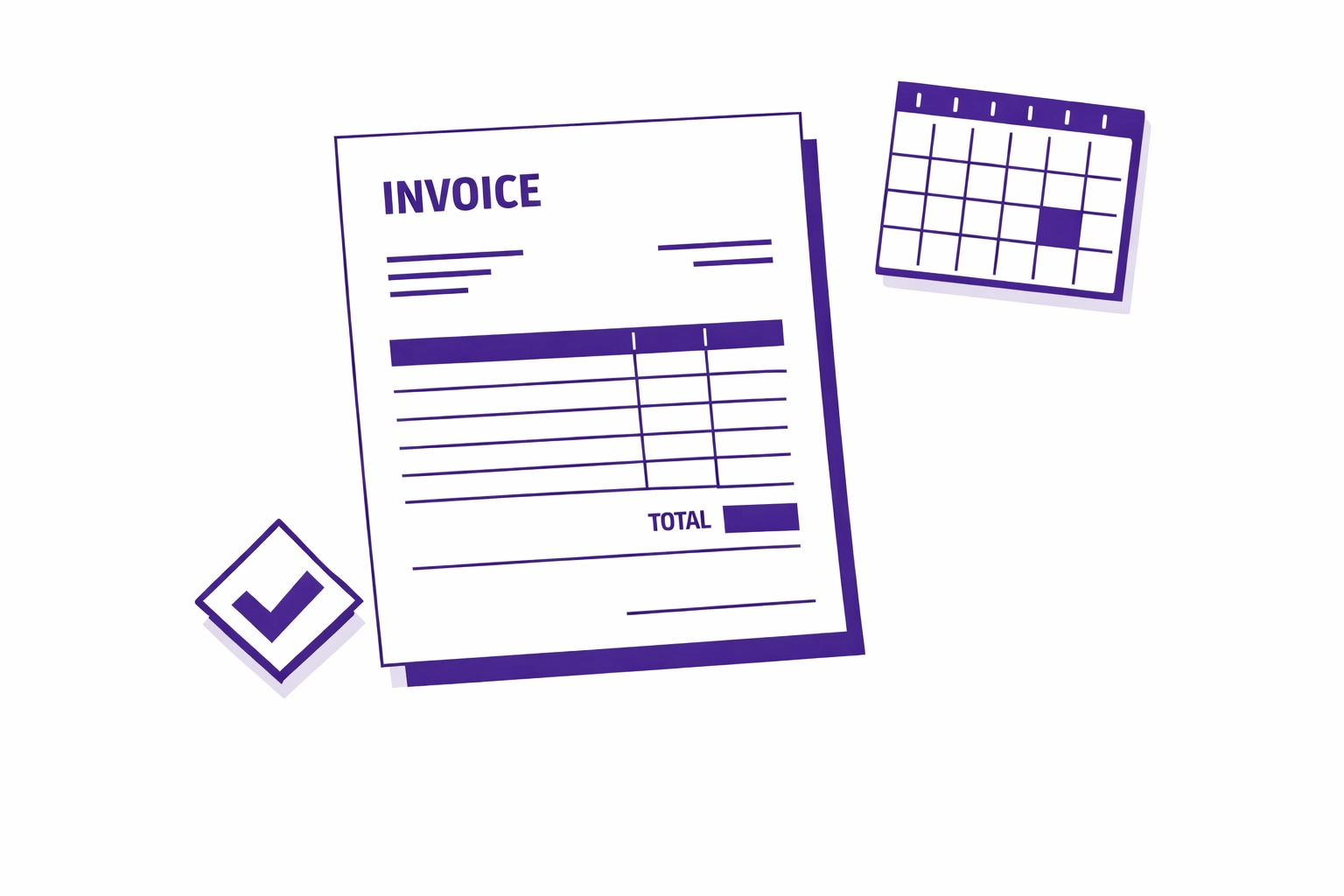
Invoice and calendar showing monthly bookkeeping services pricing structure

How long the setup process takes

Setup depends on your starting point. If your books are current and organized, we can onboard you in one week. If you need cleanup, expect four to six weeks.

Week 1: Discovery and access. We review your current QuickBooks or Xero file, your bank statements, payroll reports, and sales tax filings. We identify gaps, mismatches, and missing documentation.

Week 2 to 3: Cleanup (if needed). We re-categorize transactions, reconcile accounts, and fix payroll tax discrepancies. If you have been using spreadsheets or paper records, this takes longer because we need to manually enter historical data.

Week 4: CPA coordination. We send a summary of corrections to your CPA so they can adjust prior filings if necessary. We also set up a shared process for year-end tax prep so nothing is missed.

Week 5 and beyond: Monthly close process. Once the books are clean, we move into a monthly rhythm. Transactions are categorized weekly, accounts are reconciled by the 10th of each month, and you get a summary report showing profit, sales tax liability, and payroll tax status.

For construction bookkeeping, we also set up job costing so you can track profitability by project. This takes an extra week because we need to build a chart of accounts that matches how you bid and invoice jobs.

Why your CPA needs clean data for audit protection

Your CPA does not do bookkeeping. They rely on the data you give them to prepare accurate tax returns and defend you if you get audited.

When your books are messy, your CPA has two choices. They can spend hours cleaning them up (which you pay for at $200 to $400 per hour), or they can file based on incomplete data and hope nothing gets flagged. Neither option protects you.

Sales tax compliance requires transaction-level accuracy. If your sales are not categorized by state and taxability, your CPA cannot verify whether you collected the right amount. If the state audits you, they will assume you underreported and bill you for the difference, plus penalties.

Payroll tax filings must match your books exactly. If your 941 shows $50,000 in wages but your QuickBooks shows $48,000, the IRS will assume payroll tax was underreported. Your CPA cannot fix this at year end because payroll tax is filed quarterly.

Business license lapses create liability exposure. If your contractor license expires and you continue working, you are operating illegally. Your CPA does not track this. You need bookkeeping services that include compliance monitoring so nothing falls through the cracks.

1099 reporting errors trigger automatic IRS notices. If you pay a contractor $10,000 but report $8,000 on the 1099, the IRS sends a notice to both you and the contractor. Your CPA cannot correct this after the fact because 1099s are filed in January based on the prior year's data.

Clean books mean your CPA can file with confidence. They also mean you can answer questions quickly if you do get audited, because every transaction is documented and categorized correctly.

We do not provide income tax advice. We work closely with your CPA to ensure they have the clean data they need to file your returns accurately. For income tax strategy and filing, you should consult your CPA directly.

Data protection concept showing clean bookkeeping records for CPA audit defense

About Books LA

We are a Los Angeles-based bookkeeping team specializing in startup bookkeeping and construction bookkeeping. We are certified ProAdvisors for QuickBooks Online and Xero.

Our clients include SaaS startups managing remote teams across multiple states and construction companies running multiple job sites with subcontractor crews. We handle monthly bookkeeping, payroll tax compliance, sales tax tracking, and 1099 preparation.

We do not just enter transactions. We monitor nexus thresholds, track business license renewals, and coordinate with your CPA so you stay compliant without constant stress.

If you need reliable bookkeeping services, reach out to us. We will review your situation and give you a clear plan.

Ready to protect your business?

The 2026 audit wave is not slowing down. State agencies and automated systems are flagging businesses faster than ever, and the penalties for errors are steep.

You do not need to handle this alone. Our bookkeeping services give you clean, accurate records so your CPA can file with confidence and you can focus on running your business.

Schedule a call with us today. We will walk you through what we need, how pricing works, and how long it takes to get you audit-ready.


Frequently Asked Questions

What audit risks do startups and construction companies face in 2026?

Startups scaling across state lines risk sales tax nexus violations and payroll tax penalties from unregistered employees. Construction companies face 1099 misclassification issues, business license lapses, and job costing errors that trigger gross receipts tax problems. Both industries are flagged by automated systems when their reported income does not match bank deposits.

How much do bookkeeping services cost for a startup with 10 employees?

Monthly bookkeeping for a startup with 10 employees and up to 100 transactions typically costs $400 to $800 per month. This includes transaction categorization, bank reconciliation, payroll tax tracking, and sales tax monitoring. If you need cleanup first, expect to pay $1,000 to $2,000 for a full year of corrections.

Can you handle payroll tax compliance for multi-state teams?

Yes. We track payroll tax obligations for every state where you have employees. We coordinate with your payroll provider to ensure state withholding, unemployment insurance, and local taxes are filed correctly. If you need us to manage registration in new states, we charge an additional $150 to $300 per month depending on complexity.

Do I need separate bookkeeping for construction job costing?

Yes. Construction bookkeeping requires job costing so you can track profitability by project. We set up a chart of accounts that matches how you bid and invoice jobs, and we track costs by project so you know which jobs are making money and which are losing it. This is included in our monthly construction bookkeeping pricing.

What happens if I have not filed sales tax in a state where I have nexus?

You need to register immediately and file back returns. We can help you calculate what you owe based on your transaction history, but you will need to work with your CPA or a sales tax attorney to negotiate penalties. The longer you wait, the more expensive it gets. Our bookkeeping services include nexus monitoring so this does not happen going forward.

How do you make sure 1099s are accurate?

We track contractor payments separately throughout the year and flag them for 1099 reporting. At year end, we verify that total payments match your bank records and payroll system. We also check for duplicate payments or missing invoices. We prepare a 1099 summary for your CPA, but they are responsible for filing.

Can you work with my existing CPA?

Yes. Most of our clients have an existing CPA relationship. We provide monthly reports and year-end summaries so your CPA has clean data to file your returns. We also coordinate on corrections and answer questions during tax prep. We do not provide income tax advice. That is your CPA's role.

What software do you use for bookkeeping?

We use QuickBooks Online and Xero exclusively. Both platforms integrate with banks, payroll providers, and state filing systems, which reduces manual entry and errors. If you are using a different system, we can migrate you to QBO or Xero as part of the setup process.


A No-Drama Guide to Moving to QuickBooks Online or Xero

A No-Drama Guide to Moving to QuickBooks Online or Xero

A No-Drama Guide to Moving to QuickBooks Online or Xero

Switching your books to QuickBooks Online or Xero doesn’t have to disrupt your business. Many owners worry about messy data, lost transactions, or downtime—but those don’t have to be part of your story. This guide lays out clear steps to get your cloud accounting setup right, with accurate reports and a smooth monthly close. Ready to move forward without the usual headaches? Keep reading. For more insights, check out this resource.

Preparing for Cloud Accounting Transition

Getting ready for cloud accounting is a crucial step that sets the stage for success. By focusing on preparation, you can avoid pitfalls and ensure a smooth transition.

Pre-Migration Clean-Up

Before you dive into cloud accounting, a clean slate is essential. Start by reviewing your current data. Are there outdated records or duplicate entries? Cleaning these up now saves you headaches later.

Next, organize your paperwork. Digitize important documents if necessary. This makes them easier to access once you’re in the cloud. Pull together all your financial statements and ensure everything is in order. Consistency here is key to a seamless transition.

Lastly, take the time to verify that all accounts are reconciled. An unreconciled account can lead to discrepancies once you move your data. This step might seem tedious, but it’s worth the effort. Remember, a solid foundation makes all the difference.

Choosing the Right Subscription

Selecting the right cloud accounting subscription is crucial. It can impact both your experience and your budget. Start by evaluating your business needs. Do you require advanced features like multi-currency support or inventory tracking?

Compare different plans. QuickBooks Online and Xero both offer various options. Look at the features each plan offers and match them with your requirements. Don’t pay for features you don’t need, but ensure you have the essentials.

Consider scalability as well. Your business will grow, and your accounting needs might change. Choose a plan that can grow with you. This way, you won’t need to switch plans frequently. For more tips, visit Sanay BPO’s blog.

Chart of Accounts Mapping

Mapping your chart of accounts is more than a technical step—it’s strategic. It shapes how you view your financial health in the new system. Start by reviewing your current chart of accounts. Identify any redundancies or gaps.

With a streamlined list, create a mapping document. This will guide how each account transitions to the new system. It’s crucial for maintaining accuracy. This step also prevents any surprises during financial reporting.

Consult with your accountant or bookkeeper during this process. Their expertise can be invaluable. They’ll help ensure your accounts reflect your business’s true financial picture. This attention to detail sets up successful financial management with QuickBooks Online or Xero.

Transitioning to QuickBooks Online or Xero

With preparation complete, it’s time to transition. This stage is about bringing your business into the cloud efficiently and with confidence.

Bank Feed Setup and Reconciliation

Setting up bank feeds is where the magic of cloud accounting begins. It automates data entry, saving you time and reducing errors. Start by connecting your bank accounts to QuickBooks Online or Xero.

Ensure you have all login details handy. Each bank may have specific steps, but generally, it’s a straightforward process. Once connected, transactions will start importing automatically.

After setup, focus on reconciliation. Regular reconciliation ensures your records match your bank statements. This step keeps your data accurate and up-to-date. It might seem small, but it prevents issues from snowballing later. For more details, see this guide.

Importing Historical Data

Bringing your past financial data into the new system is vital for continuity. Start by exporting data from your old system. Formats like CSV are usually compatible with QuickBooks Online and Xero.

Importing involves mapping fields from your old data to the new system. Follow the prompts carefully to ensure data lands in the correct places. This process might take time, but it’s worth the investment to get accurate, historical data in the cloud.

After import, review your data. Look for discrepancies or missing information. Confirm that reports like your P&L and balance sheet reflect true figures. This validation process is essential for ongoing financial clarity.

Checking Opening Balances

Opening balances are your starting point in the new system. They need to be accurate for future reporting. Begin by verifying that all balances from your old system match the new one.

This step might require adjusting entries. Don’t rush it—take the time to ensure everything aligns perfectly. This accuracy prevents future errors in your financial statements.

If you encounter discrepancies, consult with your accountant. Their expertise can guide you through resolving any issues. This final check ensures your transition is complete and your financial data is ready for future reporting.

Completing the First Monthly Close

With your system up and running, it’s time for the first monthly close. This process solidifies your transition and sets the stage for ongoing success.

Ensuring Accurate Reports

Accurate reports are the backbone of informed decision-making. Start your monthly close by reviewing all entries for the month. Are all transactions categorized correctly?

Run standard reports like the P&L and balance sheet. Compare these to previous periods to spot trends or anomalies. This routine check keeps your business on track and provides valuable insights.

Use these reports to assess your financial health. Consider metrics like cash flow and profitability. These insights empower you to make adjustments and plan strategically for growth.

Avoiding Common Migration Mistakes

Mistakes can derail your transition, but awareness helps you avoid them. One common error is neglecting regular reconciliation. Ensure this task is part of your routine.

Another pitfall is overlooking user access controls. Secure your data by assigning appropriate permissions. This step protects sensitive information and maintains data integrity.

Finally, don’t skip regular backups. Even with cloud systems, having a backup is smart practice. These steps might seem simple, but they preserve your data’s integrity and your peace of mind.

Scheduling a Migration Consult

Feeling overwhelmed or need expert guidance? Scheduling a migration consult can be the perfect solution. An experienced consultant can guide you through the process, ensuring all steps are completed accurately.

They offer personalized advice tailored to your business needs. This support can alleviate stress and streamline the transition. It’s a small investment that pays off in smooth operations and accurate financial data.

Remember, the longer you wait, the more challenges you might face. Act now to secure your business’s financial future. For expert insights, explore this LinkedIn piece.

FAQ

Q: Why is reconciliation important in cloud accounting?
A: Reconciliation ensures your financial records match your bank statements, keeping your data accurate and up-to-date.

Q: How do I choose between QuickBooks Online and Xero?
A: Consider your business needs, such as required features and budget. Both platforms offer various plans to suit different requirements.

Q: What should I do if I find discrepancies in my opening balances?
A: Consult with an accountant to resolve any issues and ensure your financial data is accurate from the beginning.

Q: When should I consider getting a migration consultant?
A: If you feel overwhelmed or encounter complex issues, a migration consultant can provide guidance and ensure a smooth transition.

Bookkeeping Cleanup for IRS Data Matching: Protect Your Business (2026)

Bookkeeping Cleanup for IRS Data Matching: Protect Your Business (2026)

Last updated: February 11, 2026

If you want to reduce IRS matching issues in 2026, your numbers need to tie out across your bank activity, payroll filings, and third-party forms. A bookkeeping cleanup gets your data consistent so your CPA is not forced to guess.

This is for small businesses and startups that want clean books before tax time. You will get a bookkeeping cleanup checklist, what it usually costs, and how the process works.

Here is what changed, what to fix, and what to do next.

What's Changed with IRS Data Matching in 2026

If your books are behind, start with a bookkeeping cleanup. It is the fastest way to get your reports and filings telling the same story.

The IRS rolled out machine learning tools that cross-reference your income with data from banks, payment processors, and state agencies. Think of it as a constantly running audit that flags inconsistencies before you even file your return.

This isn't about catching fraud. It's about catching mistakes. And mistakes are everywhere when your bookkeeping isn't tight.

Here's what the system checks:

  • Bank deposits against reported income
  • 1099 forms against what you logged in QuickBooks Online or Xero
  • Payroll filings (Form 941) against your recorded payroll expenses
  • Sales tax remittances against revenue reported on state returns

The technology uses pattern recognition to spot anomalies. If your gross receipts don't match your bank deposits, you're flagged. If your payroll tax doesn't line up with your W-2s, you're flagged. If your sales tax remittance is off by 15%, you're flagged.

According to Accounting Today, AI-driven compliance monitoring is one of the top three trends shaping the industry this year.

Modern bookkeeping workspace showing IRS data matching and financial records organization

Why "Close Enough" Bookkeeping is Now a Red Flag

You used to be able to wait until December to clean up your books. Not anymore.

The IRS's new system flags discrepancies as they happen. If your Q2 payroll tax filing doesn't match your internal records, the system notes it. If your sales tax payments to California don't align with the revenue you logged, it's recorded. By the time your CPA sits down to prepare your return, the IRS already has a list of questions.

Here's what triggers the system most often:

  • Income categorized as "miscellaneous" or "other"
  • Sales tax collected but not properly tracked
  • Payroll expenses that don't match quarterly 941 filings
  • Duplicate transactions or uncategorized deposits
  • Business expenses mixed with personal transactions

These aren't intentional errors. They're the result of rushed data entry, inconsistent categorization, or just plain confusion about where things go.

A bookkeeping cleanup fixes these issues before they become audit triggers.

The Three Areas Where Clean Books Matter Most

We don't provide income tax advice. We work closely with your CPA to ensure they have the clean data they need to file your returns accurately.

Our focus is on the three areas where messy books create the biggest compliance headaches: sales tax, payroll tax, and business licenses.

Sales Tax Accuracy

If you sell physical products or certain services, you're collecting sales tax. That tax needs to match what you remit to the state. When your "Sales" account in QuickBooks or Xero includes both taxable and non-taxable revenue lumped together, your numbers won't align with your sales tax filings.

The IRS now cross-checks your gross receipts against state sales tax data. If there's a mismatch, both agencies start asking questions.

Payroll Tax Alignment

Every quarter, you file Form 941 to report payroll taxes. That form includes wages paid, federal income tax withheld, Social Security, and Medicare. If your bookkeeping shows different payroll totals than what you filed, the IRS's system flags it immediately.

This happens most often when:

  • Payroll was processed but not recorded in your accounting software
  • Bonuses or reimbursements were miscategorized
  • Employer-side payroll taxes were posted to the wrong account

Business License Compliance

Some business licenses require proof of revenue to determine renewal fees or permit levels. If your books show $300K in revenue but your business license application listed $150K, that discrepancy creates a red flag that can ripple into IRS scrutiny.

Clean books give you a single source of truth across all filings.

Before and after bookkeeping cleanup showing disorganized versus organized financial records

What our bookkeeping cleanup includes

You are trying to get every key number to agree across your bank feeds, payroll reports, sales tax filings, and year-end forms. That is what a bookkeeping cleanup is for.

Here is what our bookkeeping cleanup typically includes (you can also use this as a DIY checklist).

Transaction review

  • Reconcile every bank and credit card account for the past 12 months
  • Categorize all "uncategorized" and "miscellaneous" transactions
  • Remove or correct duplicates
  • Confirm chart of accounts is usable (not 8 versions of the same expense)

Income verification

  • Match deposits to invoices, POS reports, and payment processor payouts
  • Separate taxable and non-taxable revenue where relevant
  • Confirm 1099 income is recorded correctly
  • Verify owner contributions and transfers are not sitting in income

Expense accuracy

  • Review high-dollar expenses (often $500+ is a good start)
  • Move personal items out of business accounts (confirm with your CPA on treatment)
  • Clean up vendor names and consistent categories
  • Confirm loan and credit card payments are not double-counted

Payroll and tax alignment

  • Match payroll expense and liabilities to quarterly filings (like Form 941 summaries from your payroll provider)
  • Verify payroll tax liabilities are recorded and paid
  • Check sales tax collected matches remittances (if you collect sales tax)

Document organization

  • Attach receipts and invoices inside QuickBooks Online or Xero where possible
  • Store W-9s, 1099s, and contractor agreements in a secure folder
  • Create a folder structure for monthly statements and quarterly filings

This is the core of a bookkeeping cleanup. The right scope depends on how far behind you are and what your CPA needs.

Transaction Review

  • Reconcile every bank and credit card account for the past 12 months
  • Categorize all "uncategorized" or "miscellaneous" transactions
  • Remove duplicate entries

Income Verification

  • Match all deposits to invoices or sales records
  • Separate taxable and non-taxable revenue
  • Verify that 1099 income is recorded correctly

Expense Accuracy

  • Review every business expense over $500
  • Move personal expenses out of business accounts
  • Confirm vendor names and categories are correct

Payroll and Tax Alignment

  • Match payroll expenses to quarterly 941 filings
  • Verify that payroll tax liabilities are recorded and paid
  • Check that sales tax collected matches remittances

Document Organization

  • Attach receipts or invoices to transactions in your accounting software
  • Store W-9s, 1099s, and contractor agreements in a secure location
  • [] Create a folder structure for quarterly filings

This checklist takes most businesses between 8 and 20 hours to complete, depending on the size and complexity of your records.

How much bookkeeping cleanup costs

Most bookkeeping cleanup projects are priced based on time, because the time depends on how many months are unreconciled and how messy the transaction detail is.

Common cost drivers:

  • How many months are not reconciled
  • How many transactions are uncategorized or duplicated
  • How many accounts are involved (bank, credit cards, loans)
  • Payroll complexity (employees, contractors, benefits)
  • Sales tax complexity (multiple states, taxable and non-taxable revenue)
  • Whether supporting docs exist (statements, receipts, payroll reports)

A practical way to estimate:

  • Light cleanup (1 to 2 months behind): often 5 to 10 hours
  • Moderate cleanup (3 to 6 months behind): often 10 to 25 hours
  • Heavy cleanup (6 to 18+ months behind): often 25+ hours

Confirm scope and pricing with your bookkeeper after a quick review.

Example with simple numbers

A consulting firm with $400K in annual revenue was in QuickBooks Online and had not reconciled 18 months of accounts. They hired us for a bookkeeping cleanup in January 2026.

What we found

  • 112 uncategorized transactions totaling $87,000
  • $23,000 in personal expenses mixed into business accounts
  • Sales tax collected but not separated from revenue, creating a $6,400 discrepancy with state filings
  • Payroll recorded inconsistently, with a $9,200 gap between their books and their 941 filings

What we fixed

  • Reconciled 18 months of transactions (14 hours)
  • Reclassified expenses and separated personal items (6 hours)
  • Aligned sales tax and payroll records with filings (4 hours)
  • Documented everything for their CPA (2 hours)

Total cleanup time: 26 hours at $85/hour = $2,210

We do not provide income tax advice. Confirm any tax treatment with your CPA.

How long the cleanup process takes

The timeline depends on two things: how many months you need to catch up, and how fast you can provide documents and answers.

Typical timing for a bookkeeping cleanup:

  • Light cleanup: 1 to 2 weeks
  • Moderate cleanup: 2 to 4 weeks
  • Heavy cleanup: 4 to 8+ weeks

What slows it down:

  • Missing bank statements or loan statements
  • No access to payroll reports (941 summaries, payroll registers)
  • Unclear owner transactions or mixed personal and business spending
  • Multiple payment processors with deposits that need mapping

Why your CPA needs clean data

Your CPA can only file accurately if your books are consistent and supported. Clean data means your Profit and Loss, Balance Sheet, and transaction detail match the real-world source documents.

A bookkeeping cleanup helps your CPA:

  • Tie bank deposits to income (and explain what is not income)
  • Support deductions with proper categorization and documentation
  • Reconcile payroll expense and payroll tax liabilities to filings
  • Reduce back-and-forth questions during tax prep
  • Avoid filing off numbers that do not match third-party forms

Disclaimer: We do not provide income tax advice. We work closely with your CPA to ensure they have the clean data they need to file your returns accurately.

How Books LA works with your CPA

We handle the bookkeeping. Your CPA handles the tax strategy and filing.

Here's the typical workflow:

  1. You grant access to QuickBooks Online or Xero, bank feeds, and your payroll system.
  2. We run a bookkeeping cleanup: reconciliations, categorization, and tie-outs to payroll and sales tax activity.
  3. We deliver CPA-ready reports: Profit and Loss, Balance Sheet, and the transaction detail your CPA will ask for.
  4. Your CPA files using clean, supported numbers.
  5. You stay current with monthly bookkeeping (optional, but it prevents another big cleanup).

We are Los Angeles-based, and we are certified ProAdvisors for QuickBooks Online and Xero.

CTA: If you want help scoping your books, request a bookkeeping cleanup service review.

Your Weekly Action Plan

You don't need to fix everything at once. Break it into steps.

Week 1: Assess

  • Pull your last three months of bank statements
  • Open your accounting software and count how many uncategorized transactions you have
  • Note any obvious discrepancies (big deposits that aren't recorded, expenses that look wrong)

Week 2: Reconcile

  • Reconcile your primary business checking account for the past 90 days
  • Categorize any transactions marked "uncategorized" or "other"
  • Flag anything you're unsure about for follow-up

Week 3: Align Tax Filings

  • Compare your payroll expense in your books to your last 941 filing
  • Compare your sales tax liability to what you actually remitted to the state
  • Note gaps and research what happened

Week 4: Document and Decide

  • Attach receipts to key transactions in your software
  • Decide whether to finish the cleanup yourself or bring in help
  • If you're hiring a bookkeeper, schedule a call to review what you found

If you're staring at 18 months of backlog, skip straight to Week 4 and bring in support.

Four-week bookkeeping cleanup action plan with step-by-step organization process

Your weekly action plan

You do not need to fix everything at once. Do the minimum that gets you accurate reports and clean tax support.

Today (30 minutes)

  • Download the last 2 bank statements and credit card statements
  • Open QuickBooks Online or Xero and check unreconciled months
  • List your connected tools (payroll, POS, payment processors)

This week

  • Reconcile your main checking account for the last full month
  • Clear uncategorized transactions for that same month
  • Pull payroll summaries for the last quarter (from your payroll provider)

This month

  • Decide your scope: last 3 months, last 12 months, or multi-year
  • Complete the remaining reconciliations
  • Export and save: Profit and Loss, Balance Sheet, and general ledger for your CPA

FAQ: Bookkeeping cleanup for IRS data matching

Q1: How much does bookkeeping cleanup cost?
It depends on how far behind you are and how many accounts you have. Most projects are priced by time after a quick review.

Q2: How long does a bookkeeping cleanup take?
Many cleanups take 1 to 4 weeks. Bigger backlogs can take 4 to 8+ weeks, mostly based on document turnaround.

Q3: How far back should I go?
At minimum, clean up the current tax year. If last year is not filed or your CPA asks for it, include the prior year too.

Q4: What documents do you need from me?
Bank and credit card statements, loan statements if you have them, payroll reports, and access to your accounting file. If you use payment processors, we also need payout reports.

Q5: Do you work in QuickBooks Online and Xero?
Yes. We work in both, and we are certified ProAdvisors for QuickBooks Online and Xero.

Q6: What if I mixed personal and business transactions?
It is common. We will separate them so your business reports are usable. Confirm any tax treatment with your CPA.

Q7: Can I do a bookkeeping cleanup without receipts?
Often yes, but you may lose support for certain deductions. Confirm documentation requirements with your CPA.

Q8: Will a bookkeeping cleanup prevent an audit?
No one can promise that. A cleanup reduces mismatches and gives your CPA better support if questions come up.


Want us to handle this?

If you want us to run your bookkeeping cleanup, start with a one-line request for our bookkeeping cleanup service.

Botkeeper Bookkeeping: How to Manage the 2026 Closure

Botkeeper Bookkeeping: How to Manage the 2026 Closure

Losing access to your bookkeeping system can mean lost financial records, missing reports, and a messy handoff to your CPA. If you are facing the Botkeeper Bookkeeping shutdown, your job is to export your data, save your supporting documents, and move your books into a platform you control. This post gives you a calm, step by step plan to protect your records and restart with a reliable, human-led bookkeeper.

Botkeeper Bookkeeping Closure: What it Means for Your Records

If your books lived inside Botkeeper, your risk is simple. If access ends, you may not be able to pull reports, reconciliations, or attachments later.

Botkeeper Bookkeeping users should treat February 2026 like a hard deadline, even if the exact cutoff for your account is unclear. Confirm timing directly with Botkeeper support.

For background on the closure, read the source here: https://www.cpapracticeadvisor.com/2026/02/09/botkeeper-is-closing-its-doors/177677/.

Botkeeper Bookkeeping Data Export Checklist (Do This First)

Do the export before you shop for a new provider. You cannot rebuild what you did not save.

Export and download:

  • Bank and credit card transactions: CSV for each account, full history you can access
  • General ledger: detailed transaction report by account
  • Reconciliation reports: monthly bank rec reports, including any notes or exceptions
  • Chart of accounts: your account list and any custom categories
  • Vendor list and customer list: names, contact info, payment history if available
  • Invoices and bills: open and paid, plus any aging reports you can pull
  • Financial statements: Profit and Loss, Balance Sheet, Cash Flow by year and by month
  • Attachments: receipts, invoices, and any files stored inside the system

Save your Botkeeper Bookkeeping export in two places. Use a local folder and a cloud folder.

Name files by month and account, for example: 2025-11 Bank Rec Checking.pdf or 2024 P&L by Month.pdf. That naming will save hours later.

Financial documents and receipts transferring from folder to cloud backup storage

Move Off Botkeeper Bookkeeping: Software and Setup Steps

You need two things, a bookkeeping platform you control and a person who will verify the numbers.

Step 1: Pick your platform. Most small businesses choose QuickBooks Online or Xero. Your CPA probably has a preference, confirm with your CPA.

Step 2: Rebuild your chart of accounts. Match your old structure where it makes sense, but do not copy bad categories just because they exist.

Step 3: Connect bank feeds and apps. Make a list of every connected bank account, credit card, payment processor, and payroll tool.

Step 4: Import history carefully. Your Botkeeper Bookkeeping export can usually be imported in pieces, but it still needs review. Do not assume the imported file equals correct books.

Step 5: Reconcile month by month. A new system is only trustworthy when your bank recs match the bank statements.

Why Botkeeper Bookkeeping Migrations Need Cleanup (Even if Reports Look Fine)

Automated coding can be fine for basic businesses, but it often misses context.

Here are the issues we see most after a Botkeeper Bookkeeping handoff:

  • Expenses coded to the wrong category, which distorts your Profit and Loss
  • Owner payments mixed with business expenses
  • Duplicate transactions from bank feed resets
  • Unreconciled months, which makes cash and credit card balances unreliable
  • Uncategorized transactions left to pile up

A human-led cleanup is not about perfection. It is about getting your bank and credit card accounts reconciled, then making your reports usable.

Practical Example: Cost, Hours, and Fixes After Botkeeper Bookkeeping

Here is a realistic cleanup scenario.

You run a consulting business doing about $35,000 per month in revenue. You move off Botkeeper Bookkeeping after 18 months and you want clean books for the last 12 months.

A typical first month of work looks like this:

  • Categorization review: 40 to 60 transactions reclassified, about 5 to 7 hours
  • Reconciliation catch-up: 3 months not fully reconciled, about 3 to 5 hours
  • Duplicate and missing items: remove duplicates totaling $2,000 to $4,000, fix one missing payment around $1,200, about 1 to 2 hours
  • Reporting reset: deliver a correct Profit and Loss and Balance Sheet, about 1 to 2 hours

Total: 10 to 16 hours in the first month.

At common cleanup rates, that is often $1,200 to $2,400 depending on volume and complexity. Ongoing monthly bookkeeping is usually lower once the foundation is fixed.

Botkeeper Bookkeeping Closure: Your Next Action Plan for This Week

Keep it simple. The goal is no data loss and no gap in your bookkeeping.

  • Today: Export everything using the checklist, save it in two places
  • Tomorrow: Download statements from your banks and credit cards for the last 12 to 24 months
  • This week: Choose your next platform, QuickBooks Online or Xero, and open the account
  • This week: Interview two bookkeeping providers, ask how they handle reconciliations and cleanup after automated systems
  • By Friday: Start onboarding with your chosen provider and share your Botkeeper Bookkeeping export

If you want a second set of eyes, you can book a short bookkeeping review with Books LA: https://www.booksla.com/contact

Why Books LA is a Human-Led Alternative to Botkeeper Bookkeeping

You need accurate books, not just categorized transactions.

Books LA is human-led. A certified bookkeeper reviews your work, reconciles accounts, and fixes the issues that automated systems tend to leave behind.

We work in your QuickBooks Online or Xero file, so you own your data. If you ever switch providers, your books move with you.


Frequently Asked Questions

What should I do first after the Botkeeper Bookkeeping closure?
Export your Botkeeper Bookkeeping data and attachments first, then save them in two places.

How long will a cleanup take after leaving Botkeeper Bookkeeping?
Many small businesses need 10 to 20 hours for the first pass, then a normal monthly cadence after that.

Can I just start fresh and ignore the old records?
Do not, you will lose history needed for taxes, loans, and comparisons. Confirm record retention needs with your CPA.

Should I use QuickBooks Online or Xero next?
Either works, pick the one your CPA prefers and that fits your workflows. QuickBooks Online is common in the US, Xero is strong for many service businesses.

What if my exported reports do not match my bank balances?
That usually means unreconciled months or duplicates. A bookkeeper can reconcile month by month and correct the differences.

Do I need a human bookkeeper if I used automation before?
If you want reliable reports, yes, especially during the transition. Automation can assist, but a person should verify coding and reconciliations.

What to Do About the Botkeeper Closure: A Step-by-Step Guide for Small Businesses

What to Do About the Botkeeper Closure: A Step-by-Step Guide for Small Businesses

If you’re a Botkeeper customer, here’s what to do right now: Export all your financial data before their systems shut down, choose a new bookkeeping provider this week, and schedule a cleanup review to fix any automated coding errors. You have limited time to secure your books and avoid a gap in your financial records. This post walks you through exactly how to transition without losing data or momentum.

Why This Matters More Than You Think

You’re probably feeling frustrated right now. Maybe even a little panicked.

When Botkeeper announced their February 2026 wind-down, thousands of small businesses suddenly lost access to their primary bookkeeping system. That means no real-time financial visibility, no organized records for tax season, and no easy way to know if you’re actually making money this month.

The worst part? If you wait too long, you risk losing years of transaction history, reconciliation notes, and cleaned-up data.

Export Your Data Today (Not Tomorrow)

Before anything else, you need to get your financial data out of Botkeeper’s system.Financial documents and receipts transferring from folder to cloud backup storage

Here’s your data export checklist:

  • Transaction history: Download all categorized transactions from every connected bank account and credit card
  • Reconciliation records: Export bank reconciliation reports for each month, including cleared and uncleared items
  • Chart of accounts: Save your customized account structure and categories
  • Vendor and customer lists: Export contact information and payment history
  • Year-end reports: Download profit and loss statements, balance sheets, and cash flow statements for each fiscal year
  • Supporting documents: Retrieve receipts, invoices, and any uploaded files

Most accounting platforms let you export to CSV or Excel files. Download everything now, even if you’re not sure you’ll need it.

Store these files in at least two places. Your computer and a cloud backup like Google Drive or Dropbox.

How to Move Your Books from Botkeeper to a New Provider

Switching bookkeeping providers doesn’t have to be messy. But it does require a clear process.

Step 1: Choose your accounting software. If you’re not already using QuickBooks Online (QBO) or Xero, now is the time to pick one. Most bookkeepers, including Books LA, work directly in these platforms. They’re industry-standard for a reason: they’re reliable, your CPA already knows them, and they integrate with hundreds of business tools.

Step 2: Set up your new system. Your new bookkeeper will help you configure your chart of accounts, connect your bank feeds, and set up any recurring transactions. This typically takes one to two weeks depending on your business complexity.

Step 3: Import your historical data. This is where things get tricky. Automated systems like Botkeeper sometimes miscategorize transactions or miss reconciliation errors. Your new provider should review the imported data, not just dump it in blindly.

Step 4: Run a parallel month. If possible, have your new bookkeeper handle at least one month while you still have Botkeeper access. This lets you compare reports and catch any discrepancies before you’re fully switched over.

What to Look for in Your Next Bookkeeping Provider

You just lost a bookkeeping service. You don’t want to make the same mistake twice.

Here’s what actually matters when choosing a new provider:

Human oversight, not just automation. Botkeeper relied heavily on AI to categorize transactions. That works great until it doesn’t. Look for a service with certified bookkeepers who review your books manually. They catch the weird stuff that algorithms miss.

Direct communication access. Can you actually talk to the person doing your books? Or are you stuck with chatbots and support tickets? You need someone who answers questions about your specific business, not generic advice from a help center.

Cleanup experience. Your next provider needs to be good at fixing messes. Automated bookkeeping often leaves behind miscategorized expenses, unreconciled accounts, and duplicate transactions. Ask potential bookkeepers: “Have you cleaned up books from automated services before?”

QBO or Xero proficiency. These platforms are the standard. If a bookkeeper only works in their proprietary software, you’re back to the same vendor lock-in problem you just escaped.

Roadmap showing bookkeeping transition steps from Botkeeper to new provider

A Real Example: What a Cleanup and Catch-Up Looks Like

Let’s say you’re a consulting business with $400,000 in annual revenue. You’ve been using Botkeeper for 18 months. You just exported your data and hired a human bookkeeper to take over.

Here’s what the first month typically involves:

Week 1: Review and categorization cleanup. Your bookkeeper finds 43 transactions that were miscategorized (meals coded as office supplies, software subscriptions marked as equipment, personal expenses mixed with business costs). They reclassify everything and create clear categories going forward. Time investment: 6 hours.

Week 2: Reconciliation fixes. Three months weren’t fully reconciled. Your bookkeeper reconciles each month properly, identifying $2,847 in duplicate entries and one missing $1,200 payment. Your actual profit for Q4 was $8,300 higher than Botkeeper reported. Time investment: 4 hours.

Week 3: Set up current month. Your bookkeeper connects bank feeds, sets up recurring transactions, and categorizes the current month in real time. They also create a standard monthly reporting package: P&L, balance sheet, and cash flow statement. Time investment: 3 hours.

Week 4: Review call and ongoing setup. You meet with your bookkeeper to review the cleaned-up books and ask questions. They adjust any categories based on your feedback. Going forward, they’ll handle your monthly books in about 4 to 6 hours per month. Total first-month cost: approximately $1,300 to $1,600 at typical hourly rates.

That’s the real timeline. Not instant, but not overwhelming either.

Why Human-Led Bookkeeping Works Better for Most Small Businesses

Automation sounds great in theory. In practice, your business is too unique for pure AI.

Consider these common situations that trip up automated bookkeeping:

  • Mixed-use expenses (part business, part personal) that need to be split
  • Industry-specific categorization (construction materials, film production costs, inventory for makers)
  • Seasonal businesses with irregular income patterns
  • Loan payments that need to be split between principal and interest
  • Sales tax collected in multiple states with different rules

A human bookkeeper sees these patterns and adjusts. An algorithm guesses and often gets it wrong.

At Books LA, we use the same modern tools (bank feeds, OCR receipt scanning, cloud access) but with certified professionals reviewing every transaction. You get the speed of technology with the accuracy of human judgment.

Your Action Plan for This Week

Don’t let this transition drag out. Here’s what to do in the next seven days:

Monday or Tuesday: Export all your data from Botkeeper. Store it in two places. Call or email Botkeeper support to confirm your account closure date and ask about any transition resources they’re offering.

Wednesday or Thursday: Research bookkeeping providers. Schedule intro calls with at least two. Ask specifically about their cleanup process and QBO or Xero experience. If you need a recommendation, reach out to Books LA for a free initial consultation.

Friday: Choose your provider and start the onboarding process. Share your exported Botkeeper data. Discuss timeline and pricing for the cleanup and ongoing services.

Weekend: Take a breath. You’re handling this the right way.

Organized desk with calculator and weekly planner for bookkeeping transition tasks

What Makes Books LA Different

We’re not an AI bookkeeping platform. We’re real bookkeepers who happen to be really good with technology.

Every Books LA client works with a dedicated, certified bookkeeper who knows their business. You can text, call, or email your bookkeeper directly. No chatbots, no ticket systems, no waiting three days for a generic response.

We specialize in cleanup work. That means we’re especially good at taking messy books from automated systems (or overworked business owners) and turning them into accurate, useful financial records. We’ve transitioned dozens of businesses off platforms like Botkeeper, and we know exactly what to look for.

We work in your QuickBooks Online or Xero account. You own your data, your software, and your financial history. If you ever want to switch bookkeepers again, you can do it easily. No vendor lock-in.

Our pricing is straightforward: monthly packages based on your transaction volume and complexity. Most small businesses pay between $300 and $800 per month for ongoing bookkeeping. Cleanup projects are quoted separately based on how many months need attention.

Next Step: Get Your Books Sorted This Month

If you’re ready to move on from Botkeeper with confidence, let’s talk this week.

We’ll review your exported data, give you an honest assessment of what needs fixing, and create a transition plan that works for your timeline. Book a free 15-minute consultation and we’ll walk you through exactly what your transition would look like.


Frequently Asked Questions

How long do I have to export my data from Botkeeper?

Botkeeper hasn’t published an exact shutdown date yet, but their February 2026 wind-down announcement suggests access could end anytime this month. Don’t wait. Export everything today or tomorrow at the latest. Once their systems go offline, your data may be gone for good.

Can I just do my own bookkeeping after Botkeeper closes?

You can, but consider the time investment. Most small business owners spend 8 to 15 hours per month on DIY bookkeeping, and they still miss things that cost them at tax time. If your time is worth more than $50 per hour, hiring a bookkeeper usually pays for itself. Plus, you’ll actually understand your financial reports instead of just entering data.

What if I have years of messy books from Botkeeper that were never properly reconciled?

This is fixable. A good bookkeeper can go back and reconcile old months, but it gets expensive the further back you go. Prioritize the current fiscal year and last year at minimum. If older years matter (like for an audit or loan application), you can clean those up as needed. Confirm with your CPA which periods are most important.

Should I use QuickBooks Online or Xero?

For most U.S. small businesses, QuickBooks Online is the safer choice. It has better integration with American banks, payroll providers, and tax software. Xero is excellent and popular internationally, but QBO dominates the U.S. market. Your CPA almost certainly prefers QBO. Unless you have a specific reason to choose Xero, go with QuickBooks.

How much does bookkeeping cleanup cost after leaving an automated service?

Expect to pay $500 to $2,500, depending on how many months need attention and how complex your business is. A simple consulting business with 12 months of miscategorized transactions might cost $800. A retail business with inventory, sales tax in multiple states, and 24 months of problems could run $2,000 or more. Most bookkeepers will give you a fixed quote after reviewing your exported data.

What happens if I just start fresh and ignore my old Botkeeper data?

Bad idea for two reasons. First, you’ll have no financial history for tax preparation, loan applications, or year-over-year comparisons. Second, if the IRS ever audits you, you need clean records going back at least three years (seven for some situations). Starting fresh might feel easier now, but it creates massive problems later. Always preserve and clean up your historical data.

AP & AR Made Simple: Pay Bills On Time and Collect Cash Faster

AP & AR Made Simple: Pay Bills On Time and Collect Cash Faster

AP & AR Made Simple: Pay Bills On Time and Collect Cash Faster

Managing accounts payable and receivable can feel overwhelming when bills pile up and payments lag. Without a clear system in QuickBooks Online or Xero, cash flow gets tight and month-end closes drag on. This post shows you a simple, repeatable way to handle AP/AR that keeps bills paid on time and speeds up collections. Stick with us to learn how to stay current, confident, and ready for your next monthly close. For more tips, check out this resource.

Streamlining Accounts Payable

Let’s kick off by tackling accounts payable. A smooth process here ensures vendors are happy and your credit stays strong. First up, get those vendor records sorted.

Setting Up Vendor Records

Getting vendor records right is your first step. You want up-to-date and accurate information. Why? Because it saves you time and avoids payment errors. Here’s how you do it:

  1. Gather Details: Ensure you have the right contact, payment terms, and mailing address.

  2. Use Software: QuickBooks Online or Xero can efficiently store and manage this data.

Taking these steps means less back-and-forth with vendors. Plus, when payments are due, you’re set up to process them smoothly.

Automated Bill Pay Solutions

Automating bill payments can be a game changer for your business. It simplifies the process and avoids late fees. Here’s what you should consider:

  • Choose a System: Set up automated payments using your accounting software.

  • Schedule Payments: Align payment dates with cash flow projections to keep your bank account healthy.

Automated solutions reduce manual work and help you stay organized. You’ll spend less time on checks and more on growing your business. Learn more about AP strategies.

Payment Terms That Work

Payment terms can make a big difference in your cash flow. Setting clear terms helps manage when money leaves your account. Let’s break it down:

  • Negotiate Wisely: Aim for terms that align with your cash flow. Common terms are Net 30 or Net 45.

  • Communicate Clearly: Make sure your vendors understand and agree to these terms.

By setting terms that work for you, you maintain control over your finances. This approach makes it easier to predict expenses and manage your budget effectively.

Efficient Accounts Receivable Management

With AP in check, let’s turn to accounts receivable. This is where you ensure money comes in smoothly. Customer invoicing is the backbone of this process.

Customer Invoicing Best Practices

A solid invoicing system ensures you get paid on time. Here’s how to make your invoicing efficient:

  • Be Prompt: Send invoices immediately after a sale or service.

  • Clear Details: Include due dates, item descriptions, and total amounts.

Following these practices helps avoid misunderstandings and delays. Your clients will appreciate the clarity, and you’ll appreciate the timely payments. Explore invoicing tips here.

Implementing a 3-Step Collections Process

A structured collections process keeps your cash flow steady. Here’s a simple three-step method:

  1. Friendly Reminder: Send a reminder a week before the due date.

  2. Firm Follow-Up: If unpaid, follow up the day after the due date.

  3. Personal Call: After a week, call the client to discuss payment.

This approach is polite yet effective, ensuring you stay on top of collections without straining relationships.

Utilizing Dunning Emails Effectively

Dunning emails are your secret weapon for overdue invoices. Done correctly, they prompt action without offending clients. Here’s how:

  • Start Soft: The first email should be a gentle reminder.

  • Increase Urgency: After two reminders, stress the importance of payment.

Dunning emails are about consistent communication. They keep your invoice on the client’s radar and reduce the chances of it slipping through the cracks. More on receivables management.

Achieving a Smooth Monthly Close

Now, let’s ensure your monthly close runs like clockwork. It starts with keeping your books in order and understanding key financial reports.

The Importance of Bank Reconciliation

Bank reconciliation is vital to verify your records match bank statements. Here’s how you benefit:

  • Spot Errors: Identify discrepancies and correct them promptly.

  • Maintain Accuracy: Keeps your financial records reliable and up-to-date.

Regular reconciliation helps you catch issues early, preventing surprises at the month’s end.

P&L and Balance Sheet Basics

Understanding your P&L and balance sheet is crucial. These reports show your business’s financial health. Here’s why they matter:

  • P&L (Profit & Loss): Tracks income and expenses over time.

  • Balance Sheet: Shows your assets, liabilities, and equity at a specific point.

Review these reports monthly to make informed business decisions. They provide insight into profitability and financial position.

Simplifying Cash Flow Management

Managing cash flow is about timing. With the right strategies, you can ensure funds are available when needed. Here’s what to focus on:

  • Forecast Regularly: Use historical data to predict future cash flow.

  • Monitor Closely: Keep an eye on cash inflows and outflows regularly.

Effective cash flow management keeps your business running smoothly without financial hiccups.

FAQ

Q: How often should I reconcile my bank accounts?
A: Monthly reconciliations are recommended to keep your records accurate and up to date.

Q: What’s the best way to remind clients of overdue invoices?
A: Start with a friendly reminder email and follow up with a call if necessary.

Q: How can I improve my cash flow management?
A: Regularly forecast your cash flow and monitor it closely to avoid surprises.

Stay on top of your AP/AR processes to keep your business financially healthy. If you need help, reach out to a professional bookkeeping service like Books LA.

Your Monthly Bookkeeping Checklist: Essentials for Small Business Owners

Secure Your Business’s Financial Future: Expert Bookkeeping Support for Botkeeper Clients

Botkeeper’s sudden shutdown has left many business owners scrambling to find reliable bookkeeping services fast. When financial records hang in the balance, having experienced bookkeepers isn’t just helpful—it’s priceless. If you’re one of the Botkeeper clients facing uncertainty, there’s practical support ready to help you regain control and keep your financial management on track.

Responding to Botkeeper’s Sudden Closure

The abrupt closure of Botkeeper has left its clients in a bind. Many business owners are facing uncertainty with their bookkeeping needs now unmet. Let’s explore how this change affects you.

Impact on Botkeeper Clients

Botkeeper’s shutdown has been a shock to many. Client businesses now urgently need to secure new bookkeeping support. Without it, financial records are at risk, threatening your operations. The sudden void requires immediate attention to avoid chaos in managing your finances.

The absence of Botkeeper’s services means businesses must act quickly. You’re not alone in this—many are in the same position, searching for reliable solutions. This situation highlights the value of having dependable bookkeeping partners at your side.

Navigating the Transition with Confidence

Transitioning from a service like Botkeeper to a new provider can seem daunting. But with the right steps, you can ensure a smooth transition without compromising the accuracy of your financial records. The key is to act fast and choose a provider with proven reliability.

As you search for a new provider, prioritize those with a strong track record. Review their client reviews and success stories to assess their effectiveness. Remember, the longer you delay, the trickier it becomes to maintain seamless financial management.

The Value of Experienced Bookkeepers

Shifting gears, it’s crucial to recognize the immense value experienced bookkeepers bring to your business. They are not just number-crunchers—they are guardians of your financial health.

Why Expertise Matters

Experienced bookkeepers offer more than just basic record-keeping. They provide insights that help you make informed decisions. With a trained eye, they spot errors and potential issues before they escalate, saving you time and money.

Think about this: an expert bookkeeper can transform your financial data into a strategic tool. They can help you plan for growth, manage taxes efficiently, and ensure regulatory compliance. Most people assume bookkeeping is just about balance sheets, but it’s so much more.

Ensuring Accurate Financial Management

Accuracy is at the heart of financial management. A small error in your books can lead to significant problems down the line. That’s why having a knowledgeable bookkeeper is crucial. They double-check every detail to ensure nothing is overlooked.

With accurate records, you can confidently make strategic business decisions. Whether it’s planning for expansion or cutting unnecessary costs, precise financial data is your best ally. Don’t underestimate the importance of getting your numbers right.

Partnering with Books LA for Support

Books LA stands ready to support you during this transition. They offer a range of services tailored to meet your business’s unique needs, ensuring your financial management remains solid.

Comprehensive Bookkeeping Services

Books LA provides a wide array of services from basic bookkeeping to more advanced financial planning. Their team of seasoned professionals is equipped to handle your financial records with expertise and care. They aim to make the process as straightforward as possible.

What sets Books LA apart is commitment to personalized service. They understand that each business is unique and tailor their services accordingly. You’ll receive the attention and support needed to keep your financial operations running smoothly.

How to Get Started with Books LA

Getting started with Books LA is simple. Reach out to their team to discuss your needs, and they will guide you through the onboarding process. You’ll find their approach straightforward and client-focused, making the transition seamless.

Once on board, you’ll feel the relief of having expert support by your side. Books LA takes the burden off your shoulders, allowing you to focus on other aspects of your business. Remember, acting quickly ensures your financial management remains uninterrupted.

In summary, while the closure of Botkeeper presents challenges, it also opens the door to finding a partner that truly understands your needs. With the right support, you can secure your business’s financial future confidently.

FAQs: Transitioning from Botkeeper to Books LA

Q1: Why did Botkeeper shut down?

Botkeeper closed operations due to undisclosed reasons, leaving many clients without support. It’s important to stay updated through reliable business news sources for any further announcements or details.

Q2: How quickly can I transition to Books LA?

With Books LA, the transition can be swift. Once you contact their team, they will prioritize your onboarding to ensure minimal disruption to your financial management.

Q3: What services does Books LA offer to former Botkeeper clients?

Books LA offers comprehensive bookkeeping services, including basic bookkeeping, financial planning, and regulatory compliance. They tailor their services to meet the specific needs of your business.

Q4: How do I start the transition process?

Starting the transition is easy. Reach out to Books LA either by sending us the message, or book a call. https://booksla.as.me/15mincall

Q5: Will I have a dedicated bookkeeper assigned to my business?

Yes, Books LA assigns dedicated bookkeepers to each client, ensuring personalized service and a deep understanding of your business’s financial needs.

Q6: What makes Books LA different from other bookkeeping services?

Books LA stands out due to their personalized service, experienced team, and commitment to maintaining accurate financial records. They focus on building long-term relationships with their clients by offering tailored solutions.

Q7: Is my financial data safe with Books LA?

Absolutely. Books LA employs robust security measures to protect your financial data, ensuring confidentiality and compliance with applicable data protection regulations.

Should you have any additional questions or require further assistance, feel free to contact us for more detailed information.

Partnering with Books LA for Support

Books LA is ready to support you during this transition. Our range of services is tailored to meet your business’s unique needs, ensuring your financial management remains solid.

Comprehensive Bookkeeping Services

We provide a wide array of services from basic bookkeeping to more advanced financial planning. Our team of seasoned professionals is equipped to handle your financial records with expertise and care. We aim to make the process as straightforward as possible.

What sets us apart is our commitment to personalized service. We understand that each business is unique and tailor our services accordingly. You’ll receive the attention and support needed to keep your financial operations running smoothly.

How to Get Started with Books LA

Getting started with us is simple. Reach out to our team to discuss your needs, and we will guide you through the onboarding process. You’ll find our approach straightforward and client-focused, making the transition seamless.

Once on board, you’ll feel the relief of having expert support by your side. We take the burden off your shoulders, allowing you to focus on other aspects of your business. Remember, acting quickly ensures your financial management remains uninterrupted.

In summary, while the closure of Botkeeper presents challenges, it also opens the door to finding a partner that truly understands your needs. With the right support, you can secure your business’s financial future confidently.

Top Benefits of QuickBooks Online and Xero for Small Businesses

Top Benefits of QuickBooks Online and Xero for Small Businesses

Top Benefits of QuickBooks Online and Xero for Small Businesses

Most small business owners spend hours wrestling with messy books and confusing reports. QuickBooks Online and Xero simplify cloud accounting by keeping your monthly close on track and your financial reports accurate. With clear bank reconciliation, P&L and balance sheet updates, and cash flow visibility, you regain control and cut bookkeeping time. See how Books LA’s expertise turns your QBO or Xero file into a reliable tool for growth and peace of mind. For more information, check out this comparison between QuickBooks and Xero.

QuickBooks Online: A Game Changer for Small Businesses

QuickBooks Online is revolutionizing how small businesses handle finances, making bookkeeping less of a chore and more of an asset. It’s time to see how this tool can empower your business growth.

Streamlined Financial Management

Imagine having all your financial data in one place, accessible anytime. QuickBooks Online offers exactly that. You can update your records quickly and efficiently. Managing finances shouldn’t feel like pulling teeth. With QuickBooks, organizing your data becomes straightforward. No more juggling spreadsheets or paperwork. Instead, you have everything in an easy-to-use platform.

Accurate Monthly Reports

Having reliable financial reports is crucial. QuickBooks Online ensures your reports are precise and timely. These reports help you understand your cash flow, making it easier to make informed decisions. For instance, you can track your profit and loss statements with clarity. This isn’t just about numbers; it’s about gaining insights into your business health.

Efficient Bank Reconciliation

Reconciling your bank transactions should be hassle-free. QuickBooks offers a simple way to match your bank feeds with your records. This keeps your accounts accurate and up to date. No more late nights trying to find where things went wrong. QuickBooks makes it easy to keep everything aligned, so you can focus on running your business.

Xero: Simplifying Bookkeeping Challenges

Switching to Xero can transform your approach to bookkeeping, taking challenges and turning them into opportunities. Let’s explore how this tool can benefit your business.

Cloud Accounting Benefits

Xero brings the power of cloud accounting to your fingertips. Imagine accessing your business data from anywhere. This flexibility means you’re always in control, whether in the office or on the go. The cloud also ensures your data is secure and backed up regularly. It’s about peace of mind, knowing your information is safe and accessible.

Comprehensive Financial Reports

With Xero, financial reporting becomes a breeze. The platform provides vital insights into your business performance. Think about how you could use this information to drive growth. Identifying trends and making strategic decisions becomes second nature. Your balance sheet and cash flow statements are always just a few clicks away.

Smooth Payroll Coordination

Managing payroll shouldn’t be a constant headache. Xero offers tools to streamline this process. Automate calculations and ensure compliance with ease. This means less time spent on manual entries and more time focusing on what matters. Payroll errors can be costly. Xero helps you avoid these pitfalls by providing accurate and efficient solutions.

Expert Guidance from Books LA

Books LA stands ready to enhance your QuickBooks or Xero experience with expert guidance tailored to your needs. Here’s how we can help.

Tailored QuickBooks and Xero Setup

Setting up QuickBooks or Xero can be daunting. But with Books LA, you’ll have a partner to guide you through the process. We customize your setup to fit your business, ensuring your financial systems are perfectly aligned with your goals. This personalized approach means you hit the ground running, avoiding common setup pitfalls.

Clean Up Bookkeeping for Accuracy

Messy books? We’ve got you covered. Books LA specializes in cleaning up bookkeeping to ensure accuracy. Accurate books are the backbone of a healthy business. We help you tidy up your accounts, making sure everything is in order. This not only improves your financial health but also boosts your confidence in making business decisions.

Schedule Your Complimentary Consultation

Ready to take the next step? Books LA offers a complimentary consultation to discuss your bookkeeping needs. Don’t let financial management stress you out. Reach out to us today and discover how we can support your business. The longer you wait, the more opportunities you might miss. Let’s get started on organizing your financial future.

Behind on your books? Book a 15-min call

Save Time and Money with Better Document Management in QBO and Xero

Save Time and Money with Better Document Management in QBO and Xero

Save Time and Money with Better Document Management in QBO and Xero

Most small business owners spend hours sorting receipts and chasing missing documents every month. That drags down your month-end close and leaves your profit and loss reports incomplete. With better document management in QuickBooks Online or Xero, you cut admin time, reduce errors, and get clean books faster. Here’s how to set up workflows that keep your financials organized and your business on track.

Streamlining Document Management

Managing documents efficiently is key to maintaining clean books. By focusing on organization, you can prevent errors and speed up your financial processes.

Clean Source Docs for Clean Books

Having organized source documents means fewer headaches during reconciliation. Start by ensuring every piece of financial data is clear and easy to find. Label documents accurately and keep them accessible. This simple step saves time and reduces stress at month-end.

Next, consider using digital copies. Scanning documents keeps them safe from physical damage and makes sharing easier. Tools like Dext or Hubdoc can automatically pull data from receipts, invoices, and bills, making your bookkeeping seamless. When your documents are well-organized, your financial reports paint a clearer picture.

Capture and Categorize Efficiently

To capture and categorize documents efficiently, use receipt capture tools. These tools let you snap photos of receipts and categorize them on the spot. This way, you won’t end up with a pile of papers at the end of the month. Dext and Hubdoc are excellent choices that integrate well with QuickBooks Online and Xero.

Categorization is crucial. Assign categories immediately to avoid confusion later. Use your accounting software to match expenses to categories, ensuring your profit and loss reports are accurate. This step also helps in tracking deductible expenses, which can be crucial for your bottom line.

Build a Robust Folder Structure

Creating a solid folder structure is essential for managing your documents. Start with main folders for months or quarters, then subfolders for categories like bank statements, invoices, and receipts. This makes retrieval easy when reviewing or auditing records.

Consider naming conventions that reflect the document type and date. For example, “2023-03-Invoice-VendorName” can help you locate documents quickly. A well-thought-out structure saves time and reduces errors, allowing you to focus on your core business activities.

Tools and Techniques for Success

Effective document management is all about using the right tools and techniques. Here’s how to ensure success in your financial processes.

Leverage Receipt Capture Tools

Save time and avoid errors with receipt capture tools. These applications allow you to take a picture of your receipts and get them into your accounting software instantly. Dext, Hubdoc, or Bill.com can do this seamlessly. This means no more manual entry errors or lost receipts.

Using these tools, you can categorize expenses on the go. Set specific rules within the software to automate categorization. This automation ensures that your books stay accurate, and you can focus on growing your business rather than getting bogged down with admin tasks.

Accounts Payable Approvals with Ease

Streamlining accounts payable approvals is vital for maintaining a steady cash flow. Tools like Melio integrate with QuickBooks Online and Xero, simplifying this process. With digital approvals, you reduce paper clutter and speed up payment cycles.

Set up a clear hierarchy for approvals within your team. This improves accountability and reduces the risk of missed payments. Establishing a routine ensures bills are paid on time, maintaining your business’s creditworthiness and relationships with suppliers.

Enhance Workflow Automation

Automation is not just for big businesses. Small businesses can gain much from automating repetitive tasks. QuickBooks Online and Xero offer features that automate invoice reminders, bank transactions, and more. This reduces the manual workload and minimizes errors.

Identify repetitive tasks in your processes and set them to run automatically. This frees up time for strategic activities that drive growth. Automation leads to cleaner books and more time to focus on what’s important: running your business.

Ensuring Smooth Month-End Close

A smooth month-end close is achievable with the right processes in place. Here’s how to ensure your financials are ready on time.

Effective Bank Reconciliation Processes

Bank reconciliation is essential for maintaining accurate records. It involves comparing your bank statements with entries in your accounting software to ensure they match. Regular reconciliation prevents surprises and keeps your cash flow healthy.

Set a schedule for frequent reconciliations. Monthly or even weekly checks can catch discrepancies early. Use accounting software features to automate comparisons and flag mismatches. This proactive approach keeps your financials in top shape.

Security and Retention Best Practices

Keeping your financial data secure is a top priority. Use cloud-based solutions to store your documents securely. Solutions like QuickBooks Online and Xero provide robust security features to protect your data.

Establish a retention policy for your documents. Know which documents to keep and for how long. This not only keeps you compliant with regulations but also ensures you have the right data when needed.

Metrics and Performance Tracking

Tracking your business’s financial performance is crucial for growth. Use metrics like cash flow, profit margins, and expenses to gauge success. QuickBooks Online and Xero offer dashboards that provide real-time insights.

Regularly review these metrics to understand your financial health. This helps in making informed decisions and planning for the future. The more you know about your financials, the better you can steer your business toward success.

FAQ:

  1. How often should I reconcile my bank accounts?

    • Aim for monthly reconciliations to catch errors early and keep your accounts accurate.

  2. What tools can help with receipt management?

    • Tools like Dext and Hubdoc are great for capturing and categorizing receipts efficiently.

  3. Why is document retention important?

    • It ensures compliance with regulations and easy access to past financial data.

  4. How can automation help my small business?

    • Automation reduces manual tasks, minimizes errors, and frees up time for growth strategies.

Payroll Management Best Practices for Small Business Owners

Payroll Management Best Practices for Small Business Owners

Payroll Management Best Practices for Small Business Owners

Payroll management can feel like a constant scramble. Missing deadlines, misclassifying employees, or juggling contractor payments creates costly headaches. You need clear steps to run accurate, on-time payroll without surprises. This guide shares payroll best practices for small business owners using QuickBooks Online or Xero—and how Books LA helps keep your books clean and reports clear. For more insights, check out this resource here.

Accurate and On-Time Payroll

Managing payroll accurately and punctually is crucial for any small business. Unexpected issues can arise without a structured approach. Let’s explore the key components of a well-oiled payroll system.

Building a Reliable Payroll Calendar

A well-planned payroll calendar is your first step to avoiding chaos. Imagine knowing exactly when payments are due and planning accordingly. Here’s how to craft one:

  • Mark Key Dates: Start by listing every payday, including holidays and weekends that might impact processing.

  • Regular Reminders: Set up reminders a week in advance. This allows time for adjustments if something changes.

  • Review Periods: Allocate time for reviewing payroll entries before each cycle to ensure accuracy.

Creating this calendar reduces last-minute stress. You’ll soon find payroll tasks becoming second nature, like clockwork.

Effective Employee Classification

Misclassifying employees can lead to penalties. Ensuring each worker is correctly categorized is vital. Here’s how to do it right:

  • Understand the Types: Employees can be full-time, part-time, or contractors. Each type has different tax and benefit implications.

  • Review Roles Regularly: As roles evolve, classifications may need to change. Regular reviews keep you compliant.

  • Consult Resources: Use tools like this guide for clarity on employee types.

Proper classification prevents future headaches. It’s about being proactive and informed.

Essential Setup and Processing

Now that your payroll calendar is set and employees are correctly classified, let’s talk about the nuts and bolts of payroll.

Time Tracking for Payroll Success

Accurate time tracking is the backbone of fair payroll. Without it, errors are inevitable. Here’s how to ensure precision:

  • Choose the Right Tools: Use software like QuickBooks Online or Xero. They offer reliable time tracking features.

  • Engage Your Team: Encourage team members to track time daily. This builds a habit and boosts accuracy.

  • Regular Audits: Check time entries weekly. Catching mistakes early saves effort in the long run.

Time tracking is not just about hours; it’s about accountability. A little diligence goes a long way.

Direct Deposit Setup Tips

Direct deposit simplifies payroll, but setting it up can feel daunting. Here’s how to make it seamless:

  • Collect Bank Details Early: Have employees fill out direct deposit forms during onboarding.

  • Test the System: Run test deposits to ensure information is correct before going live.

  • Communicate Changes: Inform employees about deposit dates and any potential delays.

With direct deposit, payments are timely and hassle-free. You’ll wonder why you didn’t switch sooner.

Streamlined Reporting and Reconciliation

Accurate payroll is just the beginning. Reporting and reconciliation ensure your books stay clean.

Monthly Close for Clean Books

Closing your books monthly keeps financial chaos at bay. It’s not just about closing; it’s about clarity.

  • Reconcile Accounts: Match your records with bank statements. This highlights any discrepancies.

  • Review Reports: Generate payroll reports to spot trends or errors.

  • Stay Consistent: Schedule the same day each month for closing activities.

A clean monthly close means fewer surprises. You’ll have a clear view of your financial health.

Preparing a 1099-Ready Contractor List

Contractors need special attention, especially when tax season arrives. Here’s how to prepare:

  • Maintain Up-to-Date Records: Ensure all contractor info is current and complete.

  • Track Payments: Use your accounting software to track all contractor payments.

  • Generate 1099s: Come year-end, your records will easily convert into 1099 forms.

Preparing a 1099-ready list is crucial for compliance. It’s one more way to keep your books tidy.

FAQs

Q: How often should I review employee classifications?

A: Review them at least annually or whenever there’s a change in roles.

Q: What’s the best way to remind myself of payroll deadlines?

A: Use digital calendars with alerts set a week before each deadline.

Q: How do I ensure my payroll reports are accurate?

A: Regularly reconcile your payroll entries with bank statements and use accounting software for consistency.

Q: What if I need help with my payroll?

A: Consider consulting a professional service like Books LA for expert guidance and support.

Behind on your books? Book a 15-min call